 rifanmuazin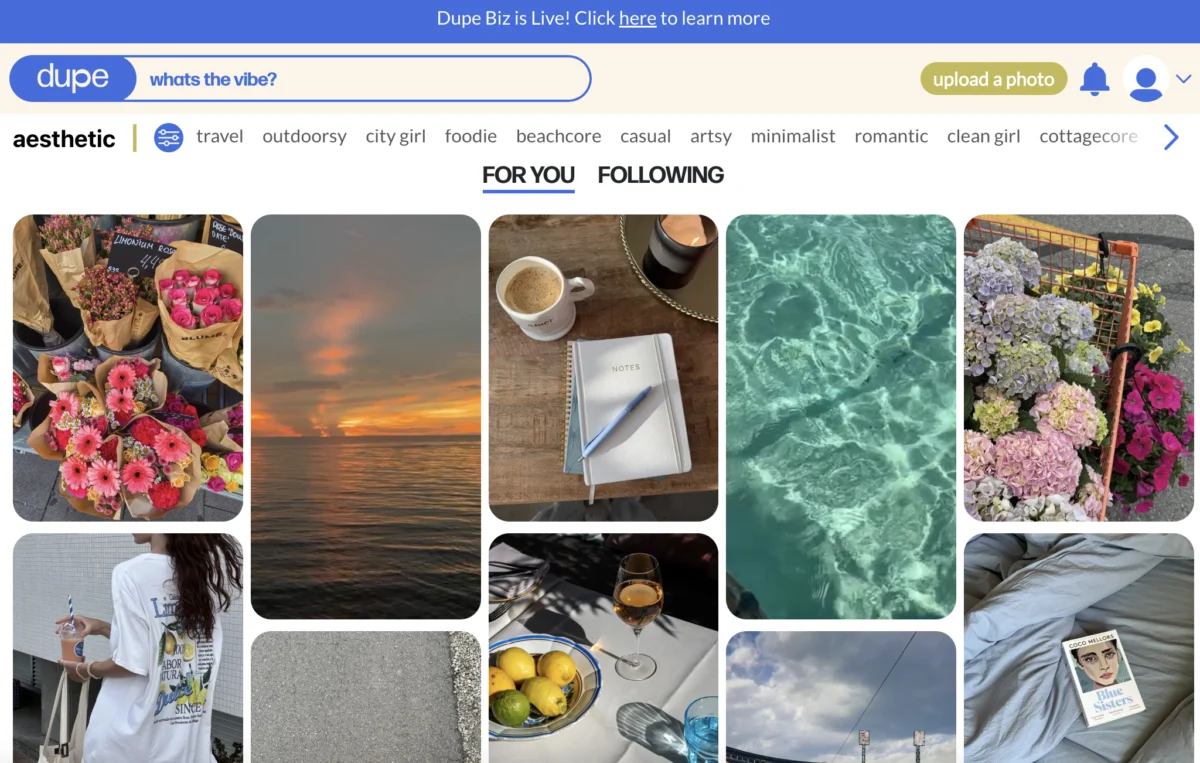
The landscape of Instagram in 2026 presents a dynamic and often demanding environment for creators, marketers, and small businesses alike. With rapidly evolving trends, sophisticated algorithms, and an ever-increasing volume of content, maintaining a consistent and impactful presence on the platform can feel akin to running a continuous marathon. The imperative to constantly innovate, engage, and analyze performance often leads to significant time investment and the potential for burnout. However, strategic leveraging of the right tools can streamline workflows, enhance productivity, and foster sustainable growth without incurring substantial costs.
This comprehensive overview explores a curated selection of free Instagram tools designed to empower users across various facets of content creation, scheduling, analytics, community engagement, and profile optimization. Each tool featured offers a robust free plan or trial, proving genuinely valuable for those seeking to amplify their Instagram strategy. Notably, the integration of Artificial Intelligence (AI) is a recurring theme, demonstrating its growing role in democratizing advanced capabilities for users at every level. By embracing these resources, individuals and organizations can significantly reduce the hours spent on routine tasks, allowing for a greater focus on creative output and strategic planning.

The Evolving Instagram Ecosystem: A Decade of Transformation
Instagram has transformed dramatically since its inception, evolving from a simple photo-sharing application into a multifaceted global platform that integrates short-form video (Reels), ephemeral content (Stories), e-commerce functionalities, and direct messaging. This evolution has led to a highly competitive environment where visibility is increasingly determined by consistency, quality, and algorithmic alignment. For businesses, Instagram has become a critical touchpoint for brand building, customer interaction, and direct sales, while for creators, it represents a primary avenue for personal branding and monetization.
The sheer volume of daily uploads – billions of interactions, millions of new posts – necessitates a strategic approach. Industry analysts consistently highlight that accounts demonstrating consistent posting schedules and high engagement rates are disproportionately rewarded by Instagram’s discovery algorithms. However, achieving this level of consistency manually is often impractical for lean teams or individual creators. This is where external tools become indispensable, acting as force multipliers for productivity and strategic insight. The advent of AI has further amplified this trend, offering automated solutions for tasks ranging from content generation to performance analysis, making advanced digital marketing techniques accessible to a broader user base.
Key Tools for Enhanced Instagram Performance
To navigate the complexities of Instagram effectively, a strategic toolkit is essential. The following categories and tools offer robust functionalities to support every stage of an Instagram strategy, from initial concept to post-publication analysis.
Content Creation Tools: Crafting Engaging Visuals and Captions
Consistently producing high-quality posts, Reels, and Stories is fundamental to Instagram success. These free content creation tools simplify the design and production process, saving valuable time and ensuring a polished aesthetic.
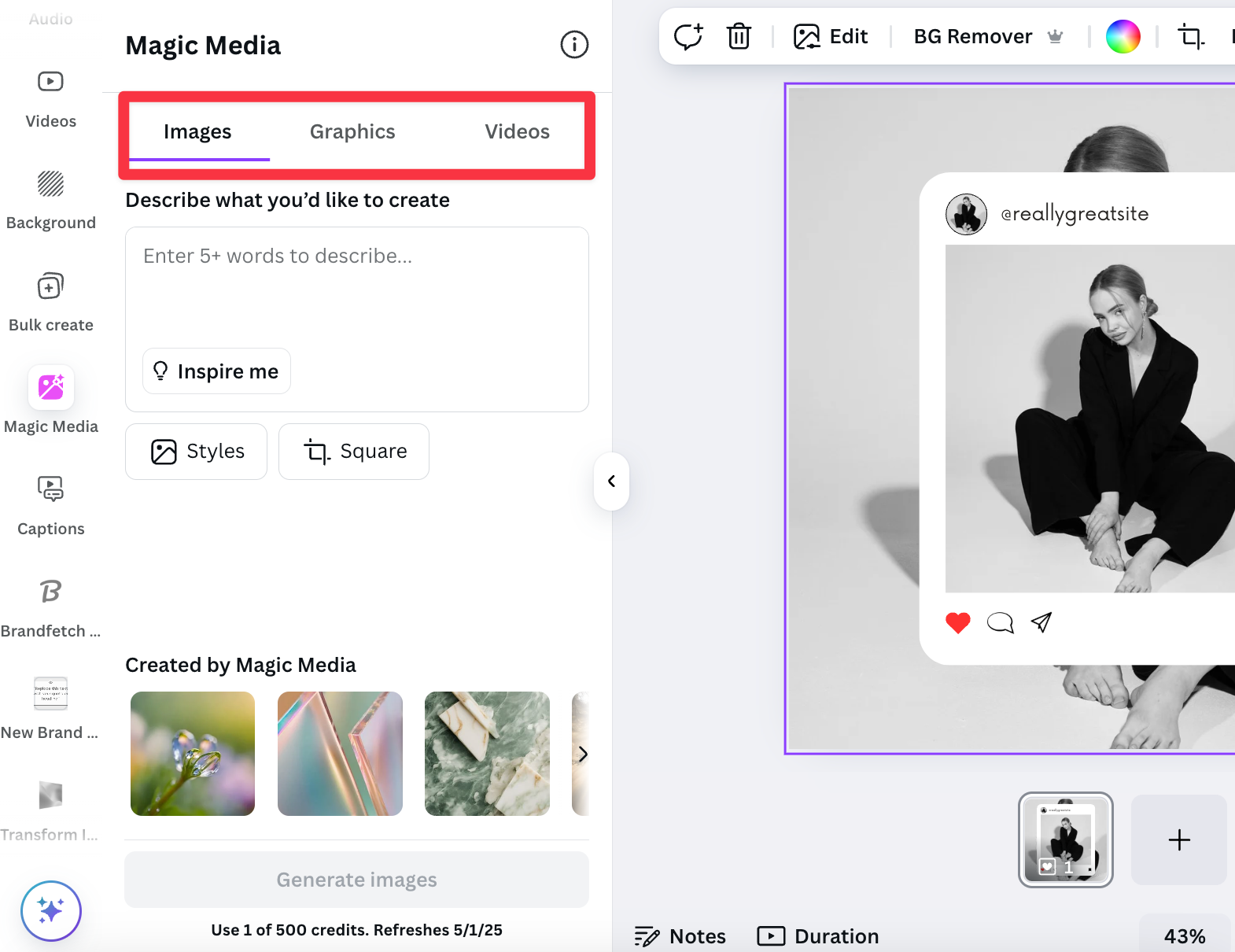
Canva: The All-Round Visual Design Powerhouse
- Best for: Comprehensive visual content creation and graphic design for all formats.
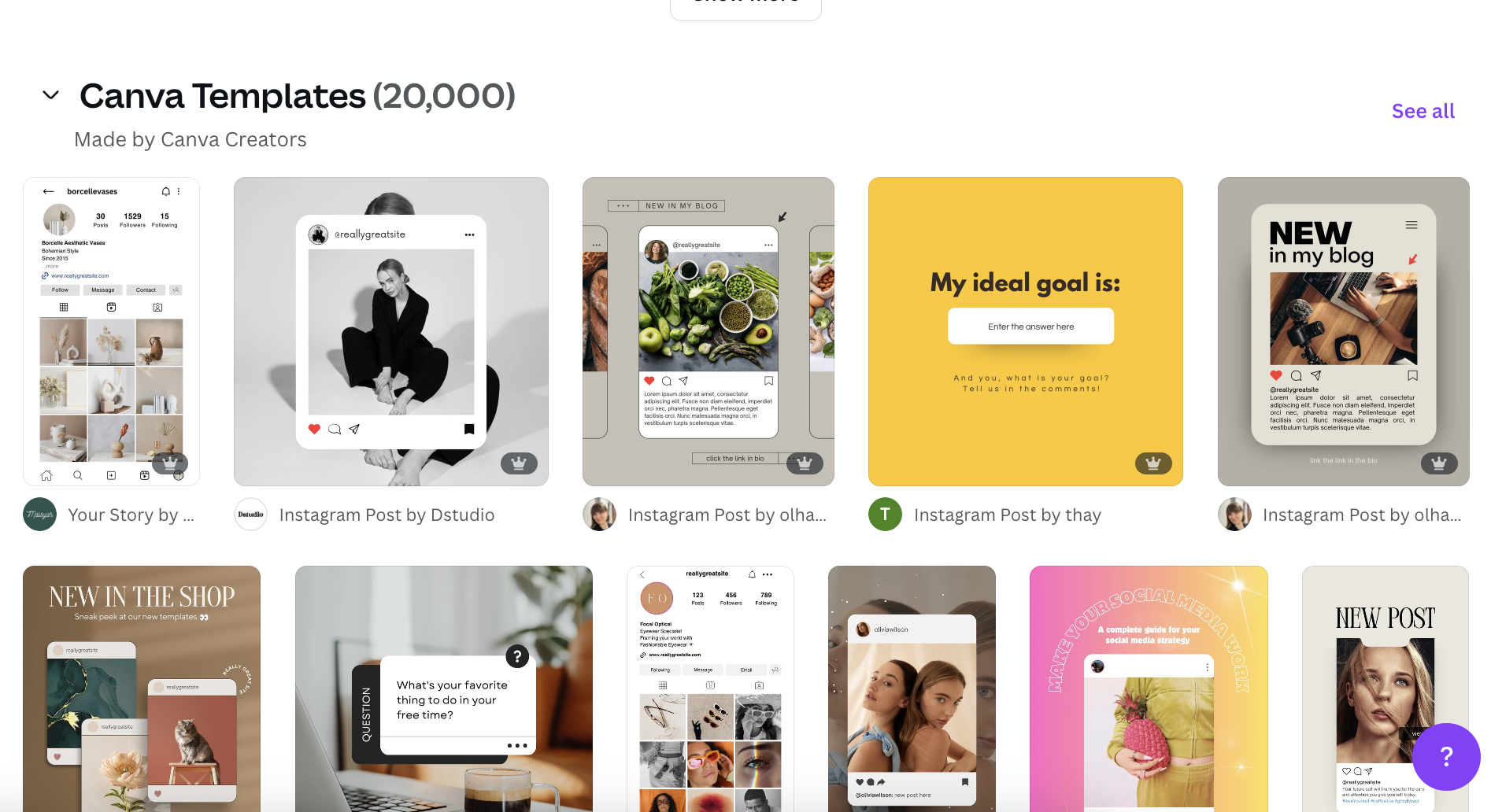
- Overview: Canva has cemented its position as an indispensable tool for creators, small businesses, and marketers, particularly those without extensive graphic design expertise. Its vast library boasts thousands of free Instagram templates meticulously sized for Reels, carousels, Stories, and standard posts. The platform’s intuitive drag-and-drop interface significantly lowers the barrier to entry, enabling users to customize professional-grade visuals rapidly. Recent reports indicate Canva’s user base exceeds 150 million monthly active users globally, underscoring its widespread adoption and impact on content democratization.
- Standout Free Features:
- Extensive Template Library: Access to thousands of pre-designed templates for all Instagram content types, ensuring brand consistency and visual appeal.
- Drag-and-Drop Editor: Simplifies the design process, allowing users to easily add text, images, and graphic elements.
- Magic Studio (AI-Powered): This feature leverages AI to instantly generate eye-catching visuals from simple text prompts, accelerating content ideation and production. It can transform concepts into diverse graphic options, from illustrations to photo composites, significantly reducing the time required for initial design drafts.
- Photo and Video Editing Basics: Provides essential tools for image adjustments, cropping, and basic video trimming directly within the design environment.
- Implications: Canva’s widespread adoption signifies a paradigm shift in content creation, allowing individuals and small teams to produce visuals that rival those created by professional designers, thereby leveling the playing field on platforms like Instagram. Its AI capabilities further push the boundaries of efficiency, enabling creators to experiment with visual styles and produce a higher volume of content.
CapCut: Mastering Mobile and Desktop Video Editing
- Best for: Professional-grade video editing for short-form content.
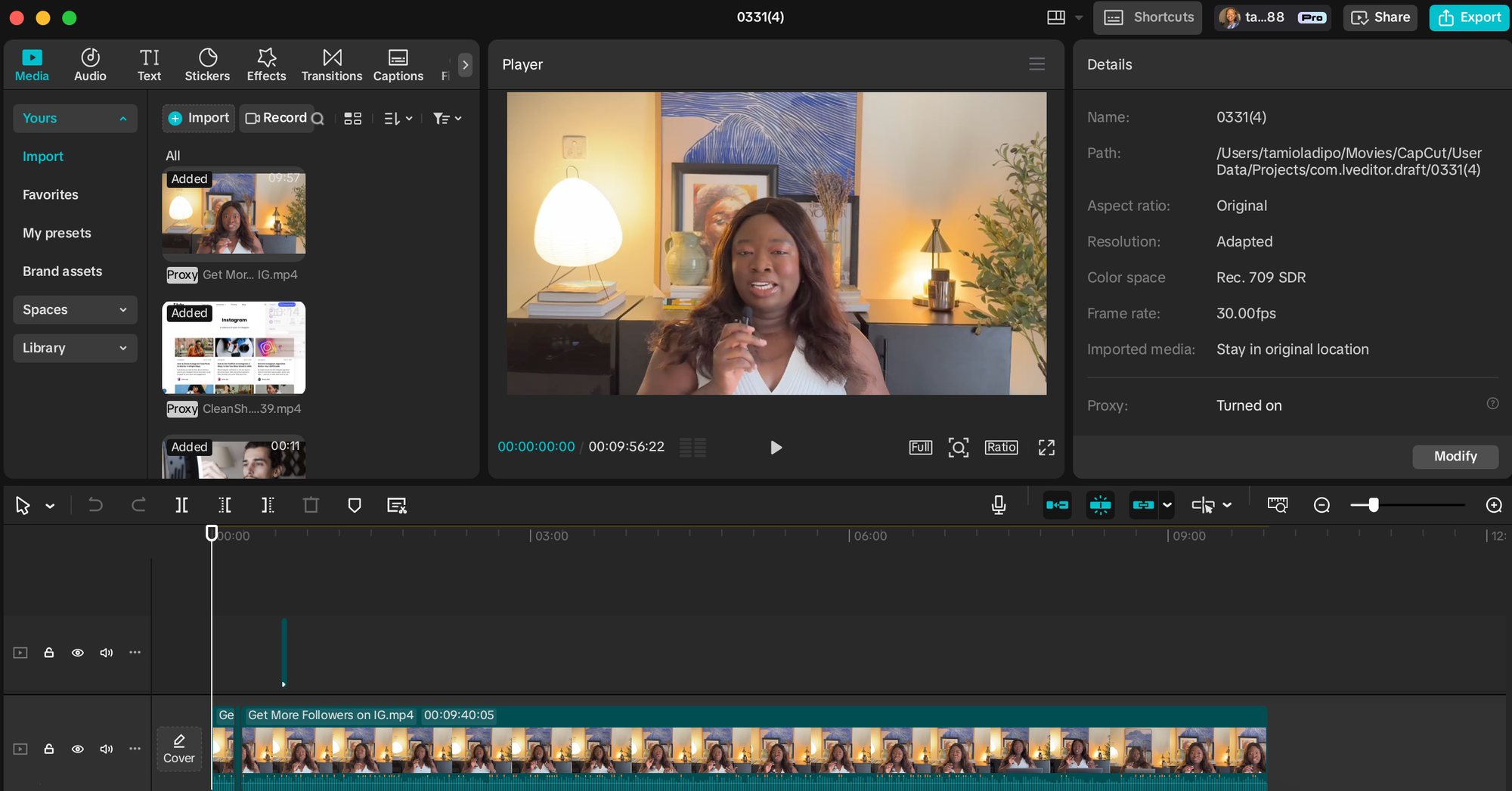
- Overview: Developed by ByteDance, the parent company of TikTok, CapCut has emerged as a dominant free video editor for creators focused on crafting compelling Reels and Stories. This powerful application facilitates video editing directly from mobile devices or desktops, offering a comprehensive suite of tools without watermarks or subscription fees. The explosion of short-form video content, with platforms like Instagram heavily prioritizing Reels, has made tools like CapCut critical. Data suggests that video content consistently outperforms static images in terms of engagement and reach on Instagram.
- Standout Free Features:
- Advanced Editing Suite: Includes precise cutting, diverse transitions, filters, effects, and sound libraries.
- Automatic Captions: AI-powered transcription generates captions, crucial for accessibility and engagement, especially for viewers watching without sound.
- Green Screen and Background Removal: Enables sophisticated visual effects without professional studio equipment.
- Speed Control and Animation: Offers dynamic control over video pacing and adds engaging motion graphics.
- Implications: CapCut empowers creators to produce high-quality, dynamic video content that meets the demands of Instagram’s algorithm. Its accessibility has fueled the growth of short-form video marketing, allowing even novice editors to create viral-ready content, thus democratizing professional video production.
Dupe: Elevating Aesthetic with Natural Stock Imagery
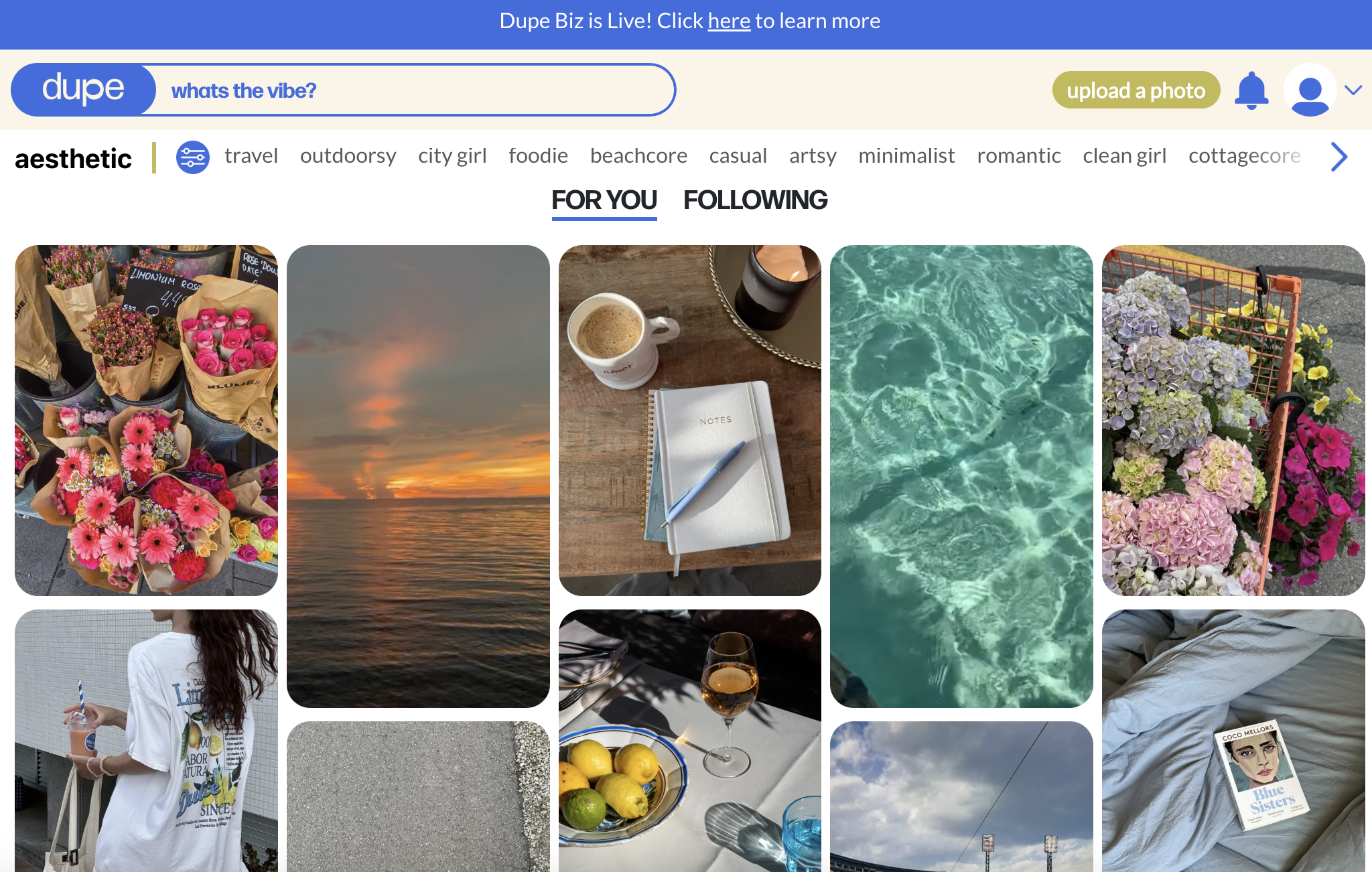
- Best for: Accessing high-quality, aesthetically pleasing stock images that avoid generic appearances.
- Overview: Dupe addresses a common challenge in content creation: the reliance on overused, artificial-looking stock photos. It provides a curated library of high-quality images that exude a natural, modern aesthetic, ideal for contemporary brands and aesthetically driven Instagram feeds. All images are free to use, with no attribution required, simplifying content planning. The library predominantly features lifestyle, fashion, technology, and minimalist themes, catering to a specific visual niche that resonates with current Instagram trends.
- Standout Free Features:
- Curated Aesthetic Collections: Offers a distinct visual style that stands out from generic stock photo sites.
- High-Resolution Downloads: Ensures crisp, professional image quality for all posts.
- No Attribution Required: Simplifies usage and maintains a clean aesthetic without credit lines.
- Regularly Updated Library: Provides fresh content to keep feeds current and engaging.
- Implications: Dupe enables brands and creators to maintain a consistent and authentic visual identity, crucial for cutting through the noise on Instagram. By offering high-quality, niche-specific imagery, it helps accounts avoid the visual fatigue associated with traditional stock photos, thereby enhancing brand perception and engagement.
Grammarly’s AI Instagram Caption Generator: Crafting Engaging Narratives
- Best for: Generating engaging and tonally appropriate Instagram captions with AI assistance.
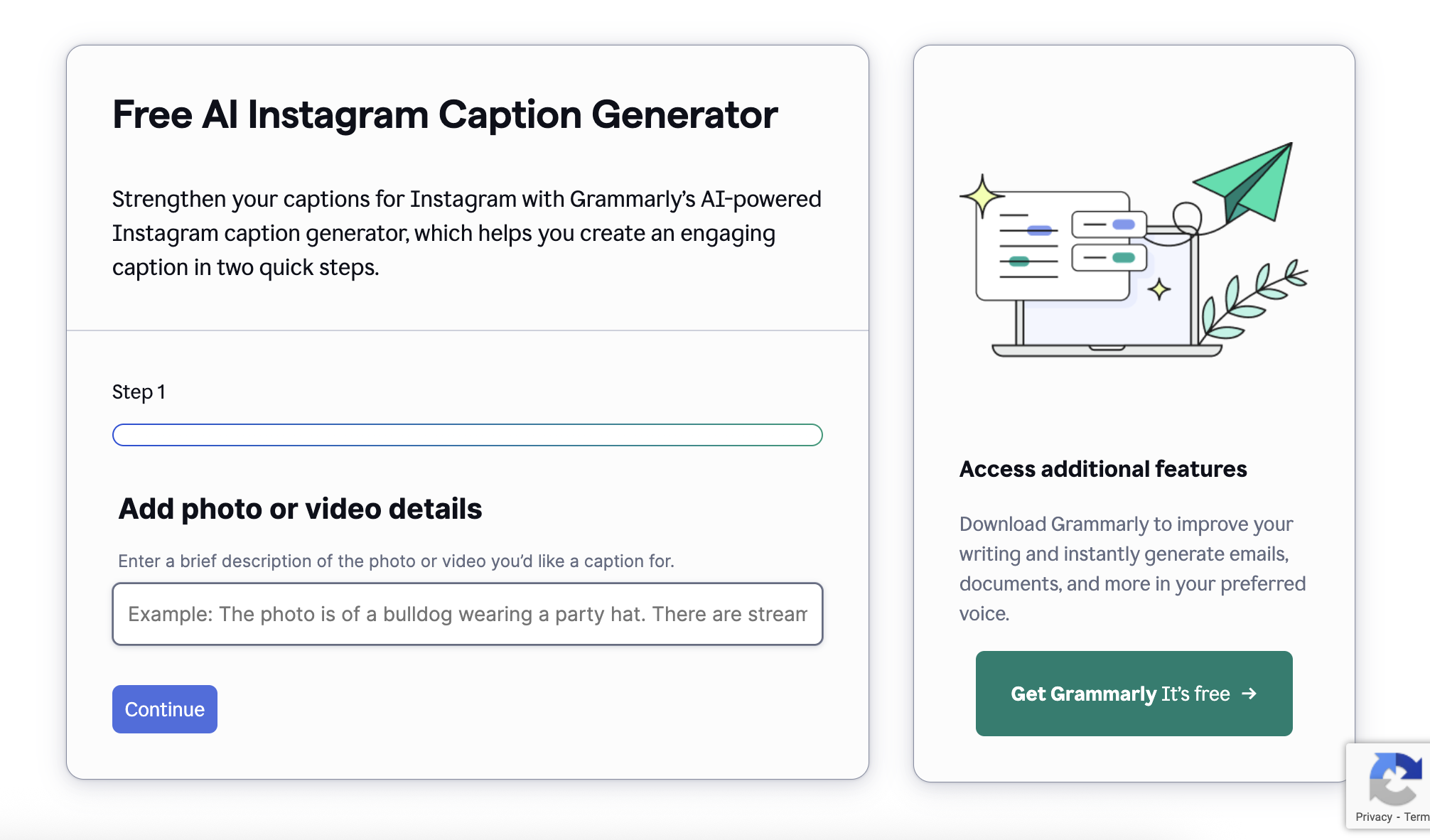
- Overview: Crafting compelling captions that resonate with an audience and drive engagement is a nuanced art. Grammarly’s free AI caption generator simplifies this process. Users describe their post, select a desired tone (e.g., witty, confident, friendly), and the tool generates multiple caption options. This feature is particularly valuable given the importance of captions for storytelling, conveying brand voice, and including relevant keywords for discoverability.
- Standout Free Features:
- Tone Adjustment: Tailors captions to various brand voices and communication styles.
- Multiple Suggestions: Offers diverse options, allowing users to choose or adapt the best fit.
- Keyword Integration: Assists in naturally incorporating relevant terms for improved search visibility within Instagram.
- Conciseness and Clarity: Helps refine captions for maximum impact within character limits.
- Implications: This tool significantly reduces the time and mental effort involved in caption writing, enabling creators to maintain consistency in their brand voice and optimize for engagement. It underscores the growing reliance on AI for text-based content, ensuring that even users struggling with copywriting can produce professional-grade captions.
Scheduling and Management Tools: Orchestrating Consistent Presence
Posting regularly is a cornerstone of Instagram growth, yet the demands of daily (or even weekly) manual posting can be overwhelming. Scheduling tools transform this challenge into a manageable process, allowing for strategic planning and automated publication.
Buffer: Streamlined Scheduling for Consistent Growth
- Best for: Intuitive social media scheduling and multi-platform content planning.
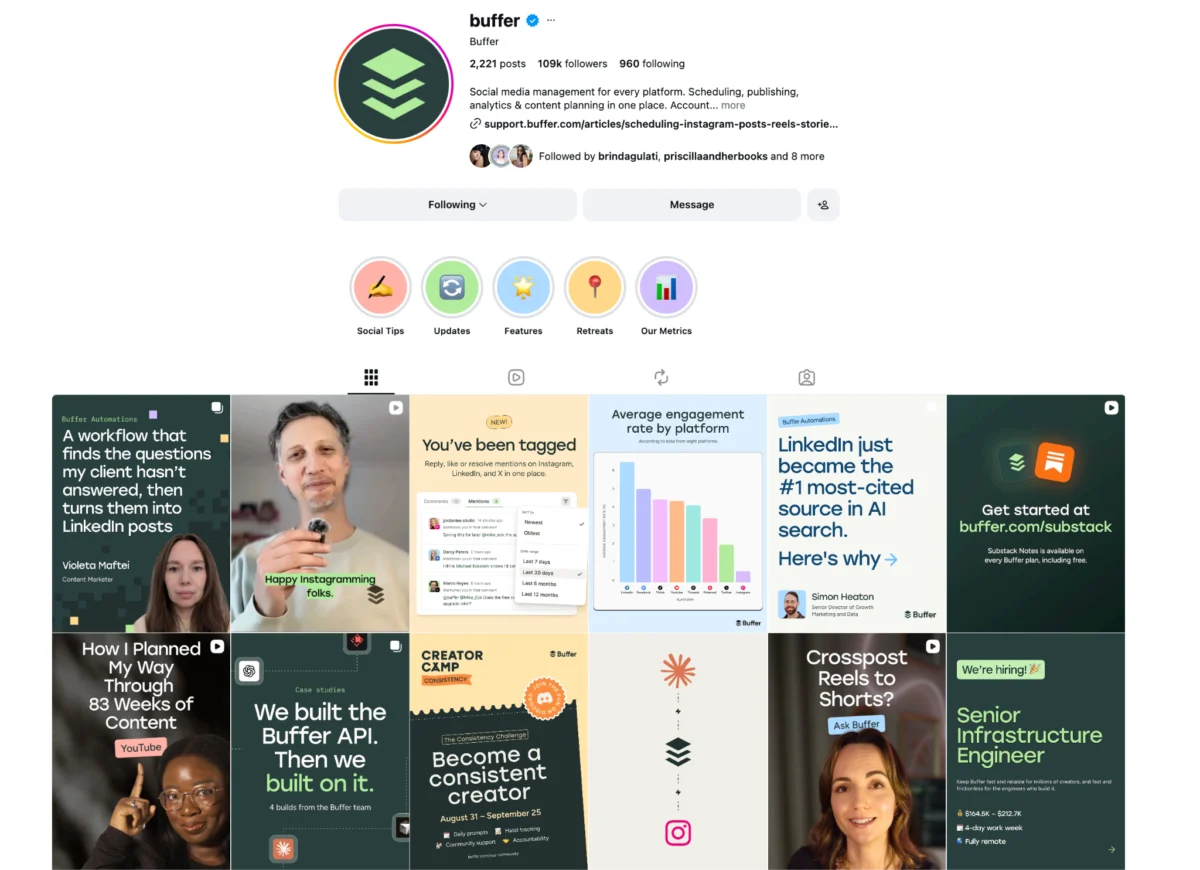
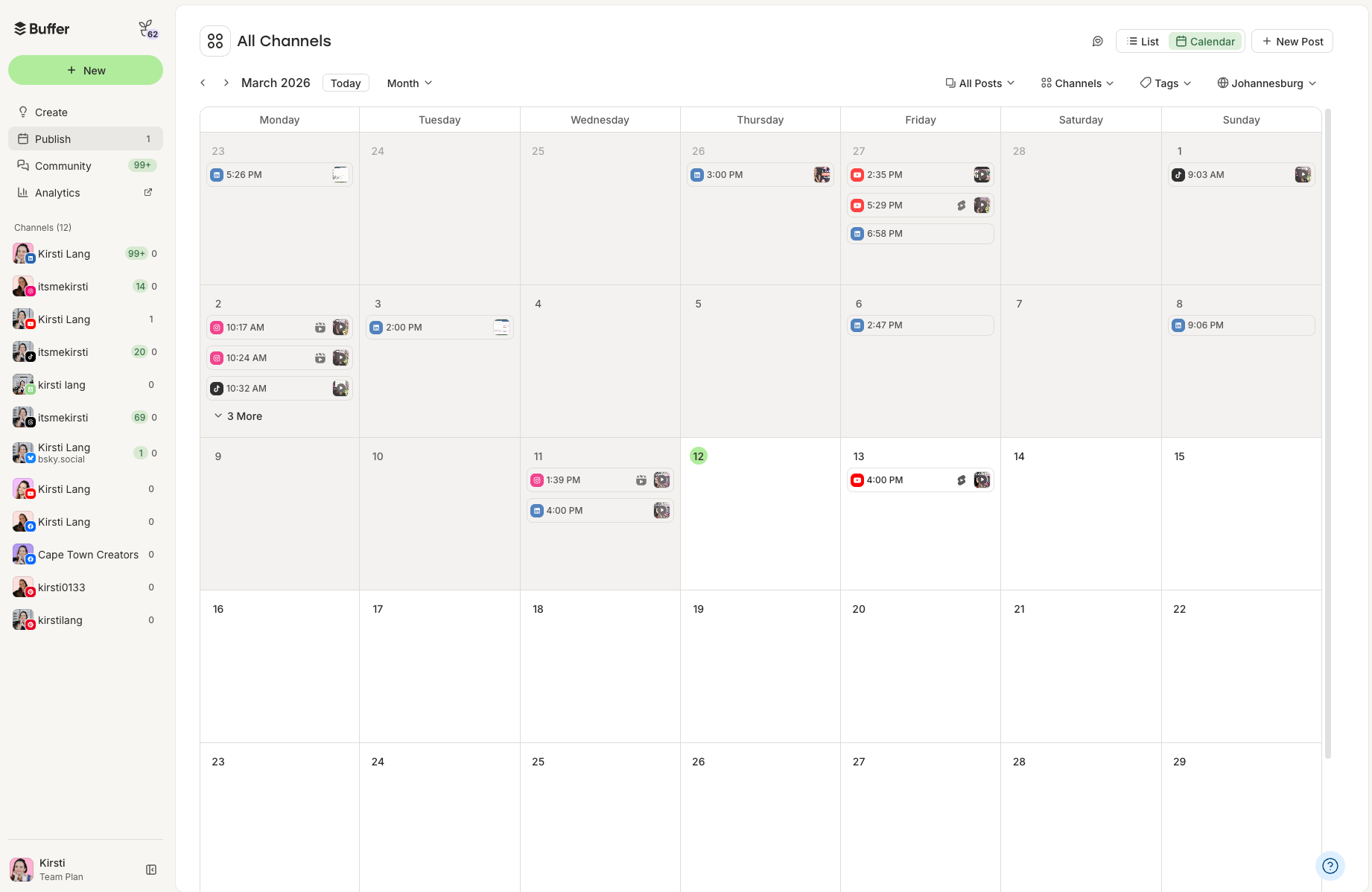
- Overview: Buffer is a widely recognized platform lauded by creators and small businesses for its straightforward approach to social media scheduling. Its generous free plan allows users to connect one Instagram profile and schedule up to 10 posts in advance, providing ample room to plan content weeks ahead. This feature is critical for maintaining consistency, a key factor in algorithmic favorability. Beyond simple scheduling, Buffer enhances efficiency by allowing users to save hashtag groups and schedule the first comment, keeping captions clean and focused. Industry data frequently points to a direct correlation between consistent posting and sustained follower growth.
- Standout Free Features:
- Multi-Platform Scheduling: While focused on Instagram here, Buffer supports other platforms, offering a unified content calendar.
- Customizable Posting Schedules: Allows users to define optimal posting times based on audience activity.
- Hashtag Groups: Saves frequently used hashtag sets, streamlining the captioning process.
- First Comment Scheduling: Enables users to automatically post relevant hashtags or additional information in the first comment, keeping the main caption concise.
- Implications: Buffer democratizes professional social media management, making it feasible for individual creators and small teams to maintain a consistent, strategic online presence without daily manual intervention. Its focus on efficiency and planning directly addresses the burnout often associated with social media management, fostering long-term engagement and growth.
Meta Creator Studio (Part of Meta Business Suite): Native Scheduling Reliability
- Best for: Direct-to-Instagram scheduling and robust integration within the Meta ecosystem.
- Overview: For users deeply integrated into the Meta ecosystem, Creator Studio (now largely folded into Meta Business Suite) offers a native, reliable solution for scheduling Instagram content. This official Meta tool allows for the planning of posts, Reels, carousels, and Stories directly to Instagram, bypassing third-party API limitations. The advantage of a native tool lies in its seamless integration, often providing the most accurate scheduling and analytics without compatibility issues.
- Standout Free Features:
- Direct Publishing: Posts content directly to Instagram without relying on external APIs, ensuring reliability.
- Comprehensive Content Support: Schedules all Instagram content types, including Reels and Stories.
- Built-in Analytics: Provides access to performance data directly within the suite, offering a holistic view of content impact.
- Ad-Free Experience: A clean interface focused purely on content management.
- Implications: Meta Creator Studio ensures that businesses and creators can leverage the full spectrum of Instagram’s features with the highest degree of reliability. It empowers users to manage their presence efficiently within the official framework, providing peace of mind regarding compliance and data accuracy.
Analytics and Strategy Tools: Unlocking Data-Driven Growth
While creating compelling content is paramount, understanding its performance is what truly drives sustainable growth. Instagram analytics tools move beyond guesswork, providing concrete data to inform strategic decisions.
Instagram’s Native Insights: The Foundational Data Source
- Best for: Essential, first-party performance data directly within the Instagram app.
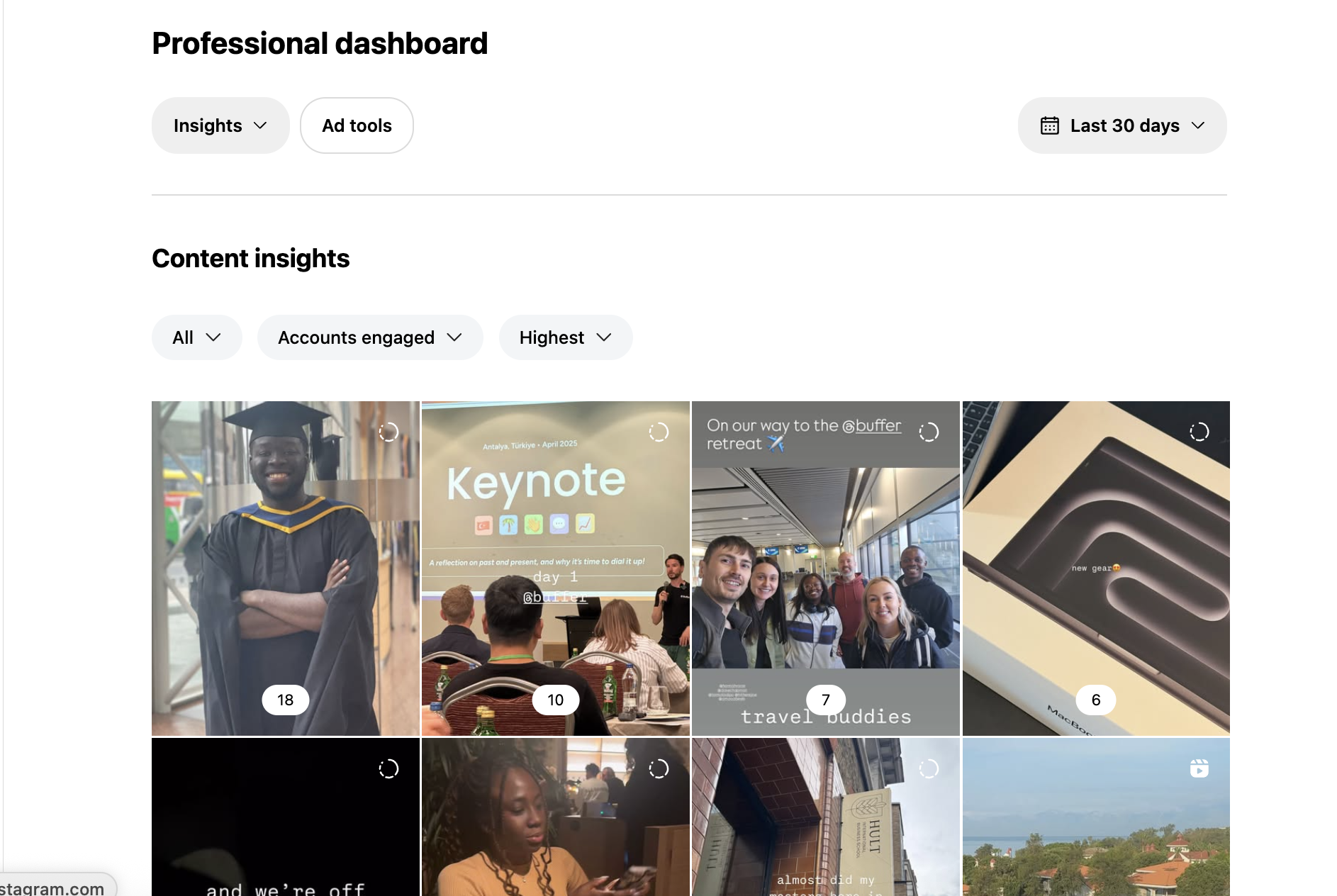
- Overview: For any Creator or Business account, Instagram’s built-in analytics tool is the primary source of essential performance data. This feature provides a comprehensive overview of post reach, impression, follower demographics, and top-performing content. It’s an invaluable first step for understanding audience behavior and content effectiveness. Accessing these insights directly within the app means immediate feedback on what resonates and what falls flat.
- Standout Free Features:
- Audience Demographics: Provides data on followers’ age, gender, location, and active times.
- Content Performance Metrics: Shows reach, impressions, likes, comments, shares, and saves for individual posts and Stories.
- Follower Growth Tracking: Monitors changes in follower count over time.
- Discovery Insights: Reveals how users are finding your content (e.g., from Home, Explore, Hashtags).
- Implications: Native Insights democratizes access to critical performance data, enabling creators and businesses to make informed decisions about their content strategy. By understanding who their audience is and what content they engage with most, users can refine their approach to maximize impact and growth.
Buffer’s Integrated Analytics: A Holistic View
- Best for: Comprehensive analytics integrated with scheduling for a unified social media management experience.
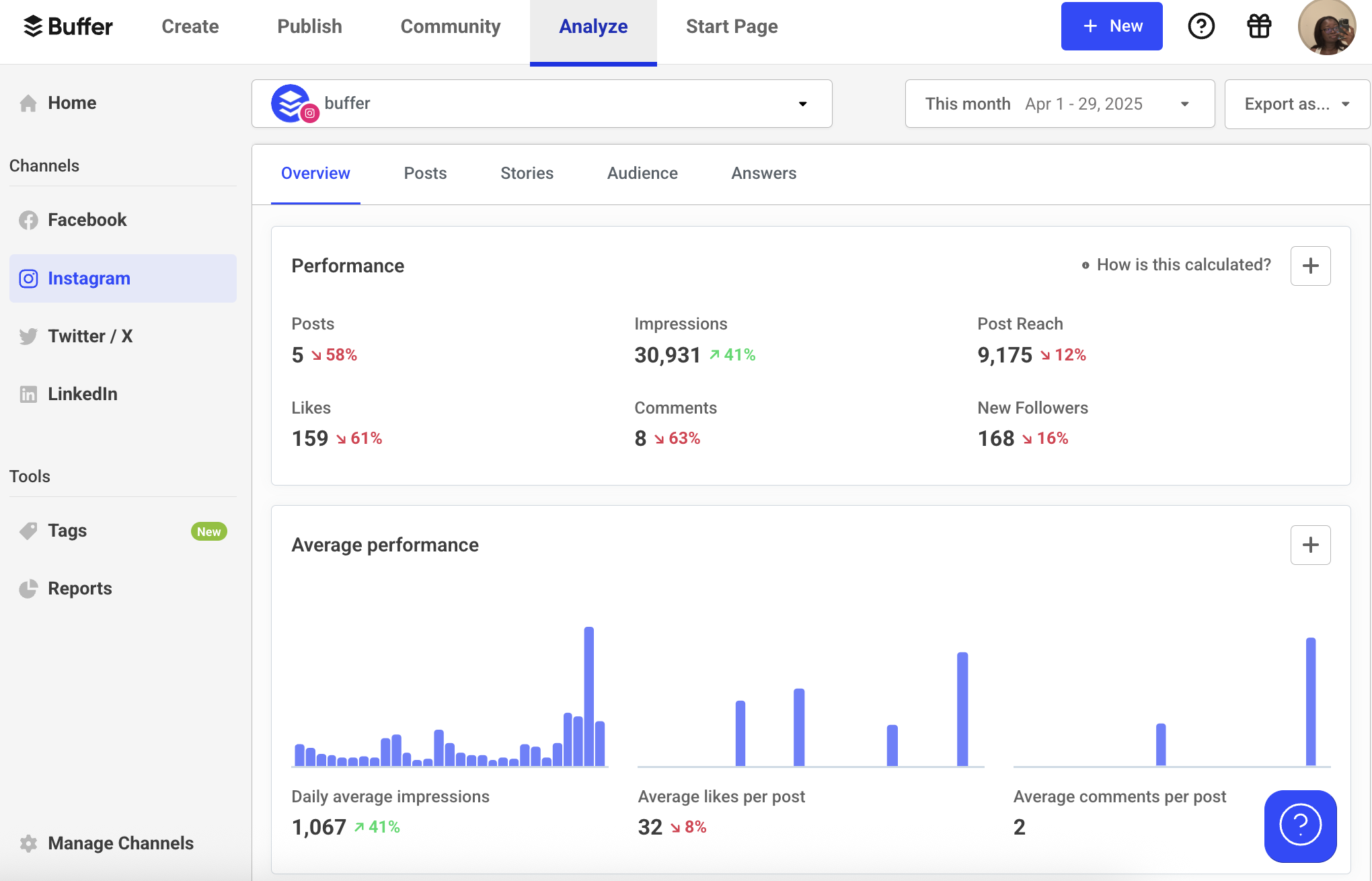
- Overview: For users already leveraging Buffer for scheduling, its integrated analytics capabilities offer a powerful extension. Buffer provides detailed insights into Instagram account performance, including impressions, reach, follower growth, and engagement metrics, all within a single dashboard. This integration is particularly beneficial for those seeking a one-stop shop for social media management, allowing them to schedule content, monitor its performance, and adjust strategies without switching between multiple platforms.
- Standout Free Features:
- Post-Level Performance: Detailed metrics for each scheduled post, including engagement rates and top-performing content.
- Audience Growth Tracking: Monitors follower trends and demographic shifts.
- Optimal Posting Time Suggestions: Uses data to recommend the best times to publish for maximum reach.
- Campaign Tracking (Limited): Allows for basic tracking of content initiatives.
- Implications: Buffer’s integrated approach streamlines the entire social media workflow from planning to analysis. This holistic view empowers users to quickly identify patterns, optimize their content strategy, and demonstrate tangible ROI for their Instagram efforts, fostering a more data-driven approach to social media marketing.
SparkToro: Deep Audience Understanding
- Best for: In-depth audience research to inform content, collaborations, and hashtag strategy.
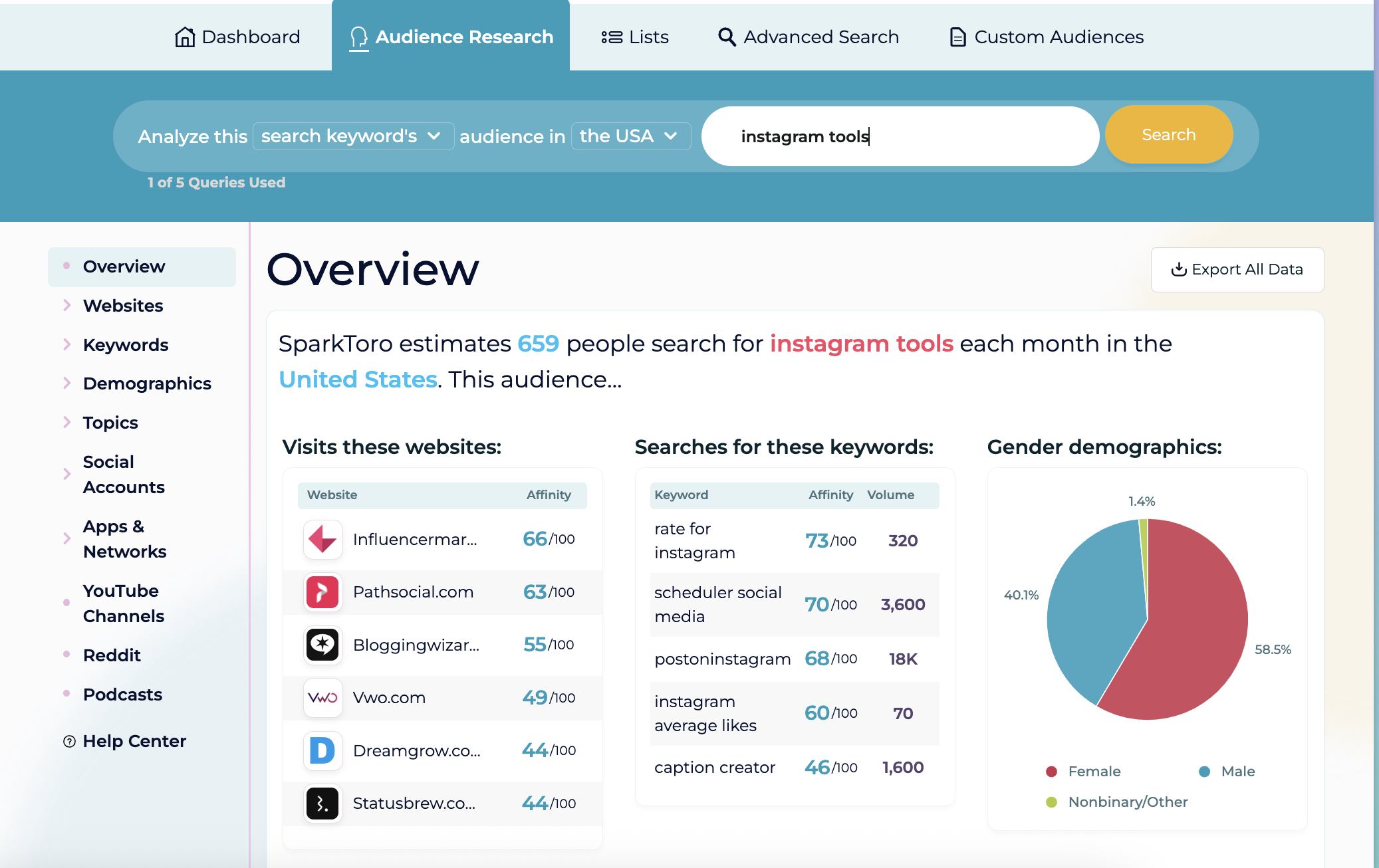
- Overview: SparkToro offers a powerful free tier for understanding audience behavior beyond surface-level demographics. By inputting a keyword, topic, or even an Instagram handle, users can uncover what their target audience reads, follows, listens to, and discusses across the web. This granular insight is invaluable for identifying relevant content angles, potential collaboration partners, and effective hashtags that resonate with a specific niche. Understanding audience interests is paramount for creating content that genuinely connects and converts.
- Standout Free Features:
- Audience Profile Generation: Reveals websites, podcasts, social accounts, and hashtags frequented by a target audience.
- Influencer Identification: Helps pinpoint relevant creators and voices within a specific niche.
- Content Topic Discovery: Uncovers popular subjects and pain points for content ideation.
- Limited Free Searches: Provides enough data to get significant strategic insights.
- Implications: SparkToro moves beyond basic analytics to provide strategic intelligence, allowing creators and businesses to tailor their content and outreach efforts with unprecedented precision. This deep audience understanding is critical for building truly engaged communities and maximizing the impact of every post.
Social Blade: Competitive Benchmarking and Trend Spotting
- Best for: Analyzing follower growth and engagement of any public Instagram account, including competitors.
- Overview: Social Blade is a valuable tool for competitive analysis and tracking broader industry trends. It provides public data on follower growth trends, engagement statistics, and performance metrics for virtually any public Instagram account. This capability allows users to benchmark their growth against competitors, identify successful content strategies within their niche, and monitor the performance of potential collaborators or influencers.
- Standout Free Features:
- Follower Growth Charts: Visualizes daily, weekly, and monthly follower changes.
- Engagement Rate Estimates: Provides an overview of how well an account’s content performs relative to its follower count.
- Historical Data: Offers insights into past performance trends.
- Competitor Comparison: Enables direct comparison of metrics between multiple accounts.
- Implications: Social Blade democratizes access to competitive intelligence, allowing users to learn from the successes and failures of others in their space. This external perspective is crucial for refining one’s own strategy, identifying market gaps, and staying ahead of evolving trends.
Buffer’s Free Hashtag Generator: Maximizing Discoverability
- Best for: AI-powered generation of relevant hashtags to boost content reach.
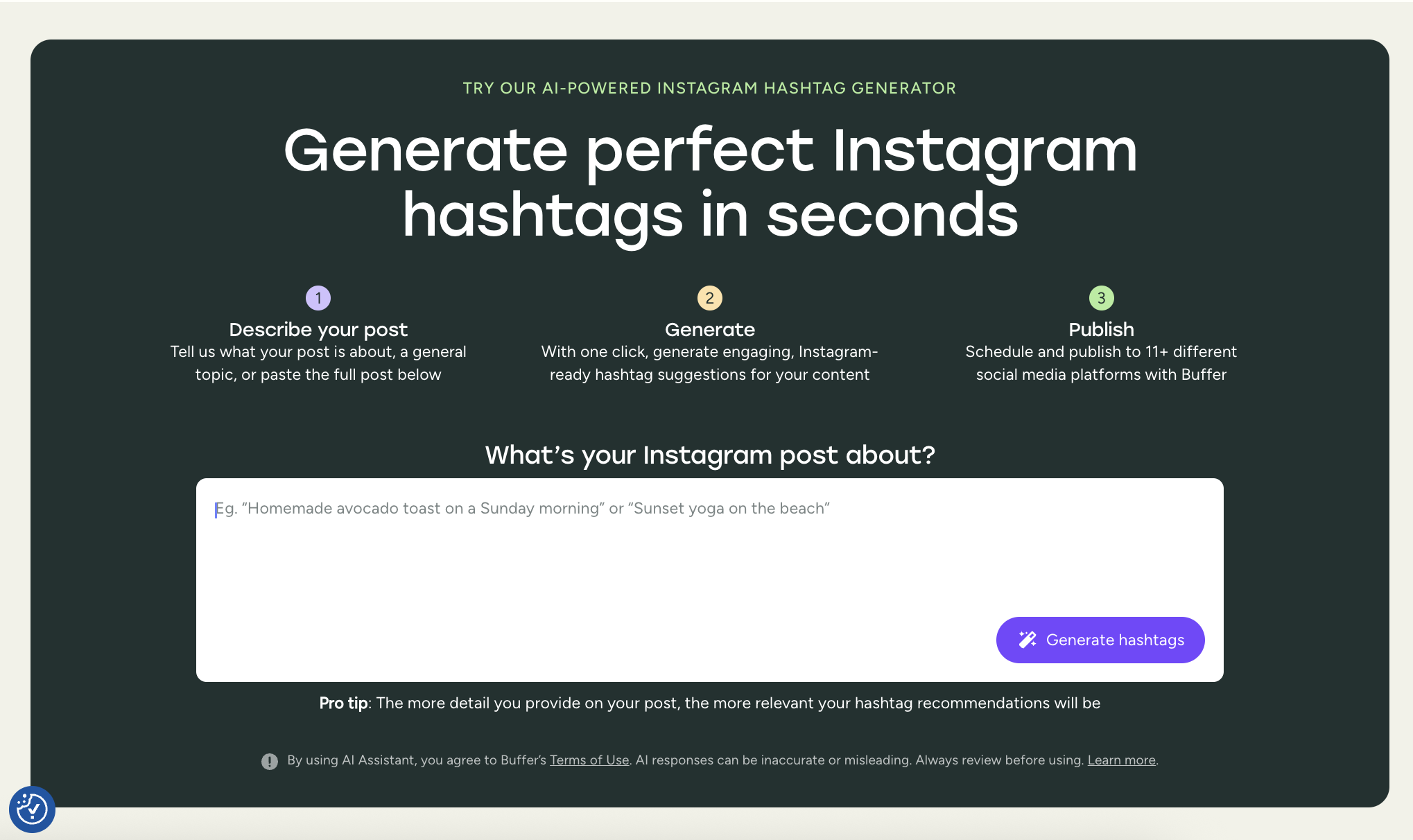
- Overview: Hashtags remain a critical mechanism for content discoverability on Instagram. Buffer’s free AI hashtag generator simplifies the often-tedious process of finding effective hashtags. Users simply input a brief description of their post (e.g., "Sunday beach yoga" or "remote work tips"), and the tool instantly generates a list of relevant hashtags tailored to their niche and audience. This eliminates guesswork and ensures that content is tagged appropriately for maximum reach.
- Standout Free Features:
- AI-Powered Suggestions: Generates contextually relevant hashtags based on user input.
- Categorized Hashtags: Often suggests a mix of broad, niche, and trending hashtags.
- Quick Integration: Designed to seamlessly integrate with Buffer’s scheduling workflow.
- Unlimited Free Use: Provides ongoing access to hashtag generation without limits.
- Implications: This tool significantly enhances content discoverability, a primary driver of new followers and engagement. By making hashtag research efficient and accurate, it ensures that valuable content reaches the right audience, contributing to organic growth and expanding an account’s footprint on the platform.
Engagement and Community Management Tools: Building Authentic Connections
Beyond broadcasting content, genuine engagement is key to fostering a loyal community and driving growth on Instagram. As accounts scale, managing comments and DMs can become overwhelming; these tools help maintain a personal touch at scale.
Buffer Community: Centralized Engagement Hub
- Best for: Consolidating and efficiently managing Instagram comments and messages.
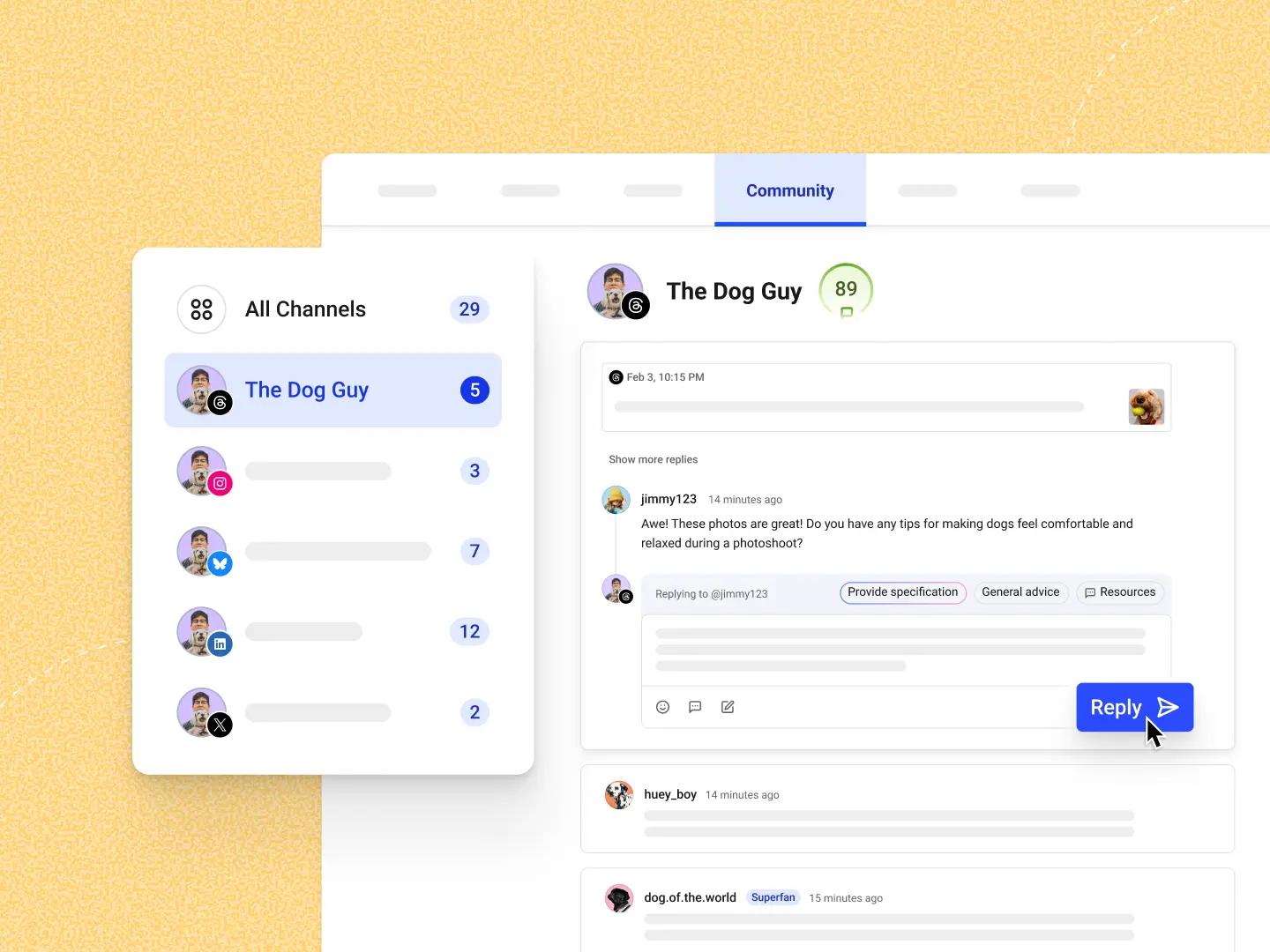
- Overview: Our research indicates that actively replying to Instagram comments can boost engagement by as much as 21%, highlighting the importance of timely interaction. As an account grows, managing a deluge of DMs and comments across various posts can become an arduous task. Buffer’s Community feature addresses this by pulling all Instagram comments (and messages from other connected platforms) into a single, unified dashboard. This centralized approach prevents missed opportunities for interaction and streamlines the process of building genuine connections.
- Standout Free Features:
- Unified Inbox: Consolidates all comments from connected Instagram accounts into one manageable view.
- Quick Reply Functionality: Enables rapid responses to multiple comments.
- Comment Filtering: Allows users to sort and prioritize comments based on various criteria.
- Sentiment Analysis (Basic): Helps identify positive, negative, or neutral interactions for prioritization.
- Implications: Buffer Community transforms community management from a fragmented, time-consuming chore into an organized, efficient process. By centralizing interactions, it empowers creators and businesses to maintain a high level of engagement, respond promptly to their audience, and foster a stronger, more loyal community.
ManyChat for Instagram DM Automation: Scaling Personal Interaction
- Best for: Automating Instagram Direct Messages for lead generation, customer support, and content delivery.
- Overview: ManyChat allows for sophisticated automation within the Instagram inbox, enabling users to scale their engagement efforts without losing a personal touch. It can be configured to send automated welcome DMs based on specific keyword comments, instantly deliver freebie links, answer FAQs, or guide users through sales funnels. This automation is particularly effective for lead generation, nurturing prospects, and providing immediate value to followers.
- Standout Free Features:
- Keyword Triggers: Initiates automated DM sequences based on specific words or phrases in comments or DMs.
- Automated Welcome Messages: Greets new followers or commenters, setting a positive first impression.
- Content Delivery: Automatically sends links, files, or information requested by users.
- Basic Flow Builder: Allows for the creation of simple conversational flows to guide users.
- Implications: ManyChat revolutionizes how businesses and creators manage direct interactions on Instagram. It allows for personalized engagement at scale, significantly improving response times, reducing manual workload, and converting passive followers into active leads or engaged community members.
CommentGuard: Protecting Brand Reputation and Sanity
- Best for: Automated moderation of Instagram comments to filter spam, toxic replies, and flag important inquiries.
- Overview: As an Instagram account grows, so does the potential for spam, trolls, and negative comments. Manually moderating every thread can be an overwhelming and emotionally draining task. CommentGuard provides an automated solution, designed to hide spam, filter out toxic replies, and even flag potential customer inquiries for immediate attention. This tool gives creators and brands greater control over their comment sections, ensuring a positive and productive environment for their community.
- Standout Free Features:
- Spam Filtering: Automatically detects and hides irrelevant or promotional comments.
- Toxic Comment Detection: Identifies and moderates abusive or inflammatory language.
- Keyword Blacklisting: Allows users to define specific words or phrases to be automatically hidden.
- Priority Flagging: Highlights comments that appear to be genuine customer inquiries or important interactions.
- Implications: CommentGuard is essential for maintaining a healthy and respectful online community. By automating the moderation process, it protects brand reputation, saves significant time for community managers, and ensures that constructive conversations can flourish, fostering a more positive user experience.
Bio Link Optimization Tools: Maximizing Traffic Conversion
The Instagram bio link is a precious commodity, often the only clickable external link available to followers. While Instagram now allows up to five links, they can still appear cluttered. Link-in-bio tools transform this single entry point into a dynamic, navigable content hub.
Buffer Start Page: The Customizable Micro-Site
- Best for: Creating a clean, customizable, and mobile-optimized micro-landing page for multiple links.
- Overview: Start Page is Buffer’s 100% free solution to the challenge of optimizing the Instagram bio link. Users can quickly build a mobile-optimized page, complete with their branding, unlimited links, embedded social content, and even email signup blocks. For those without a full website, Start Page offers a professional and highly customizable online presence that can be established in minutes, serving as a central hub for all important external content.
- Standout Free Features:
- Unlimited Links: Directs followers to multiple destinations from a single bio link.
- Customizable Branding: Allows for brand colors, logos, and fonts to maintain a consistent identity.
- Social Embeds: Integrates other social media profiles directly onto the page.
- Email Signup Block: Facilitates list building directly from the Instagram profile.
- Implications: Start Page empowers creators and businesses to maximize the utility of their Instagram bio link, transforming it into a powerful traffic driver and lead generation tool. By providing a branded, organized content hub, it significantly improves user experience and conversion rates, making it easier for followers to discover all relevant aspects of a brand or creator’s work.
Strategic Implementation: A Phased Approach
While the array of free tools available is impressive, the temptation to adopt everything simultaneously should be tempered with a strategic, phased approach. Over-tooling can lead to complexity and diminished returns. The most effective strategy involves starting small, integrating one or two tools that address immediate pain points, and then gradually expanding the toolkit as workflow needs evolve and benefits become evident.
Recommended Implementation Steps:
- Identify Core Needs: Begin by pinpointing the most pressing challenges. Is it consistent posting, lack of engagement, or difficulty creating visuals?
- Start with One or Two: Select one tool from the relevant category (e.g., Canva for visuals, Buffer for scheduling).
- Consistent Usage: Integrate the chosen tool into the workflow and use it consistently for several weeks to assess its impact.
- Evaluate and Iterate: Analyze the results using Instagram’s native insights or Buffer’s analytics. Does the tool genuinely save time or improve performance?
- Expand Gradually: Once comfortable with initial tools, consider adding others that address secondary needs, building a comprehensive, yet manageable, toolkit.
By adopting this measured approach, creators and businesses can harness the power of these free Instagram tools to make their presence on the platform more manageable, more effective, and ultimately, more enjoyable. The goal is to transform the "marathon" of Instagram management into a well-supported and rewarding journey.
Frequently Asked Questions (FAQs)
Are these "free" Instagram tools genuinely free, or are there hidden costs?
Each tool highlighted in this article offers a legitimate no-cost plan that provides access to its core features. These free tiers are designed to be fully functional for individual creators or small businesses with moderate needs. Charges typically only apply if users require advanced functionalities, higher usage quotas, premium templates, additional connected profiles, or expanded team access. The intent is to offer substantial value without an initial financial commitment.
Is it safe to connect my Instagram account to third-party tools?
Generally, yes, it is safe, provided the tools adhere to Instagram’s official API guidelines. Reputable tools, like those listed here, utilize Instagram’s official API to connect, meaning they do not store your Instagram password. Instead, they operate with specific permissions granted by you. If at any point you wish to revoke access for a third-party application, you can easily do so within your Instagram settings under Settings > Security > Apps and websites. It is always advisable to be cautious of tools that promise unrealistic growth or require your direct Instagram login credentials, as these may violate Instagram’s terms of service and pose security risks.
Can I truly schedule Instagram posts for free?
Absolutely. Many platforms offer free scheduling capabilities. For instance, Buffer’s free plan allows users to connect one Instagram account and schedule up to 10 posts in advance. This enables the planning and automation of approximately a week’s worth of daily content without any financial outlay. Meta’s own Creator Studio (now part of Meta Business Suite) also provides direct, free scheduling for various content types, offering a native solution that ensures maximum compatibility and reliability.
Will using these tools negatively impact my reach or risk my account being banned?
No, reputable tools that comply with Instagram’s guidelines will not negatively affect your reach or risk your account being banned. The tools featured in this guide are designed to enhance your workflow and strategy in alignment with Instagram’s terms of service. It is crucial, however, to steer clear of any services that promise guaranteed instant followers, likes, or other artificial engagement. Such "shortcut" services often violate Instagram’s community guidelines, can lead to shadow bans, reduced organic reach, or even permanent account suspension. Always prioritize genuine engagement and organic growth methods supported by legitimate tools.