
The landscape of digital content creation has undergone a transformative shift, with video emerging as a dominant format across social media platforms and digital channels. This surge in video consumption, evidenced by industry reports indicating a consistent annual growth in short-form video engagement, has simultaneously amplified the demand for efficient and accessible video production tools. Historically, video editing has been a time-intensive and skill-dependent endeavor, posing significant barriers for individual creators and small businesses. However, the rapid advancement of Artificial Intelligence (AI) is now revolutionizing this process, offering sophisticated solutions that streamline workflows and democratize high-quality video production.
The journey of a video from raw footage to a polished piece typically involves several complex stages: setting up recording equipment, delivering coherent on-camera presentations, and then the often-daunting task of editing. This final stage, which encompasses everything from basic cuts to intricate visual effects, traditionally requires specialized software knowledge and a keen eye for detail. Many aspiring creators encounter a significant "skill-taste gap," where their vision for quality far exceeds their technical proficiency in editing. This challenge, coupled with the considerable time investment, often limits content output or necessitates expensive outsourcing. The advent of AI video editors directly addresses these bottlenecks, promising to bridge the gap between creative ambition and practical execution.
The Evolution of AI in Video Editing: A New Era of Efficiency
The integration of AI into video editing software represents a pivotal moment in content creation technology. While rudimentary automation features have existed for years, the true game-changer has been the application of advanced machine learning, natural language processing (NLP), and computer vision. These sophisticated AI capabilities, which gained significant traction from 2023 onwards, have enabled tools to move beyond simple predefined actions to genuinely intelligent and adaptive editing processes.
This evolution has given rise to two distinct, though sometimes overlapping, categories of AI video editors, each catering to different levels of user control and technical expertise. Understanding this distinction is crucial for creators seeking to integrate AI effectively into their workflows.
Categorizing AI Video Editors: Enabled vs. Led Approaches
The current market for AI video editing tools can broadly be divided into two primary camps: AI-enabled editors and AI-led editors. This classification helps users identify tools that align best with their desired level of creative involvement and technical proficiency.
AI-Enabled Video Editors
AI-enabled editors are essentially traditional video editing platforms that have integrated specific AI-powered features to augment the user’s workflow. In these tools, the human editor remains primarily in control of the timeline, making most of the creative decisions. The AI acts as an intelligent assistant, automating repetitive or technically complex tasks. Common AI-enabled functionalities include:
- Automatic Caption Generation: Transcribing spoken audio into text captions, often with speaker identification.
- Filler Word Removal: Automatically identifying and cutting "um," "uh," "you know," and other conversational pauses.
- Background Noise Reduction: Cleaning up audio tracks to improve clarity and professionalism.
- Intelligent Reframing: Adjusting horizontal footage for optimal display on vertical platforms like TikTok and Instagram Reels, ensuring subjects remain centered.
- Object Tracking and Removal: Automatically following subjects or removing unwanted elements from a scene.
Prominent examples in this category include CapCut, Adobe Express, and Veed AI. These tools are ideal for creators who possess a foundational understanding of video editing or are willing to learn, as they significantly accelerate the editing process by offloading tedious manual tasks.
AI-Led Video Editors
In contrast, AI-led editors reverse the traditional workflow by having the AI take the primary role in executing edits based on plain-language instructions. Users provide a high-level brief – detailing desired cuts, transitions, and overall style – and the AI agent then processes the raw footage to generate a rough cut. The user’s role shifts from direct manipulation of the timeline to reviewing, refining, and providing further instructions. This approach is particularly beneficial for those with limited editing experience or severe time constraints. Key characteristics of AI-led editors often involve:
- Agentic Editing: An AI agent interprets complex instructions and applies multiple editing actions autonomously.
- Content Repurposing: Automatically identifying key moments in long-form content and generating short, engaging clips for social media.
- Style Emulation: The ability to analyze reference videos and apply similar pacing, text styles, or visual aesthetics to new footage.
Vyra and OpusClip exemplify this category, with Descript often demonstrating a significant overlap due to its advanced transcript-based editing and AI co-editor capabilities.
The Blurring Lines and Advanced Protocols
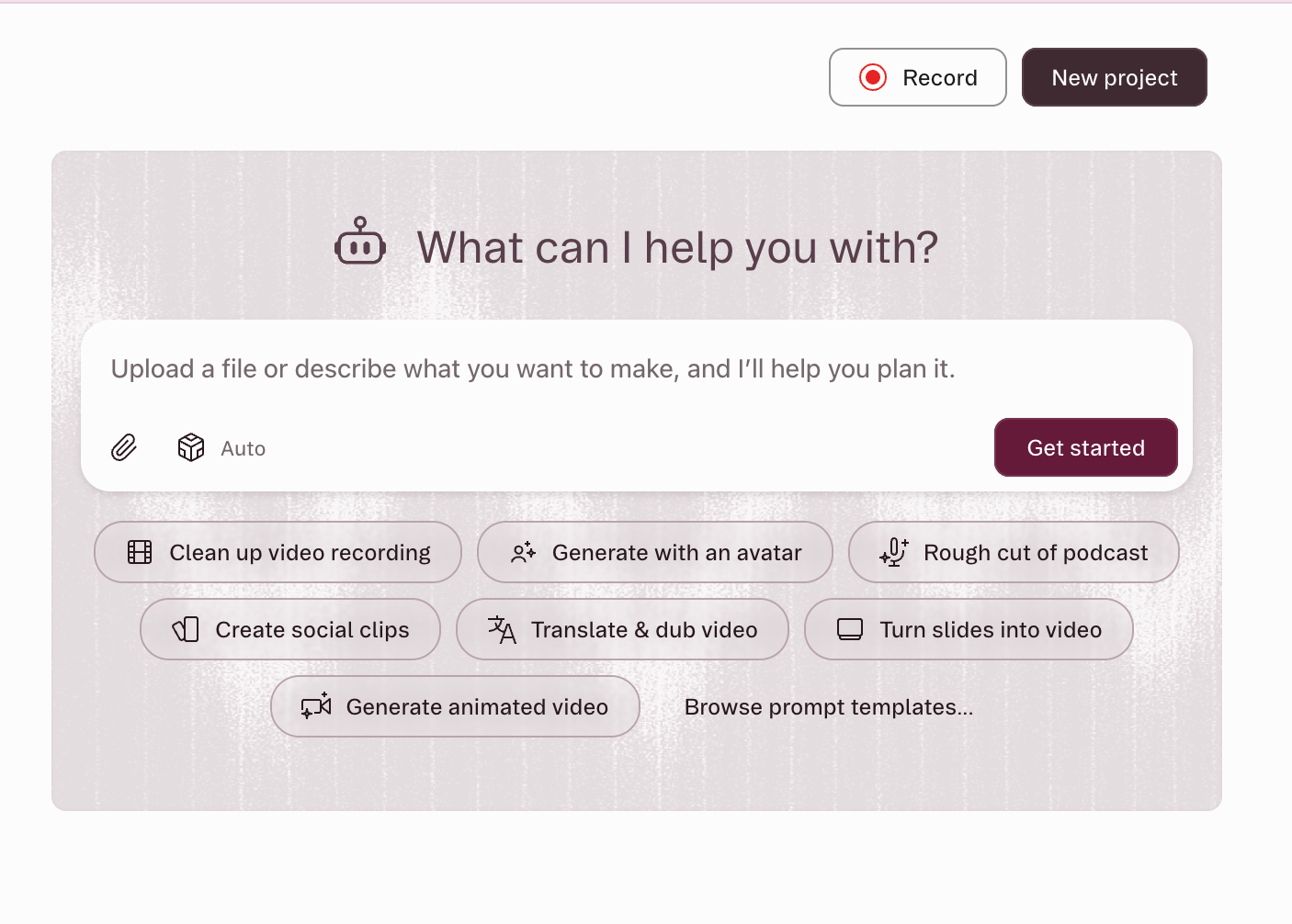
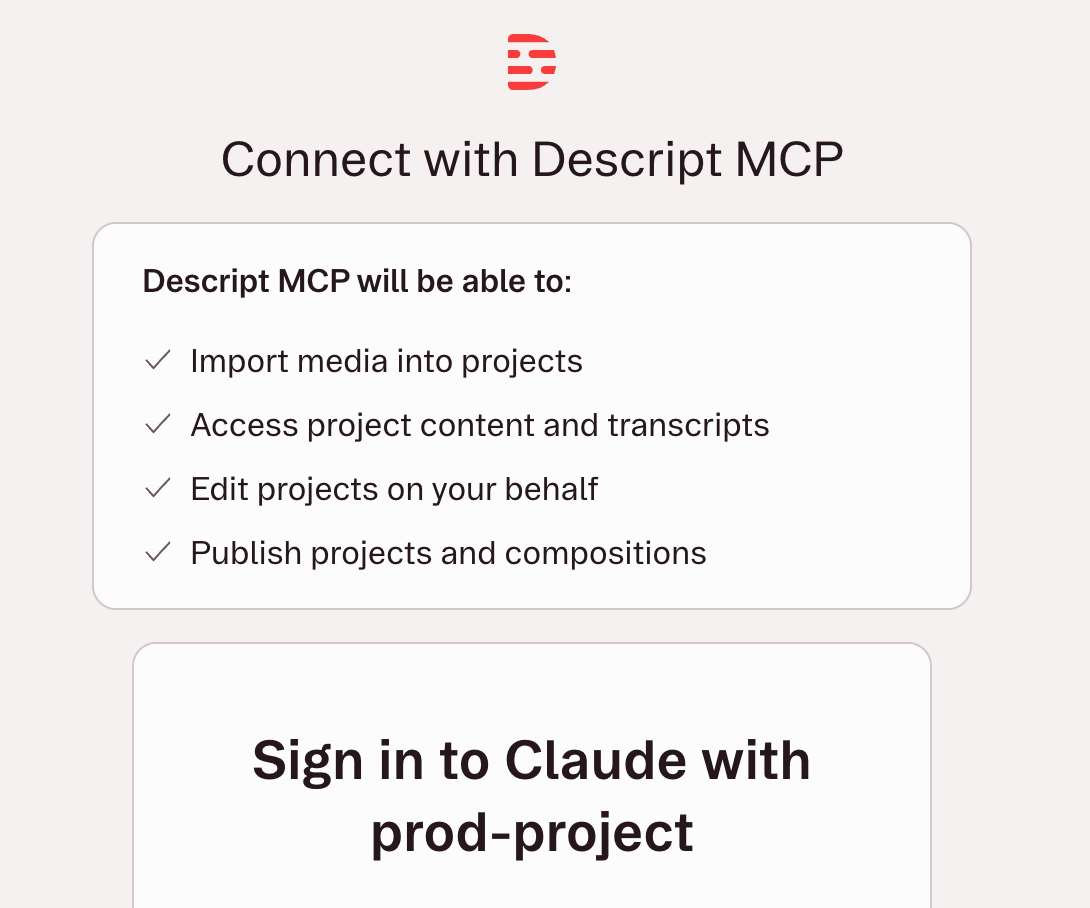
The distinction between these two categories is not always absolute, often resembling a Venn diagram rather than two separate lists. Descript, for instance, serves as a clear illustration of this overlap. It offers a powerful transcript-based editor where text manipulation directly translates to video edits, alongside an in-app AI co-editor, Underlord, capable of handling multi-step requests. Furthermore, as of May 2026, Descript has integrated with the Model Context Protocol (MCP), allowing external AI assistants like Claude or ChatGPT to connect directly to its platform. This means a user can issue an editing brief within a chat window, and the AI can execute complex edits within Descript without the user ever opening the application.
MCP (Model Context Protocol) is a developing standard designed to enable seamless communication and operation between AI assistants (like large language models) and various software tools. For video editing, MCP allows an AI to "understand" and "interact" with a video editor’s functionalities, effectively turning natural language prompts into executable commands within the software. This represents a significant leap towards fully agentic AI workflows.
The choice between AI-enabled and AI-led editors ultimately hinges on the user’s priorities: the level of control desired versus the degree of automation sought. Creators prioritizing granular control over every cut and transition may favor AI-enabled tools that enhance their speed. Those whose primary bottleneck is time or a significant skill gap may find AI-led solutions transformative, dramatically increasing their output.
Optimizing AI Integration: Best Practices for Content Creators
While AI video editors promise unprecedented ease, their effectiveness is highly dependent on how users interact with them. The core lesson from extensive testing mirrors that of AI image generators: the tools are no longer the bottleneck; rather, knowing precisely what to ask for is paramount. Natural language editing, while intuitive, does not negate the need for a fundamental understanding of video editing principles.
1. Master the Terminology:
To leverage AI-led editors effectively, a basic vocabulary of editing terms is invaluable. Describing an edit with precise terminology saves significant time and reduces the need for iterative prompting. For example, instructing an AI to "add a J-cut into the b-roll" is far more effective than a vague command like "make the transition smoother." Key terms that significantly enhance prompt efficacy include:
- Jump Cut: An abrupt transition from one shot to another, often to convey a sense of speed or to eliminate pauses.
- B-roll: Supplementary or alternative footage intercut with the main shot, often used to show context or add visual interest.
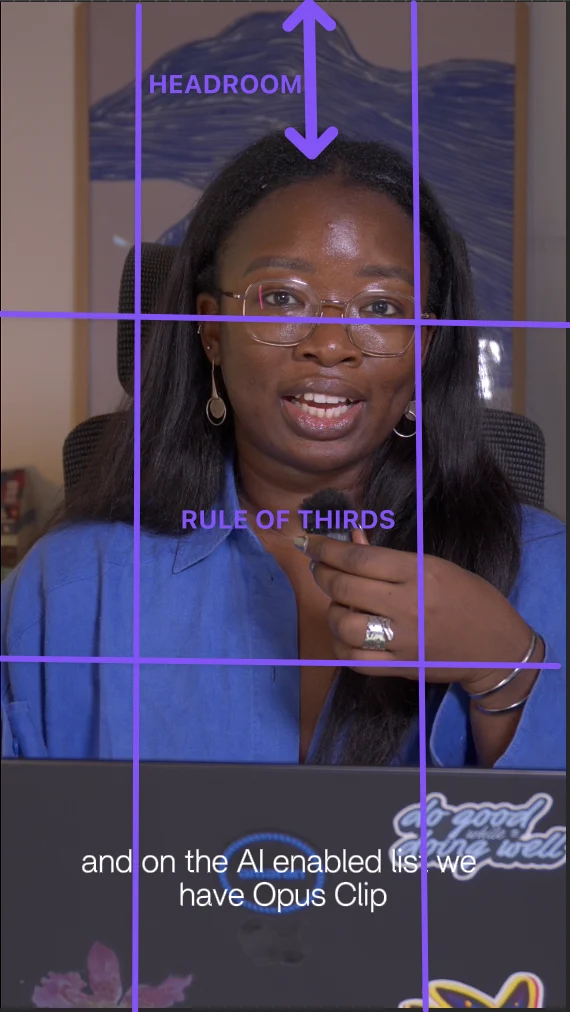
- Safe Zone: The area within the video frame where important visual elements (like text or faces) should be placed to ensure they are visible on all screen sizes and aspect ratios.
- Tight Crop/Medium Shot/Wide Shot: Referring to the framing of the subject within the shot.
- Hook Text: Engaging text overlaid at the beginning of a video to grab viewer attention.
- Pacing: The speed at which a video progresses, influenced by cut duration and scene changes.
- Lower Thirds: Graphics placed in the lower part of the screen, typically displaying names or titles.
A concise prompt like "Cut the first four seconds, open on a medium shot, add hook text in the top safe zone, and ensure a tight pacing" will yield a much more accurate initial edit than a generalized request to "make the intro punchier."
2. Cultivate an Inspiration Library:
For AI-led editors that support reference videos, building a library of compelling content is a powerful strategy. Analyzing and saving videos that resonate with your aesthetic helps in two ways: it expands your internal vocabulary for describing desired styles, and it provides concrete examples that AI can emulate. When verbal descriptions fall short, a simple instruction like "Pace it like this reference video" accompanied by a link can convey complex stylistic nuances more effectively than paragraphs of adjectives.
3. Engage in Manual Editing Practice:
Even for those planning to rely heavily on AI, a foundational understanding of manual editing processes is beneficial. Manually editing a few videos, even imperfectly, provides a tactile sense of the challenges and techniques involved. This hands-on experience solidifies understanding of editing terminology and develops an intuitive grasp of what constitutes a good cut or transition. Furthermore, this knowledge proves invaluable when providing feedback to an AI or even when outsourcing to human editors, allowing for more precise and effective direction.
A Template for Effective AI Prompts:
A simple, yet powerful, template for instructing AI video editors can be structured as follows:
[What to cut] + [What to add] + [Format and platform] + [Style reference].
Example: "Remove filler words and silences over one second. Add dynamic captions and a compelling hook line. Reframe to 9:16 for Instagram Reels. Maintain a tight, energetic pacing, similar to [link to reference clip]."
Comprehensive Review of Leading AI Video Editors
An extensive evaluation of several prominent AI video editors was conducted using a consistent test clip to assess their capabilities, efficiency, and suitability for various creator needs. The findings highlight the diverse strengths and limitations within the current market.
AI-Led Editors:
-
Vyra:
- Best for: Creators seeking to hand off the entire editing process to AI, engaging with the timeline only for final adjustments.
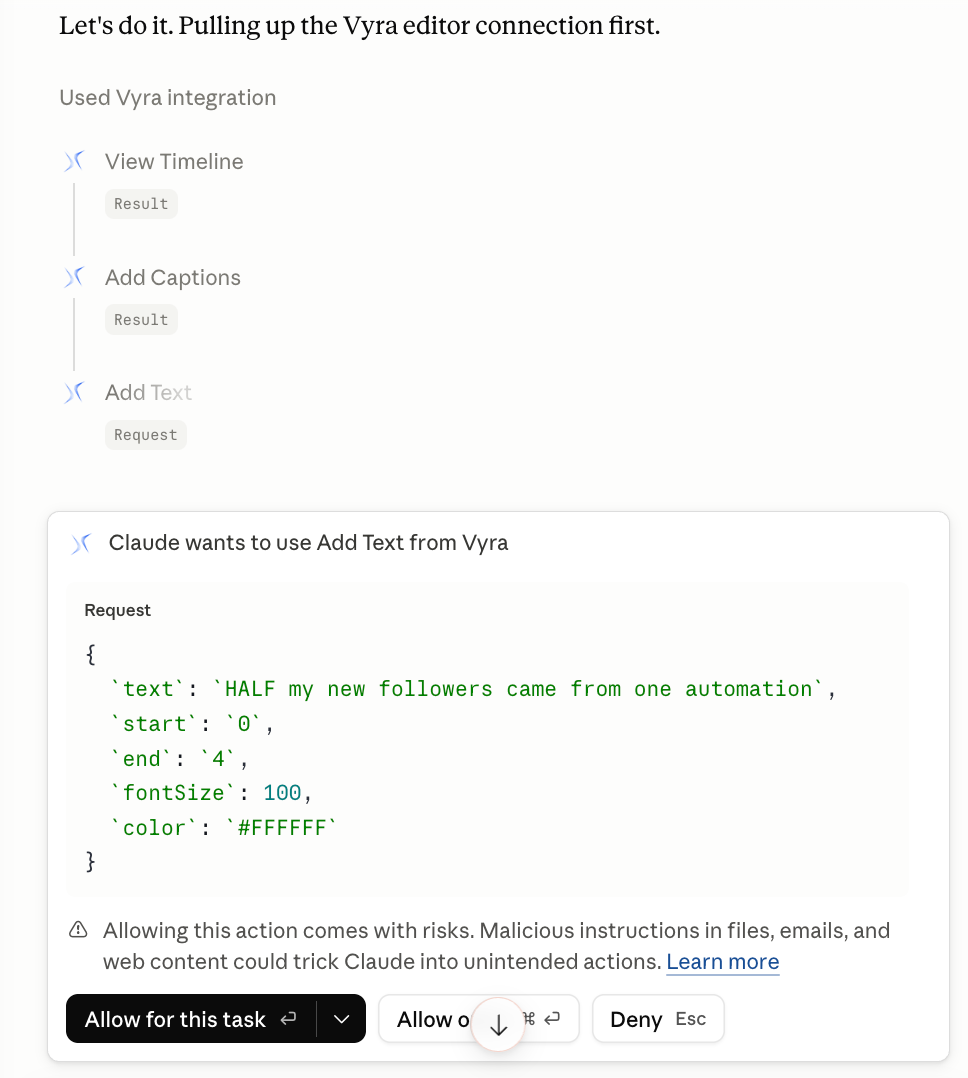
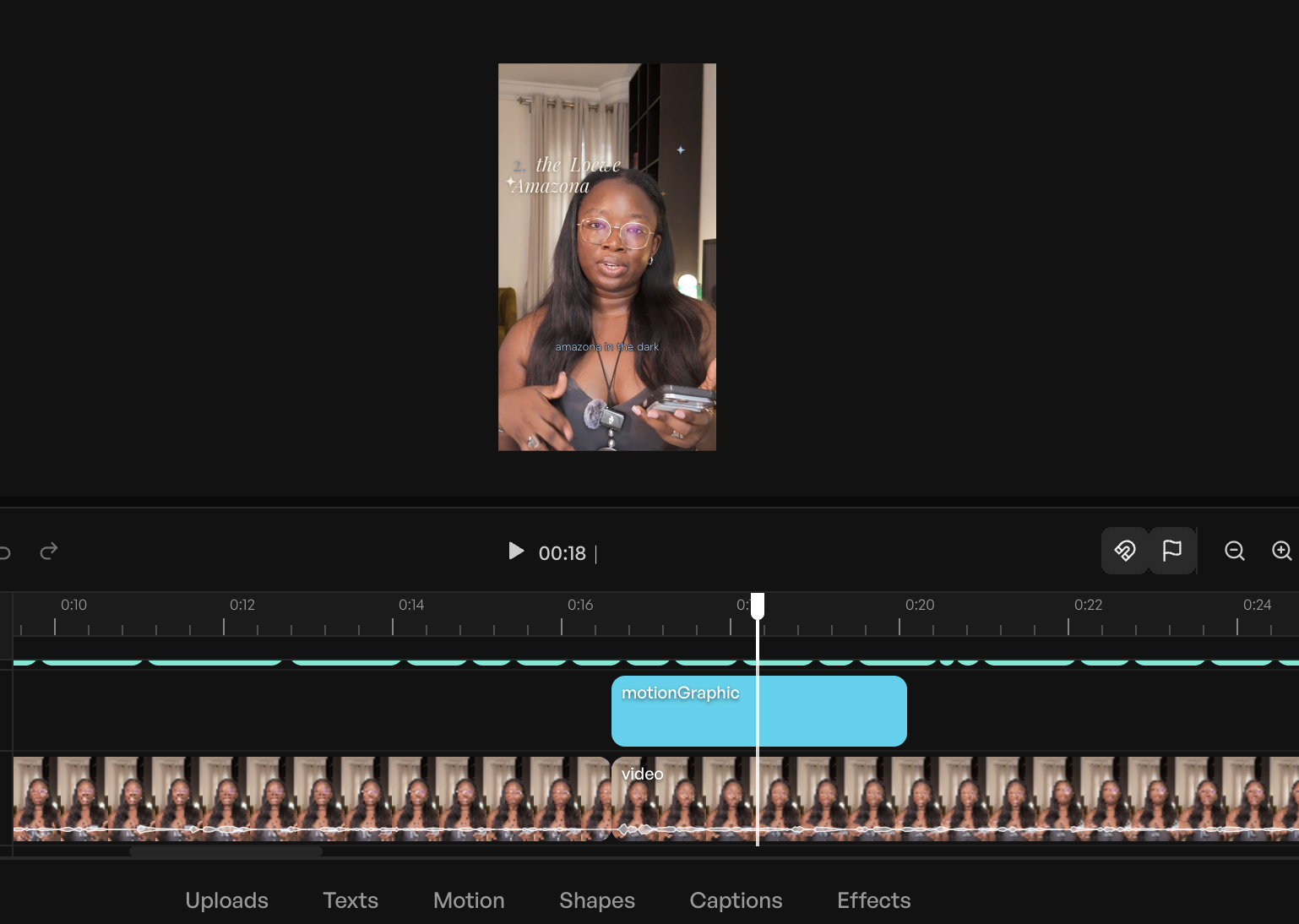
- Key Features: Vyra was designed from the ground up with AI at its core, operating primarily through a chat interface. It meticulously analyzes uploaded footage, transcribing speech, detecting scenes, and identifying elements within the frame. A standout feature is its ability to accept reference videos for style emulation, a critical advantage for consistency. Vyra’s support for MCP allows users to connect their preferred LLMs (e.g., Claude, ChatGPT) for direct editing commands, providing unparalleled flexibility.
- Performance: In testing with an 81-second talking-head video, a simple brief, and a reference video, Vyra’s connected AI agent efficiently analyzed the footage and produced a well-cut video with accurate captions within approximately 20 minutes. While this did not include b-roll or music, it significantly streamlined the initial trimming and captioning phases, which are often the most laborious.
- Limitations: Cloud-based processing can introduce latency compared to local editing.
- Pricing: Free trial available; paid plans start at $24/month (connecting own AI) or $54/month (using Vyra’s AI).
-
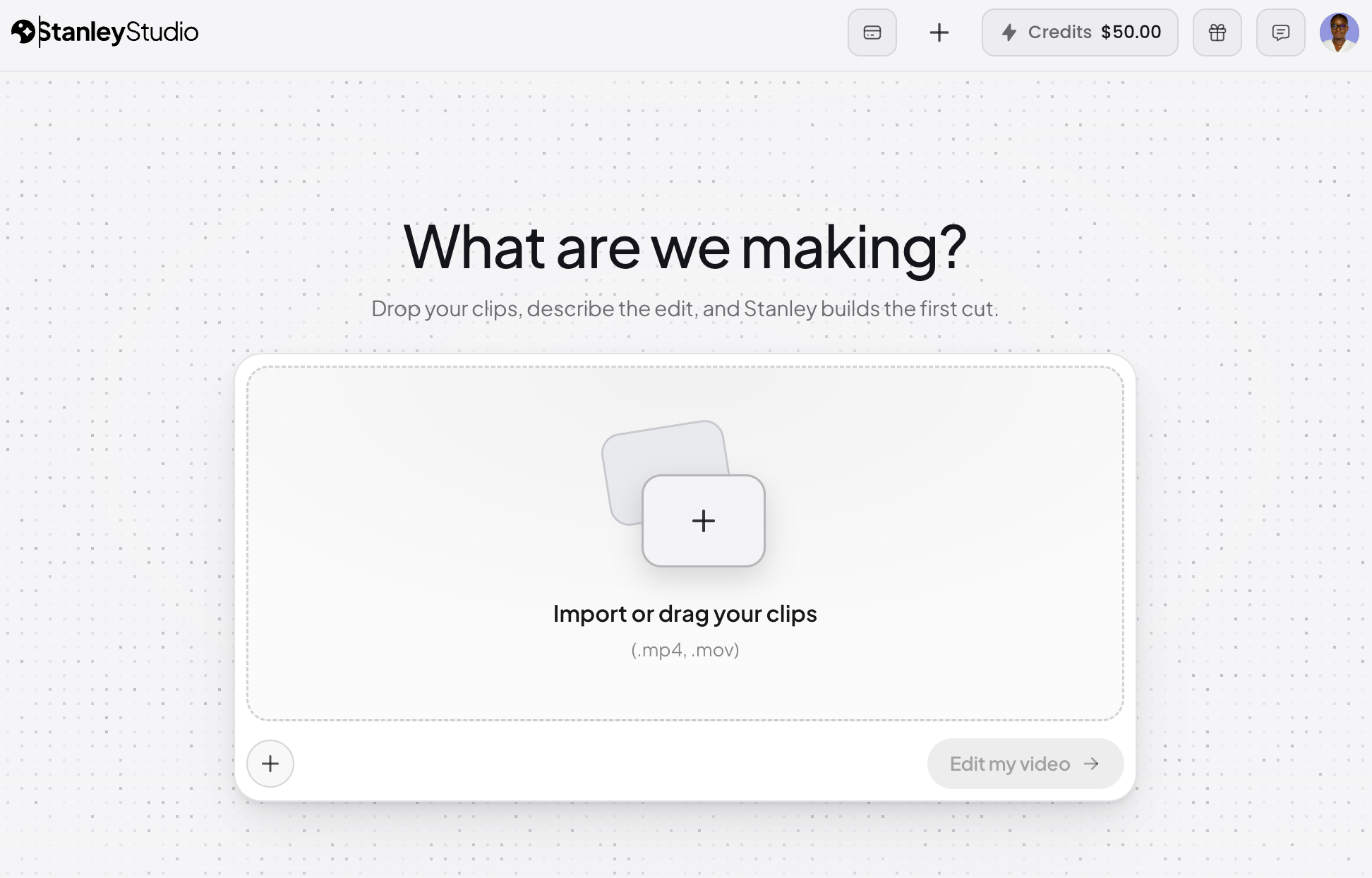
Stanley Studio:
- Best for: Rapid footage ingestion and initial AI-driven editing, with subsequent manual refinement.
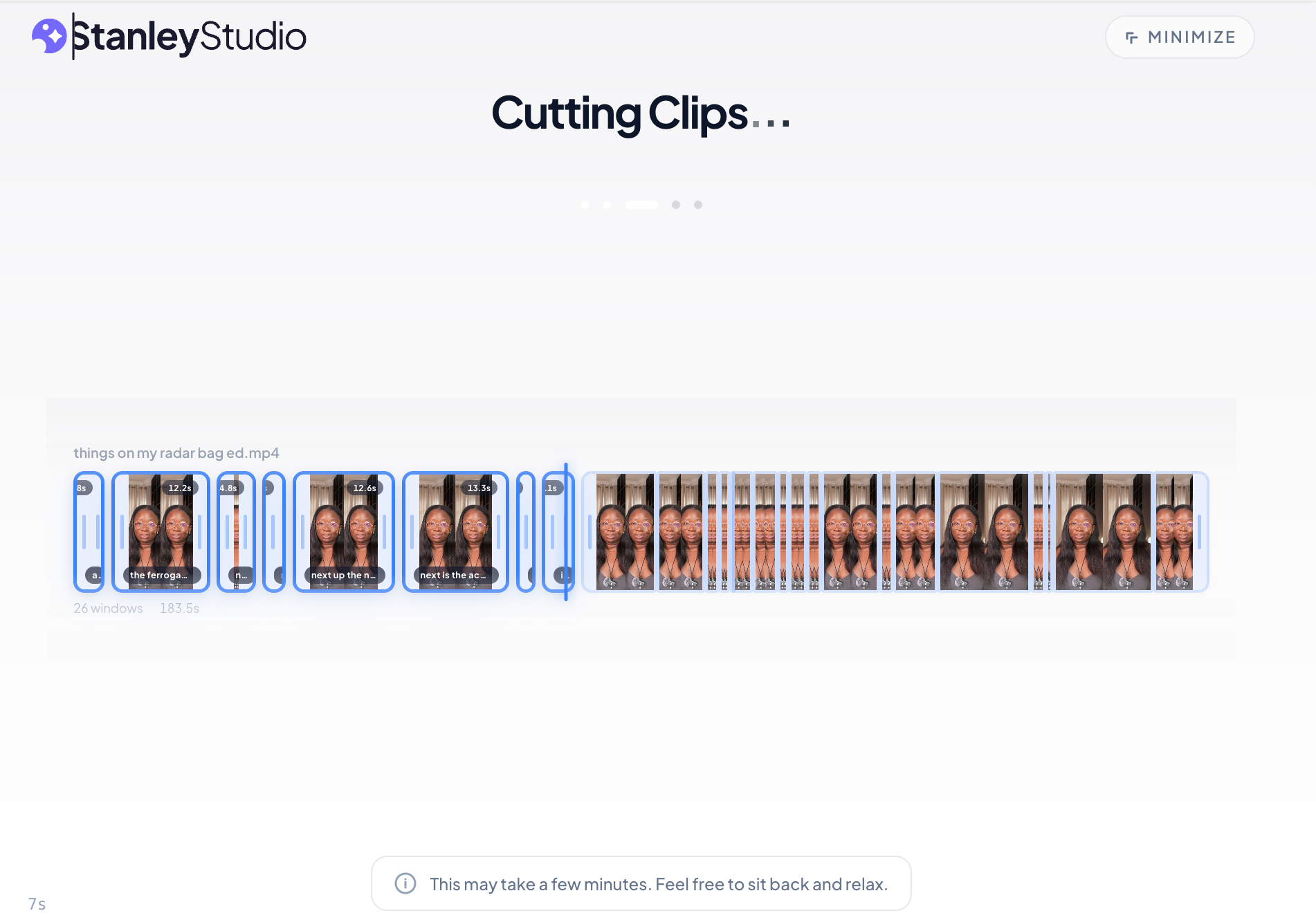
- Key Features: Stanley Studio emphasizes speed and simplicity in its AI-led approach. Its upload speed was notably superior to other tools tested, handling a 350-megabyte file in about 5 minutes.
- Performance: Initial testing with a complex video featuring numerous overlays revealed some limitations. While it attempted to match text and caption styles from a reference video, it struggled with stylistic nuances and failed to eliminate repeated takes or maintain a requested snappy pace. Notably, it generated AI images instead of incorporating actual product screenshots and cutouts, indicating a need for more sophisticated contextual understanding, especially for overlay-heavy content. As a newer platform, continuous improvements are anticipated.
- Limitations: Lacks MCP integration, confining AI interactions to its internal chatbot.
- Pricing: Free tier for one project; $19/month thereafter.
-
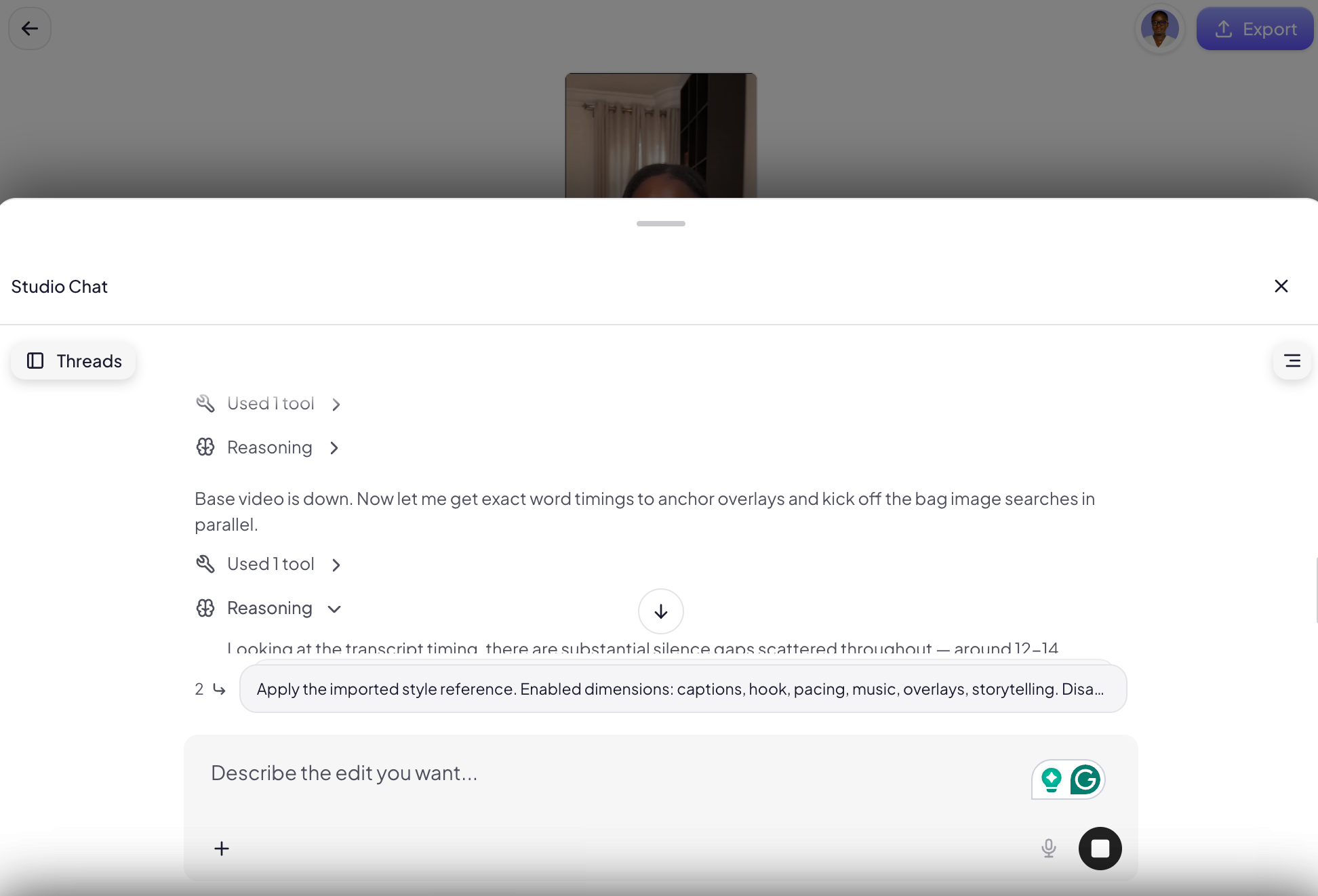
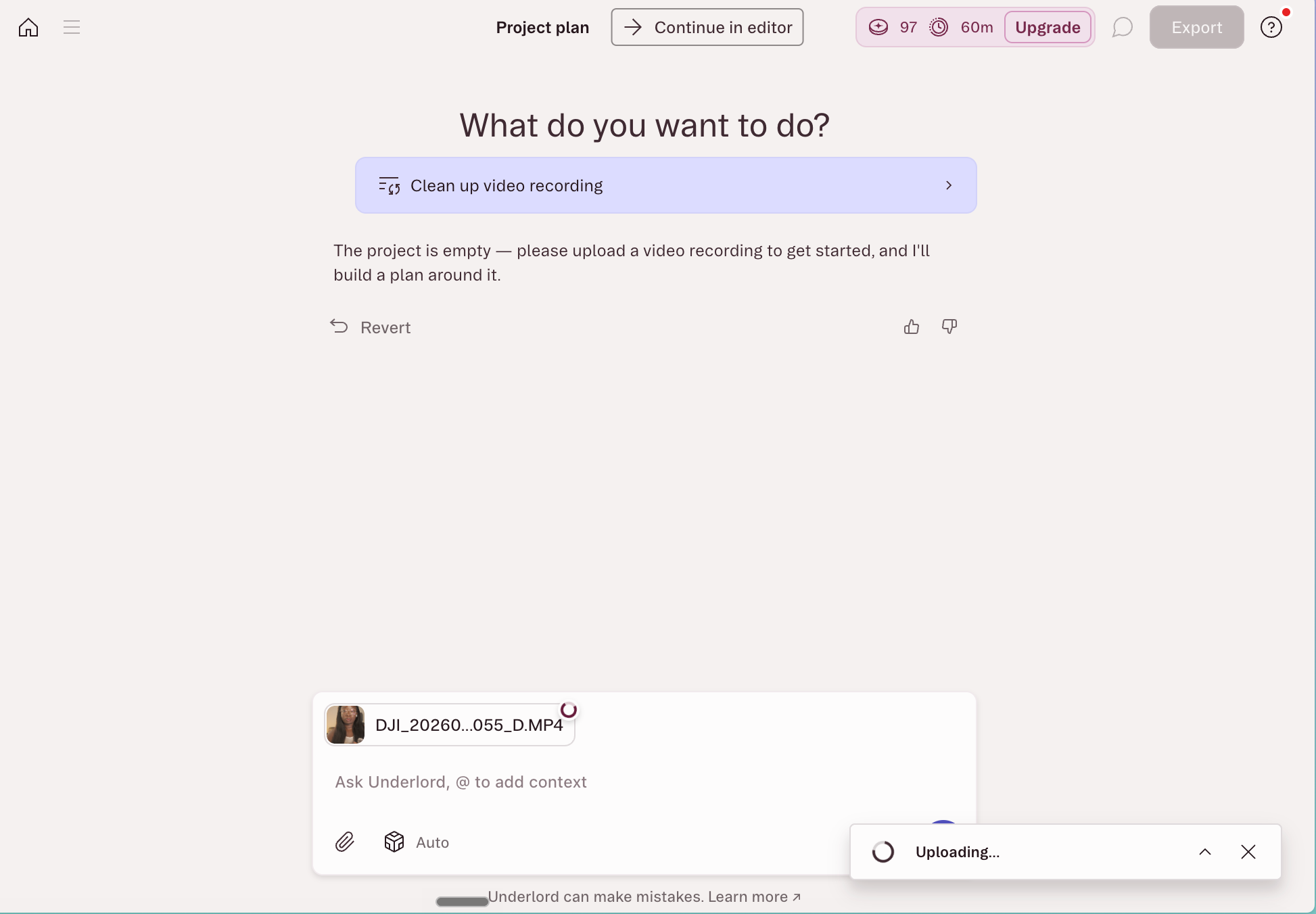
Descript:
- Best for: Speech-heavy video content, offering a powerful blend of AI-enabled and AI-led capabilities.
- Key Features: Descript’s core innovation is its transcript-based editing, where deleting text from the transcript directly removes corresponding video segments. Its in-app AI co-editor, Underlord, automates tasks like filler word removal, audio cleanup (Studio Sound), and social clip generation. The recent integration of Descript’s hosted MCP server (as of May 2026) allows external LLMs to orchestrate edits and exports without opening the application, making it a pioneer in agentic editing.
- Performance: An MCP test on the standard footage demonstrated Descript’s ability to reduce video length by 64 seconds, cutting false starts, compressing pauses, and generating Instagram Reels-native captions with a custom hook line, all while preserving the original composition by editing a duplicate. While it streamlined approximately 40% of the editing process, the absence of direct reference video input meant stylistic alignment required subsequent manual adjustments. It excels in precise, transcript-driven cuts but may require further human intervention for highly stylized visual effects.
- Limitations: May not be ideal for videos that are not heavily reliant on spoken dialogue.
- Pricing: Free plan with limited credits; paid plans start at $35/month.
-
OpusClip:
- Best for: Efficiently repurposing long-form video into multiple short-form clips optimized for social media.
- Key Features: OpusClip is a specialist AI-led tool designed exclusively for repurposing. Its "ClipAnything" model analyzes visual cues, audio sentiment, facial expressions, and narrative structure to identify and extract the most engaging moments from longer videos. Each generated clip includes a hook, captions, and a "virality score" to predict social media performance.
- Performance: It excels at its niche, offering significant time savings for creators needing to atomize their content. While it provides less direct control over individual cuts compared to full editors, its focus on optimization for social platforms makes it highly effective for maximizing content reach. Users can fine-tune output on paid plans.
- Limitations: Not a general-purpose video editor; its primary function is repurposing. Similar features may be available within comprehensive AI-enabled editors like CapCut Pro or Adobe Express.
- Pricing: Free plan (60 processing minutes/month, clips expire); paid plans start at $15/month.
AI-Enabled Editors:
-
CapCut:
- Best for: Beginners seeking robust AI assists within a widely accessible and user-friendly editor.
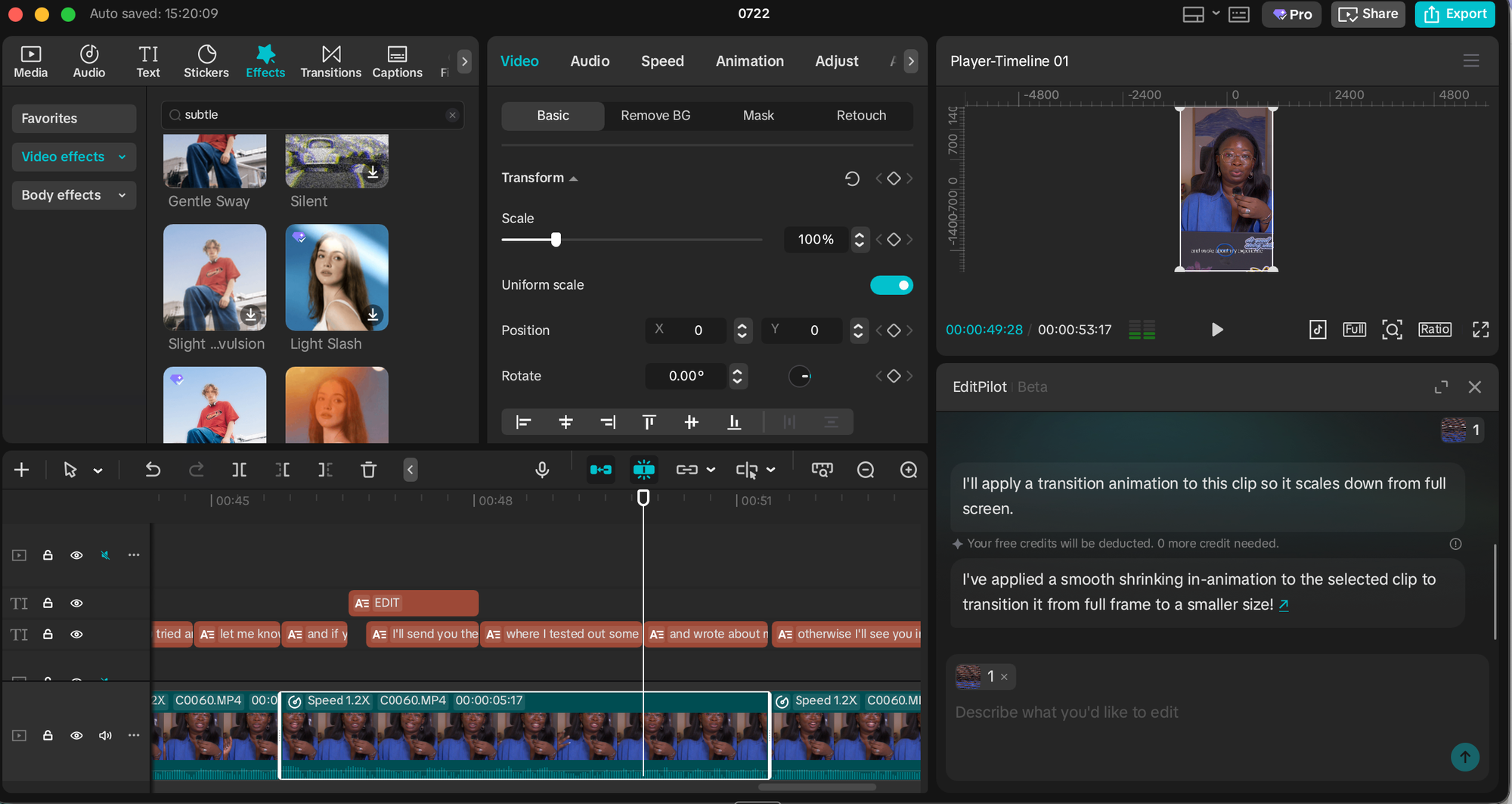
- Key Features: CapCut functions as a versatile timeline editor augmented with a comprehensive suite of AI features. These include speaker-ID captions, camera tracking, vocal isolation, background removal, and a powerful script-to-video feature that generates content with stock footage and trending audio from a single prompt. Its "EditPilot" feature allows users to request cuts or transitions via AI.
- Performance: Its ease of use and wealth of AI features make it a popular choice for creators, particularly those focused on short-form video. However, AI features are distributed across various menus, requiring users to be aware of their existence to utilize them fully.
- Pricing: Free plan; paid plans start at $9.99/month.
-
Canva:
- Best for: Creators who primarily use Canva for visual design and wish to integrate video editing seamlessly within their existing design ecosystem.
- Key Features: Canva offers video editing capabilities that leverage its extensive design toolkit, including brand kits, fonts, and templates. Its "Magic Video" feature assembles 60-second cuts from clips and photos with AI-generated templates, transitions, and music, all remaining fully editable. Standard AI features like auto-captions, background removal, and beat sync are also included, alongside generative AI capabilities (Magic Media, powered by Google’s Veo 3).
- Performance: Provides a convenient option for consolidating design and video production, particularly for social media content. While functional, dedicated video editors may offer more granular control.
- Limitations: AI features draw from a monthly credit pool, which heavy users may exhaust quickly.
- Pricing: Free plan with limited AI; paid plans start at $14.99/month.
-
Adobe Express:
- Best for: Users already embedded within the Adobe creative ecosystem, seeking social-media-focused video editing with AI assistance.
- Key Features: Adobe Express operates as a template-and-canvas editor with integrated AI features. It generates customizable captions from audio, allowing for brand-aligned styling. Its "Clip maker" offers a lightweight version of repurposing, extracting short, captioned clips from longer videos. Express also incorporates Adobe Firefly for generative AI tasks and offers seamless hand-off to more advanced Adobe tools like Premiere Pro for complex edits or Adobe Podcast for audio cleanup.
- Performance: A solid choice for quick, branded video content, especially for those familiar with Adobe products.
- Pricing: Free plan; paid plans start at $9.99/month.
-
Riverside:
- Best for: Podcasters and interviewers who record their content directly within the platform and desire AI editing within that environment.
- Key Features: Primarily a remote recording studio, Riverside’s "Co-Creator" agentic editor works on footage captured within its platform, benefiting from separate speaker tracks, local recording quality, and initial transcripts. It can clean audio, remove filler and silences, add AI-generated b-roll, pull social clips, and even dub videos into other languages with lip-sync.
- Performance: Highly effective for its specific use case, offering end-to-end recording and AI-driven post-production for interviews and podcasts.
- Limitations: Less suitable for footage not recorded within Riverside, as its workflow is optimized for its own native recordings. Some features (AI translation, AI b-roll) consume monthly credits.
- Pricing: Free plan; paid plans start at $29/month.
-
Veed AI:
- Best for: Browser-based editing that aims to cover a wide range of video production tasks with a low learning curve.
- Key Features: Veed AI is an all-rounder AI-enabled editor offering transcription, captions with translation, and even eye-contact correction for scripted deliveries. Its transcription accuracy was noted as among the best in testing.
- Performance: A competent online editor for various needs, particularly strong in transcription.
- Limitations: The free plan imposes a 10-minute monthly export cap and watermarks. AI features, like Canva, draw from a credit allowance, limiting heavy usage even on paid plans.
- Pricing: Free plan (10-minute monthly export cap, watermarked); paid plans start at $12/month.
A Note on AI Video Generation:
While this review focuses on AI video editing, it’s important to distinguish this from AI video generation. Tools capable of generating entire video sequences from text prompts, creating AI avatars, or producing b-roll from scratch are also rapidly evolving. While some editing tools listed here, like CapCut and Riverside, incorporate generative elements (e.g., text-to-video, AI b-roll), the core focus of this analysis remains on how AI assists in the post-production of human-recorded footage. The integration of generative AI is a separate, albeit related, field that presents its own set of opportunities and ethical considerations.
Implications and Future Outlook
The emergence of sophisticated AI video editors heralds a new era for content creation, fundamentally altering the workflows for individual creators, small businesses, and even larger media houses.
Democratization of Content Creation: AI tools significantly lower the barrier to entry for video production. Individuals without extensive technical training or substantial budgets can now produce high-quality, professional-looking videos, fostering greater diversity and volume in digital content. This enables more voices to be heard and more stories to be told across platforms.
Increased Efficiency and Output: For existing creators, AI automates the most tedious and time-consuming aspects of editing, such as cutting silences, generating captions, and reformatting for different platforms. This newfound efficiency allows creators to focus more on the creative aspects – storytelling, scriptwriting, and strategic distribution – and dramatically increase their content output. What once took hours can now be achieved in a fraction of the time, allowing for more consistent posting schedules and broader audience engagement.
Evolving Role of Human Editors: Far from replacing human video editors, AI appears to be redefining their roles. The mechanical, repetitive tasks are increasingly handled by AI, freeing human editors to focus on higher-level creative direction, nuanced storytelling, and the subjective "taste" that AI cannot yet replicate. Human editors will become more akin to creative directors, guiding AI agents and refining their outputs, rather than painstakingly manipulating timelines. This shift could lead to a demand for editors skilled in prompt engineering and AI workflow management.
Challenges and Considerations: Despite their advancements, AI video editors are not without limitations. The quality of AI-generated content still depends heavily on the precision of user prompts and the complexity of the desired output. Nuanced creative decisions, such as understanding emotional subtext or comedic timing, often still require human intervention. Furthermore, issues such as "AI hallucinations" (where the AI generates inaccurate or irrelevant content) and the ongoing cost of advanced AI subscriptions remain considerations for users.
The Future Landscape: The rapid pace of AI development suggests that these tools will only become more sophisticated. We can anticipate further improvements in contextual understanding, stylistic emulation, and seamless integration across platforms. The ability of AI to act as an intelligent "agent" that understands complex creative briefs and executes multi-step editing processes autonomously will continue to evolve, pushing the boundaries of what is possible in video production.
In conclusion, the current generation of AI video editors represents a significant leap forward in making video content creation more accessible and efficient. While no AI tool can yet fully replicate the nuanced creative judgment of a human editor, their capacity to handle mechanical tasks and accelerate workflows is undeniable. For any creator looking to navigate the demanding digital content landscape, embracing these tools and understanding how to effectively communicate with them will be crucial for maintaining relevance and maximizing impact. The key takeaway remains: start with a clear understanding of your needs, choose a tool that aligns with your desired level of control, and begin experimenting. Practical application will always be the most effective teacher in this rapidly evolving domain.