 Ali Ikhwan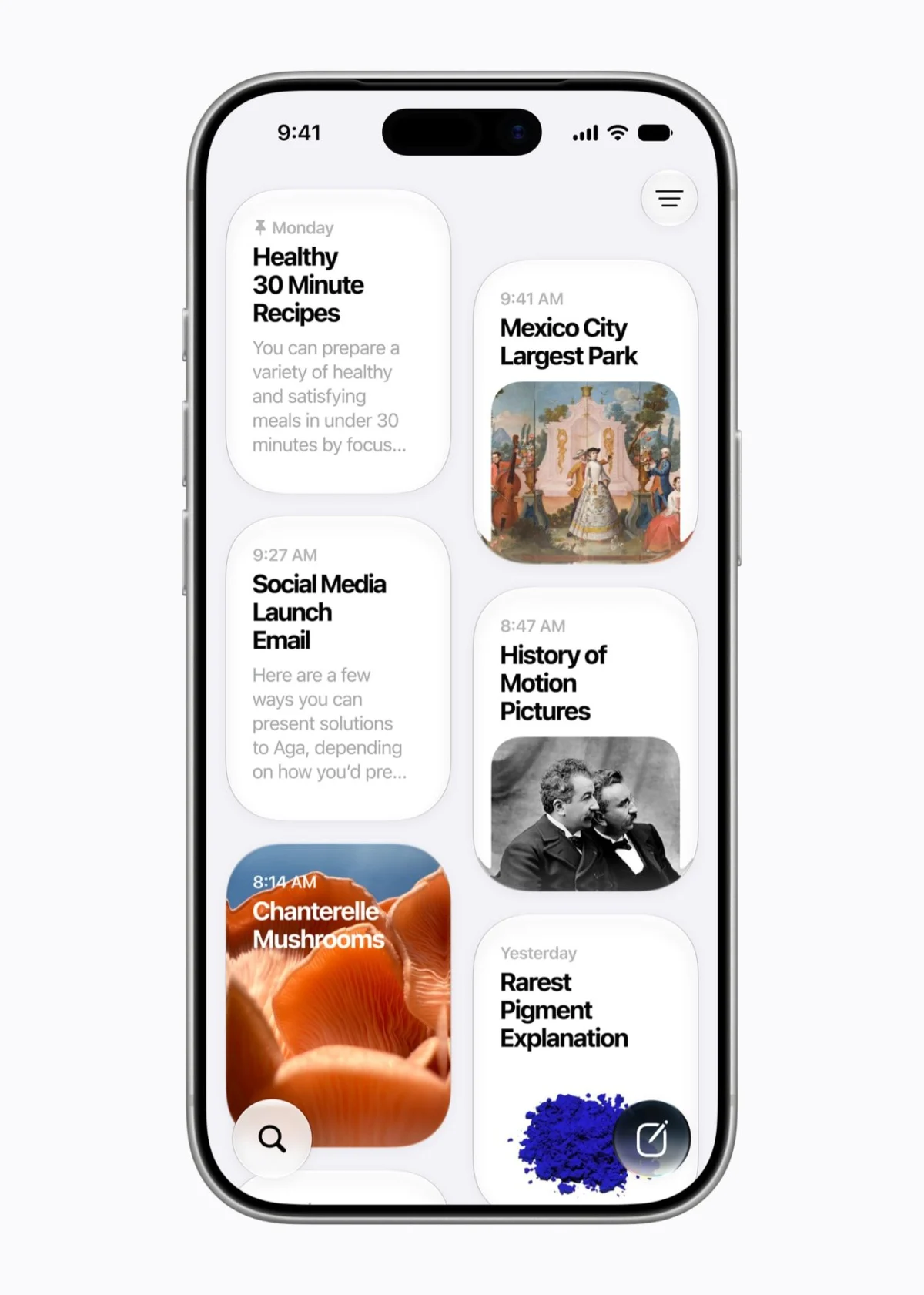
Apple has officially released iOS 27 and iPadOS 27, marking a significant evolution in the company’s mobile operating ecosystem. While this iteration prioritizes under-the-hood stability and refined user experience over the radical aesthetic overhaul seen in previous versions, it introduces a robust suite of artificial intelligence tools and workflow optimizations. As of September 14, 2026, the updates are available for global deployment across a wide range of compatible devices, signaling Apple’s commitment to maintaining hardware longevity while integrating advanced generative capabilities.
The release follows a multi-month beta testing phase that began at Apple’s Worldwide Developers Conference (WWDC) earlier this year. During that event, Apple executives emphasized a shift toward "invisible utility," focusing on how machine learning can streamline daily tasks without requiring constant manual intervention from the user.

Device Compatibility and Hardware Lifecycle
A primary concern for users during any major OS rollout is hardware support. Apple has maintained a consistent six-to-seven-year support cycle, and this year is no exception. iOS 27 is compatible with all devices that supported the previous iOS 26, effectively extending the lifespan of the iPhone 11 and newer models, including the second-generation iPhone SE.
The strategy for iPadOS 27 is more complex due to the company’s shift away from sequential numbering toward chipset-based identification. While most modern iPads remain supported, the 8th-generation iPad (2020) and the 5th-generation iPad Mini have reached their end-of-life for major OS updates. Apple’s decision to maintain support for older silicon—such as the A13 Bionic chip found in the iPhone 11—suggests that the company’s recent focus on optimizing the CPU scheduler has successfully mitigated the performance degradation often associated with modern software on aging hardware.
The Evolution of Siri AI
The centerpiece of this update is the comprehensive overhaul of Siri. By leveraging third-generation foundation models, Apple has transformed the assistant from a command-based tool into a context-aware partner. Contrary to industry rumors regarding external infrastructure, Apple has clarified that its new Siri AI utilizes proprietary models developed in-house, ensuring that while the intelligence is sophisticated, the data processing remains siloed from third-party ecosystems like Google.

The new visual identity of Siri—a glass orb—represents a departure from the traditional waveform icon, signaling a move toward more conversational, persistent interactions. The introduction of a standalone Siri app allows users to maintain a history of their requests, bridging the gap between mobile and tablet environments. Furthermore, the integration of visual search directly into the camera app mirrors functionality seen in competitor platforms, yet with a distinct focus on privacy-centric, on-device data analysis.
System Performance and Efficiency Gains
Beyond the high-profile AI features, Apple has reported substantial improvements in core system performance. Internal testing indicates that application launch times have decreased by up to 30 percent, while the speed of photo library loading has seen a 70 percent increase. AirDrop, a frequently used feature for cross-device transfer, has been optimized to perform up to 80 percent faster. These gains are largely attributed to the aforementioned CPU scheduler improvements, which intelligently manage background processes to ensure that system-critical tasks receive priority.
Network handoff latency has also been addressed. The OS now manages transitions between Wi-Fi and cellular networks more aggressively, reducing the "dead zones" that often occur when users transition between home environments and mobile networks.

Customization and the Liquid Glass Interface
The Liquid Glass design language, which debuted in iOS 26, was met with mixed reviews regarding its readability and contrast. Responding to user feedback, Apple has introduced a granular customization slider within the system settings. This allows users to adjust the transparency and depth of the Liquid Glass effect, providing a balance between the modern, translucent aesthetic and traditional high-contrast legibility. This move reflects a broader trend in Apple’s design philosophy: moving away from a "one-size-fits-all" interface toward a modular, user-defined experience.
Parental Controls and Digital Safety
Child safety remains a focal point of the current iteration. The updated Setup Assistant allows for a more rigorous curation of apps and web content from the moment a device is initialized. The "Ask to Browse" feature in Safari provides a real-time gateway for parental oversight, while the automated blurring of potentially sensitive imagery in Messages and FaceTime addresses long-standing privacy concerns regarding content exposure.
The addition of Time Allowances and granular scheduling further enhances the parental dashboard. These tools allow for precise control over app usage, moving beyond simple time limits to offer category-specific restrictions based on developmental guidelines.

Generative AI in Creative Workflows
The Photos app has received significant enhancements, though these features are exclusive to devices running the Apple Intelligence-capable chips (iPhone 15 Pro and newer). The "Clean Up" tool, which utilizes advanced diffusion models, now offers more precise object removal. The new "Extend" feature uses generative AI to expand the canvas of an image, effectively "guessing" the missing background data based on the composition of the photo.
These creative tools are not without their limitations; Apple has implemented a tier-based usage system. While basic editing remains free, high-frequency use of these advanced generative AI features is gated behind higher-tier iCloud storage subscriptions, positioning these tools as value-add services for power users.
The Future of Automation: Shortcuts and Safari
The Shortcuts app has been fundamentally simplified. By transitioning from a rule-based logic to an intent-based system, users can now describe complex automation sequences in plain language. For instance, a user might state, "Notify my family when I am 15 minutes away from home," and the app will automatically integrate location services, Maps, and messaging to execute the task.

Safari, meanwhile, is addressing the problem of "tab bloat" by implementing automatic topic-based organization. Additionally, the new Custom Extensions feature enables users to generate browser tools on the fly using natural language prompts. This creates a bridge between standard browsing and developer-level customization, allowing users to build bespoke functionality without writing a single line of code.
Broader Implications and Strategic Context
The release of iOS 27 and iPadOS 27 underscores a pivotal moment in Apple’s software history. By limiting the most advanced AI features to its most recent hardware, Apple is successfully incentivizing upgrades while simultaneously maintaining a robust, stable experience for those on older devices.
The focus on privacy—specifically regarding the handling of Siri’s data and the localized processing of images—serves as a marketing differentiator in an industry where data harvesting is the standard. As the company continues to refine its "Private Cloud Compute" architecture, the implications for consumer trust are significant. If Apple can successfully deliver on the promise of generative AI while maintaining its strict stance on data isolation, it may set a new standard for how technology companies balance innovation with user security.

However, the phased rollout of certain features, such as the "Call Context" and one-tap messaging actions, suggests that the software is still undergoing refinement. These features, which were originally slated for the initial launch, are now scheduled for a follow-up update, indicating that Apple is prioritizing system stability over feature parity at launch.
As users begin to explore these updates, the focus will shift to how well these new AI tools integrate into the "walled garden" of the Apple ecosystem. The success of iOS 27 will ultimately be measured not just by the inclusion of new features, but by how reliably these features function in the diverse, real-world conditions of millions of active users. For now, the transition to this new software version represents a measured, thoughtful step toward an era where the device acts less like a tool and more like an intuitive extension of the user’s intent.