 rifanmuazin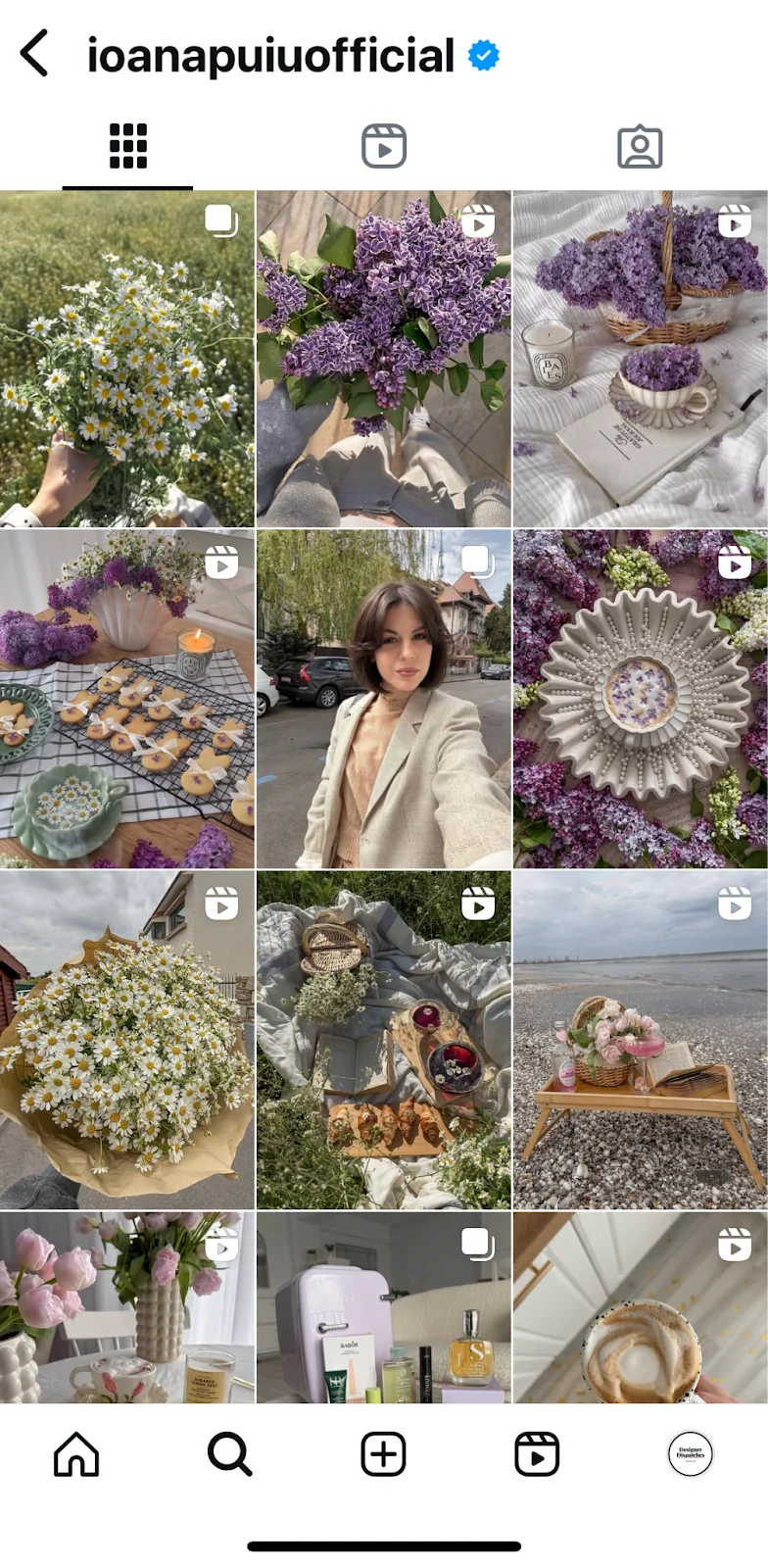
A minor miscalculation in visual content dimensions on Instagram can swiftly transform a meticulously crafted post into a frustrating oversight, often manifesting as truncated text or an ill-fitting image. This seemingly trivial detail, such as a sliver of text cut off at the edge of a Reel, underscores a fundamental truth in digital content creation: precision in visual formatting is paramount to delivering a polished and professional message. The satisfaction derived from seeing a post appear exactly as envisioned—clean, sharp, and perfectly aligned—stems directly from understanding and applying the ideal Instagram image sizes. Without this attention to detail, creators risk strange cropping, unwelcome blurring, and a diminished aesthetic that can undermine the impact of their carefully curated visuals.
Instagram, as a dynamic and multifaceted visual platform, offers a plethora of avenues for content dissemination, including feed images, carousels, Reels, and Stories. Each of these formats possesses unique dimensional requirements, encompassing specific aspect ratios and pixel resolutions. Adhering to Instagram’s recommended specifications for each content type is not merely a matter of aesthetic preference; it is a strategic imperative that significantly enhances a post’s potential to capture attention, resonate with audiences, and ultimately drive crucial social media engagement. When visuals align seamlessly with the platform’s technical guidelines, they are inherently given the best chance to stand out in an increasingly crowded digital landscape.
The Evolution of Instagram’s Visual Landscape
Instagram’s journey from its inception in 2010 as a minimalist photo-sharing application, famous for its square-only image format and vintage filters, to a global multimedia powerhouse reflects a continuous adaptation to evolving user preferences and technological advancements. In its early days, the 1:1 aspect ratio was a defining characteristic, offering a unique visual constraint that fostered creativity within its confines. However, as mobile photography advanced and users sought greater flexibility, Instagram began to broaden its scope.
A significant shift occurred in August 2015 when Instagram announced support for non-square photos and videos, introducing portrait and landscape orientations to the main feed. This move, driven by user demand and the natural evolution of mobile camera capabilities, marked the beginning of a more complex visual ecosystem. The subsequent introduction of Instagram Stories in August 2016, a direct response to the rising popularity of ephemeral content pioneered by Snapchat, further diversified the platform’s visual formats. Stories, designed for immersive, full-screen vertical viewing, introduced the 9:16 aspect ratio as a new standard. Most recently, the global launch of Instagram Reels in August 2020, a direct competitor to TikTok, cemented vertical video as a dominant content format, again reinforcing the 9:16 aspect ratio across a broader canvas. This chronological expansion of content types—from static square images to dynamic vertical videos—necessitated a corresponding evolution in understanding and applying precise image and video dimensions for optimal presentation across all facets of the platform.
Understanding the Fundamentals: Aspect Ratios and Pixels
To navigate the intricacies of Instagram’s visual requirements, content creators must grasp two fundamental concepts: aspect ratios and pixels. These terms, while sounding technical, are straightforward once demystified.
Aspect ratio refers to the proportional relationship between the width and height of an image or video. It dictates the overall shape of the visual, determining whether it appears vertical, horizontal, or square. Expressed as a ratio (width:height), it provides a universal standard for understanding the fundamental geometry of a visual. For instance, a 1:1 aspect ratio indicates a perfect square, where the width equals the height. A 4:5 aspect ratio signifies a vertical image, taller than it is wide, while a 1.91:1 ratio denotes a horizontal image, significantly wider than its height. The choice of aspect ratio is crucial because it influences how much screen real estate your content occupies and how it’s perceived by the viewer.

Pixels are the smallest individual units of information that comprise a digital image. Essentially, they are tiny dots of color arranged in a grid. The term "resolution" refers to the total number of pixels in an image, typically expressed as width x height (e.g., 1080 x 1350 pixels). The more pixels an image contains within a given physical space, the higher its resolution, resulting in a sharper, clearer, and more detailed visual. Conversely, images with insufficient pixels for their intended display size can appear blurry, pixelated, or "soft." Instagram’s algorithms are designed to optimize image quality, but they perform best when starting with a high-resolution source. While Instagram will compress images upon upload to manage server space and loading times, beginning with the recommended pixel dimensions ensures that the initial quality is as high as possible, mitigating the impact of compression and preserving visual fidelity.
Therefore, combining the correct aspect ratio with the recommended pixel dimensions ensures that your content is not only shaped appropriately for its intended Instagram format but also possesses the necessary detail and clarity to appear crisp and professional on various devices, from smartphones to tablets.
Comprehensive Guide to Instagram Content Dimensions
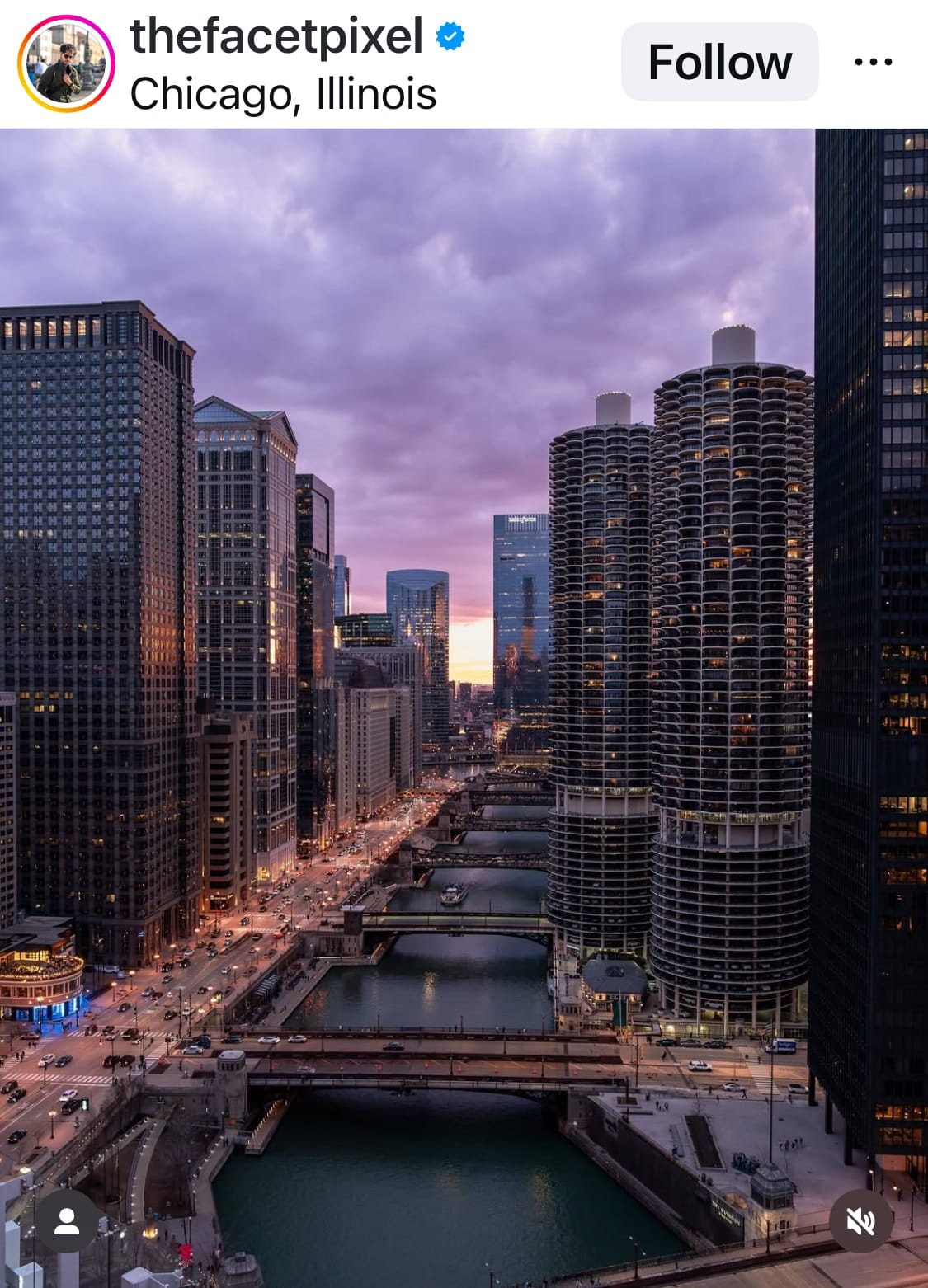
The diverse range of Instagram content formats necessitates a detailed understanding of the specific aspect ratio and resolution requirements for each.
1. Instagram Feed Posts
While Instagram initially championed the square format, it has since embraced greater flexibility, allowing creators to experiment with various orientations to make their posts stand out.
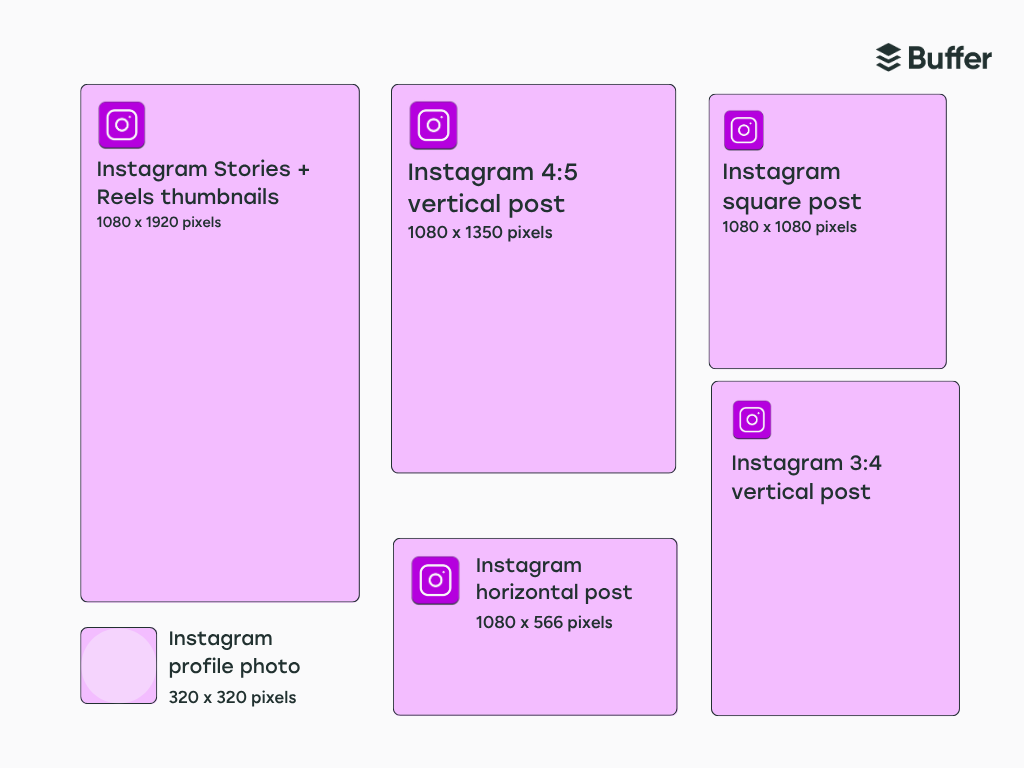
- Square Feed Post (1:1 Aspect Ratio): The classic Instagram format remains a strong contender, ideal for centered compositions, symmetrical layouts, graphics, and product photos that benefit from a balanced frame. The recommended resolution is 1080 x 1080 pixels. This format offers a timeless aesthetic and ensures consistent appearance across the feed.
- Vertical Feed Post (4:5 or 3:4 Aspect Ratio): Portrait orientation offers significantly more screen real estate, allowing for greater immersion. The recommended resolution for a 4:5 aspect ratio is 1080 x 1350 pixels, while a 3:4 aspect ratio uses 1080 x 1440 pixels. This format excels for subjects that naturally fill a vertical frame, such as architectural marvels, full-body portraits, or landscapes where verticality adds dramatic scale. For instance, showcasing a towering skyscraper or a cascading waterfall benefits immensely from a portrait orientation, allowing viewers to appreciate the full extent of the subject.
- Horizontal Feed Post (1.91:1 Aspect Ratio): Designed for sweeping vistas and wide-angle shots, landscape orientation is perfect for capturing broad scenes, group photos, or cinematic stills. The recommended resolution is 1080 x 566 pixels. This format is particularly effective for travel photography, panoramic landscapes, or event coverage where breadth of view is critical.
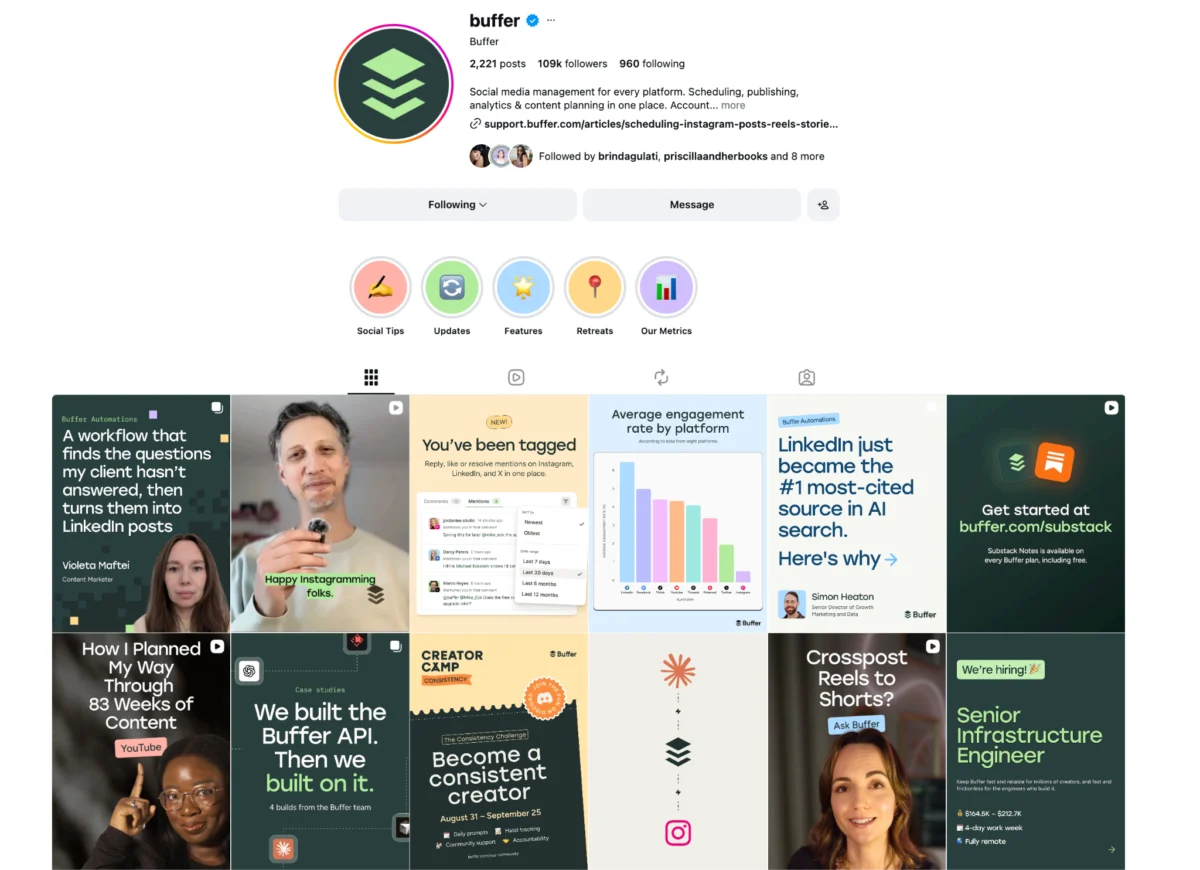
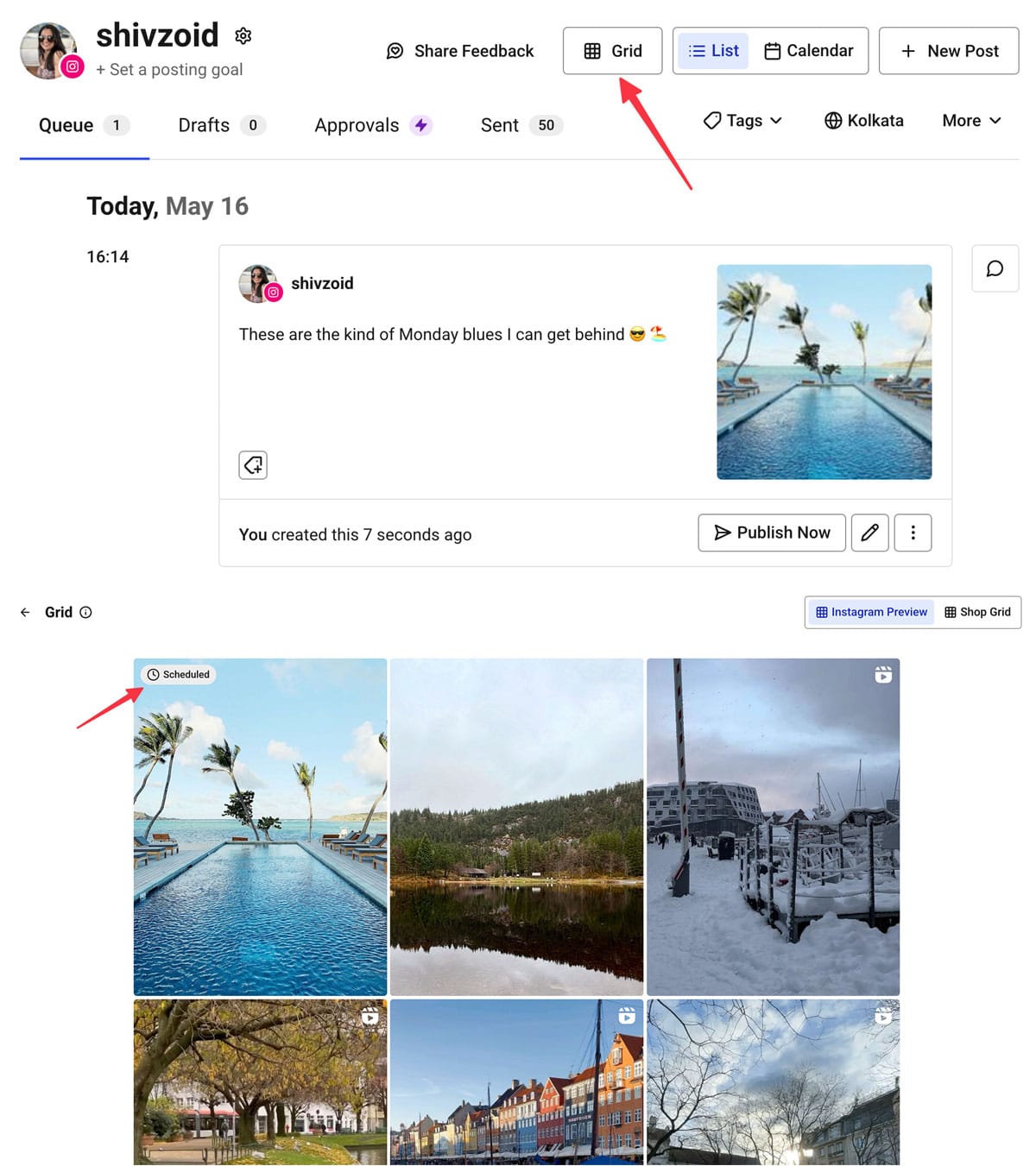
A crucial consideration for all feed posts is their appearance on the user’s profile grid. Instagram’s profile grid uniformly displays all content thumbnails in a 3:4 aspect ratio. This means that even if a post is uploaded as 1:1, 4:5, or 1.91:1, it will be cropped to 3:4 for grid display. To prevent vital elements from being inadvertently cut off, creators must ensure that the key subject or information in their visual is centered within this 3:4 "safe zone." Tools that offer a grid preview feature, such as Buffer’s scheduling interface, are invaluable for visualizing how a post will appear on the profile before publishing, allowing for adjustments to optimize grid aesthetics.
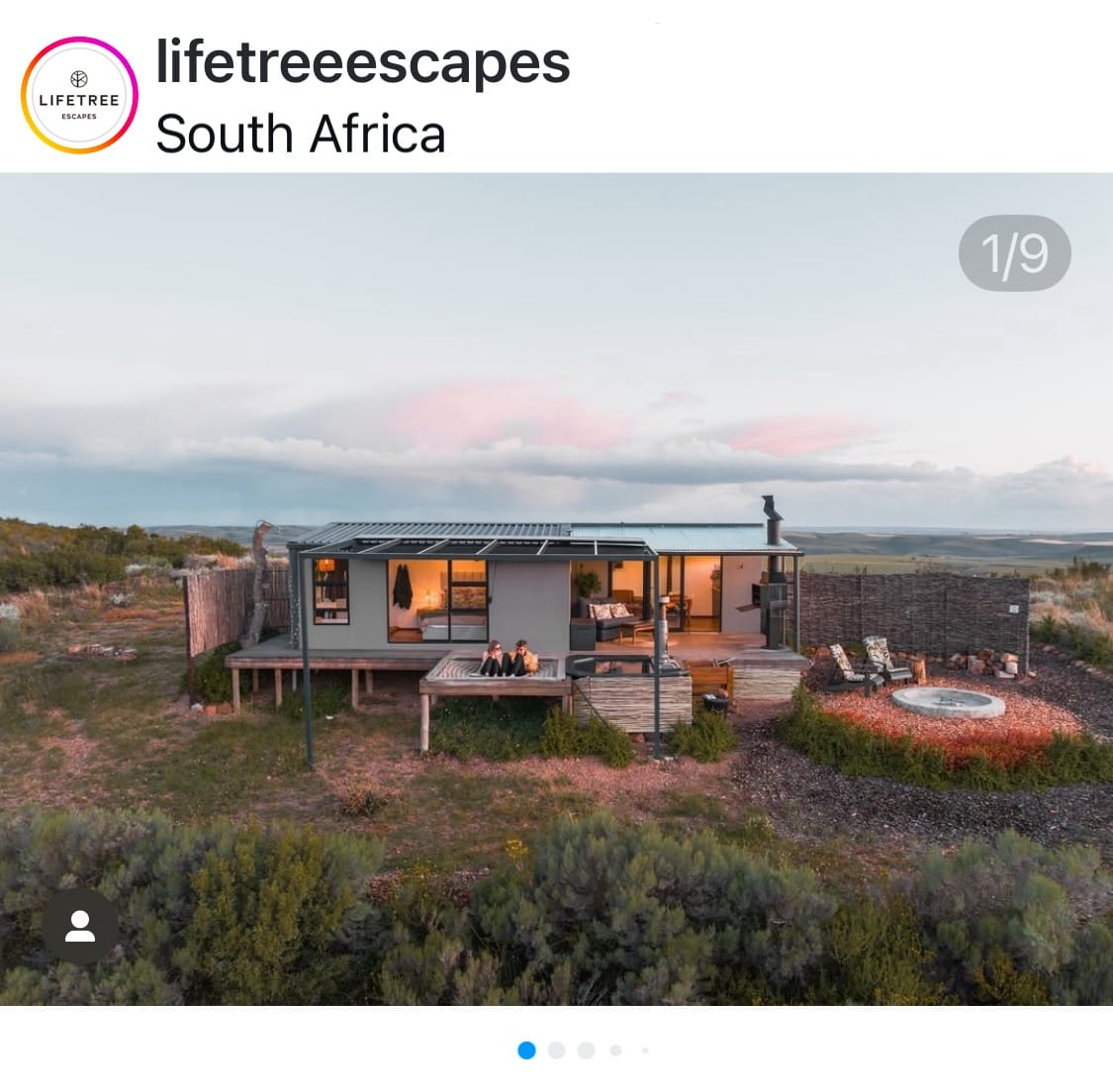
2. Instagram Carousel Post Size
Carousels, which allow for a series of up to ten photos and videos in a single post, offer versatile storytelling capabilities. The platform’s sizing behavior for carousels is primarily dictated by the first visual in the sequence.
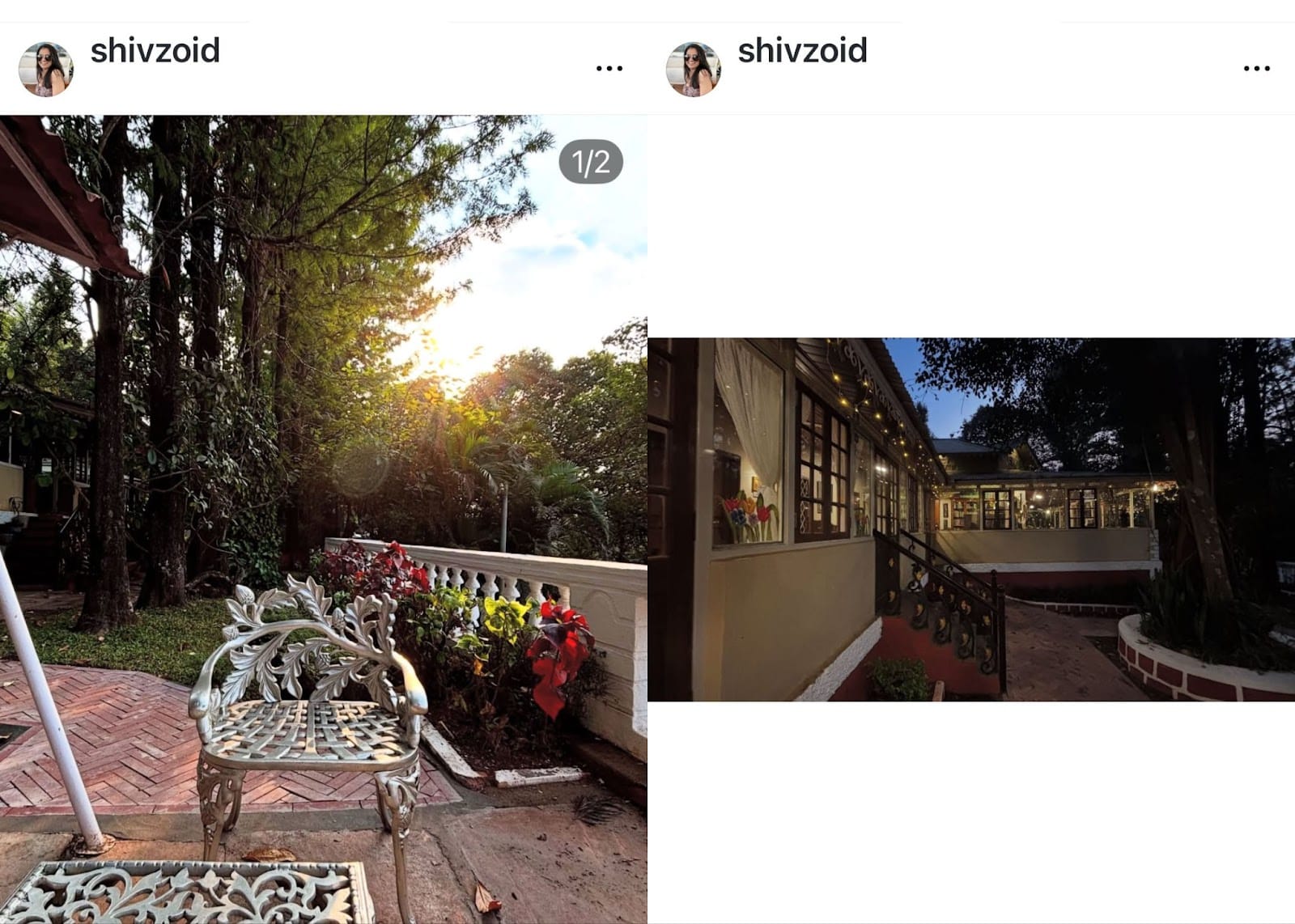
- Consistency vs. Variety: Creators can choose to have all images in a carousel conform to the aspect ratio of the first image (e.g., all square, all portrait), or they can mix orientations. If consistency is chosen, Instagram automatically crops subsequent images to match the first. If the "mixed" option is selected, Instagram will display different aspect ratios, but this often introduces formatting quirks such as awkward spacing above and below landscape or square photos, while portrait images are capped at a 4:5 aspect ratio.
- Video Impact: A critical nuance is that if a video is included anywhere in a carousel, Instagram will automatically convert all content within that carousel to portrait dimensions (typically 4:5), regardless of the initial image orientations.
- Proactive Cropping: A significant limitation is that Instagram’s auto-cropping, once applied during upload, cannot be adjusted later. Therefore, the most effective strategy for carousels with varied image sizes is to pre-crop all visuals to the desired dimensions before uploading. This ensures complete control over the composition and prevents unexpected cropping, maintaining a consistent and professional look across all slides.
3. Instagram Story Size
Instagram Stories are inherently designed for immersive, full-screen vertical viewing, making the 9:16 aspect ratio the optimal choice to maximize screen utility and impact.
- Ideal Dimensions: The recommended size for Stories is 1080 x 1920 pixels (9:16 aspect ratio). Content uploaded at these dimensions will seamlessly fill the entire screen of a mobile device, creating a captivating and borderless experience for the viewer.
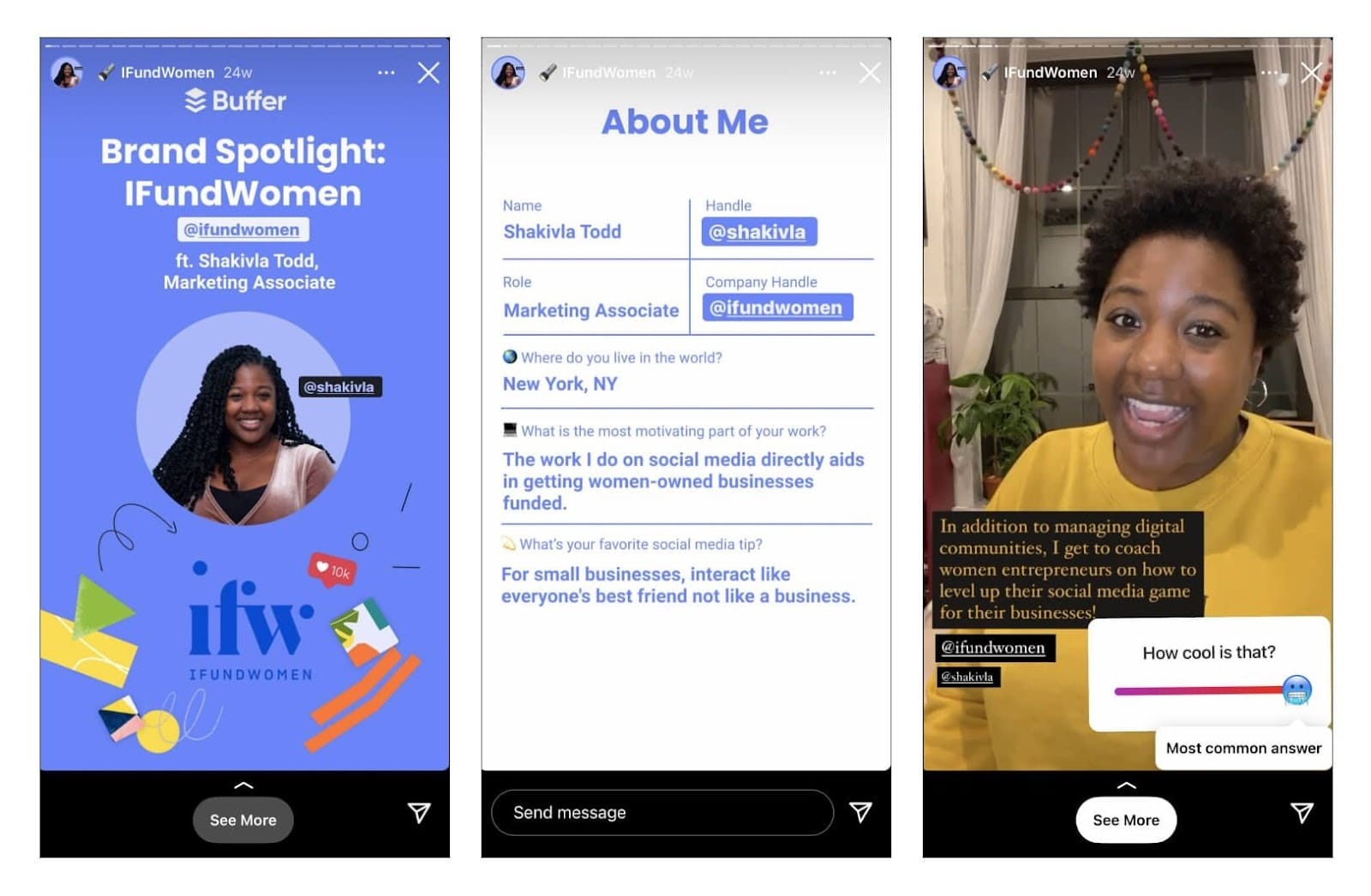
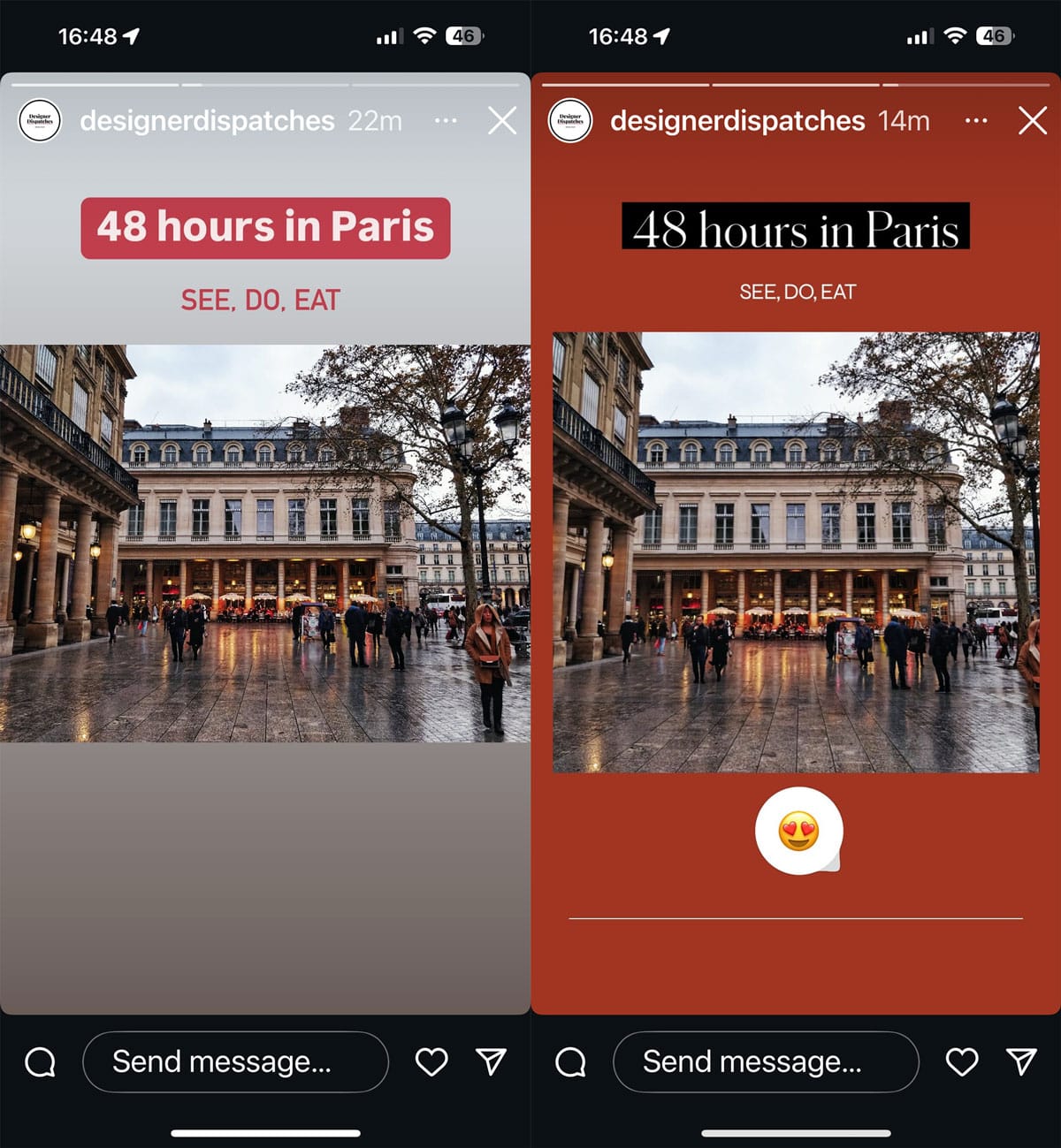
- Creative Use of Space: For square or horizontal visuals, Stories still offer creative opportunities. The "extra" space around a non-9:16 image can be strategically utilized for adding interactive elements like text, stickers, GIFs, polls, or emojis, enhancing engagement without compromising the primary visual.
- Safe Zones: Crucially, creators must account for Instagram’s interface elements. The app overlays user profile information and various interactive buttons at the top and bottom of every Story. To ensure critical text, logos, or visual information is not obscured, it is highly recommended to leave approximately 250 pixels of clear space at both the top and bottom edges of the Story canvas. This "safe zone" prevents vital content from being hidden by the UI. Custom thumbnails for Story highlights, which appear on the profile, also benefit from these 9:16 dimensions, ensuring they look sharp when tapped.
4. Instagram Reels Size
All video posts on Instagram are now categorized and displayed as Instagram Reels, reflecting the platform’s strong push towards short-form video content.
- Optimal Video Dimensions: Like Stories, Instagram Reels are optimized for vertical viewing. The best dimensions for creating and uploading Reels are 1080 x 1920 pixels with a 9:16 aspect ratio. This ensures the video fills the screen when viewed in the dedicated Reels tab, the Explore page, or when tapped from a profile.
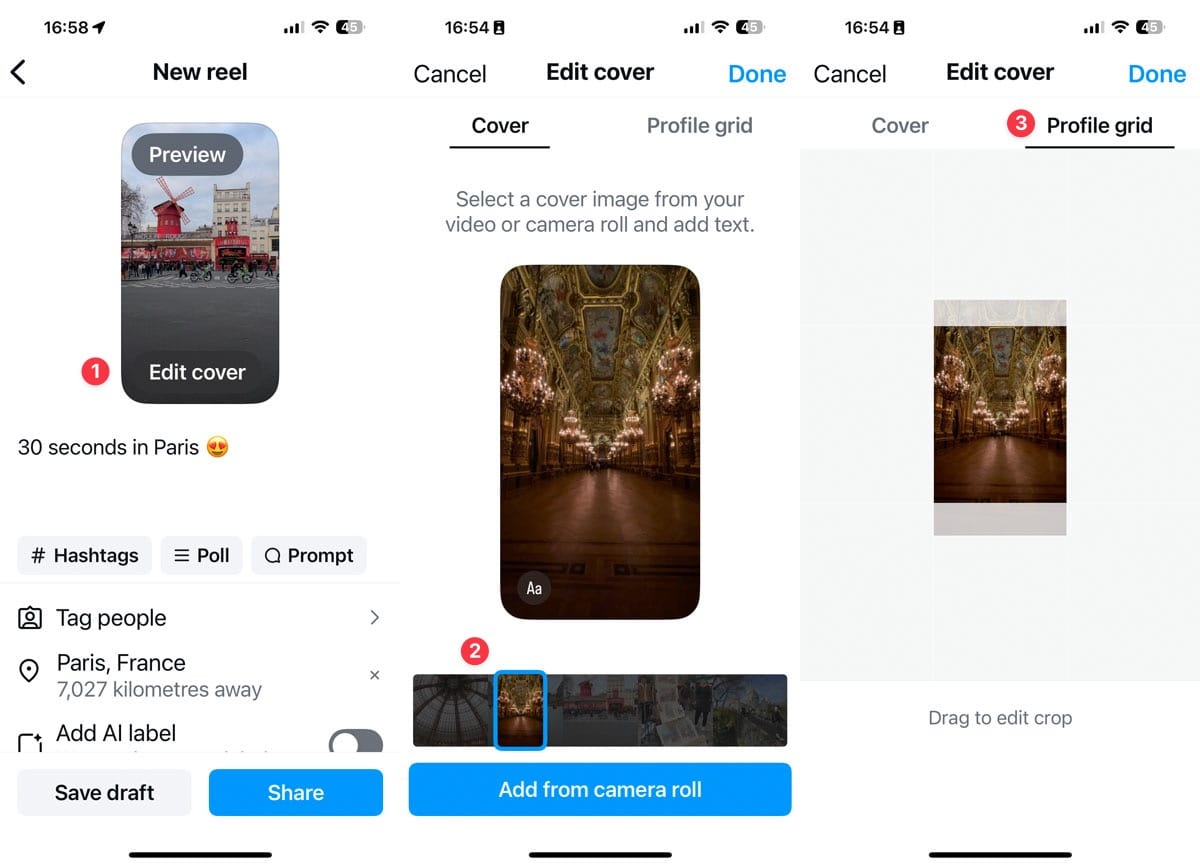
- Thumbnail for Grid Display: While the Reel itself is 9:16, its thumbnail on the main profile grid is displayed in a 3:4 aspect ratio. To maintain visual consistency and aesthetic appeal on the grid, creators can select a specific frame from the video or upload a custom cover photo.
- Reels Cover/Thumbnail (1080 x 1920 pixels): For the cover image (or thumbnail), it’s best to use the full 9:16 dimensions, i.e., 1080 x 1920 pixels. When creating a Reel, the "Edit cover" option allows creators to scroll through the video to select an appropriate frame or upload a bespoke image from their camera roll. The platform also provides a "Profile grid" tab during this process, allowing creators to adjust the crop of the cover within the 3:4 grid preview, ensuring the most important visual elements are centered and visible.
- Flexibility in Editing: A significant advantage is the ability to update a Reel’s cover image even after it has been published. This flexibility allows creators to refresh their profile’s aesthetic or correct any initial cropping issues, ensuring their grid remains cohesive and visually appealing over time.
5. Instagram Profile Photo Size
The Instagram profile picture is a ubiquitous element, appearing across the app on profile pages, Story trays, feed posts, and direct messages.
- Recommended Dimensions: To ensure sharpness and clarity across all these placements, use an image that is at least 320 x 320 pixels with a 1:1 aspect ratio.
- Circular Crop: While uploaded as a square, Instagram universally displays profile pictures as a circle. This automatic circular cropping means that any elements too close to the corners of the original square image will be cut off.
- Centering and Spacing: The best practice is to center the main subject of the profile picture and leave ample clear space around the edges. This precaution guarantees that crucial details, such as a face or a brand logo, remain fully visible and undistorted within the circular frame.
6. Instagram Ad Sizes
Instagram advertisement dimensions often differ from organic post specifications, reflecting the nuanced requirements of targeted campaigns and various ad placements.
- Boosted Posts vs. New Ads: When an existing post is "boosted," it retains its original dimensions. However, when creating new ads specifically for a campaign, these visuals are designed solely for the ad audience and do not appear on the main grid. This is where dedicated Instagram ad sizes become critical.
- Higher Resolutions: Meta, Instagram’s parent company, frequently recommends higher resolutions for ad placements compared to standard organic posts. For instance, a square ad might be recommended at 1080 x 1080 pixels, but Meta’s ad guide might suggest higher resolutions for optimal display across various devices and network conditions, potentially up to 1936 x 1936 pixels or even larger for maximum quality.
- Specific Requirements: Each Instagram ad type (single image, carousel, video, Story ad) comes with its own unique aspect ratio and resolution requirements. Meta provides comprehensive guidance on file types, file sizes, and recommended dimensions in its official ads guide. Ad creative can be uploaded in various formats, but adhering to Meta’s recommendations ensures that ads appear professional, polished, and maximally effective in achieving campaign objectives.
Strategic Implications of Sizing Accuracy
Beyond mere aesthetics, the meticulous adherence to Instagram’s image and video sizing guidelines carries profound strategic implications for content creators, brands, and businesses.
- Enhanced User Experience: Correctly sized content provides a seamless and enjoyable viewing experience. Users are less likely to encounter jarring crops, blurry images, or awkward black borders, fostering a more professional and immersive interaction with the content. A smooth user experience translates to longer viewing times and greater overall satisfaction.
- Improved Engagement Rates: Visually appealing and well-formatted content naturally captures attention more effectively. In a scroll-heavy environment, a crisp, perfectly framed image or video is more likely to halt a user’s scroll, prompting them to engage further through likes, comments, shares, or saves. Data consistently shows that high-quality visuals correlate with higher engagement metrics.
- Algorithmic Favorability: While Instagram’s algorithm is complex and constantly evolving, it is widely understood that content quality plays a significant role in its distribution. Content that adheres to platform specifications and delivers a positive user experience is often implicitly favored by the algorithm, leading to increased visibility and reach. Poorly formatted content, conversely, may be perceived as lower quality, potentially limiting its algorithmic push.
- Stronger Brand Perception and Professionalism: Consistent application of correct sizing standards signals professionalism and attention to detail. For brands and businesses, this cultivates an image of credibility and trustworthiness. Inconsistent or sloppy visuals can inadvertently convey a lack of care, eroding brand authority and trust among the audience.
- Optimized Resource Utilization: While it may seem like an extra step, preparing content to exact specifications saves time and resources in the long run. Avoiding re-edits, troubleshooting display issues, and dealing with negative audience feedback due to poor formatting allows creators to focus on content creation and strategy rather than technical fixes.
Expert Perspectives and Industry Best Practices
Social media strategists and content experts consistently emphasize the importance of visual optimization. "In a visual-first platform like Instagram, your content’s presentation is as crucial as its message," notes a leading digital marketing consultant. "Ignoring sizing guidelines is akin to delivering a speech in a dimly lit room; the content might be brilliant, but its impact is severely hampered by poor delivery."
Industry best practices advocate for a proactive approach:
- Plan your visuals: Before creation, decide the Instagram format (feed, Story, Reel) to ensure appropriate sizing from the outset.
- Utilize design tools: Platforms like Canva, Adobe Spark, or even Buffer’s built-in scheduling tools offer templates pre-sized for various Instagram formats, streamlining the creation process and minimizing errors.
- Preview before publishing: Always leverage preview functions, whether within Instagram’s native editor or third-party scheduling platforms, to catch any unexpected cropping or display issues.
- Stay updated: Instagram frequently updates its features and occasionally its sizing recommendations. Staying informed through official announcements or reputable industry resources is key.
Ultimately, using a strategic mix of all post types—images, carousels, Stories, and Reels—allows content to reach a broader audience across Instagram’s diverse touchpoints. Matching each format with its precise image size elevates this strategy, ensuring that content not only reaches its intended audience but also appears polished, professional, and maximally engaging, whether it’s an immersive Story filling the screen or a crisp image perfectly seated in the grid.
Frequently Asked Questions About Instagram Post Sizes
What size is an Instagram Story?
The optimal size for an Instagram Story is 1080 x 1920 pixels with a 9:16 aspect ratio. This ensures the Story fills the entire screen without borders or unwanted cropping, providing an immersive viewing experience. Remember to leave safe zones (approx. 250 pixels) at the top and bottom for UI elements.
What size should Instagram Reels be?
Instagram Reels should be created and uploaded at 1080 x 1920 pixels (9:16 aspect ratio). Using these dimensions for both the video content and its cover image ensures seamless alignment in the Reels feed, Explore page, and on your profile.
What dimensions should my Instagram profile picture be?
Your Instagram profile picture should be uploaded as a square image of at least 320 x 320 pixels with a 1:1 aspect ratio. Since Instagram displays it as a circle across the platform, ensure that the most important part of your photo or logo is centered to prevent it from being cropped out.
Is the new Instagram grid 4:5 or 3:4?
The Instagram profile grid previews your images and videos in a 3:4 aspect ratio thumbnail. While your full-size post can be 4:5, 1:1, or 1.91:1 in the main feed, it’s crucial to center important visual elements within that 3:4 safe zone to ensure they are visible on your profile grid without being cut off.
How do I make a picture fit on Instagram without cropping?
To make a picture fit on Instagram without unwanted cropping, upload it in one of the supported aspect ratios: 3:4, 4:5, 1:1, or 1.91:1, with the recommended pixel dimensions. If your original image has different dimensions, use a photo editing tool (like Canva or Snapseed) to add borders (often white or a complementary color) to resize it to a supported Instagram aspect ratio without losing any content. When uploading, if a picture with correct dimensions initially appears square in the preview, tap the "expand" (two-arrow) icon at the bottom-left of the preview screen to display the photo in its full, intended dimensions.