 rifanmuazin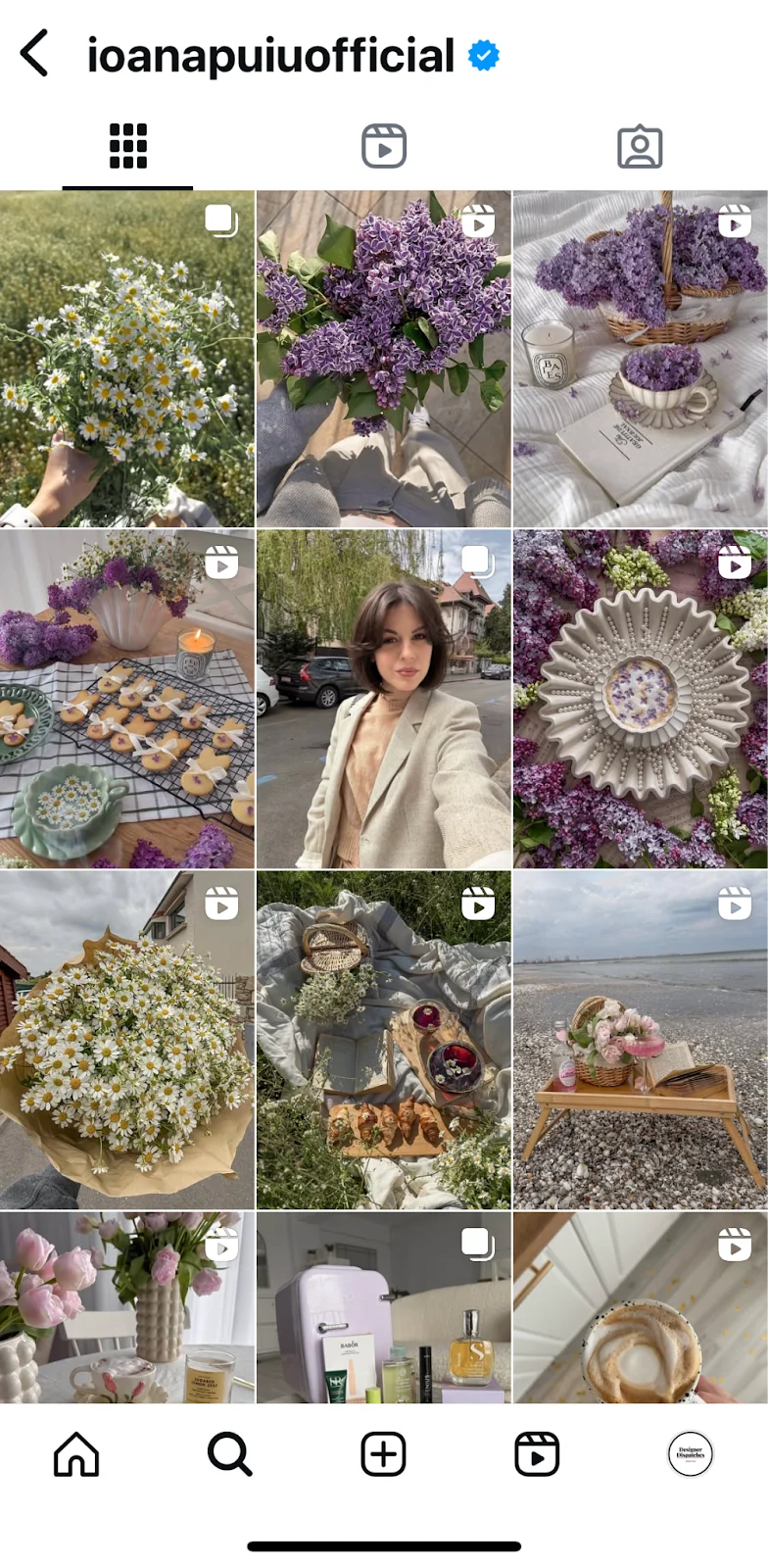
In the dynamic realm of social media, where visual content reigns supreme, the meticulous presentation of images and videos on platforms like Instagram is not merely an aesthetic choice but a strategic imperative. Content creators and brands alike frequently encounter the frustration of a perfectly crafted visual being subtly marred by incorrect sizing – a sliver of text clipped, an important detail cropped, or an image appearing less sharp than intended. This seemingly minor technicality holds significant sway over a post’s effectiveness, directly influencing its professional appeal, user experience, and ultimately, its social media engagement metrics. The journey from a pristine concept to a flawlessly displayed Instagram post hinges on a foundational understanding of the platform’s diverse image and video specifications.
The Evolution of Instagram’s Visual Formats
Instagram, since its inception in October 2010, began as a sanctuary for square photographs, adhering strictly to a 1:1 aspect ratio. This distinctive constraint shaped early digital photography and content creation, fostering a unique aesthetic. However, the platform’s evolution has mirrored broader shifts in digital media consumption and technological capabilities. A pivotal moment arrived in August 2015 when Instagram broadened its horizons, introducing support for both landscape and portrait orientations. This significant update liberated creators from the square confines, allowing for more expansive storytelling and diverse visual compositions.
The subsequent years saw an accelerated expansion of content types. In August 2016, Instagram Stories burst onto the scene, championing immersive, full-screen vertical content designed for fleeting, real-time sharing. This move tapped into the burgeoning mobile-first consumption trend, where users primarily interact with their devices in a vertical orientation. Further cementing its commitment to vertical video, Instagram launched Reels globally in August 2020, directly challenging the dominance of short-form video competitors. These strategic introductions have transformed Instagram from a simple photo-sharing app into a multi-faceted visual ecosystem, offering feed posts, carousels, stories, and reels, each with distinct visual requirements tailored for specific viewing experiences. This rich tapestry of formats, while offering unparalleled creative freedom, also necessitates a precise understanding of optimal dimensions to ensure content is displayed exactly as envisioned.
Understanding the Technical Foundations: Aspect Ratios and Pixels
To navigate Instagram’s varied visual landscape effectively, creators must grasp two fundamental technical concepts: aspect ratios and pixels. These terms, while sounding technical, are the bedrock of digital image and video presentation.
Aspect Ratio: This refers to the proportional relationship between the width and height of an image or video. It is typically expressed as a ratio, such as 1:1 (square), 4:5 (portrait), or 1.91:1 (landscape). A 1:1 aspect ratio, for instance, means the width and height are equal, resulting in a square shape. A 9:16 aspect ratio indicates a significantly taller-than-wide vertical format, characteristic of modern mobile video. Understanding aspect ratios is crucial because it dictates the overall shape and framing of your content, directly impacting how it fits into Instagram’s predefined display areas without automatic cropping or undesirable white spaces.
Pixels: Pixels, short for "picture elements," are the smallest physical points in a raster image or the smallest unit of information in a digital display. They are the tiny dots that collectively form a digital image. The resolution of an image is defined by its pixel dimensions – for example, 1080 x 1080 pixels means the image is 1080 pixels wide and 1080 pixels high. A higher pixel count generally translates to a sharper, clearer, and more detailed image, especially when viewed on high-resolution screens. Instagram, like most digital platforms, processes and compresses uploaded content. Adhering to its recommended pixel dimensions as a baseline helps ensure that even after compression, your content retains optimal clarity and visual integrity, preventing unwanted blurring or pixelation.

Instagram supports various file formats, primarily JPEG for images and MP4 or MOV for videos, alongside specific limitations on file sizes and durations. These multiple formats and content types necessitate a tailored approach to sizing, as there is no single "one-size-fits-all" dimension. Ignoring these specifications risks compromising the visual quality and the overall impact of your meticulously crafted content.
Detailed Breakdown of Instagram Post Sizes for Optimal Display
Achieving pristine visual presentation on Instagram requires adherence to specific aspect ratios and minimum resolutions for each content type. This detailed guide outlines the optimal dimensions to ensure your content always looks its best.
1. Instagram Profile Photo
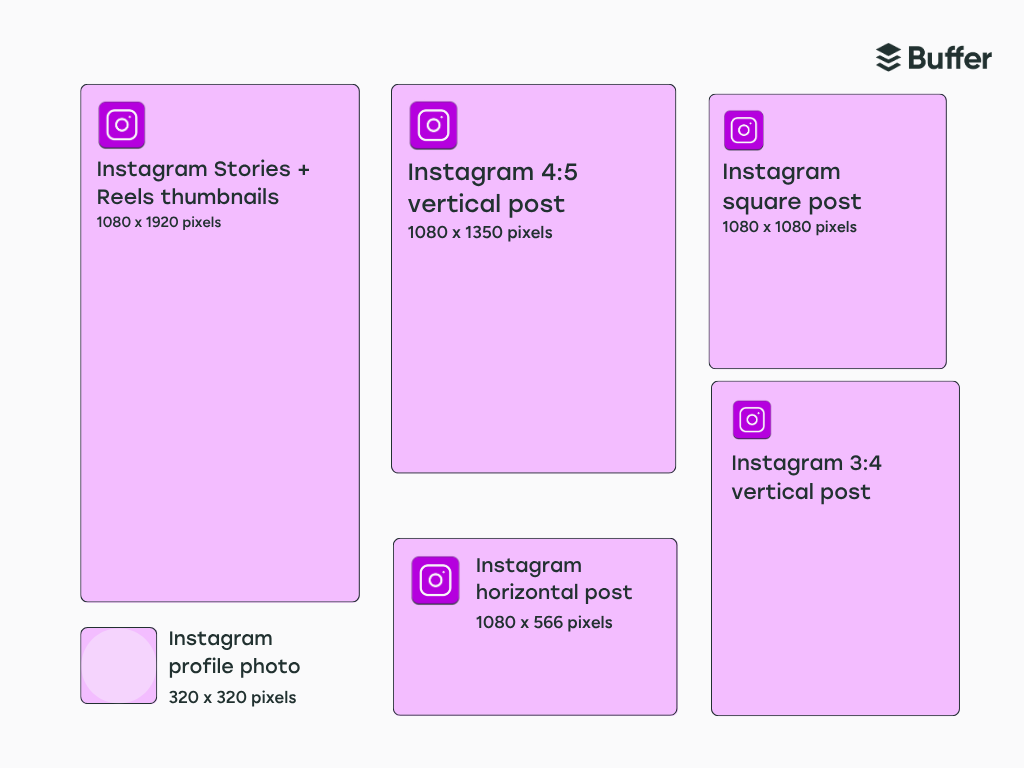
Your profile picture serves as a crucial brand identifier, appearing across numerous touchpoints: your profile page, story trays, feed posts, and direct messages. To maintain sharpness and clarity, the recommended dimensions are 320 x 320 pixels with a 1:1 aspect ratio. While uploaded as a square, Instagram universally displays profile pictures as a circle. Therefore, it is paramount to center the key elements of your image and leave ample space around the edges to prevent critical details from being inadvertently cropped out. A well-composed circular profile picture ensures immediate recognition and a professional brand image.
2. Instagram Feed Posts
The Instagram feed, once exclusively square, now offers greater flexibility, allowing creators to experiment with different orientations to best suit their visual narratives.
- Square Feed Post: The classic 1:1 aspect ratio remains a popular choice, recommended at 1080 x 1080 pixels. This format is ideal for symmetrical compositions, product showcases, graphics, or any visual where a balanced frame is desired. Square posts offer consistency and a clean aesthetic within the grid.
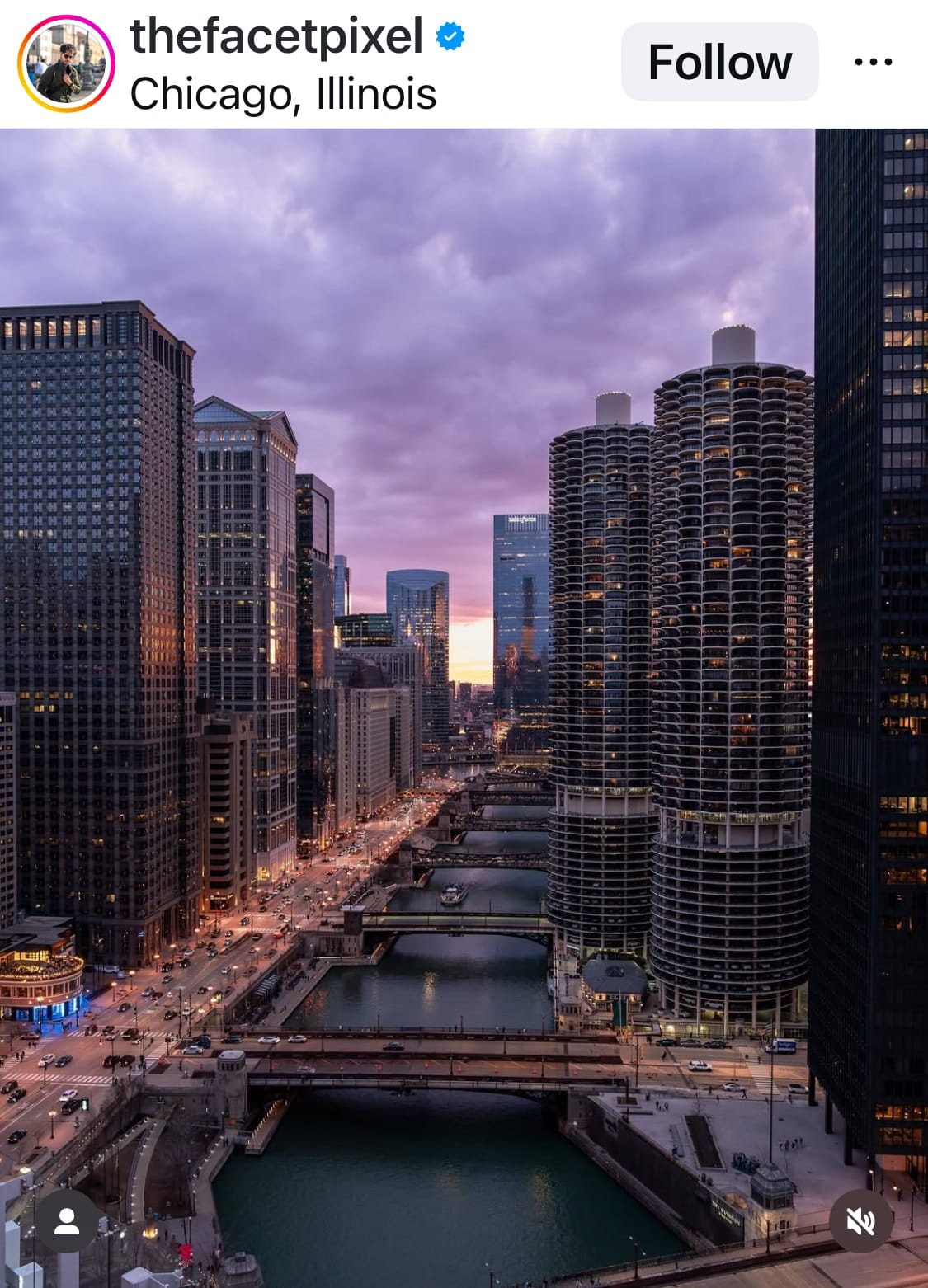
- Vertical Feed Post (Portrait): For images that demand more height to convey their message, Instagram supports portrait orientations. The most common and highly recommended aspect ratio is 4:5, with an optimal resolution of 1080 x 1350 pixels. Another supported ratio is 3:4, corresponding to 1080 x 1440 pixels. Portrait posts are excellent for showcasing tall subjects like architecture, full-body portraits, or scenes where a sense of scale is important. They occupy more vertical screen real estate in the user’s feed, potentially increasing visibility.
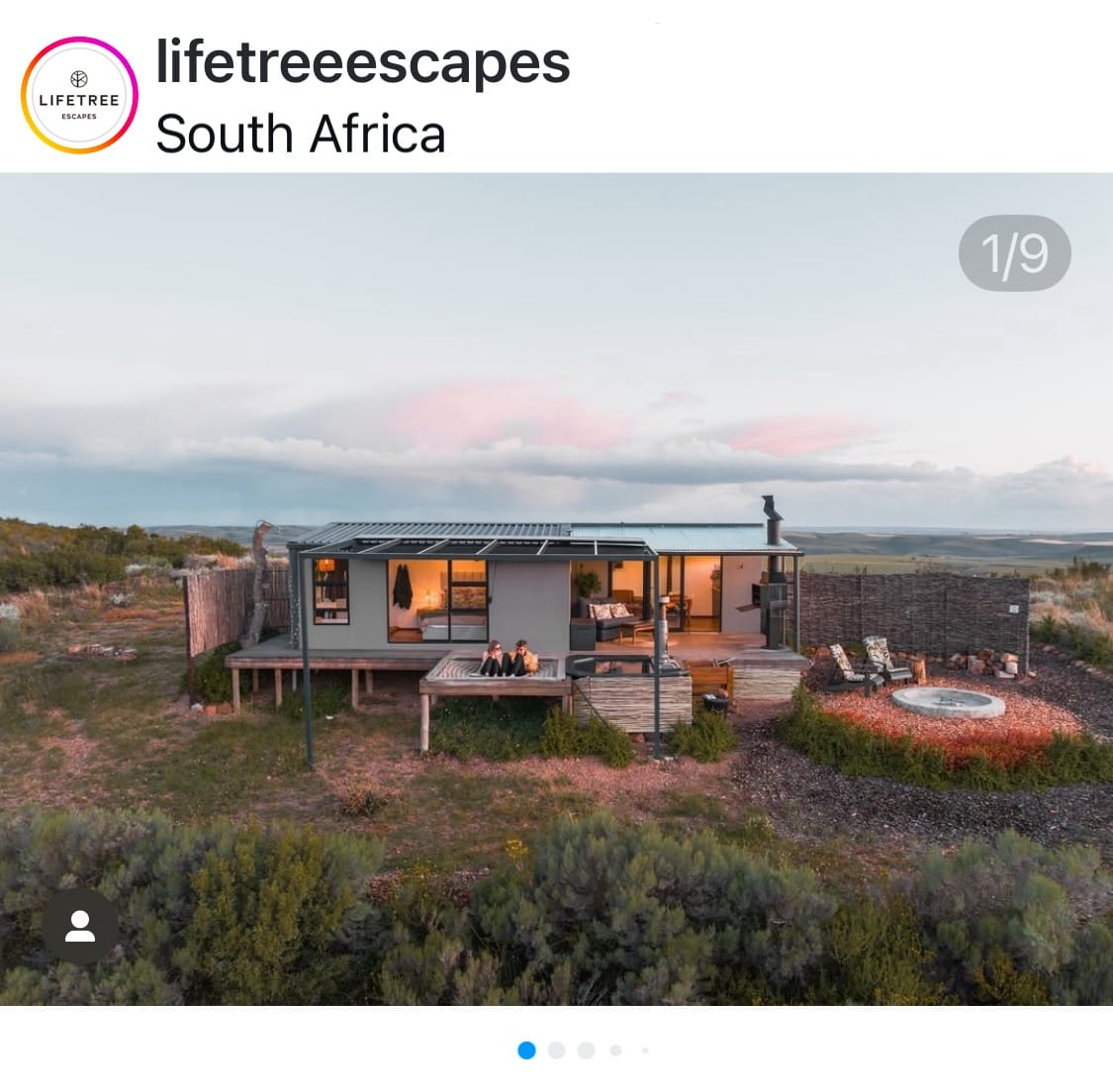
- Horizontal Feed Post (Landscape): When a sweeping vista or a wide-angle shot is central to your content, the landscape orientation is appropriate. Instagram recommends a 1.91:1 aspect ratio, with a resolution of 1080 x 566 pixels. This format is perfect for scenic photography, group shots, or any visual that benefits from a broader perspective. While landscape posts take up less vertical space in the feed, they can be highly effective for conveying grandeur or expansive scenes.
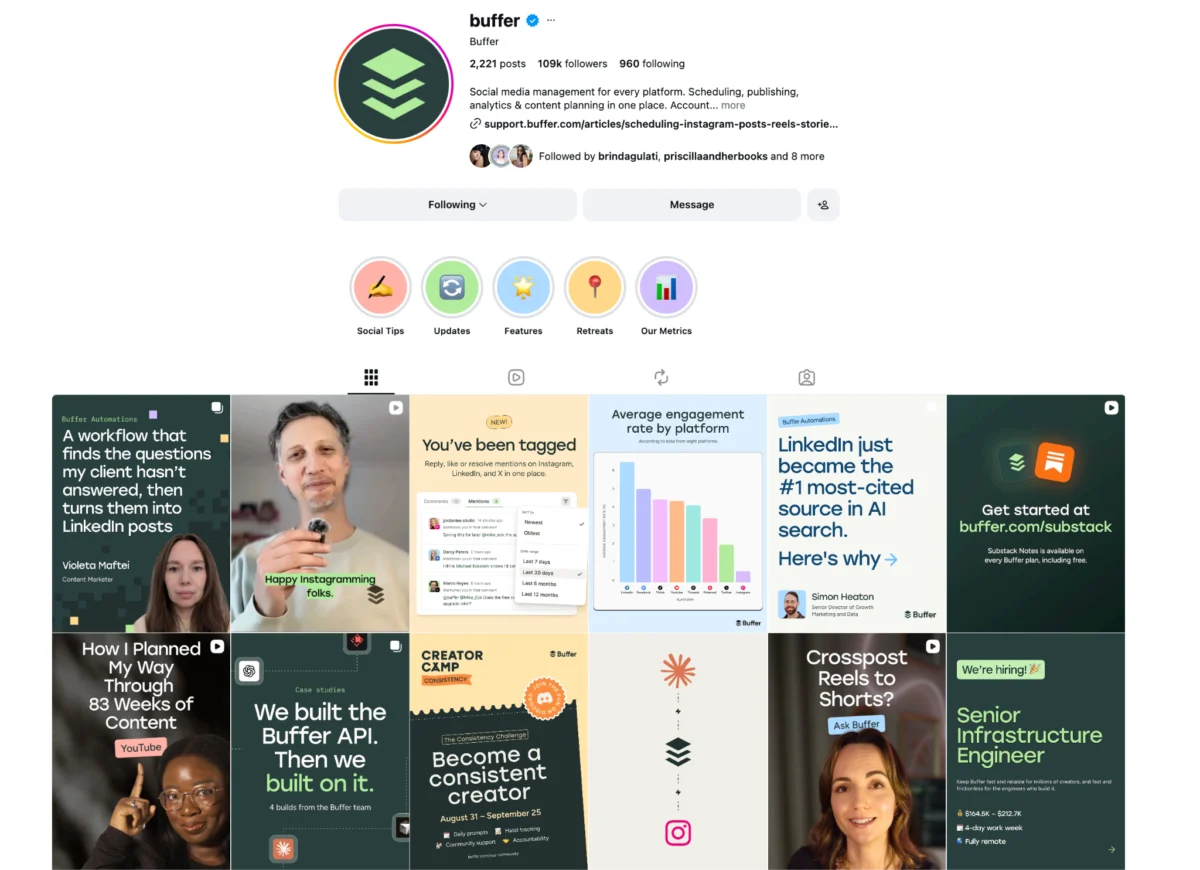
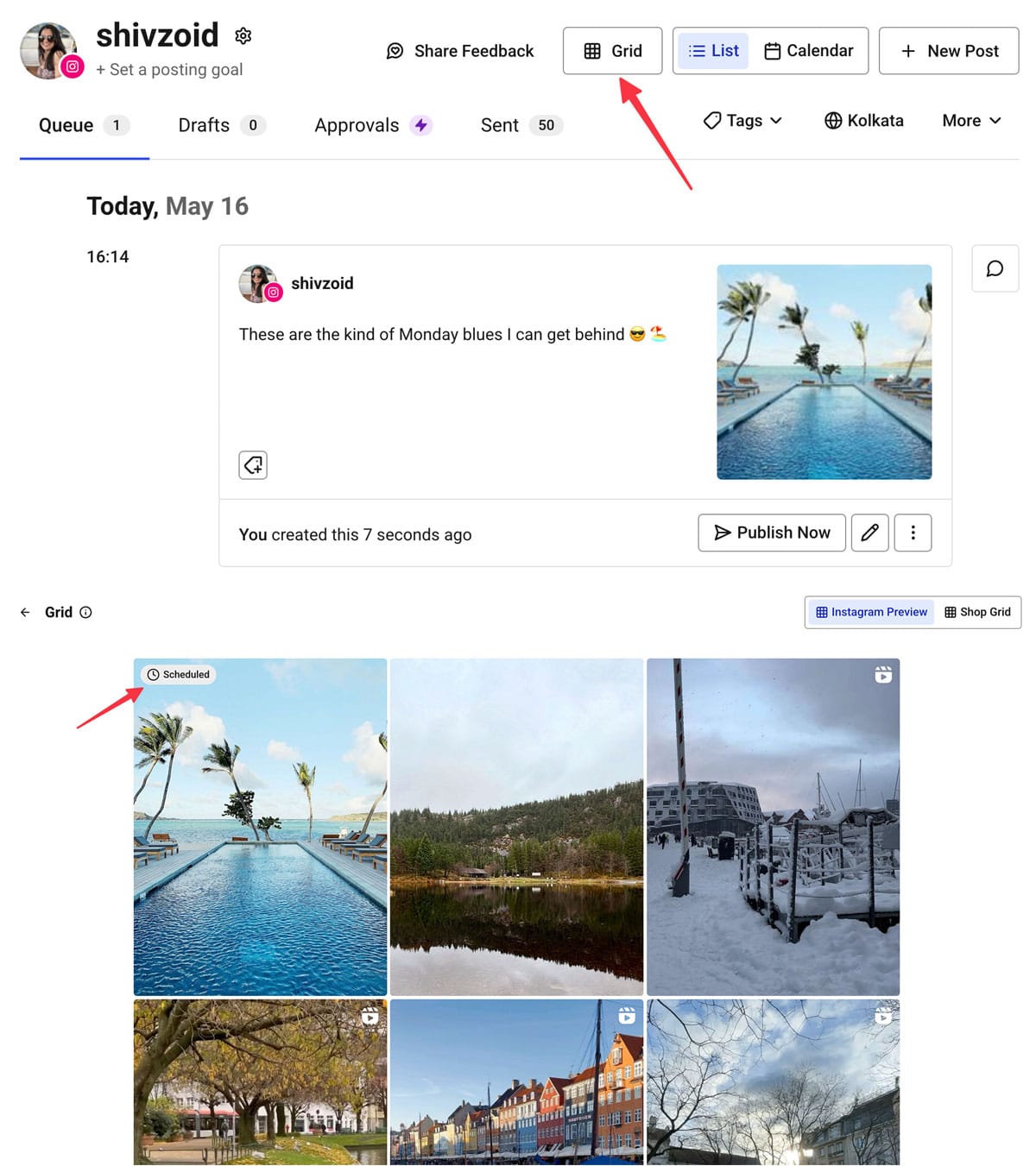
A critical consideration for all feed posts is their appearance on your Instagram profile grid. Regardless of the original aspect ratio, Instagram’s profile grid displays all content in a 3:4 aspect dimension preview. To ensure key visual elements are always visible on your grid, strategic centering of your primary subject within this 3:4 "safe zone" is advisable. Tools like Buffer’s scheduling interface offer grid previews, allowing creators to visualize how their posts will appear before publishing, thereby enabling adjustments for a cohesive profile aesthetic.
3. Instagram Carousel Posts
Carousel posts, which allow users to swipe through a series of up to ten photos and videos within a single post, offer versatile storytelling opportunities. The sizing of a carousel is primarily dictated by its first image or video.
- Uniform Sizing: If the first item is square (1:1), all subsequent items will be cropped to a 1:1 ratio. Similarly, if the first item is portrait (4:5) or landscape (1.91:1), Instagram will attempt to maintain that orientation for all other items, cropping where necessary.
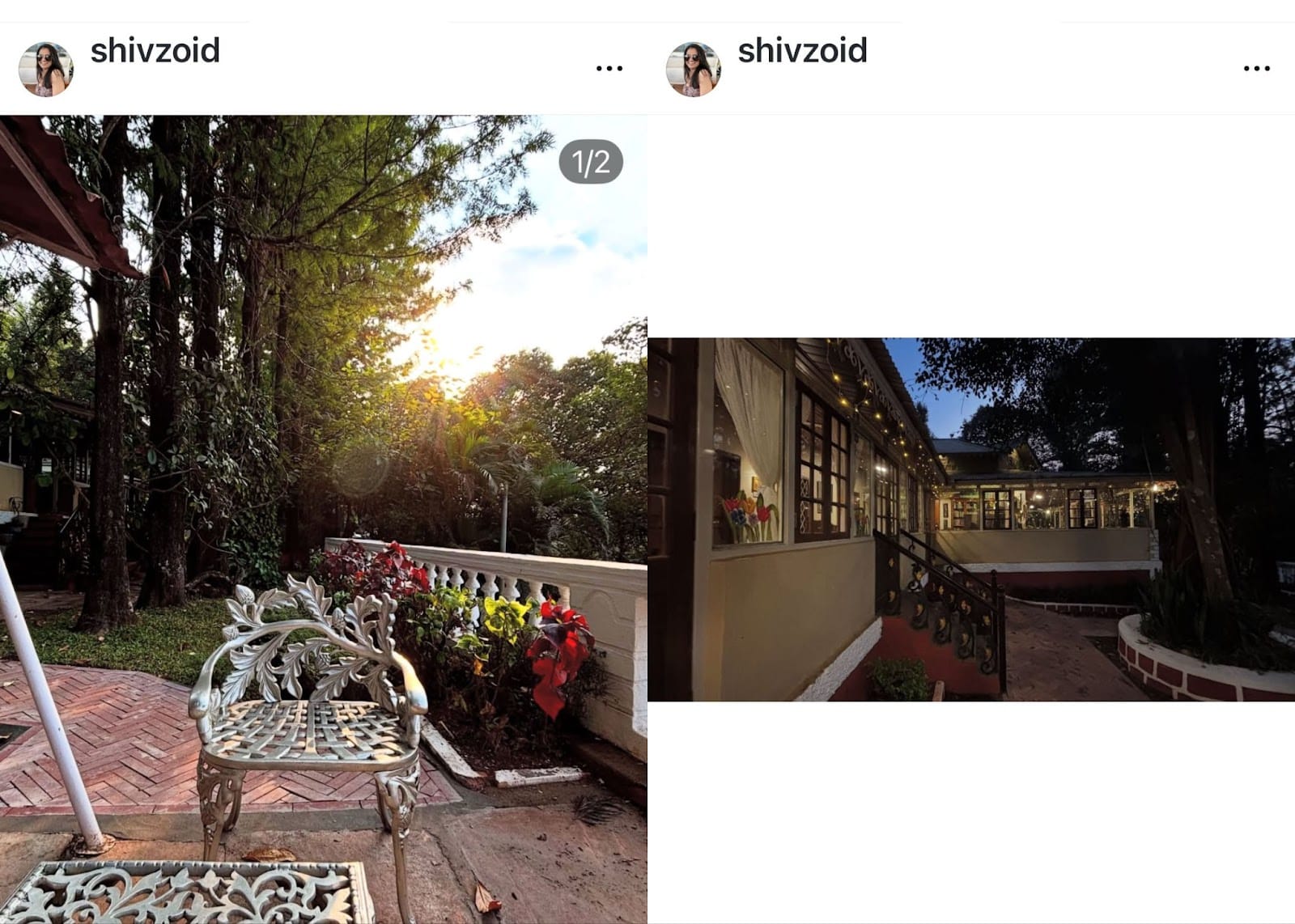
- Mixed Sizing (with caveats): While Instagram does offer a "mixed" option, allowing for varied orientations within a carousel, this often comes with formatting quirks. Landscape and square photos may be displayed with white or black borders above and below, while portrait images are typically confined to a 4:5 aspect ratio. A significant drawback is that Instagram’s automatic cropping cannot be adjusted post-upload, potentially leading to undesired visual outcomes.
Pro Tip for Carousels: To maintain complete creative control and avoid unwanted automatic cropping, it is highly recommended that creators manually crop all images and videos within a carousel to a consistent aspect ratio before uploading them. This ensures each visual component aligns perfectly with the creator’s original intent, leading to a polished and professional carousel experience.
4. Instagram Stories
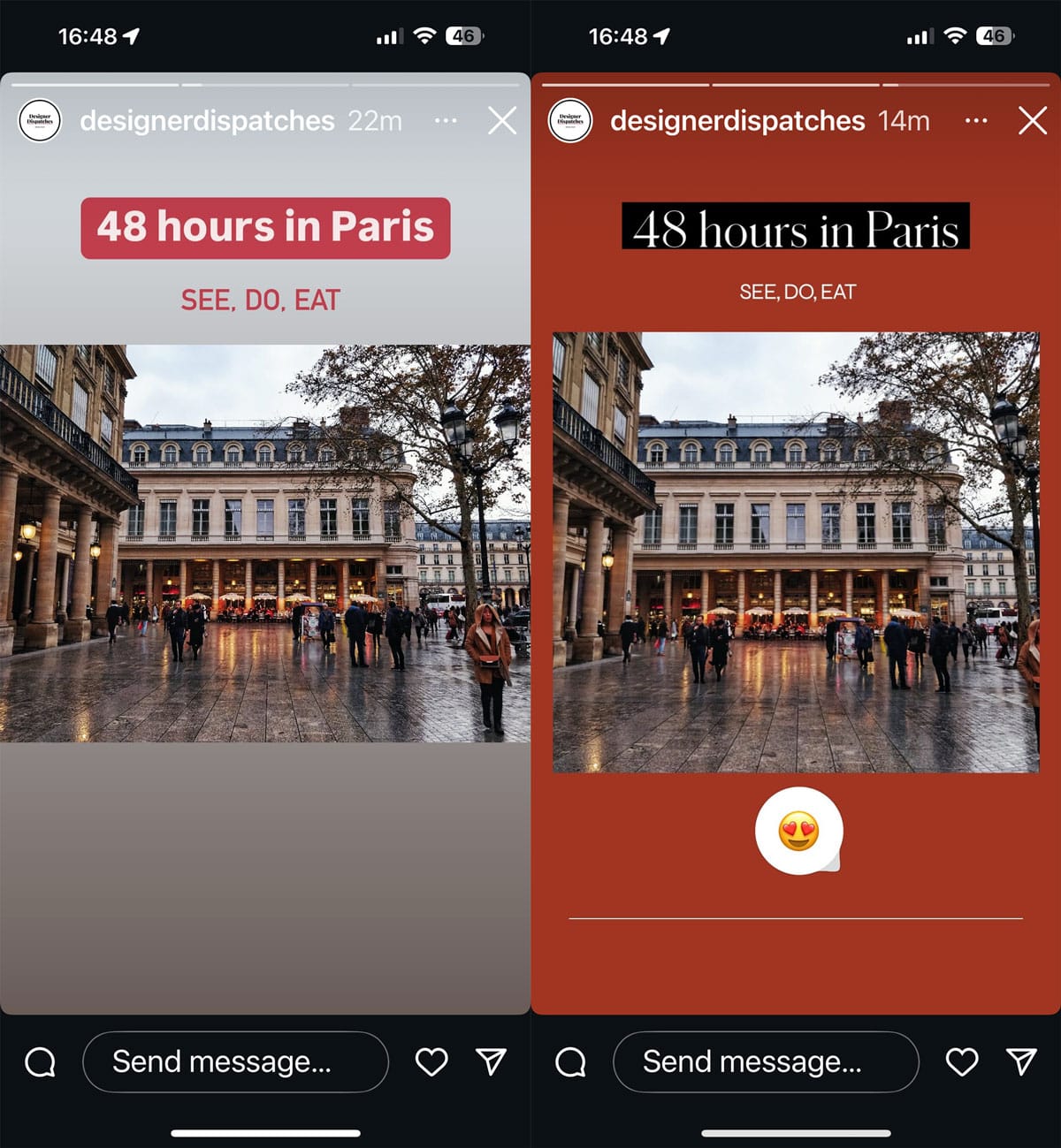
Instagram Stories are inherently designed for immersive, full-screen vertical viewing. The ideal dimensions for stories are 1080 x 1920 pixels, corresponding to a 9:16 aspect ratio. Content uploaded in these dimensions will perfectly fill the screen, providing an engaging and borderless experience.
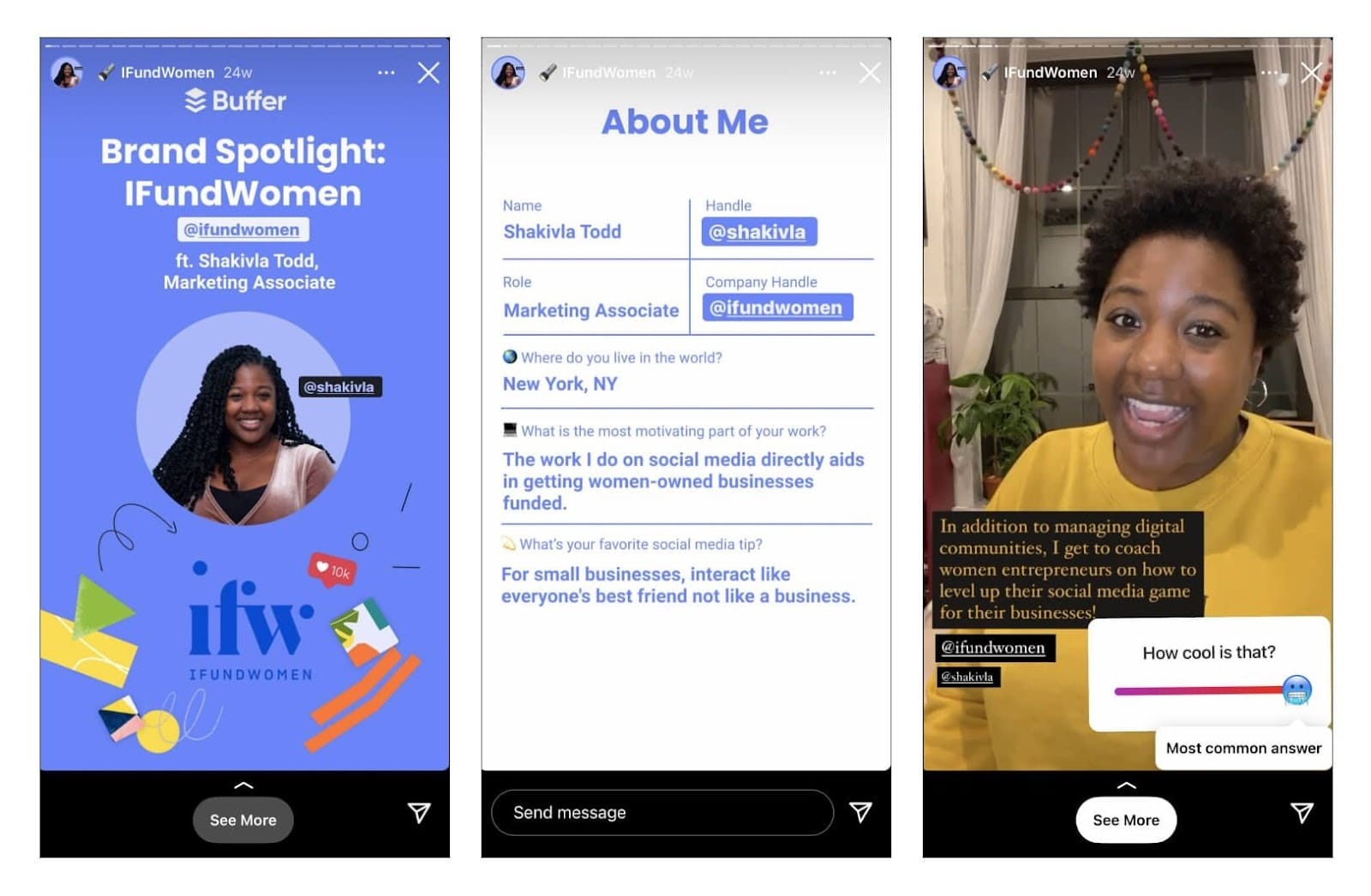
- Adapting Non-Vertical Content: While vertical is optimal, square or horizontal visuals can still be used. In such cases, Instagram will display them with borders (often color-matched from the image) at the top and bottom or sides. These empty spaces can be leveraged creatively by adding text, stickers, GIFs, polls, or emojis, transforming a potential visual constraint into an interactive opportunity.
- Safe Zones: A crucial design consideration for Stories is the presence of UI elements. Instagram overlays user profile information (avatar, username) at the top and action buttons (reply, share) at the bottom. To prevent text or logos from being obscured, it’s essential to maintain "safe zones," leaving approximately 250 pixels clear at both the top and bottom of your story canvas.
5. Instagram Reels
All video posts on Instagram are now categorized and displayed as Instagram Reels, Instagram’s answer to short-form, dynamic video content. Like Stories, Reels are optimized for vertical viewing, with the best results achieved at 1080 x 1920 pixels and a 9:16 aspect ratio.
- Viewing Experience: When users tap on a Reel, it expands to fill the screen vertically. In the dedicated Reels tab on a profile, thumbnails are also displayed at the full 9:16 ratio. However, on the main profile grid, Reels thumbnails are cropped to a 3:4 aspect ratio to integrate seamlessly with photo previews.
- Reels Cover/Thumbnail: The Reels cover image is critical for attracting viewers from the profile grid and the Reels tab. Therefore, it should also be designed at 1080 x 1920 pixels. Creators have two options for their cover: selecting a specific frame from the video itself or uploading a custom image from their camera roll. Instagram allows creators to adjust the crop of the cover specifically for the profile grid view, ensuring the most impactful part of the visual is always showcased. A significant advantage is the ability to update a Reel’s cover image at any time, even after it has been published, offering flexibility to refresh profile aesthetics. This feature is invaluable for maintaining a curated and visually appealing Instagram grid, as expertly utilized by many content creators.
6. Instagram Ad Sizes
While the article primarily focuses on organic post sizes, it’s important to note that Instagram ad sizes, though related, have distinct specifications. Instagram ads can be created by boosting an existing organic post (which retains its original dimensions) or by designing a new ad specifically for a campaign. For new ad creations, Meta (Instagram’s parent company) often recommends higher resolutions to ensure optimal performance across various placements.
- Single Image/Video Ads: Often requiring resolutions of 1080 x 1080 pixels (1:1), 1080 x 1350 pixels (4:5), or 1080 x 566 pixels (1.91:1), depending on the desired orientation.
- Story Ads/Reels Ads: These typically align with the full-screen vertical format of 1080 x 1920 pixels (9:16).
- Carousel Ads: Similar to organic carousels but with potential additional resolution requirements.
Meta’s official Ads Guide provides comprehensive and up-to-date guidance on file types, sizes, and dimensions for all Instagram ad formats. Adhering to these specifications is crucial for delivering professional, high-impact advertisements that resonate with target audiences and maximize campaign ROI.
Implications for Engagement, Professionalism, and Algorithmic Visibility
The meticulous attention to Instagram’s post sizes transcends mere aesthetics; it is a critical component of a successful content strategy, profoundly impacting engagement, brand perception, and algorithmic favorability.
Enhanced User Experience and Engagement: When content fits perfectly, it eliminates distractions such as awkward cropping, fuzzy details, or unsightly borders. A visually pristine post is more inviting and easier for users to consume, encouraging longer viewing times, more taps, and higher interaction rates. Conversely, poorly sized content can appear unprofessional, deterring engagement and diminishing the impact of the message. Studies consistently show that high-quality, properly formatted visuals significantly outperform their lower-quality counterparts in terms of likes, comments, and shares.
Professionalism and Brand Perception: For businesses and personal brands, every post is a reflection of their identity. Content that consistently appears polished and optimized conveys professionalism, attention to detail, and a commitment to quality. This builds trust and credibility with the audience. A brand that invests in perfecting its visual presentation is perceived as more reliable and authoritative, strengthening its overall market position.
Algorithmic Favorability: While Instagram’s algorithm is complex and constantly evolving, user experience is a known cornerstone. Content that performs well, keeping users engaged and on the platform longer, is generally favored by the algorithm. Posts that are correctly sized and visually appealing contribute to a positive user experience, signaling to the algorithm that the content is valuable. This can lead to increased visibility in users’ feeds, the Explore page, and the Reels tab, expanding the content’s reach and potential for discovery. Instagram aims to show users content they are most likely to enjoy, and a smooth, uncompromised visual experience is a key factor in that enjoyment.
Strategic Content Diversification: Instagram’s algorithm also learns from individual user behavior. If a user frequently engages with Reels, they will be shown more Reels. If they prefer Stories, that format will be prioritized. By strategically utilizing a mix of all post types—feed images, carousels, stories, and reels—and ensuring each is perfectly sized, creators can broaden their reach across Instagram’s diverse engagement pathways. This multi-format approach increases the likelihood of connecting with different segments of their audience wherever they prefer to consume content.
Leveraging Tools and Best Practices
In recognition of the complexities involved, numerous tools and best practices have emerged to simplify the process of optimizing content for Instagram.
- Design Software Integration: Graphic design platforms like Canva offer a plethora of pre-sized templates specifically for various Instagram post types. This eliminates the need for manual calculations, allowing creators to focus on design and messaging rather than pixel dimensions.
- Scheduling and Preview Tools: Social media management platforms such as Buffer provide integrated scheduling and preview functionalities. These tools allow creators to upload their content, select their desired post type, and visualize exactly how it will appear on the Instagram grid or within the feed before it goes live. This pre-publication check is invaluable for making last-minute adjustments and ensuring visual perfection.
- In-App Editing Capabilities: Instagram itself offers basic editing and cropping tools. For instance, when uploading a non-square image to the feed, users can tap the "expand" icon (two arrows) in the bottom left of the preview to toggle between a square crop and the image’s original aspect ratio (if supported).
- Pre-cropping and Resizing: For optimal control, the most robust practice remains to pre-crop and resize images and videos using professional editing software (e.g., Adobe Photoshop, Lightroom, DaVinci Resolve) or mobile apps (e.g., Snapseed, InShot) before uploading to Instagram. This ensures the highest quality output and precise adherence to desired dimensions.
In conclusion, the seemingly minor technicality of Instagram image and video sizes is, in fact, a cornerstone of effective visual communication on the platform. By understanding and meticulously applying the correct aspect ratios and pixel dimensions for feed posts, carousels, stories, reels, and profile pictures, creators can ensure their content consistently appears polished, professional, and impactful. This attention to detail not only preserves creative intent but also significantly enhances user engagement, reinforces brand perception, and positively influences algorithmic visibility, ultimately driving greater success in Instagram’s visually-driven ecosystem.