 rifanmuazin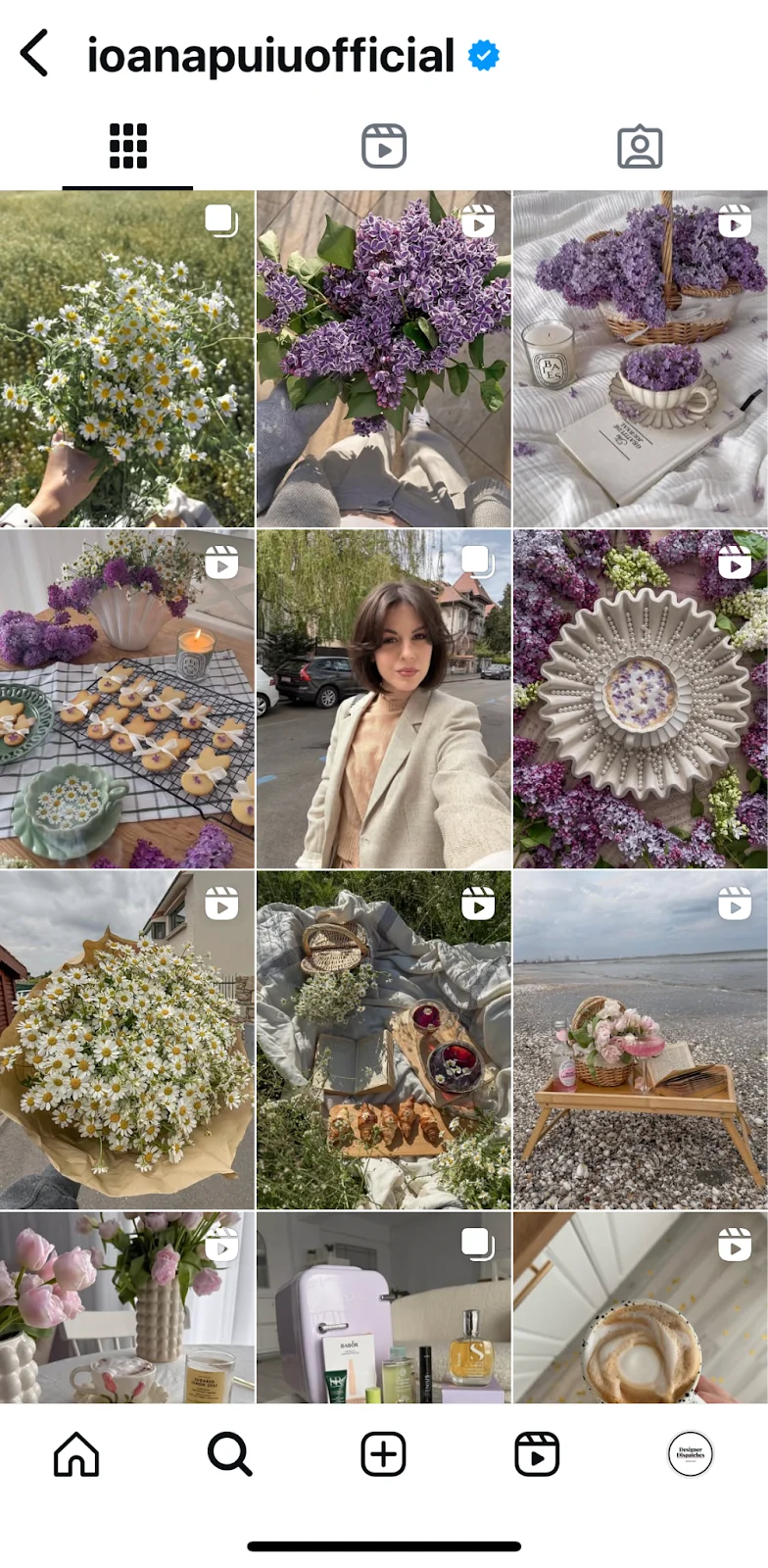
The modern digital landscape is dominated by visual content, and Instagram stands as a premier platform where images and videos dictate user engagement and brand perception. However, the seemingly minor technicality of incorrect image and video dimensions can significantly detract from a post’s impact, leading to frustrating crops, blurred visuals, or truncated text that undermines carefully crafted content. A recent observation highlighted this common pitfall: a perfectly designed Instagram Reel, intended to captivate, was marred by a sliver of text being cut off at the edge upon upload, a subtle flaw that nonetheless compromises professionalism and user experience. This scenario underscores a critical aspect of effective social media strategy: understanding and adhering to Instagram’s specific sizing recommendations for its diverse content formats.
The Evolution of Instagram’s Visual Strategy
Instagram, launched in 2010, began as a platform exclusively dedicated to square-format photographs, fostering a distinct aesthetic and simplifying content creation. This foundational uniformity, however, evolved significantly over the years in response to technological advancements, user demands for greater creative flexibility, and intense competition within the social media sphere. In 2015, Instagram broke its square-only mold, allowing users to upload landscape and portrait images. This pivotal shift acknowledged that not all visual narratives fit neatly into a 1:1 ratio and provided creators with expanded artistic freedom.
Further transformative developments followed with the introduction of Instagram Stories in 2016, a direct response to the ephemeral, full-screen vertical video format popularized by Snapchat. Stories quickly became a dominant feature, necessitating a new set of vertical dimensions to optimize the immersive viewing experience. The most recent major evolution arrived in 2020 with Instagram Reels, the platform’s strategic entry into the short-form vertical video market, directly challenging TikTok’s burgeoning popularity. These changes collectively illustrate Meta’s (Instagram’s parent company) continuous efforts to adapt and innovate, maintaining its position as a visual content powerhouse. Each new format, however, introduced its own unique technical specifications, making a comprehensive understanding of aspect ratios and pixel dimensions indispensable for anyone aiming to maximize their content’s reach and impact.
Understanding the Technical Fundamentals: Aspect Ratios and Pixels
To navigate Instagram’s visual requirements effectively, content creators must grasp two fundamental technical terms: aspect ratios and pixels. While these may initially sound daunting, their principles are straightforward and crucial for optimizing visual output.
Aspect ratio refers to the proportional relationship between an image or video’s width and its height. It is typically expressed as "width:height." For instance, a 1:1 aspect ratio signifies a perfect square, where the width and height are equal. A 9:16 ratio, common for vertical content like Stories and Reels, indicates that the height is significantly greater than the width. Conversely, a 1.91:1 ratio is characteristic of a wider, horizontal image. The choice of aspect ratio directly influences how your content fits within Instagram’s various display areas, from the compact profile grid to the expansive full-screen Story viewer. Incorrect aspect ratios often lead to automatic cropping by the platform, which can inadvertently cut off essential visual elements or text, diminishing the overall message and aesthetic.
Pixels, on the other hand, are the smallest individual units of information that constitute a digital image. Often described as tiny dots, they collectively form the visual detail and clarity of any digital display. The "resolution" of an image refers to its total pixel count, typically expressed as width x height (e.g., 1080 x 1080 pixels). A higher pixel density generally translates to a sharper, clearer, and more detailed image, provided it is viewed on a display capable of rendering those pixels. Instagram, like other platforms, compresses uploaded content to optimize loading times and storage. However, starting with a high-resolution image within the recommended pixel dimensions ensures that even after compression, your content retains optimal sharpness and avoids unwanted pixelation or blurriness, presenting a professional and polished appearance to your audience.
Instagram supports common file formats such as JPEG and PNG for images, and MP4 and MOV for videos. While the platform handles various inputs, adhering to its specific recommendations for aspect ratios and pixel dimensions serves as the baseline for achieving crisp, visually appealing posts that stand out in a competitive feed.
Detailed Guide to Instagram Content Formats and Optimal Dimensions
Given the diversity of Instagram’s content offerings—feed posts, carousels, Stories, Reels, and profile pictures—each category comes with its own set of optimal dimensions designed to deliver the best user experience.

1. Instagram Feed Posts
The Instagram feed, once exclusively square, now offers flexibility, allowing content to take various forms:
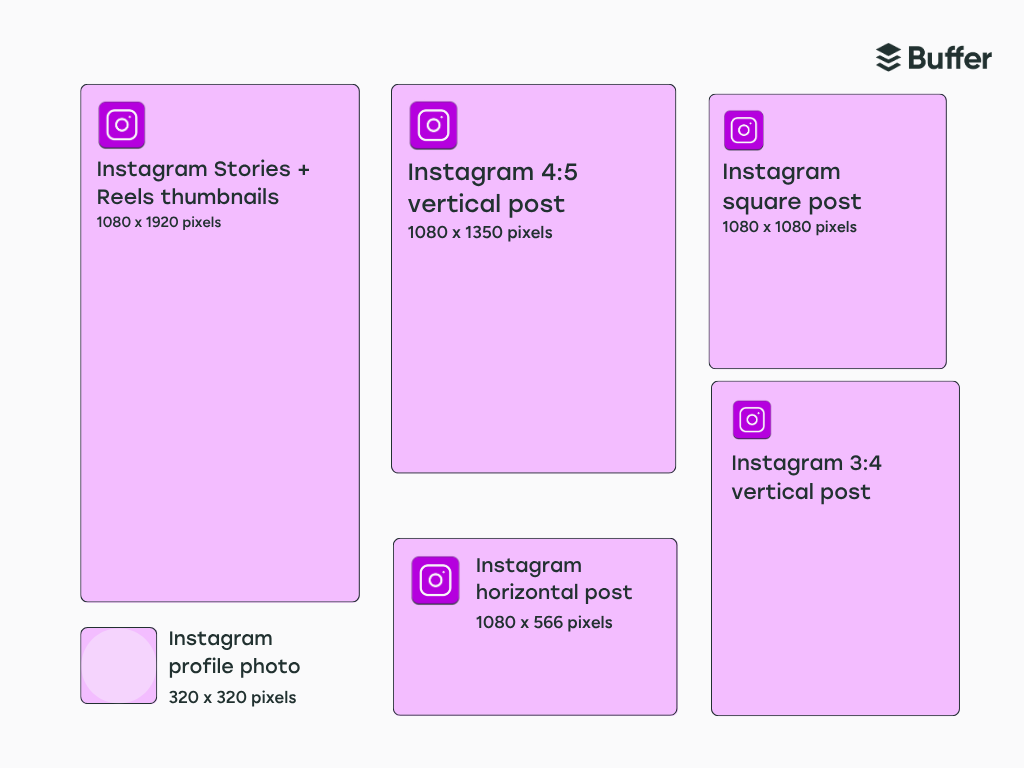
- Square Feed Post (1:1 Aspect Ratio): The enduring classic, recommended at 1080 x 1080 pixels. Square posts remain highly versatile, ideal for centered compositions, graphics, product showcases, or symmetrical layouts where a balanced frame is paramount. Their consistent presence makes them a reliable choice for maintaining a cohesive grid aesthetic.
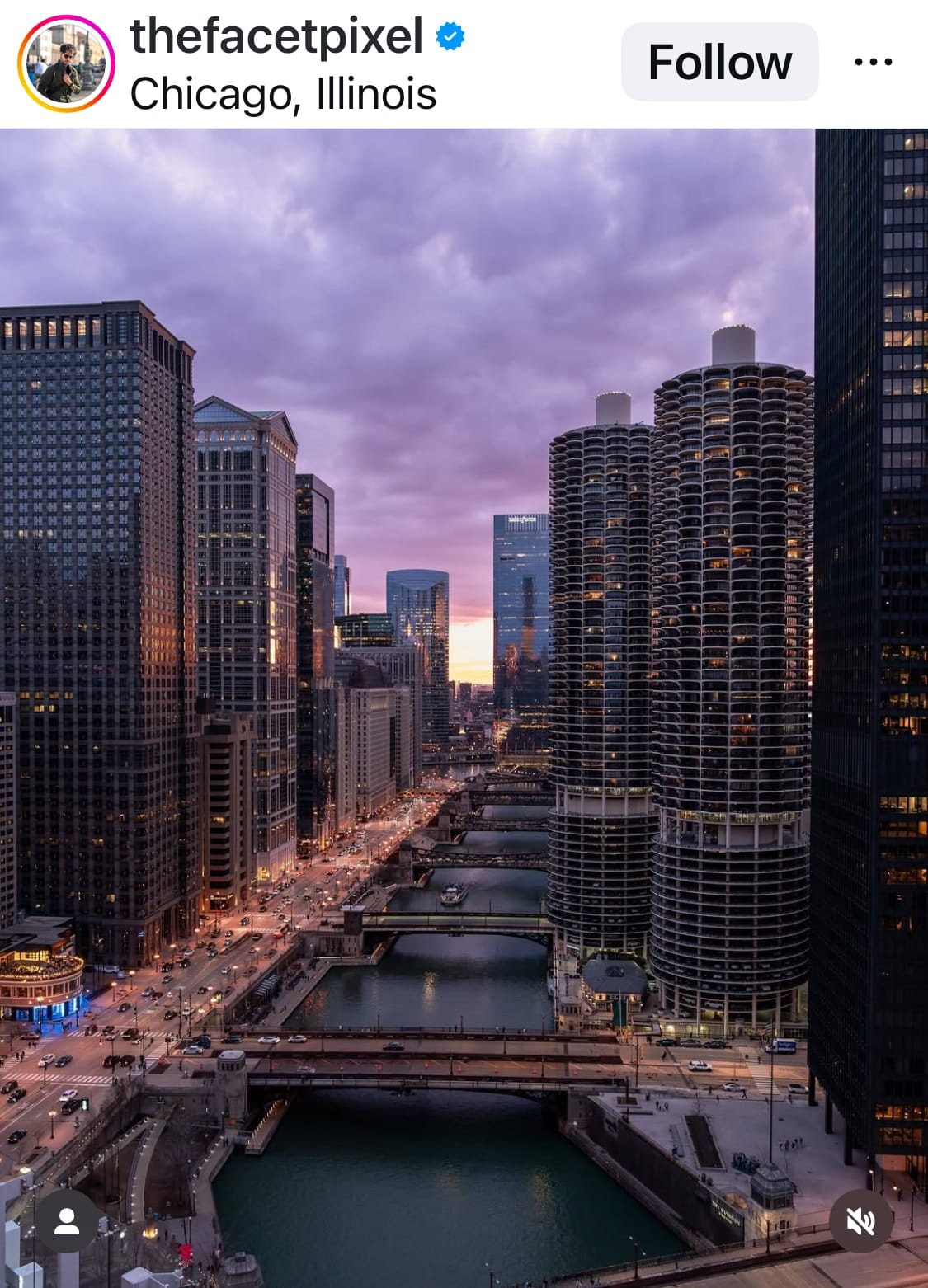
- Vertical (Portrait) Feed Post (4:5 or 3:4 Aspect Ratio): To maximize screen real estate in the user’s feed, vertical posts are highly effective. The ideal dimensions are 1080 x 1350 pixels (4:5) or 1080 x 1440 pixels (3:4). This orientation is particularly suited for capturing tall subjects like buildings, full-body portraits, or scenes where a sense of scale and immersion is desired. By filling more of the screen, portrait posts naturally draw more attention as users scroll.
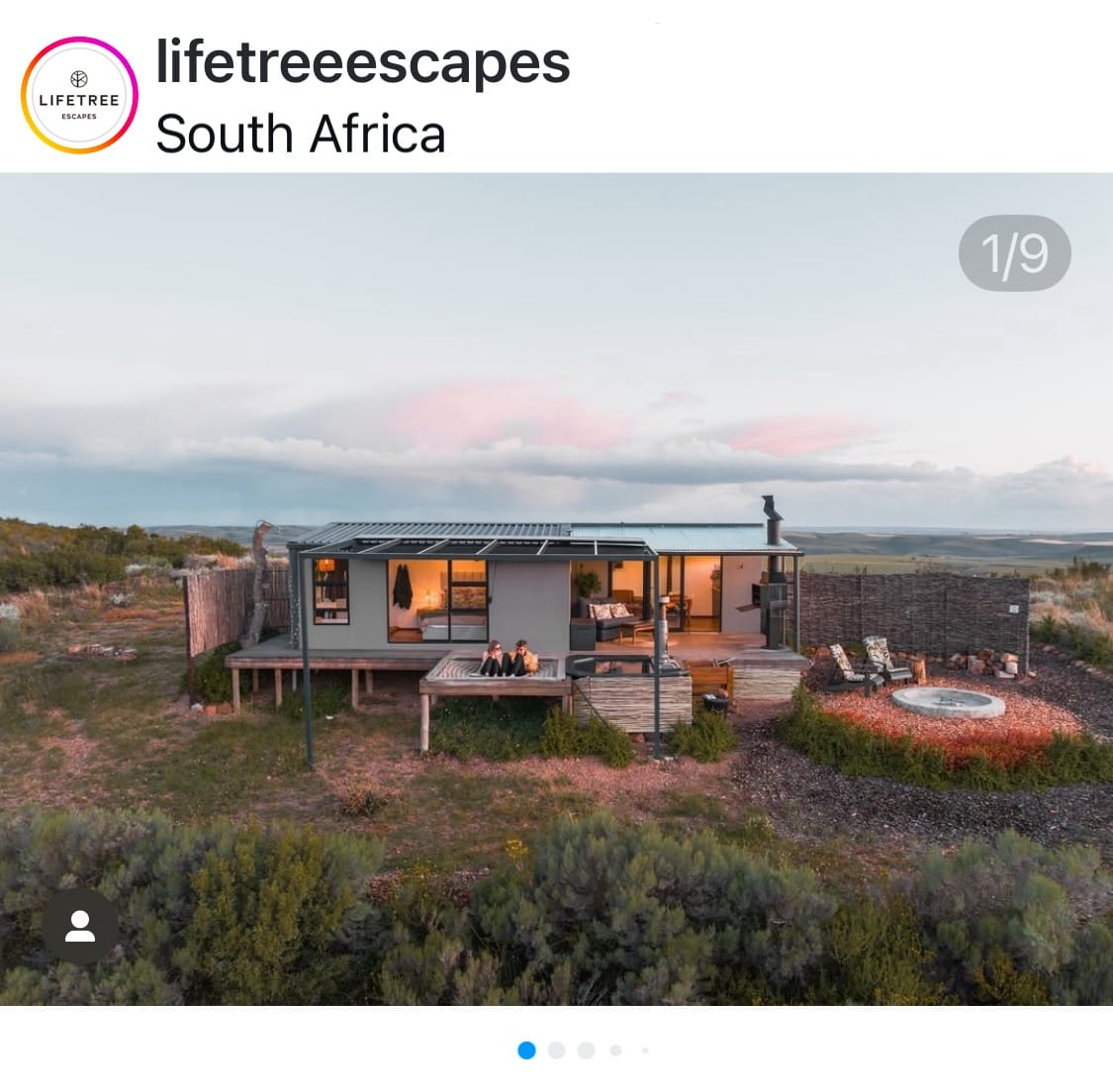
- Horizontal (Landscape) Feed Post (1.91:1 Aspect Ratio): Designed for expansive views and wide-angle shots, landscape posts are best at 1080 x 566 pixels. This format excels at showcasing scenic vistas, group photos, or cinematic compositions. While they occupy less vertical space in the feed compared to square or portrait posts, their unique aspect ratio can be highly effective for specific visual narratives.
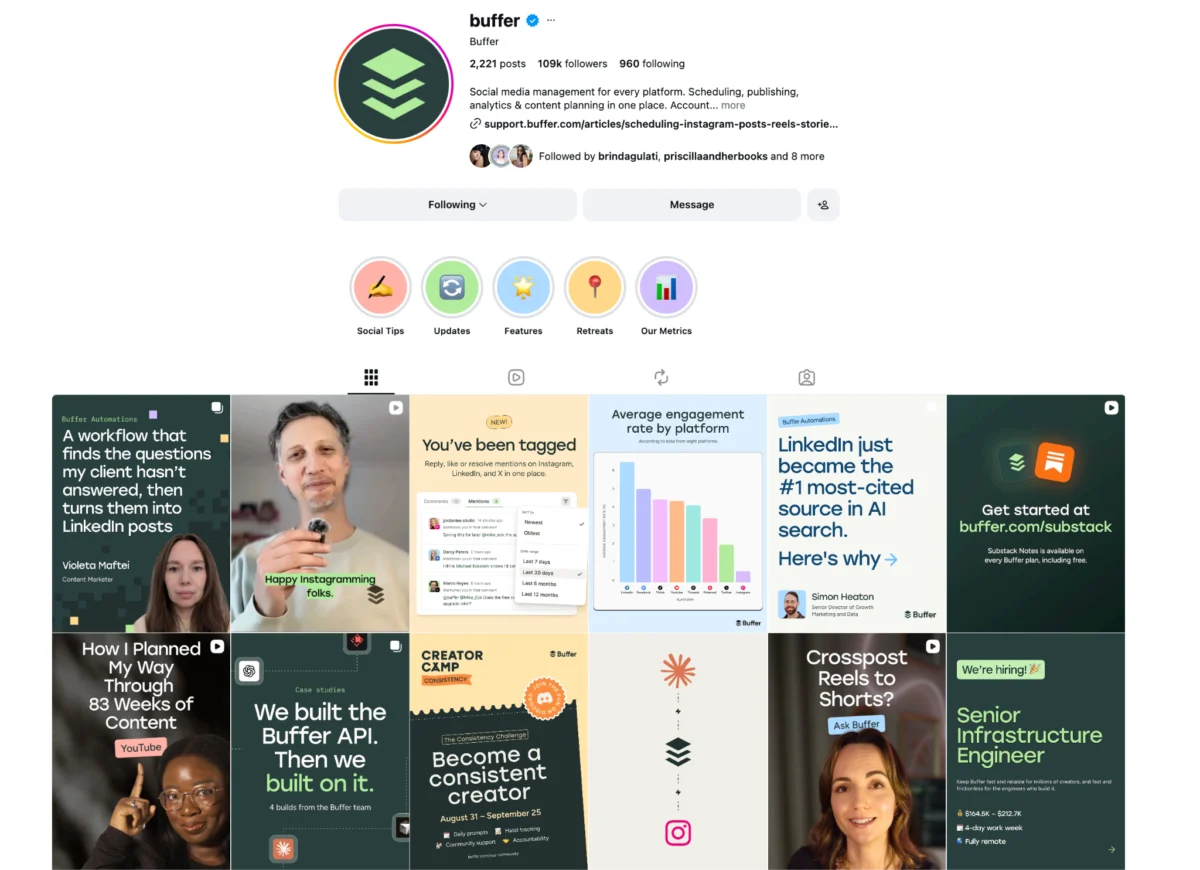
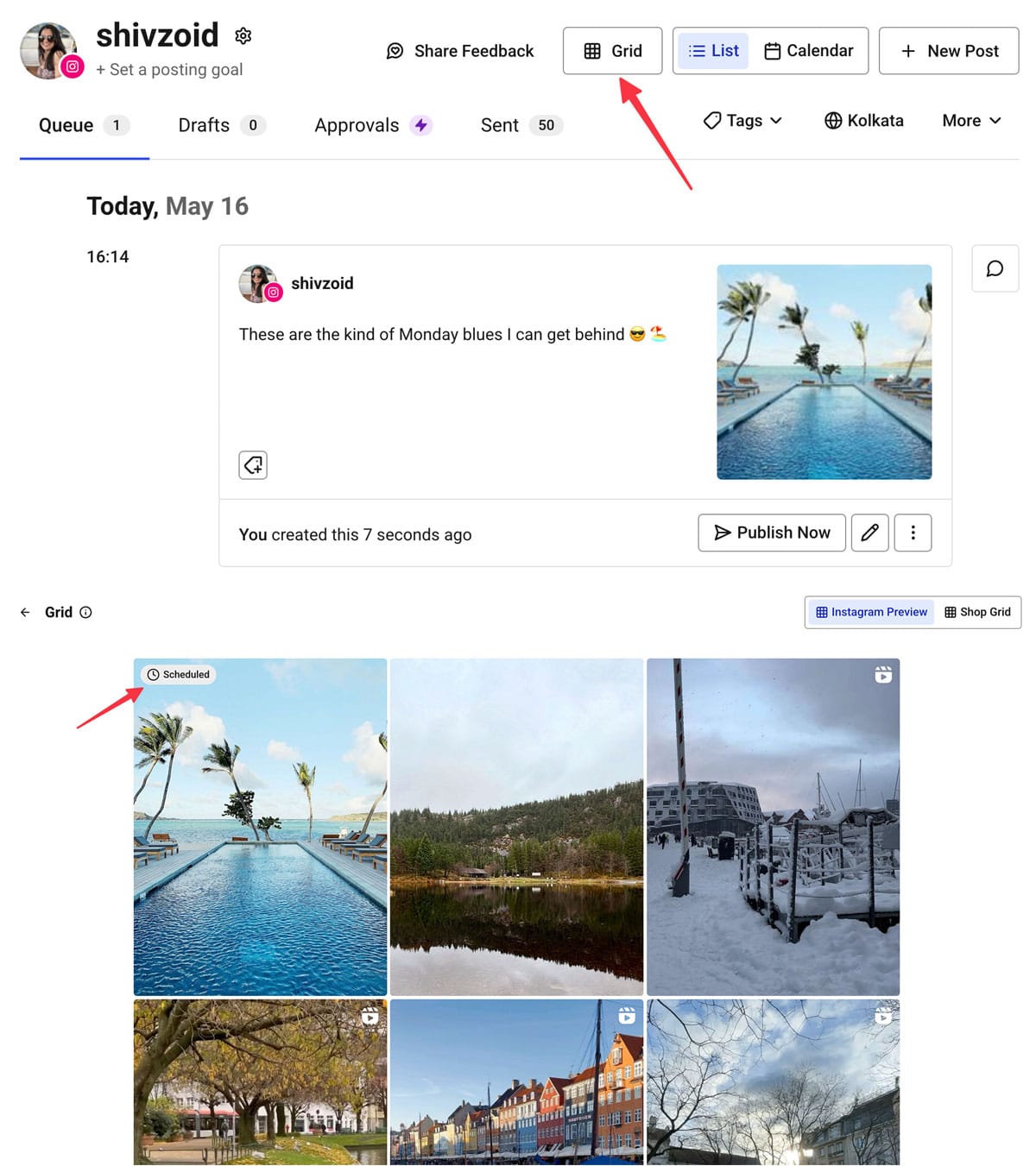
A critical consideration for all feed posts is their appearance on your Instagram profile grid. Regardless of the original aspect ratio (1:1, 4:5, or 1.91:1), the profile grid uniformly displays thumbnails in a 3:4 aspect ratio. This means that content creators must ensure that the most crucial elements of their visuals are centered within this 3:4 "safe zone" to guarantee visibility on their main profile, preventing unintended cropping of vital information or aesthetic components. Tools that offer grid previews, often found in social media scheduling platforms, are invaluable for pre-visualizing how content will appear before publication.
2. Instagram Carousel Posts
Carousels allow users to share a series of up to 10 photos and/or videos within a single post, offering a multi-faceted storytelling capability. The primary challenge with carousels lies in Instagram’s automatic sizing behavior. The platform takes its sizing cues from the first photo or video uploaded in the carousel.
- If the first item is square (1:1), all subsequent images will be cropped to a square.
- If the first item is portrait (e.g., 4:5), all others will be adapted to that portrait ratio.
- If the first item is landscape (e.g., 1.91:1), all others will follow suit.
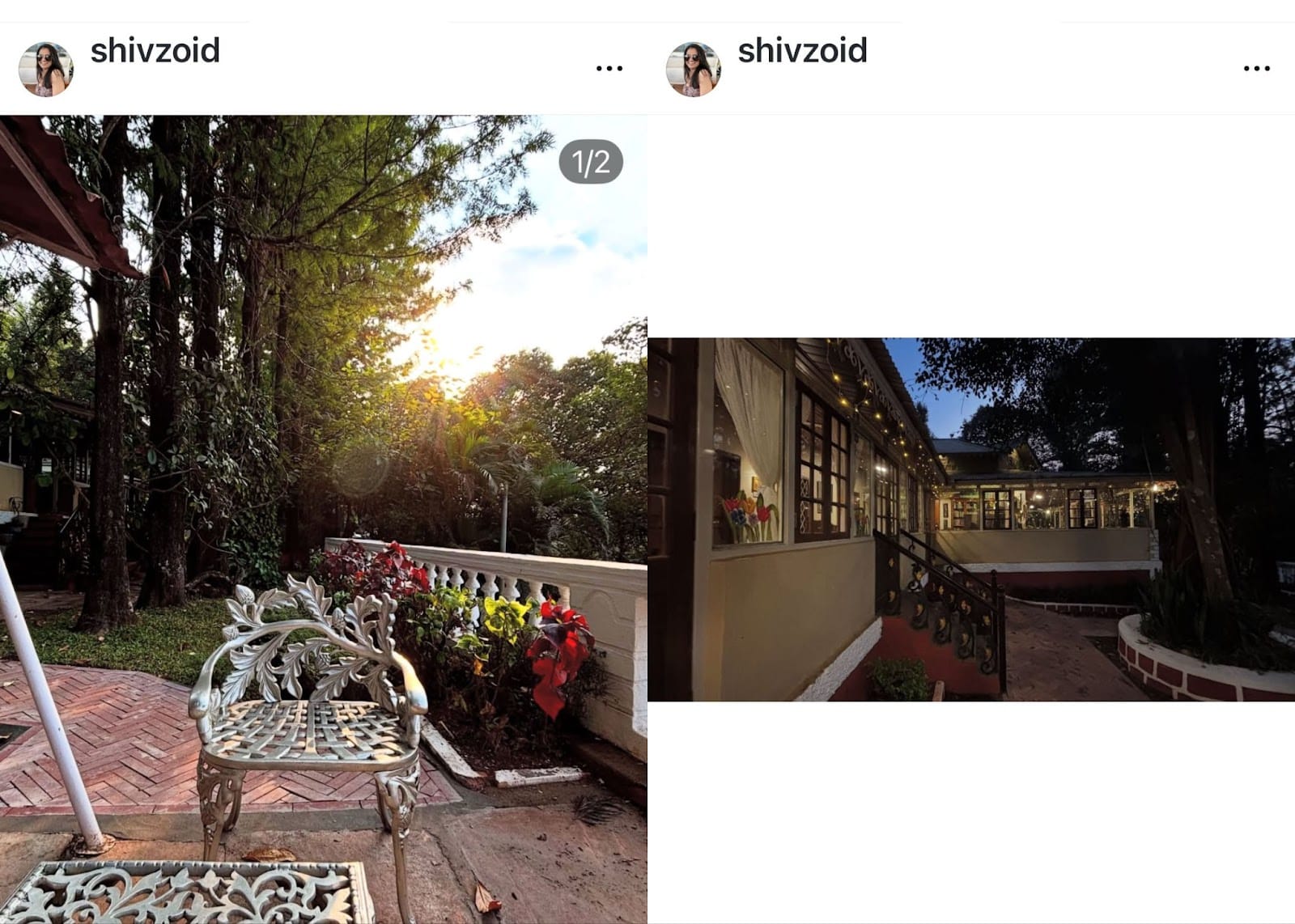
While Instagram offers a "mixed" option for carousels, allowing different orientations, it often introduces formatting quirks, such as adding awkward white spacing above and below landscape or square photos when mixed with portrait images. A crucial "pro tip" for carousels is to pre-crop all images and videos to a consistent aspect ratio (e.g., all 1:1 or all 4:5) before uploading them to Instagram. This approach ensures that you retain full creative control over how each visual appears, avoiding any unwanted or uneditable automatic cropping by the platform. Furthermore, if a carousel includes videos, Instagram will force all content within that carousel into portrait dimensions, regardless of the initial image’s orientation, another reason for careful pre-planning.
3. Instagram Stories
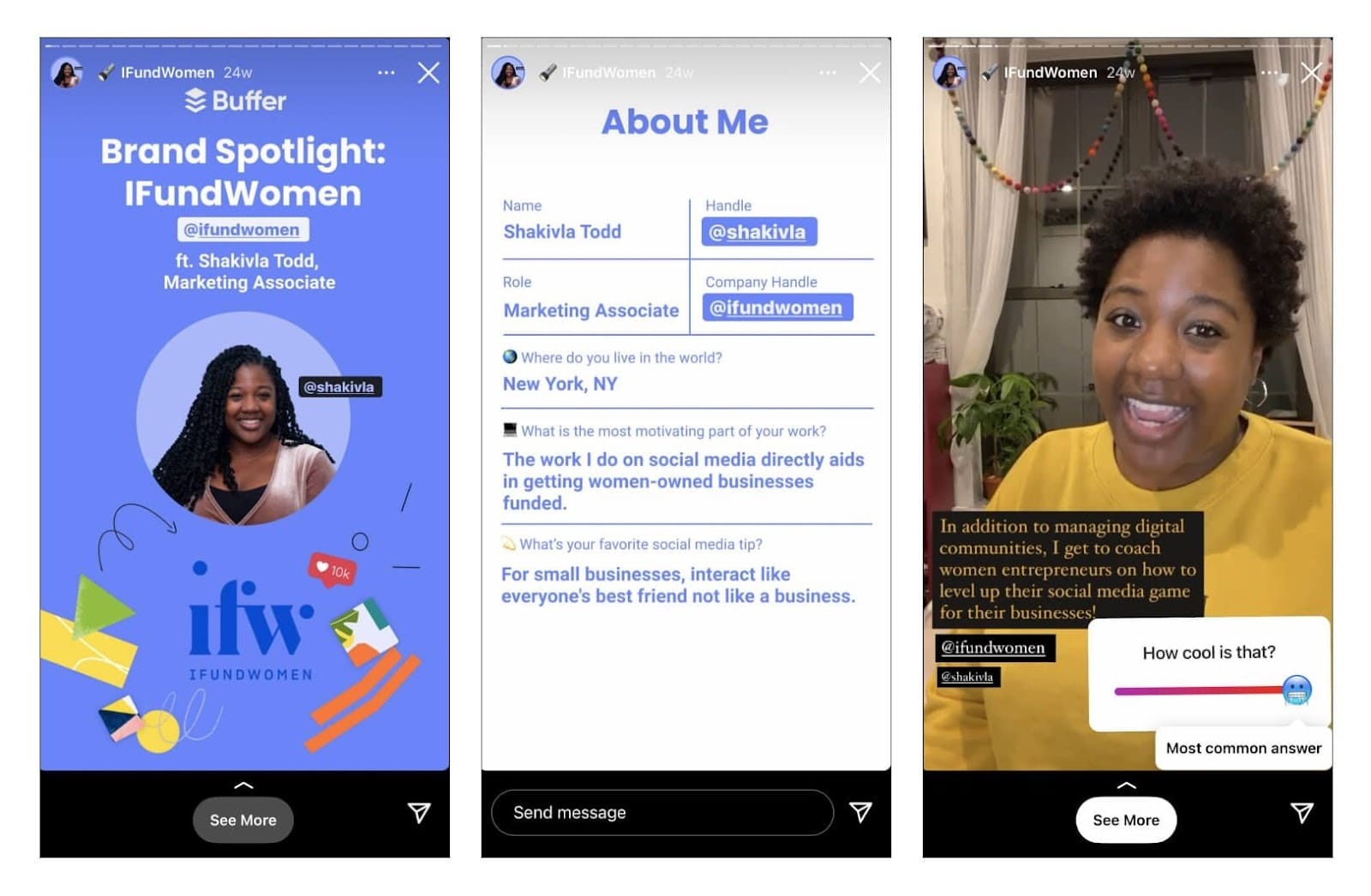
Designed for immersive, full-screen viewing, Instagram Stories prioritize vertical content. The optimal size for Stories is 1080 x 1920 pixels, corresponding to a 9:16 aspect ratio. Using these dimensions ensures that your story perfectly fills the screen, providing an uninterrupted visual experience without distracting borders or automatic cropping.
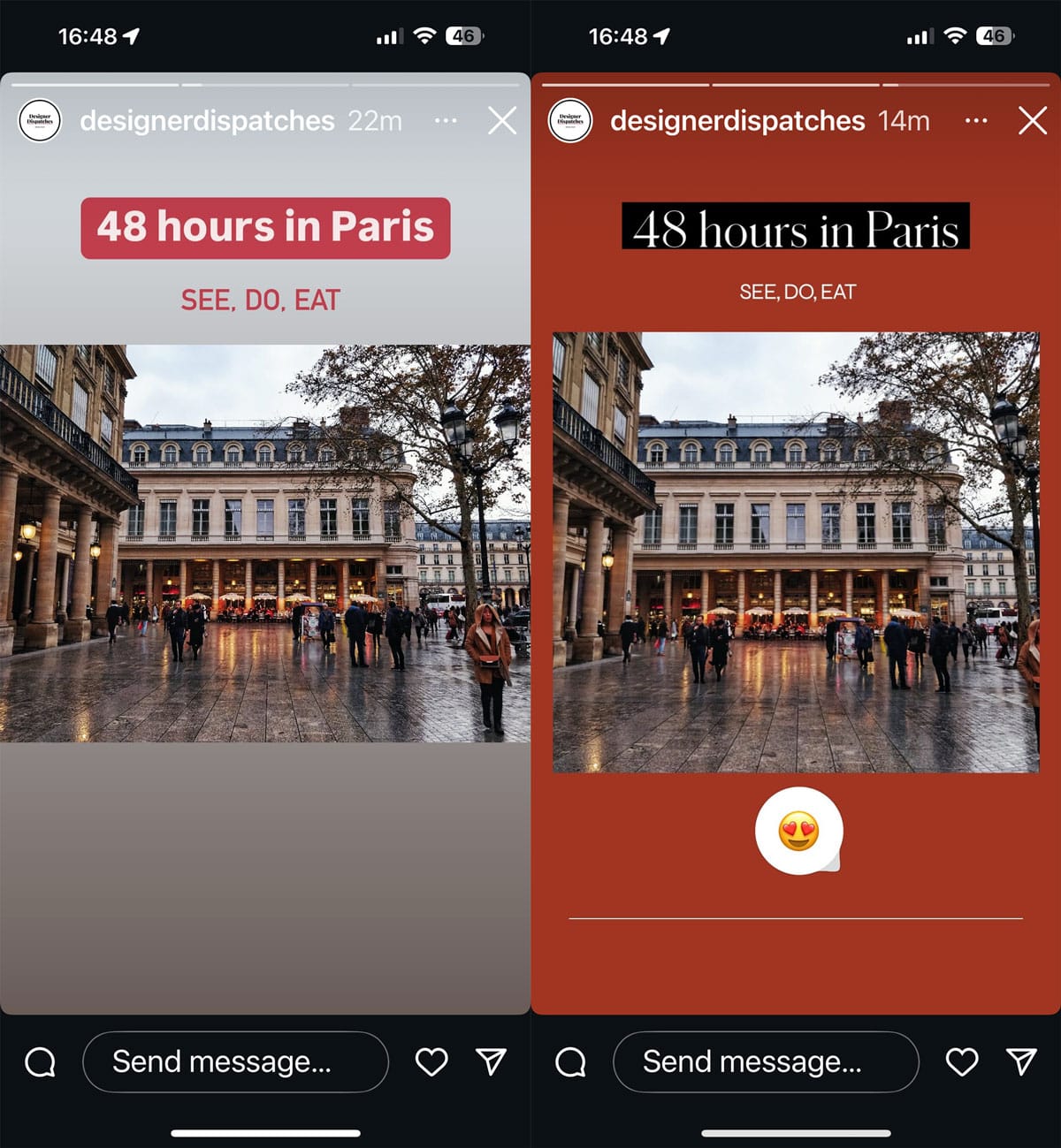
However, content creators often repurpose square or horizontal visuals for Stories. In such cases, Instagram will display the image with borders (often colored or black) to fill the 9:16 canvas. This "extra space" should be viewed as an opportunity for creativity. Users can strategically add text overlays, interactive stickers, GIFs, or emojis to these border areas, enhancing engagement and brand messaging without obscuring the main visual.
A critical consideration for Stories is the placement of user interface elements. Instagram overlays profile information and action buttons at the top and bottom of every story. To prevent these elements from obscuring vital content, it is highly recommended to maintain "safe zones," leaving approximately 250 pixels of clear space at both the top and bottom of your story when positioning text, logos, or key visual elements. Additionally, for Instagram Story Highlights, which are persistent collections displayed on your profile, custom cover thumbnails are recommended at a 1:1 aspect ratio, though they will be displayed as a circle, necessitating careful centering of the key visual.
4. Instagram Reels
Instagram Reels, the platform’s short-form video format, shares the same vertical, full-screen philosophy as Stories. Consequently, Reels look their best when created and uploaded at 1080 x 1920 pixels with a 9:16 aspect ratio. This ensures a seamless and immersive viewing experience when users encounter Reels in the dedicated Reels tab, the Explore page, or when tapping on them from the main feed.
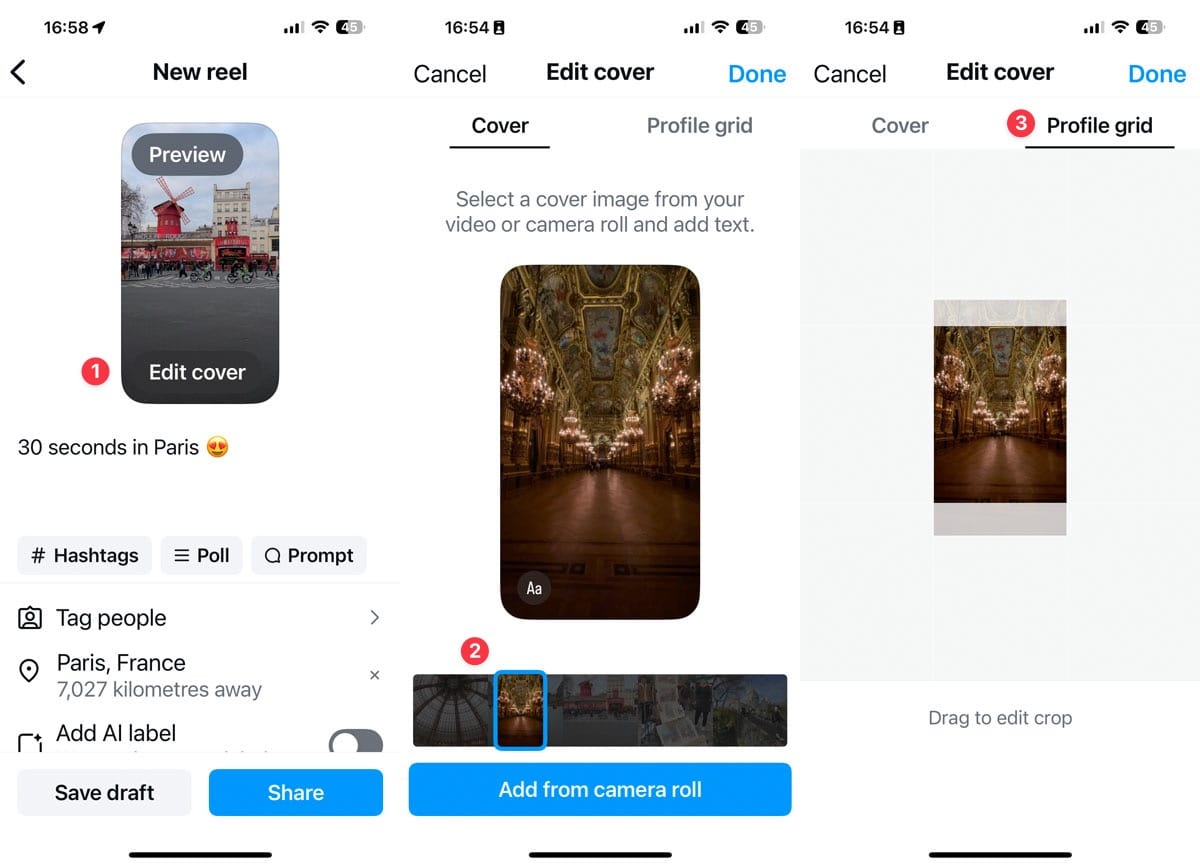
However, similar to feed posts, Reels have a specific display behavior on your profile grid. While the video itself is 9:16, its thumbnail on the profile grid is displayed in a 3:4 aspect ratio. This makes the Reels cover image (or thumbnail) particularly important for maintaining a curated profile aesthetic. Creators have two primary options for their Reels cover: selecting a frame directly from the video or uploading a custom cover photo from their camera roll. For optimal results across all display contexts, the custom cover photo should also be 1080 x 1920 pixels.
When creating a new Reel, Instagram provides an "Edit cover" option on the final upload screen, allowing creators to select a frame or upload a custom image. Critically, there’s also a "Profile grid" tab where creators can preview and adjust the crop of their cover image specifically for the 3:4 grid display. This flexibility extends even after publication; a Reel’s cover image can be updated at any time by accessing the reel’s menu and selecting "Edit cover." This feature is invaluable for brands and creators who meticulously curate their profile’s visual appeal, ensuring older Reels align with current aesthetic standards.
5. Instagram Profile Photo
Your Instagram profile picture is a crucial visual identifier, appearing across numerous touchpoints within the app: on your profile page, in the Stories tray, alongside your posts in the feed, and within direct messages. To ensure it consistently appears sharp and professional, the recommended dimensions are 320 x 320 pixels with a 1:1 aspect ratio.
While uploaded as a square, Instagram universally displays profile pictures as a circle. This circular cropping is a critical detail. To prevent important parts of your image from being inadvertently cut off, it is essential to keep your subject centered and allow for sufficient clear space around the edges. This "padding" ensures that your logo, face, or key visual element remains fully visible within the circular frame, projecting a polished and recognizable brand identity.
Instagram Ad Dimensions: A Distinct Consideration
While the guidelines for organic posts are vital, Instagram advertising introduces additional layers of complexity regarding dimensions. Advertisers typically have two main avenues: boosting an existing post or creating a new ad campaign from scratch.
- Boosted Posts: When an existing post is boosted, it retains its original dimensions and aspect ratio as it was already published to your profile.
- New Ad Campaigns: For ads specifically designed for a campaign, targeting a particular audience, and often not appearing on your main grid, Instagram (and its parent company Meta) provides more nuanced and often higher-resolution recommendations.
Meta generally advises higher resolutions for ad placements compared to organic posts to ensure premium quality and impact within a paid context. For instance, while an organic feed image might be 1080 x 1080 pixels, an ad image might be recommended at 1080 x 1080 pixels minimum, with higher resolutions like 1920 x 1080 or even 4096 x 2160 being supported or preferred for certain placements. Each Instagram ad type (single image, carousel, video, Story ad, Reel ad) comes with its own specific aspect ratio and resolution requirements. Meta’s official Ads Guide is the definitive resource for comprehensive and up-to-date guidance on file types, file sizes, and recommended dimensions for all types of Instagram ads. Adherence to these guidelines is paramount for maximizing the effectiveness and professional appearance of paid campaigns, directly impacting brand perception and return on investment.
The Broader Impact: Why Optimal Sizing Matters for Engagement and Branding
The meticulous attention to Instagram’s image and video dimensions transcends mere technical compliance; it is a fundamental pillar of effective digital communication, directly influencing engagement, brand perception, and content performance.
Professionalism and Credibility: In an increasingly visually-driven world, high-quality, perfectly formatted content signals professionalism and attention to detail. Conversely, poorly cropped, blurry, or awkwardly framed visuals can detract from a brand’s credibility and suggest a lack of care. A polished visual presence builds trust and reinforces a brand’s commitment to excellence.
Enhanced User Experience: Seamless visual presentation significantly improves the user experience. When images and videos appear exactly as intended—filling the screen, free from unintended crops or unsightly borders—users are more likely to engage positively. This frictionless experience encourages longer viewing times, deeper interaction, and a more favorable impression of the content and its creator.
Algorithmic Visibility: While Instagram’s algorithm is complex and constantly evolving, content quality and positive user engagement signals are undoubtedly factors. Content that provides an excellent user experience (e.g., clear visuals, easy to consume) is more likely to garner likes, comments, shares, and saves. These engagement metrics, in turn, can contribute to increased algorithmic visibility, helping content reach a broader audience. While Instagram does not explicitly state that perfectly sized content is directly favored, it logically follows that content leading to higher engagement will be indirectly promoted.
Increased Engagement and Conversion: Visually appealing content is inherently more captivating. A crisp image or a perfectly framed video is more likely to stop a user mid-scroll, drawing them in and encouraging further interaction. For businesses and marketers, this heightened engagement can translate into increased brand awareness, lead generation, and ultimately, conversions. When calls to action are clearly visible and not cut off, the path to conversion becomes smoother.
Brand Consistency and Aesthetic Cohesion: Maintaining consistent visual quality and formatting across all Instagram content types contributes significantly to brand consistency. A cohesive visual aesthetic reinforces brand identity, making content instantly recognizable and memorable. This is particularly crucial for profiles aiming for a specific "look" or theme on their grid, where every thumbnail plays a role in the overall presentation.
Competitive Edge: With billions of pieces of content vying for attention daily, standing out on Instagram is a significant challenge. Adhering to optimal sizing recommendations provides a tangible competitive advantage. It ensures that your content always looks its best, maximizing its potential to capture attention and resonate with the audience in a crowded digital marketplace.
Tools and Best Practices for Content Creators
To simplify the process of achieving optimal Instagram dimensions, several tools and practices are highly recommended:
- Design Platforms: Tools like Canva offer pre-set templates for various Instagram content types (feed posts, Stories, Reels), allowing creators to focus on design rather than manual pixel calculations.
- Image Editing Software: Professional tools like Adobe Photoshop or free alternatives like GIMP provide precise control over aspect ratios and resolutions, enabling creators to prepare their visuals perfectly.
- Social Media Management Platforms: Many scheduling tools, such as Buffer, integrate features like grid previews, allowing creators to see exactly how their scheduled posts will appear on their profile grid before going live, mitigating the risk of unwanted cropping.
- Pre-Cropping: For carousels and mixed-media posts, always pre-crop your content to a consistent aspect ratio before uploading to Instagram to maintain full creative control.
Frequently Asked Questions About Instagram Post Sizes
What are the recommended dimensions for Instagram Stories?
The optimal size for Instagram Stories is 1080 x 1920 pixels, which corresponds to a 9:16 aspect ratio. This ensures that the story fills the entire screen without any awkward borders or automatic cropping.
What is the optimal size for Instagram Reels?
Instagram Reels should be created and uploaded at 1080 x 1920 pixels (a 9:16 aspect ratio). Using these dimensions for both the video and its cover image ensures seamless alignment in the Reels feed and on your profile.
What dimensions are advised for an Instagram profile picture?
For an Instagram profile picture, it is recommended to upload a square image of at least 320 x 320 pixels (1:1 aspect ratio). Since Instagram displays profile pictures as a circle across the app, it is crucial to center the main subject of your photo and allow for some clear space around the edges to prevent unwanted cropping.
How does the Instagram grid display posts, and what are the implications for image cropping?
The Instagram profile grid consistently previews all images and videos in a 3:4 aspect ratio. While your full-size posts can be 4:5 (vertical), 1:1 (square), or 1.91:1 (horizontal), it is essential to keep the most important visual elements centered within that 3:4 "safe zone." This ensures that critical details are visible when someone views your profile grid and prevents them from being inadvertently cut off.
Strategies for fitting images on Instagram without unwanted cropping?
The most straightforward method to ensure your picture fits on Instagram without unwanted cropping is to prepare it using the correct dimensions for its intended post type (e.g., 3:4, 4:5, 1:1, or 1.91:1 for feed posts; 9:16 for Stories/Reels). If your original image has different dimensions, you can use photo editing software (like Canva, Snapseed, Photoshop) to add borders (often white or black) to the picture, effectively framing it to fit the required Instagram post size without stretching or cropping the original content. When uploading an image that is correctly sized but appears square in the Instagram preview, tap the "expand" (two-arrow) icon, usually located at the bottom left of the preview screen, to display the photo in its original aspect ratio.
In conclusion, a nuanced understanding of Instagram’s specific image and video dimensions is no longer a niche technicality but a fundamental requirement for anyone seeking to create impactful and engaging content. From the classic square feed post to the immersive vertical Reels, each format demands precise adherence to aspect ratios and pixel counts. This attention to detail ensures that content appears polished, professional, and exactly as envisioned, ultimately enhancing user experience, strengthening brand identity, and maximizing the potential for social media engagement in an increasingly visual digital world.