
 Ali Ikhwan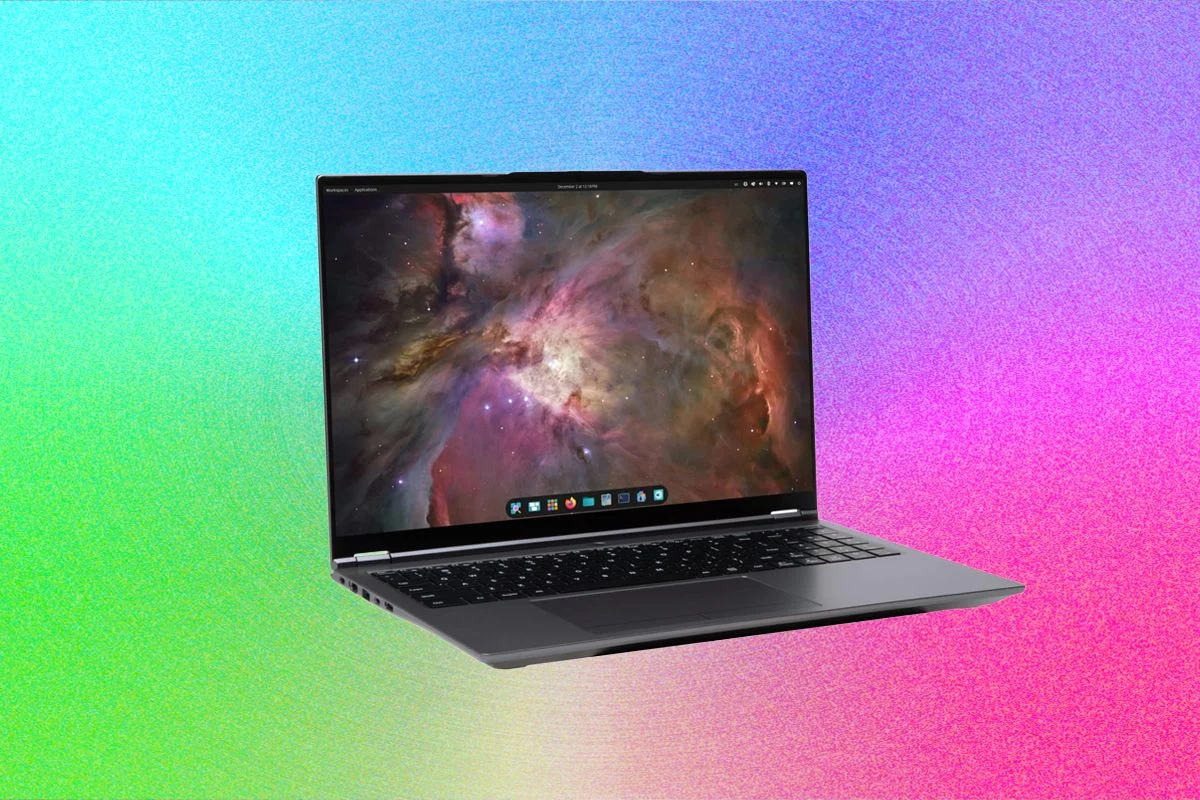
The System76 Pangolin Pro represents a significant entry in the high-performance Linux laptop market, offering a 16-inch form factor that balances computational power with user-serviceable design. As the demand for localized computing, AI development, and open-source-friendly hardware grows, the Pangolin Pro positions itself as a specialized tool for developers and power users. While the market is saturated with Windows-based ultrabooks and Apple’s M-series hardware, System76 continues to carve out a niche by integrating its proprietary Pop!_OS distribution with hardware engineered specifically for Linux compatibility.
Hardware Architecture and Ergonomics
The Pangolin Pro features a substantial glass trackpad, a design choice intended to accommodate professional workflows such as photo editing and complex window management. However, the physical dimensions of the input surface present distinct ergonomic considerations. During extended typing sessions, the expansive area can lead to accidental inputs if the user’s palms rest on the bottom edge of the trackpad. This is a common trade-off in modern 16-inch laptops, where designers prioritize surface area for gesture-based navigation at the expense of traditional palm-rest isolation.
Regarding the internal architecture, the chassis is engineered for accessibility. The bottom panel is secured by nine visible, standard screws, eschewing the trend of hiding fasteners beneath rubber feet or utilizing tamper-evident adhesive strips. This design allows for straightforward access to the solid-state drive (SSD) slots, dual-channel RAM modules, and the wireless network interface card (NIC). By facilitating modular upgrades, System76 aligns the device with the broader "right to repair" movement, ensuring that the machine remains relevant as memory and storage requirements evolve.
Firmware and Connectivity Limitations
While the Pangolin Pro excels in physical modularity, it maintains a complex relationship with the open-source firmware community. The current iteration utilizes AMD Ryzen architecture, which has historically presented challenges for the Coreboot project. As of this report, Coreboot—the open-source alternative to proprietary BIOS/UEFI—does not support the specific AMD chipsets utilized in this model. Consequently, the Pangolin Pro relies on proprietary firmware. For open-source purists who prioritize the removal of binary blobs and non-transparent system code, this serves as a critical distinction between the Pangolin Pro and other devices in the System76 catalog that utilize open firmware.
The onboard webcam is a 2-megapixel, 1080p unit. While sufficient for general communication, professional teleconferencing environments often necessitate higher dynamic range and better low-light performance. In corporate or academic settings, users may find the internal camera inadequate for high-fidelity presentations, suggesting that an external, dedicated webcam remains a standard requirement for professional Linux-based workstations.
The Role of Pop!_OS in Ecosystem Stability
The primary value proposition of the Pangolin Pro is its tight integration with Pop!_OS, a Linux distribution developed by System76. Unlike generic Linux installations, which may require significant troubleshooting for driver optimization—particularly regarding power management and trackpad sensitivity—the factory-installed software is pre-configured to handle the specific hardware registers of the Pangolin Pro.
The current version of Pop!_OS utilizes the COSMIC desktop environment, which emphasizes workflow efficiency through automatic window tiling. This feature, while optional, allows users to manage multiple terminal windows, browser instances, and IDEs without manual resizing. The distribution also includes integrated support for trackpad gestures, bridging the gap between traditional mouse-driven interfaces and modern workflow requirements. For developers working with specialized software such as Darktable for image processing or DaVinci Resolve for video editing, the stability of the kernel and the pre-configured hardware drivers provide a seamless experience that often circumvents the common "fighting the OS" phenomenon frequently cited by desktop Linux users.
Market Positioning and Competitive Analysis
The Pangolin Pro enters a market segment that is increasingly polarized between ultra-portable devices and desktop-replacement workstations. Within the System76 ecosystem, the Pangolin Pro occupies a middle ground. It is larger and more powerful than the System76 Lemur Pro, yet it maintains a price point that is often more accessible.
When analyzing the performance requirements of contemporary users, the Pangolin Pro is objectively overkill for general productivity tasks such as word processing, web browsing, or email management. However, its utility becomes apparent in computational-heavy scenarios, such as the local training of small language models (SLMs), compiling large-scale software projects, or running virtualized environments. The demand for such hardware is driven by a growing subset of the tech workforce that prefers to move AI inference and data processing away from cloud-based APIs and onto local hardware for reasons of privacy and latency.
Chronology and Industry Trends
The shift toward Linux-preinstalled hardware has gained momentum over the last five years. In 2019, companies like Dell and Lenovo began offering wider Linux support for their enterprise lines. System76, however, has maintained a unique vertical integration strategy since its founding. By controlling both the operating system and the hardware configuration, the company minimizes the "driver gap" that has historically discouraged mainstream adoption of Linux laptops.
Recent data from the Linux Foundation indicates that while the overall desktop market share for Linux remains in the low single digits, the demographic of users running Linux for professional software development has seen steady growth. This is largely attributed to the containerization of development environments (e.g., Docker, Kubernetes), which run natively on Linux kernels. The Pangolin Pro is a direct response to this trend, providing a machine that acts as a "native" host for modern development stacks.
Implications for the Future of Linux Laptops
The design of the Pangolin Pro highlights a broader trend: hardware manufacturers are moving away from the "thin-and-light-at-all-costs" philosophy in favor of maintainable, high-performance designs. The inclusion of easily accessible internals for RAM and SSD upgrades is a reaction to the industry-wide move toward soldered components, which effectively turn laptops into disposable electronics once the base specifications become obsolete.
For the professional user, the implications are clear: the Pangolin Pro is not merely a laptop, but a workstation designed for a specific technical lifecycle. If the user requires a machine that can be upgraded in three to four years to keep pace with increasing memory demands, the Pangolin Pro provides that longevity. Conversely, for users who prioritize portability above all else, the 16-inch form factor may be perceived as a burden, suggesting that System76’s smaller offerings, like the Lemur Pro, may be more appropriate for those in mobile environments.
Final Technical Assessment
The Pangolin Pro stands as a robust, capable, and well-integrated solution for the Linux community. Its strength lies in its ecosystem—the synergy between the Pop!_OS distribution and the underlying hardware ensures that the machine functions reliably out of the box. While the lack of Coreboot support for its AMD processor may alienate a specific segment of the open-source community, the hardware’s overall performance, build quality, and commitment to repairability make it a standout choice for developers, researchers, and professional Linux users.
In summary, the Pangolin Pro is best suited for individuals who operate in technical environments where reliability and local processing power are paramount. It is a machine that prioritizes the needs of the user over the aesthetic constraints of the ultra-thin laptop market, resulting in a device that is as functional as it is powerful. As the landscape of professional computing continues to shift toward open-source tools and local AI capabilities, the Pangolin Pro serves as a benchmark for what a dedicated Linux workstation should provide in the current market.