
In today’s hyper-connected digital landscape, maintaining a consistent and strategic presence across social media platforms is no longer merely an option for businesses and content creators; it is a fundamental imperative for engagement, brand building, and sustained growth. The sheer volume of content, coupled with the intricate, ever-evolving algorithms of platforms like Instagram, TikTok, Facebook, and LinkedIn, demands a meticulously planned approach. Without a structured framework, content creators risk inconsistency, burnout, and ultimately, diminished audience reach. This is precisely where the social media content calendar emerges as an indispensable tool, transforming reactive posting into a proactive, strategic endeavor.
The Indispensable Role of Social Media Content Calendars in Modern Digital Strategy
The necessity of a social media content calendar extends far beyond simple organization. It is a strategic cornerstone that underpins effective digital marketing. In an environment where attention spans are fleeting and competition for visibility is fierce, a well-devised calendar ensures that every piece of content serves a purpose, aligns with overarching business objectives, and resonates with the target audience.
Industry reports consistently highlight the tangible benefits of a structured content strategy. Studies indicate that brands employing a consistent posting schedule can experience up to a 20% increase in audience engagement and a 15% improvement in brand recall compared to those with sporadic activity. Furthermore, businesses that plan their content in advance report significant time savings, often reclaiming several hours per week that would otherwise be spent scrambling for ideas or drafting last-minute posts. This efficiency translates directly into reduced operational costs and allows marketing teams to focus on higher-level strategic initiatives.
A content calendar acts as a central repository for all planned posts, detailing what will be published, where, and when. This foresight is crucial for:
- Ensuring Brand Consistency: Maintaining a unified brand voice, visual style, and messaging across all platforms, which is vital for brand recognition and trust.
- Optimizing Timing: Leveraging data on peak audience activity to schedule posts for maximum reach and engagement.
- Facilitating Content Diversity: Preventing repetitive content by planning a mix of formats (images, videos, text, stories) and themes (educational, promotional, entertaining, interactive).
- Streamlining Workflows: Enabling content creators to batch-produce content, manage approvals, and collaborate seamlessly within teams.
- Strategic Alignment: Connecting individual posts to broader marketing campaigns, product launches, or seasonal events.
- Crisis Preparedness: Having a planned content pipeline allows for flexibility to pause or adjust schedules during unforeseen circumstances.
Streamlining Content Creation: The Power of Templates
For those daunted by the prospect of building a content calendar from scratch, readily available templates offer an invaluable starting point. These pre-designed structures eliminate the initial guesswork, providing a foundational framework into which ideas can be plugged immediately. This accessibility makes templates particularly beneficial for solo entrepreneurs, small businesses, or marketing teams with limited resources, accelerating the planning process and significantly reducing mental overhead. The market offers a diverse range of templates, from simple PDF layouts to sophisticated, interactive dashboards, ensuring a solution for every workflow preference and strategic requirement.
Diverse Solutions for Every Need: A Review of Leading Templates
The selection of a content calendar tool or template should ideally align with the user’s operational scale, specific platform focus, and desired level of integration. Here, we examine a range of effective templates and tools that cater to various social media planning needs.
1. Buffer’s Integrated Scheduling and Planning Platform
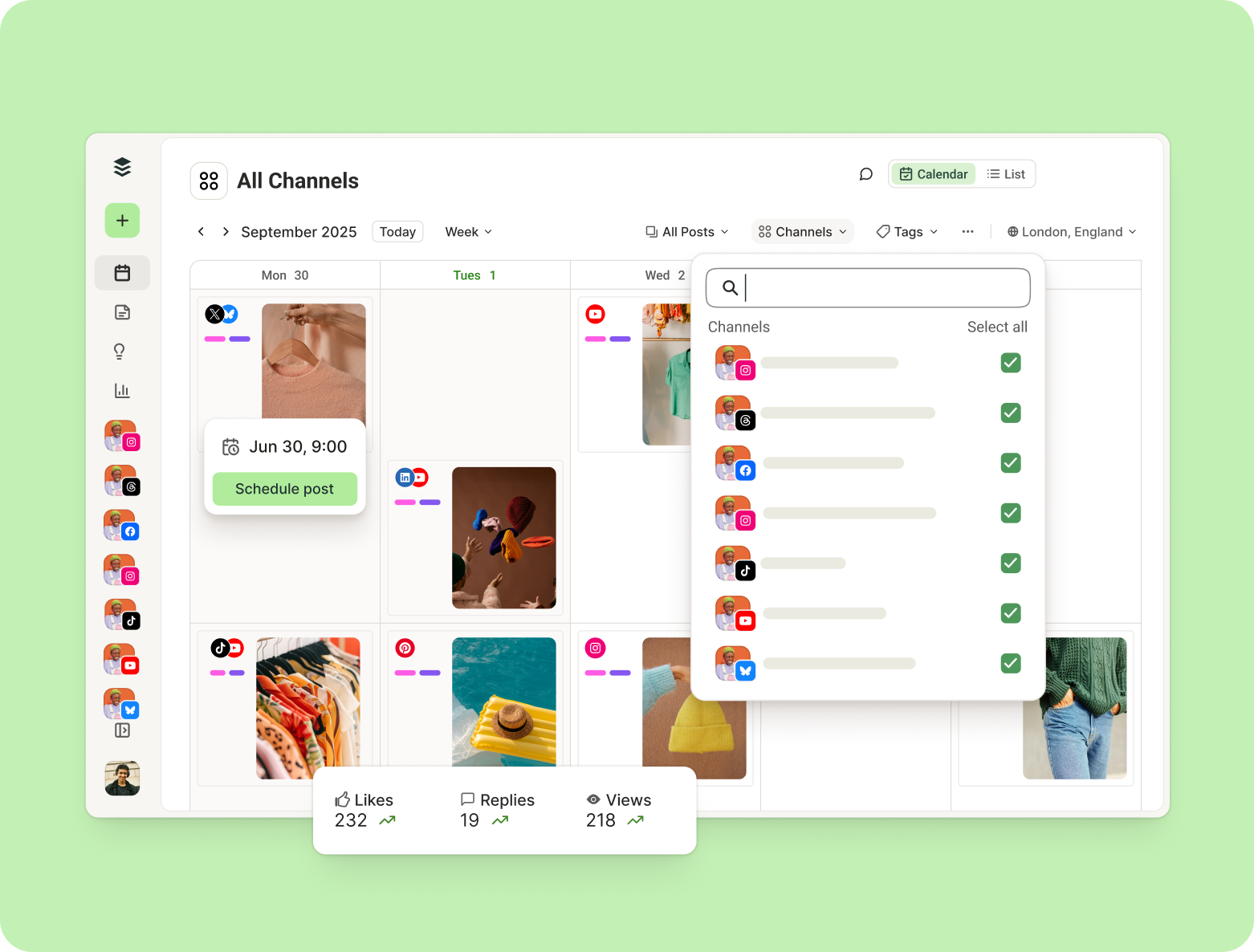
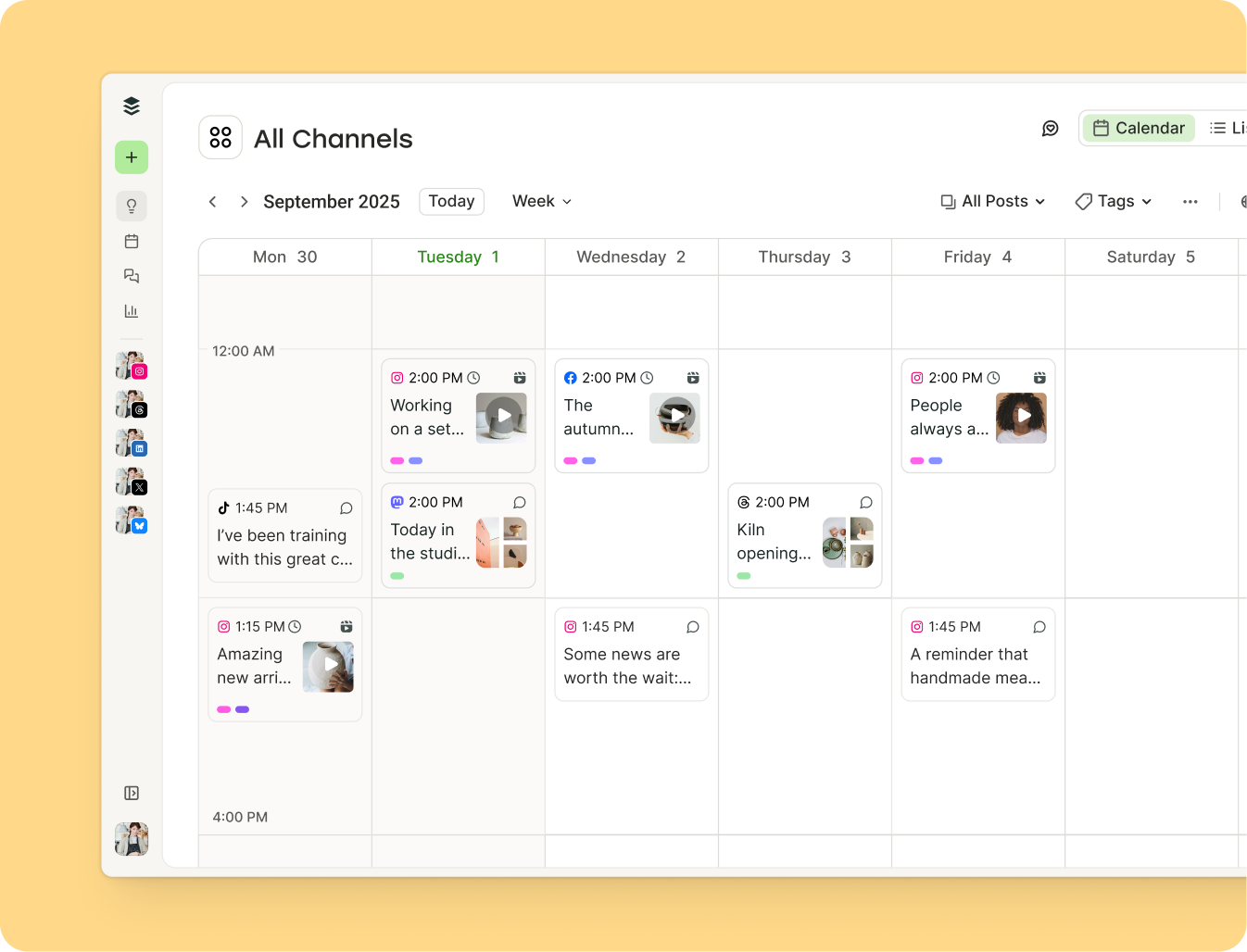
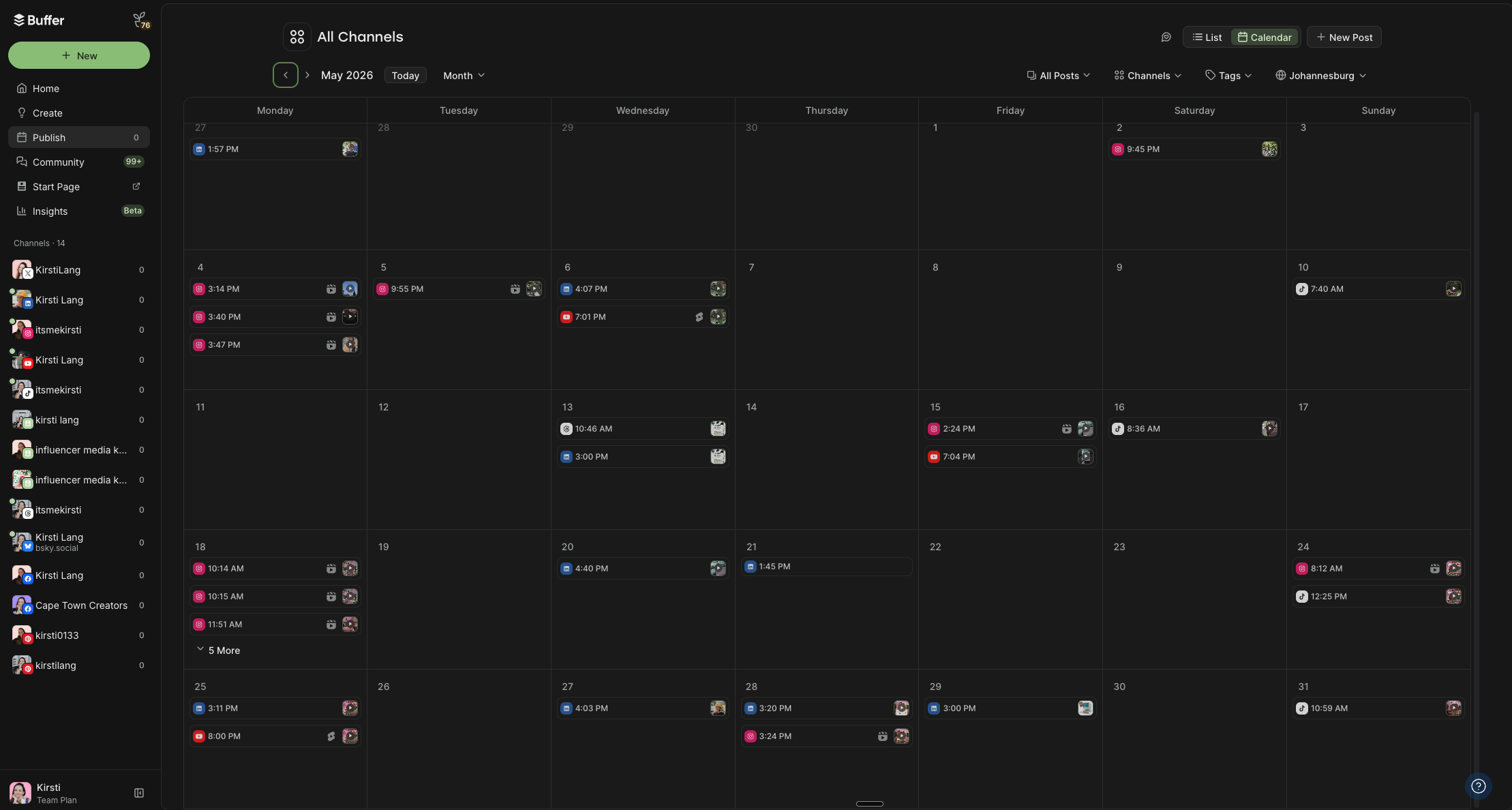
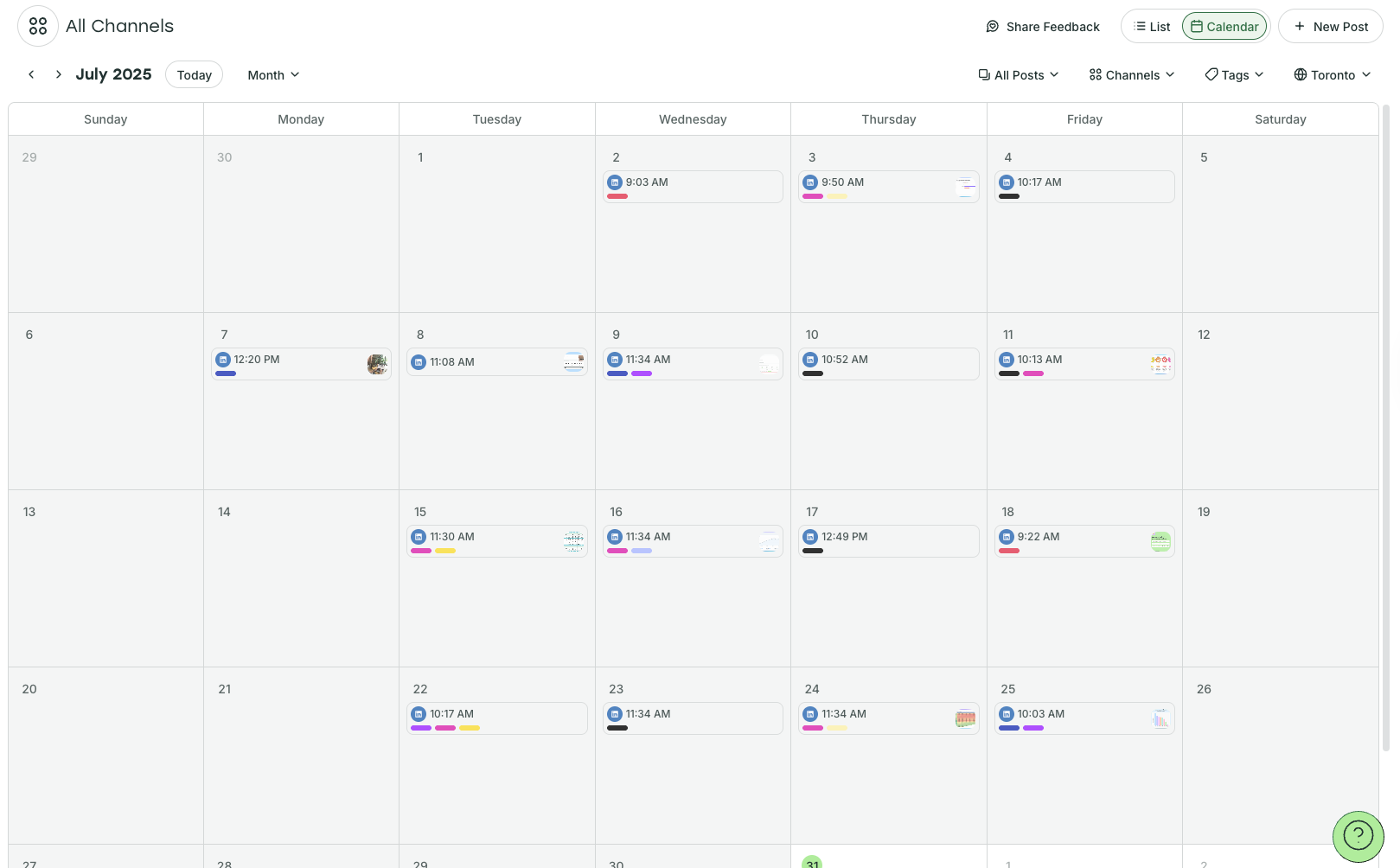
Recognized as a leader in social media management, Buffer offers a comprehensive content calendar that seamlessly blends planning with automated publishing. Its intuitive drag-and-drop interface allows users to easily adjust publish dates and times in real-time within weekly and monthly calendar views. The platform’s capability to filter posts by platform provides granular control, while its optimization features suggest ideal posting times based on platform-specific data.
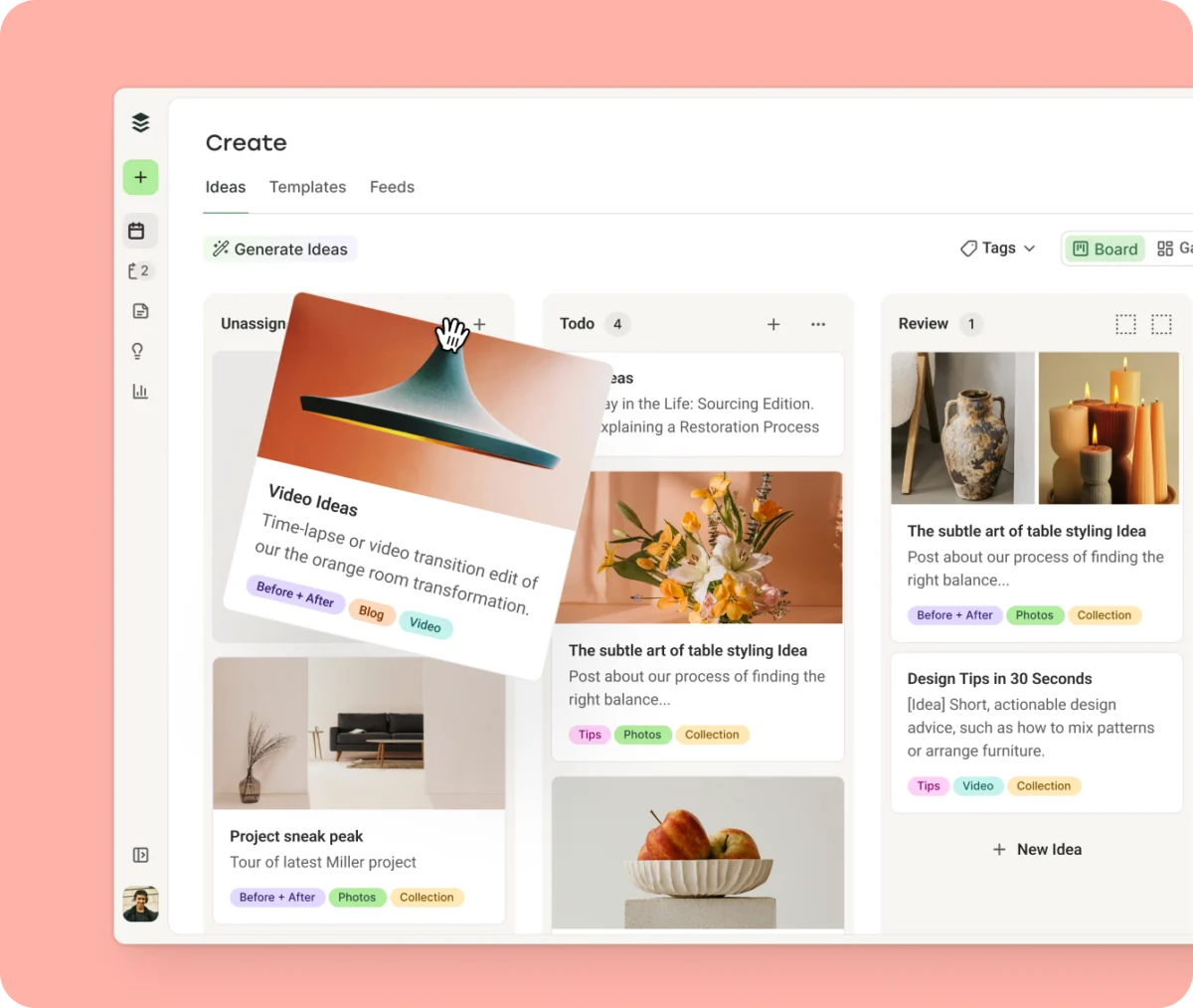
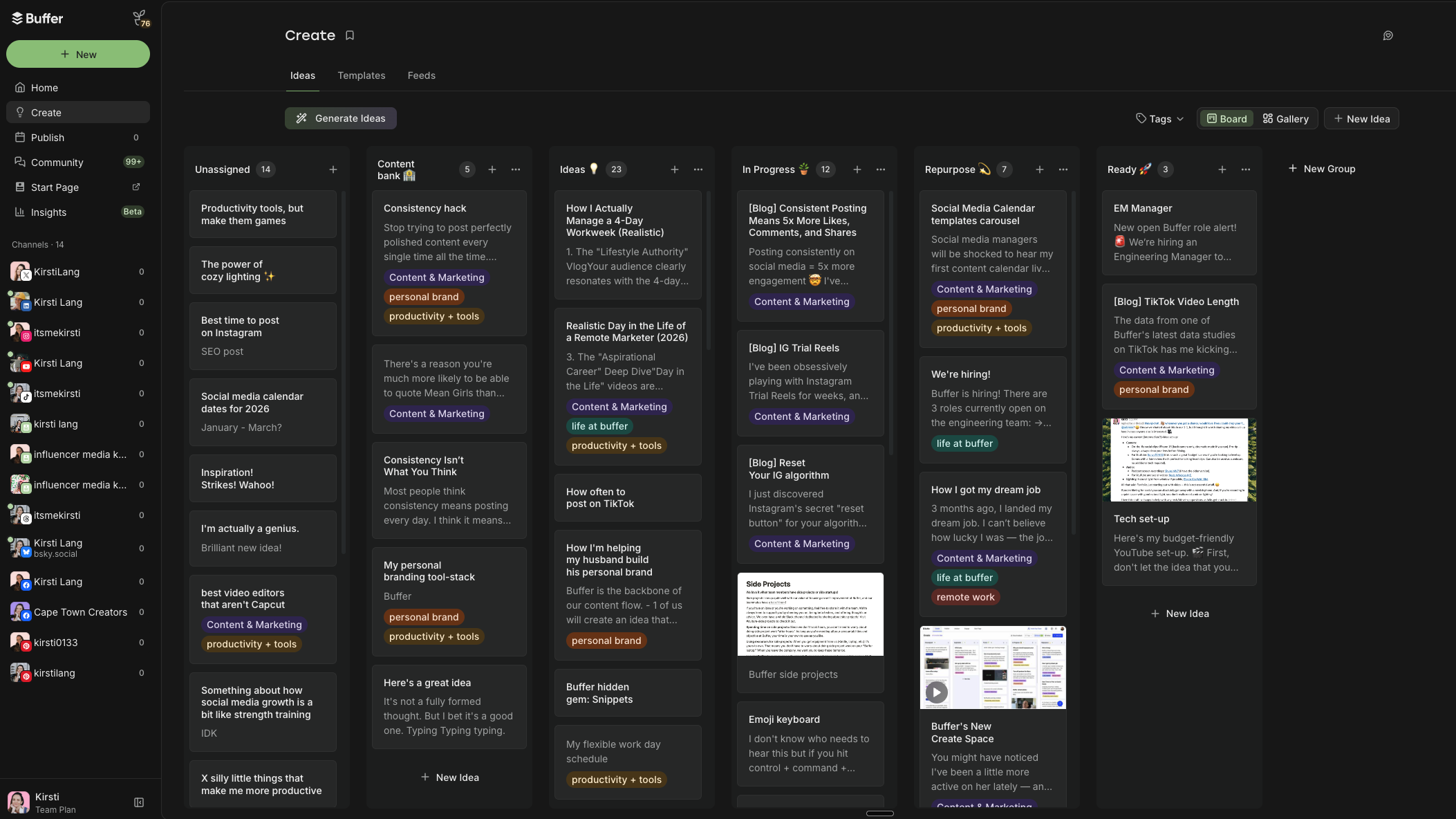
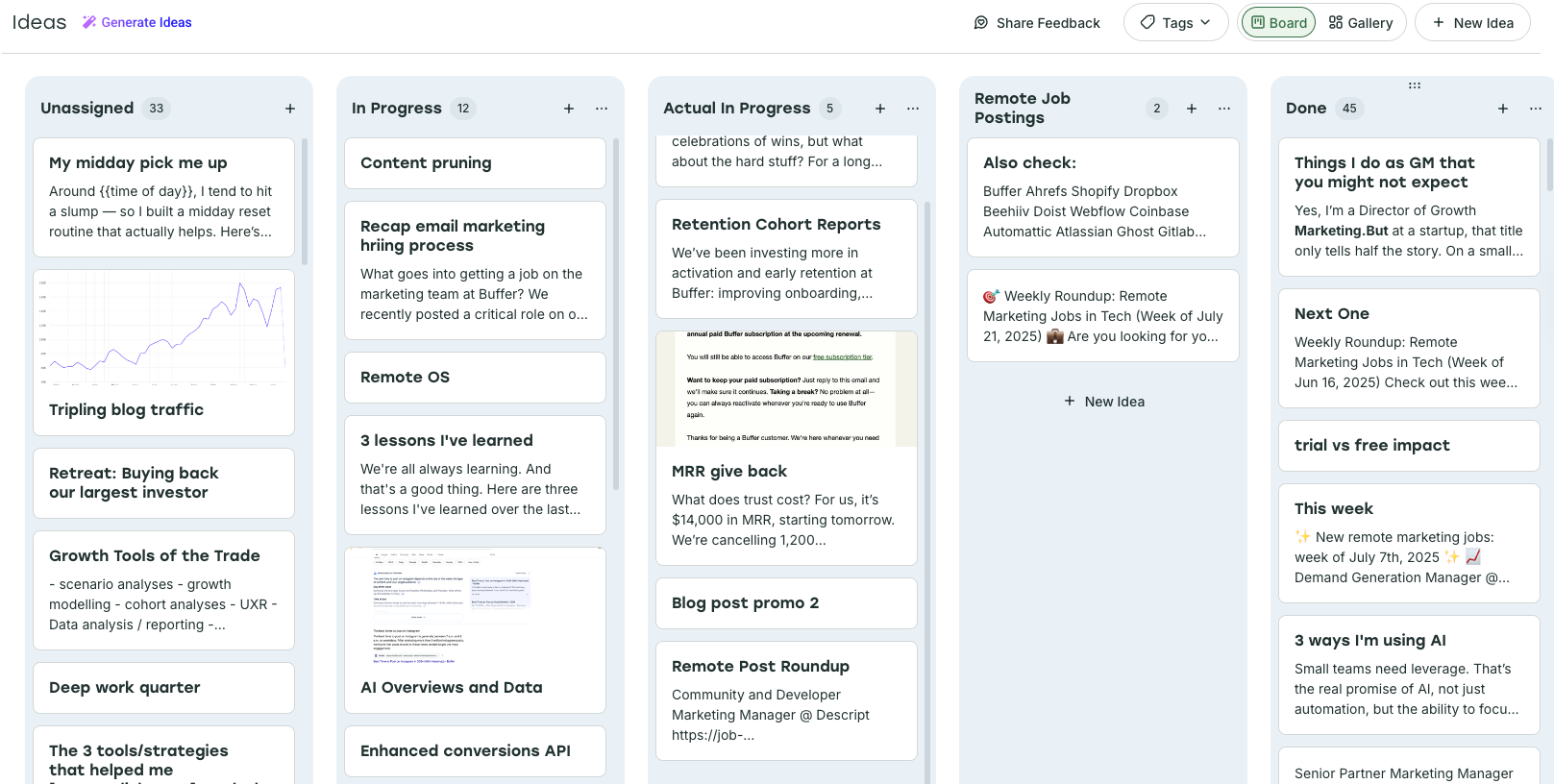
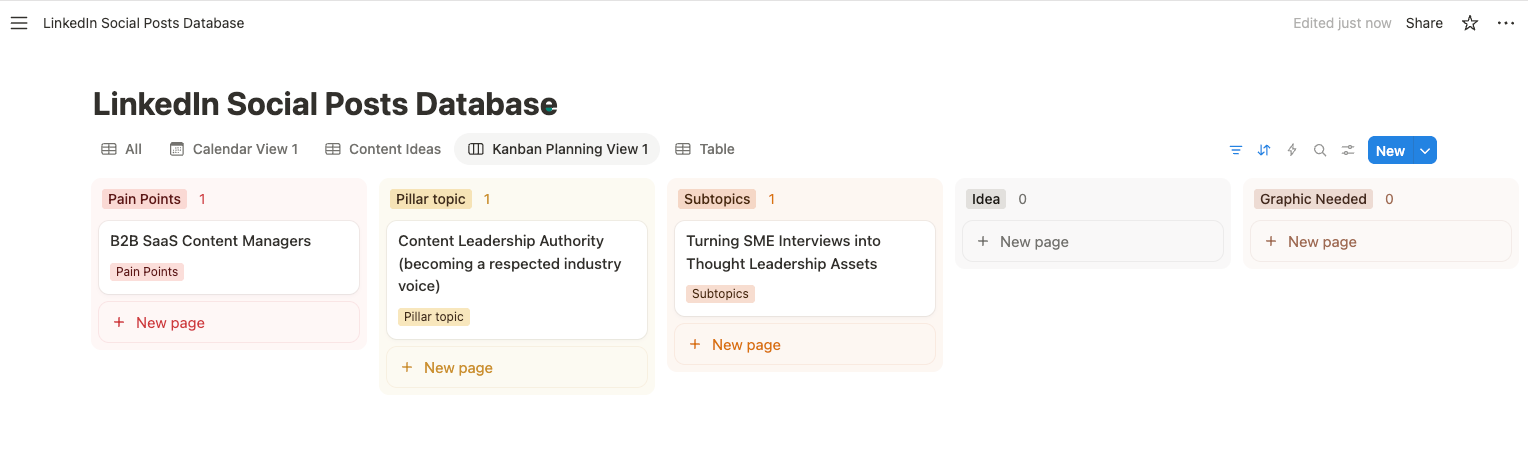
A standout feature is the Tags system, enabling custom content categorization and color-coding. This allows users to organize posts by status, content pillars, target audience, or marketing goals, providing an immediate visual overview of content strategy implementation. Simon Heaton, Buffer’s Director of Growth Marketing, exemplifies this, structuring his Create Space Kanban columns by content status and using color-coded tags to represent distinct content pillars such as "Buffer Promo," "General Growth Tips," and "Posts with Data." This meticulous organization ensures strategic alignment and facilitates performance analysis.
Crucially, Buffer functions as a social media scheduling tool, not just a planner. It automates the publication of text, photos, and videos across a vast array of major platforms, including Facebook, Instagram, TikTok, YouTube, LinkedIn, Twitter/X, Pinterest, Threads, Bluesky, and Mastodon, as well as Google Business Profile. This eliminates the need for manual posting across multiple accounts, offering substantial time savings, particularly for those managing several social media accounts or sharing similar content across different channels with minor platform-specific tweaks. The platform also boasts robust collaboration features, such as approval workflows and smart permissions, making it an excellent choice for both individual creators and larger social media teams. Beyond the calendar, Buffer’s Create Space assists with brainstorming and idea organization, while its Engagement tools help manage replies, and Analytics tools provide critical performance insights.
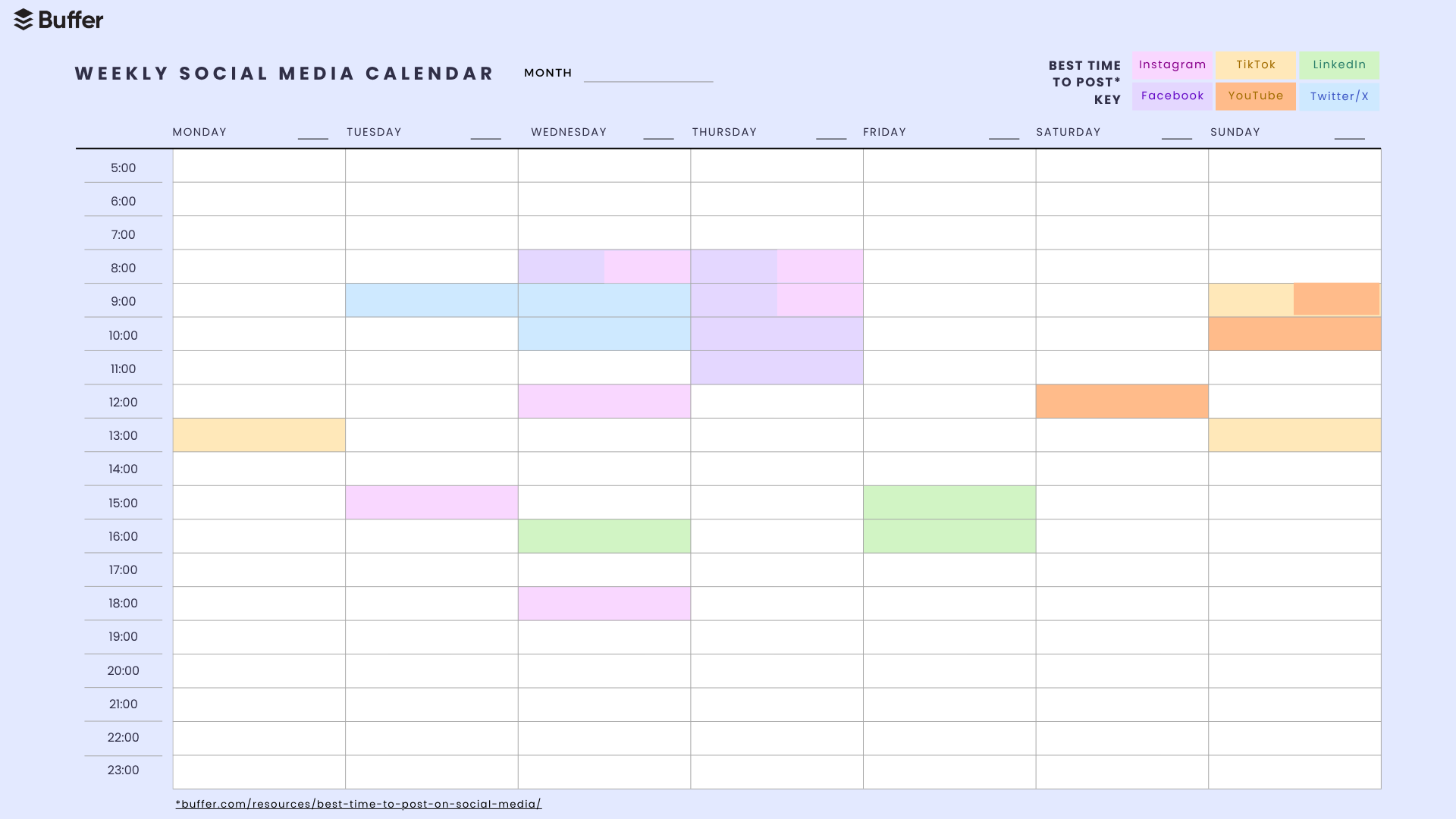
2. Strategic Timing: The Best Times to Post Calendar (PDF)
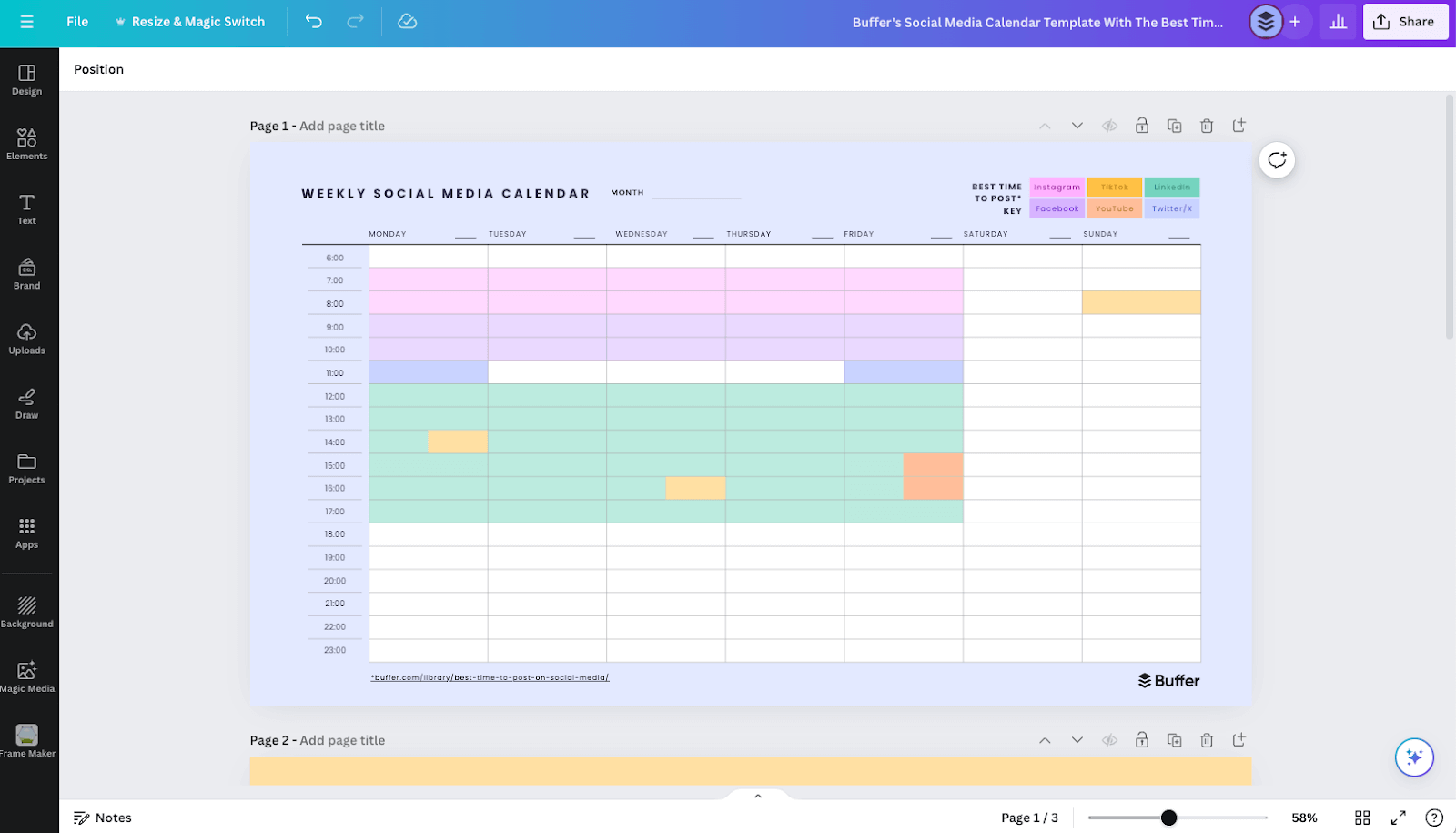
Understanding the optimal timing for social media posts is paramount for maximizing reach and engagement. Buffer’s data-driven analysis, derived from millions of posts, identifies specific time slots that yield higher engagement or views on various platforms. This downloadable PDF calendar highlights these crucial times for Facebook, Instagram, TikTok, LinkedIn, YouTube, and Twitter/X. It serves as a valuable resource for content creators aiming to fine-tune their publishing schedule based on aggregated audience behavior data.
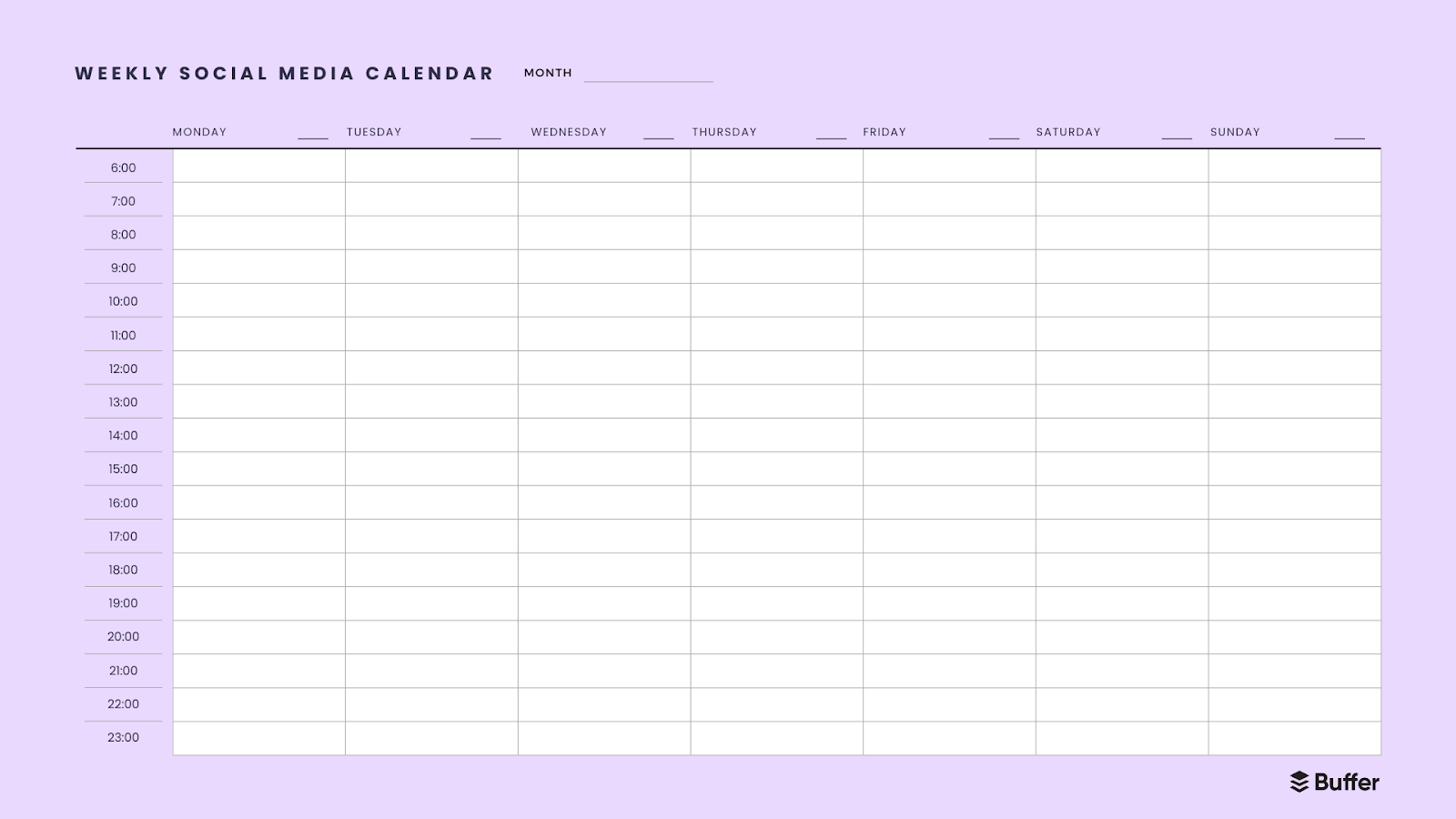
3. Foundational Planning: Simple Weekly and Monthly Calendars (PDF & Canva)
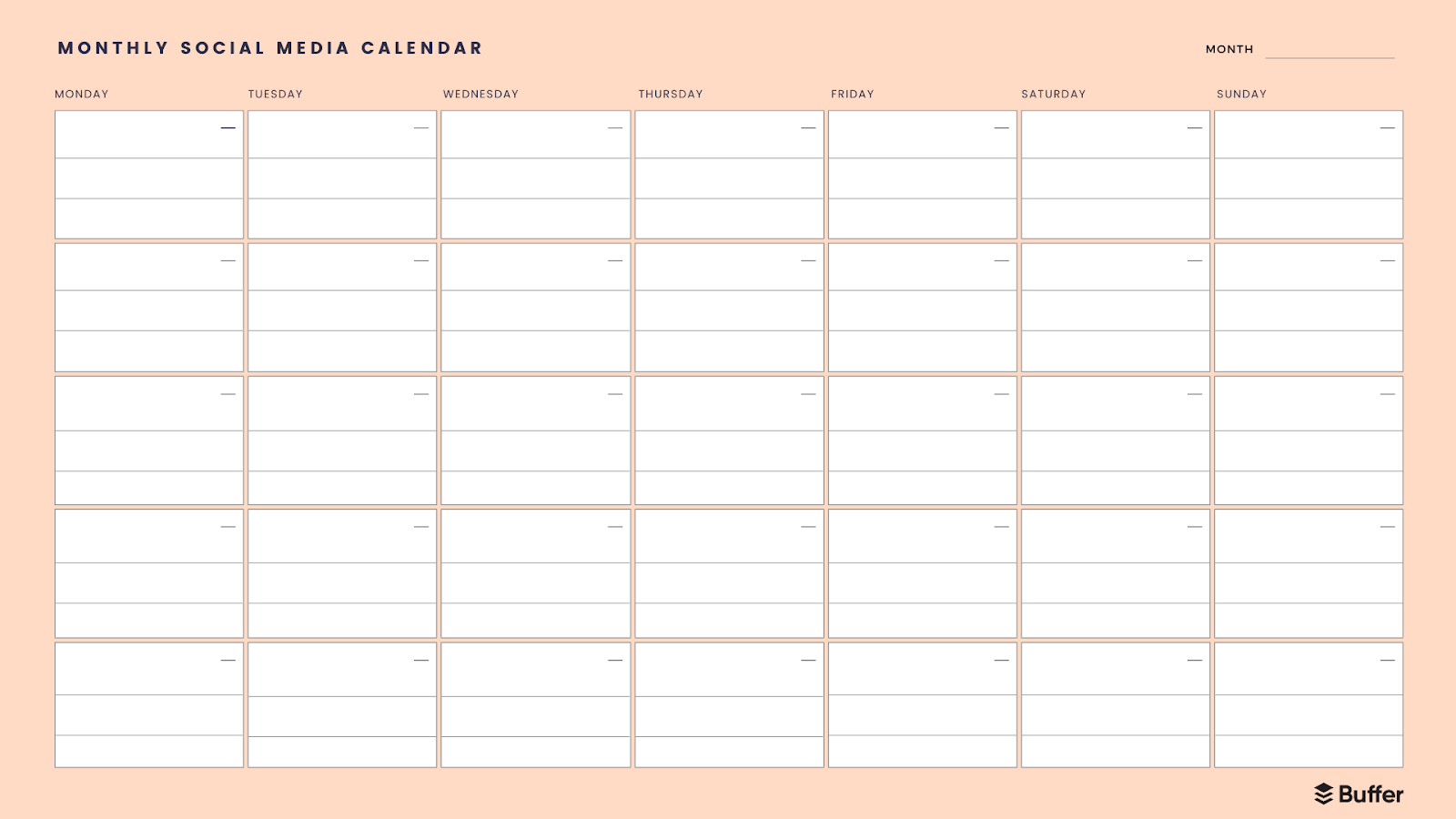
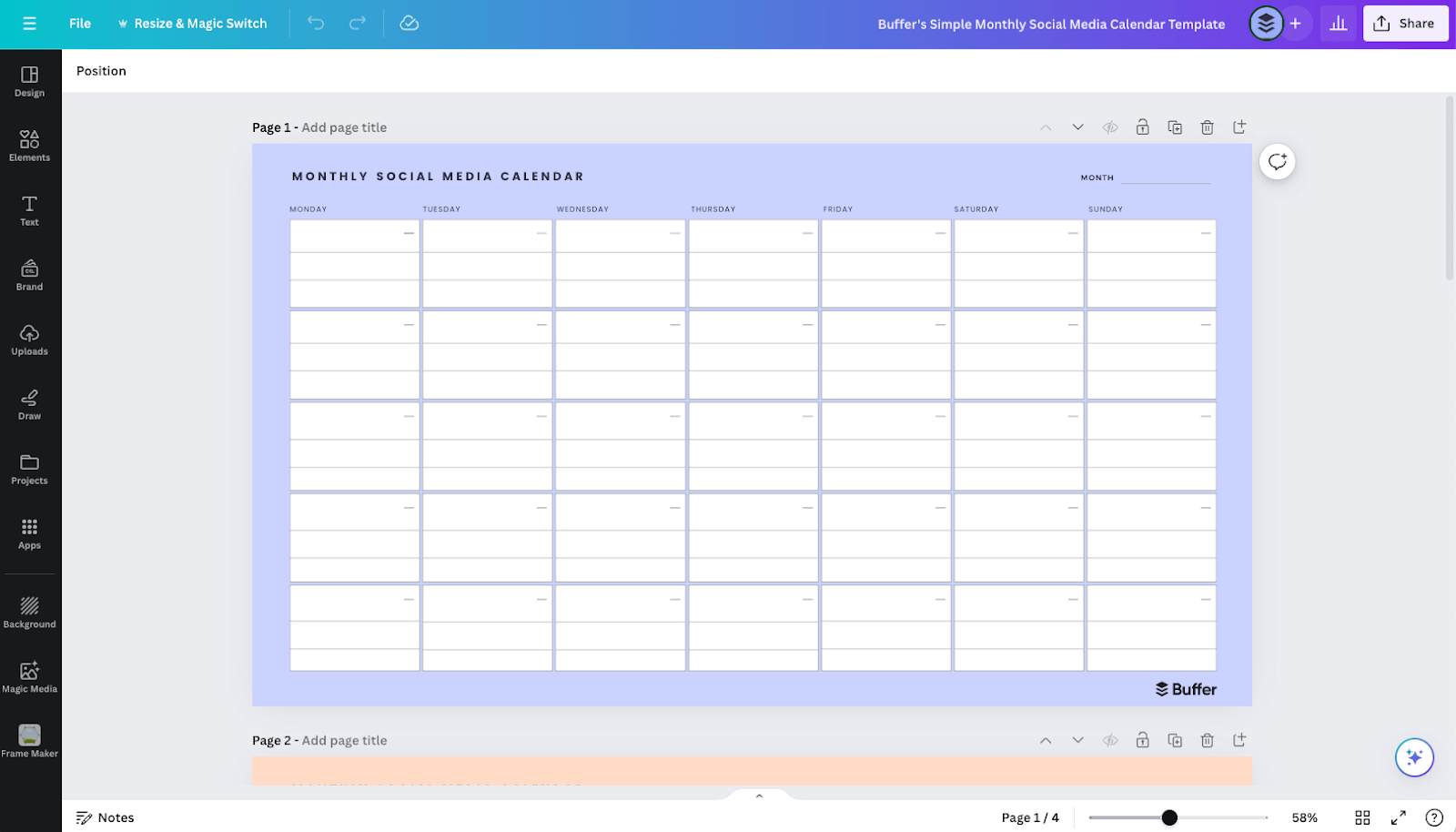
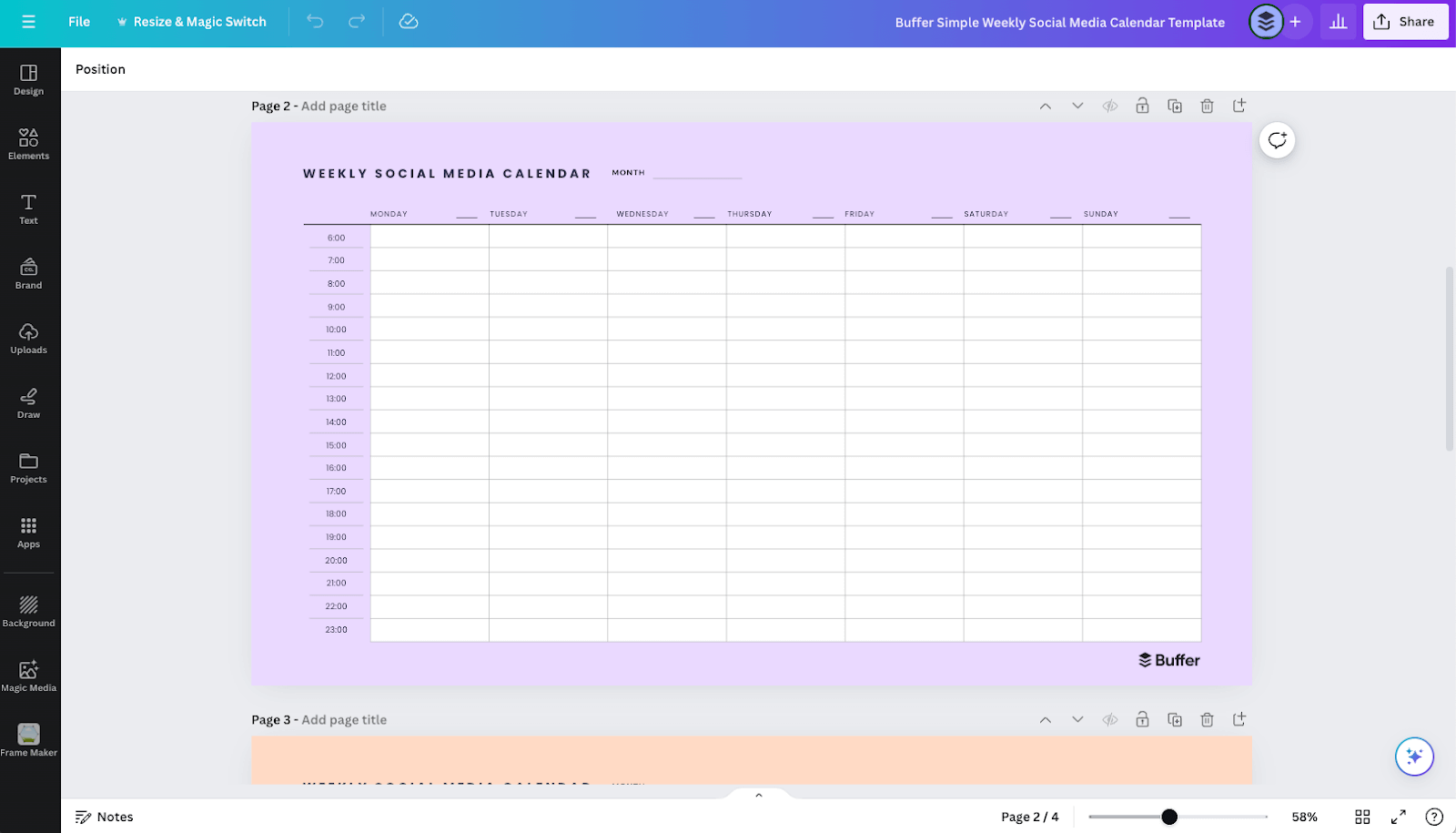
For those seeking a straightforward, low-fidelity approach to content planning, simple weekly and monthly calendar templates are ideal. The weekly PDF template offers a schedule with time slots from 6 a.m. to 11 p.m., providing a basic structure for daily planning. The monthly PDF template offers a big-picture view, allowing users to map out an entire month’s content in broad strokes, aiding in task prioritization and thematic planning. For users who prefer visual customization, editable versions of these calendars are available in Canva, requiring a free account to personalize layouts, colors, and fonts. These templates are excellent for initial content mapping and gaining a clear overview before diving into more complex tools.
4. Flexible Workspaces: Notion Calendar for Comprehensive Content Management
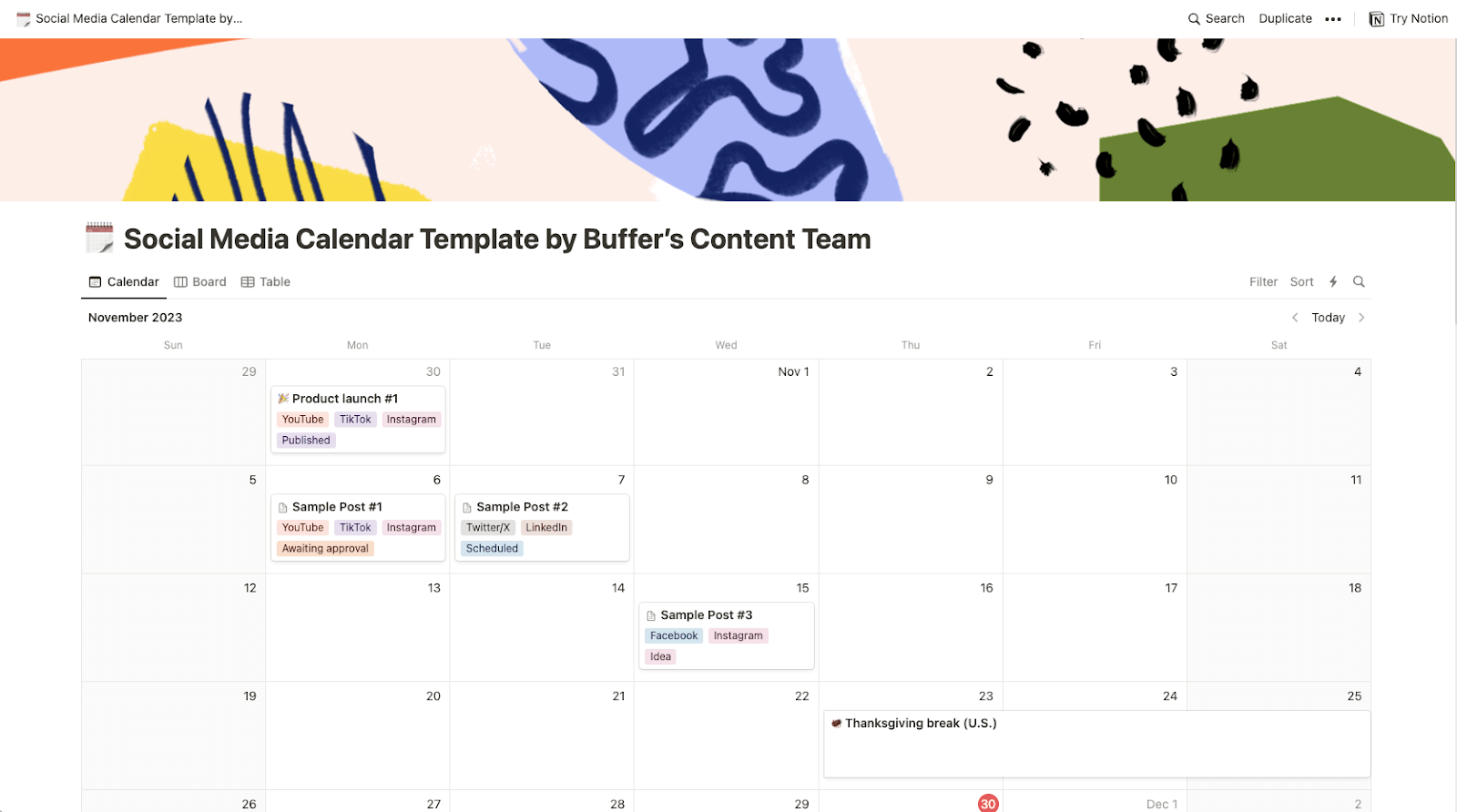
Notion stands out as a highly flexible project management tool that can be adapted into a powerful social media content calendar. Unlike simpler templates, Notion allows users to directly store text, captions, and media files for each post within the calendar entries themselves. Its versatility is further enhanced by multiple viewing options, including list, table, Kanban board, or Gantt chart, which can be particularly useful for visualizing project progress and dependencies. Notion’s adaptability makes it suitable not only for social media but also for broader content marketing, such as mapping out newsletters, blog posts, and other digital campaigns. Kiran Shahid, a LinkedIn personal brand builder, leveraged Notion to create a robust system that streamlined her content creation process, allowing her to efficiently branch out to Instagram by having a pre-existing content bank and an organized workflow for developing ideas.
5. The Spreadsheet Advantage: Google Sheets for Customizable Planning
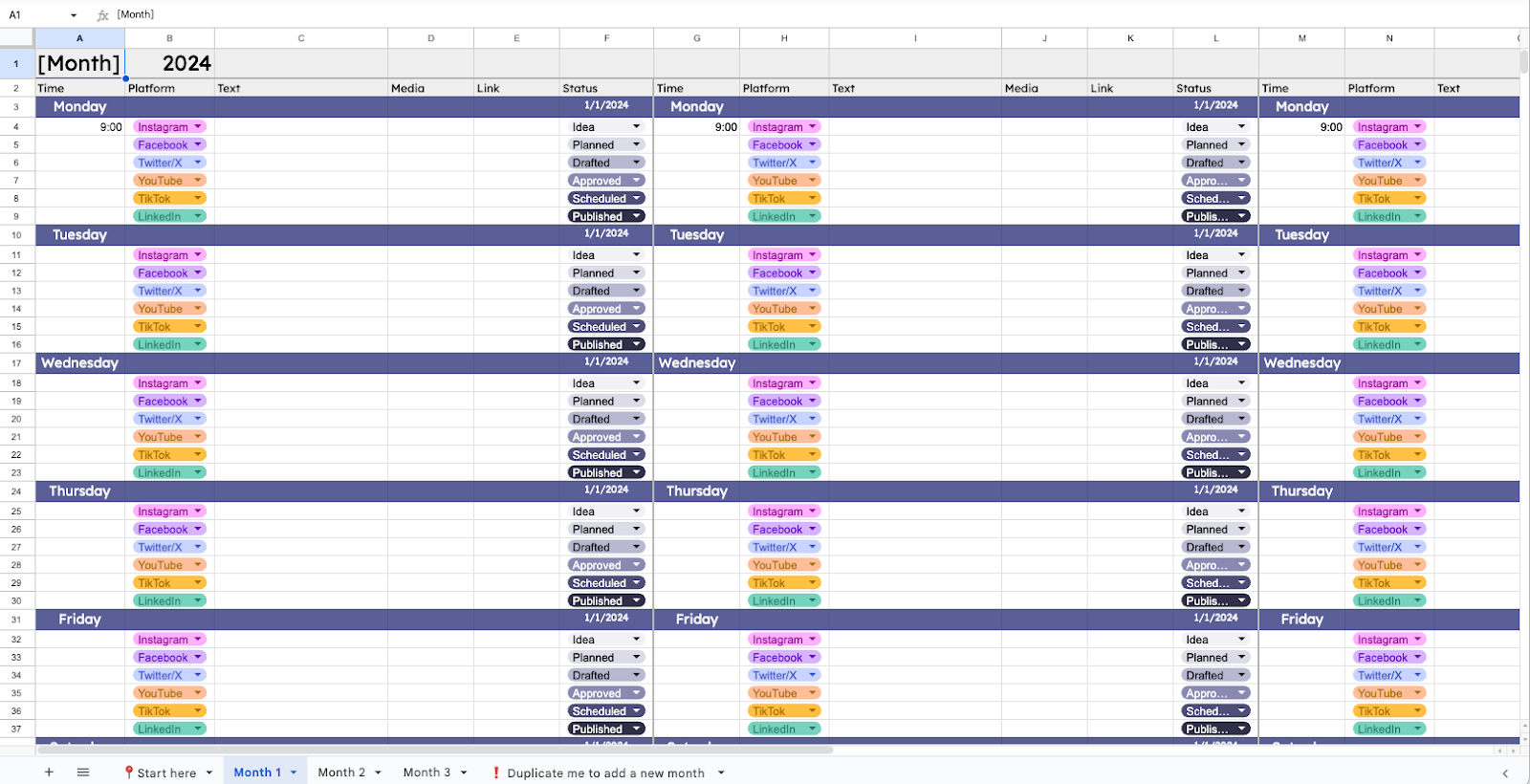
For spreadsheet enthusiasts, a Google Sheets social media calendar template offers unparalleled customization, cost-effectiveness (being free and cloud-based), and familiarity. Recent enhancements, such as the dropdown list feature with custom color options, have significantly improved its utility as an organization and planning tool. This template is highly suitable for storing entire posts and captions, offering a granular level of detail. It can also be easily converted to Microsoft Excel, catering to diverse software preferences. Its strength lies in its ability to be endlessly tailored to specific user requirements without the need to learn a new dedicated tool.
6. Innovative Approaches: AI-Powered Content Generation and Email Integration
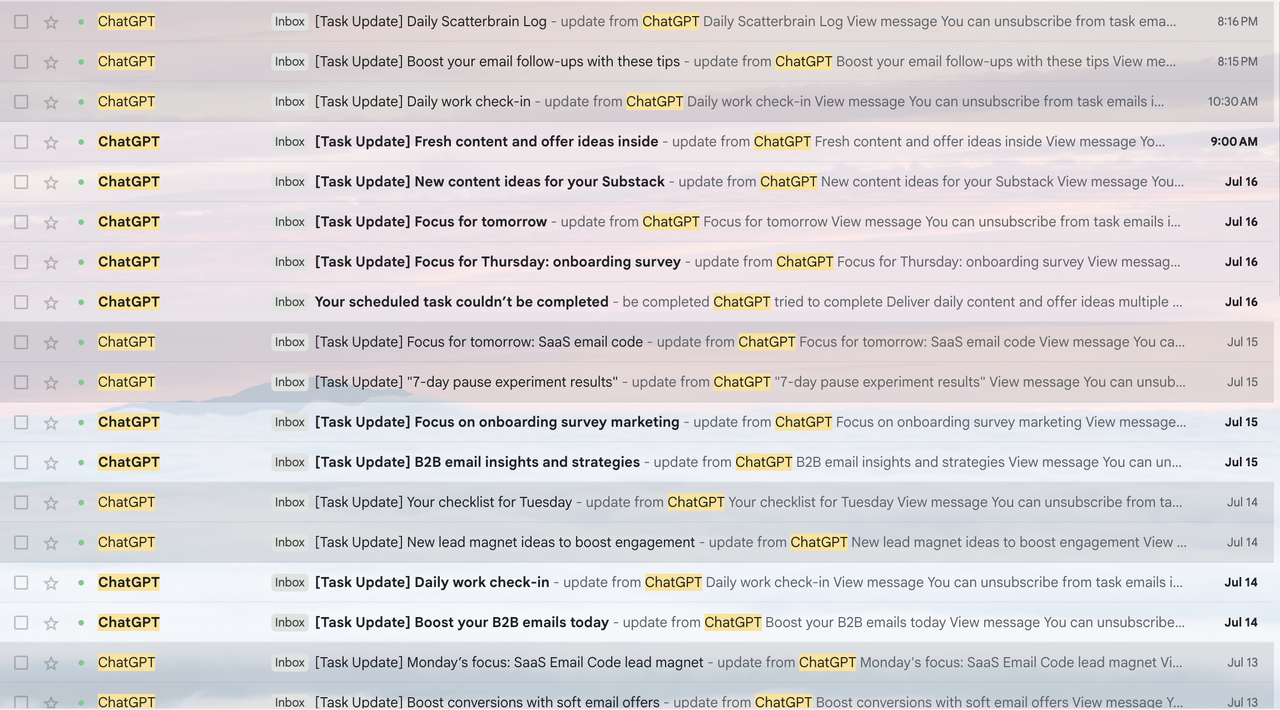
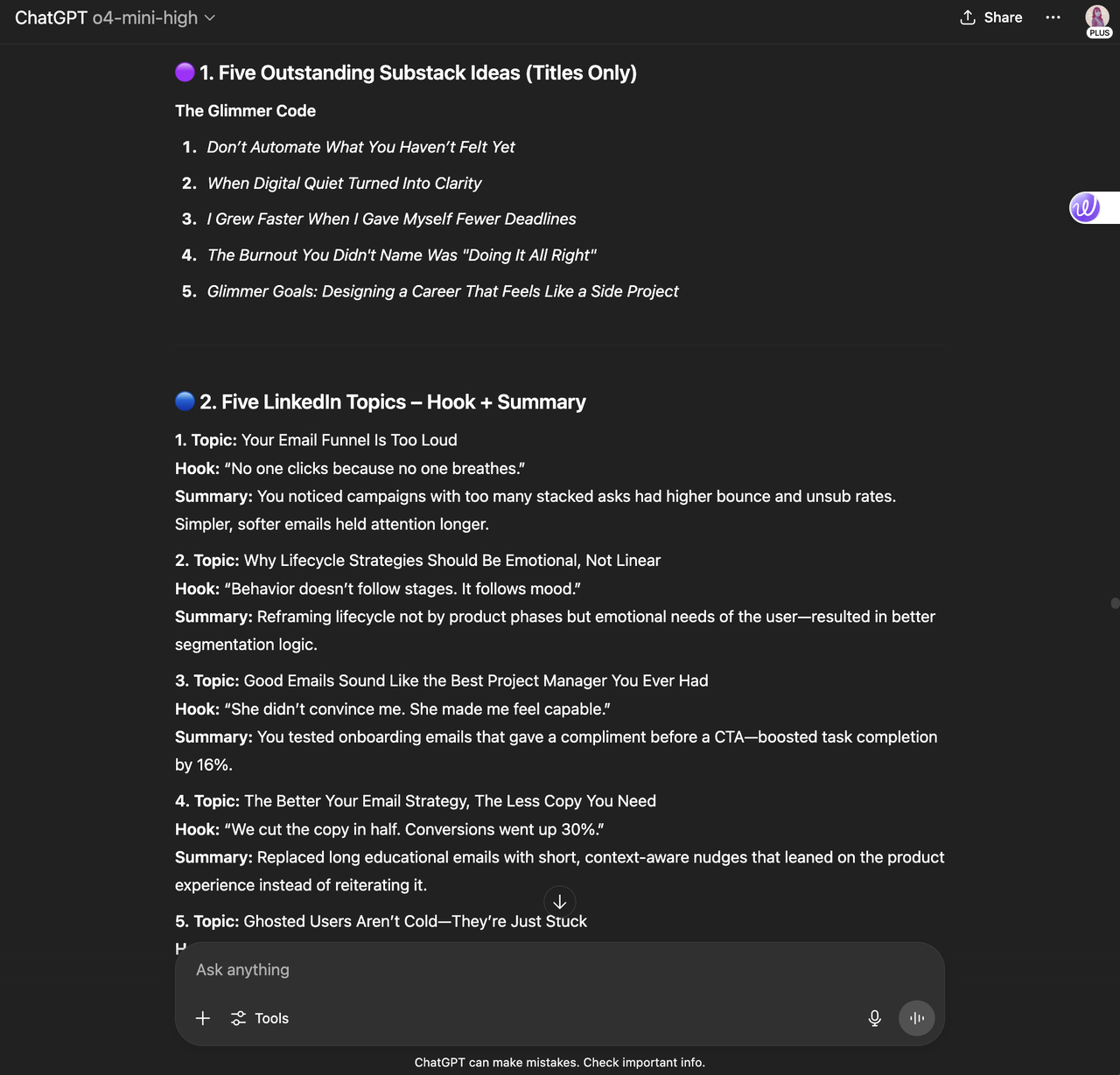
In a testament to creative workflow optimization, Aiza Coronado, Marketer and founder of The Glimmer Code, employs a unique system that integrates ChatGPT with email for her social media content planning. By prompting ChatGPT to generate content ideas based on past conversations and specific interests (e.g., email marketing insights, Substack topics), she then configures the AI to send these ideas directly to her email inbox. This innovative method not only helps her plan when to share content but also what content to create, providing a continuous stream of "idea sparks." A generic prompt for this system might involve outlining one’s job title, content niche, target audience, and desired posting frequency, allowing the AI to generate platform-specific content suggestions. This approach highlights the growing role of AI in streamlining content ideation.
7. Platform-Specific Consistency: The TikTok Consistency Calendar
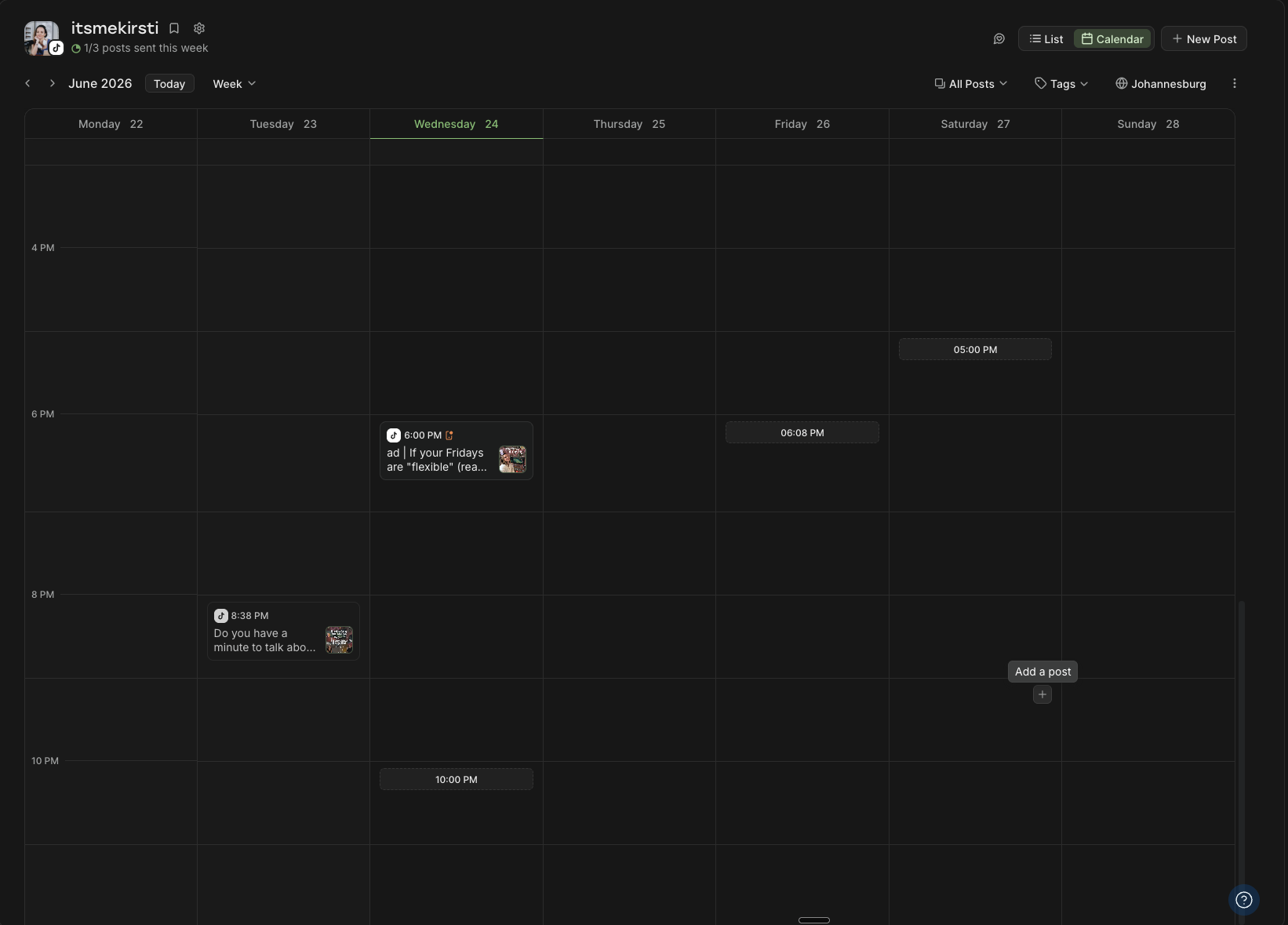
The principle of consistency is paramount across all social media platforms. For example, an experienced social media manager relies on predetermined time slots and specific goals to maintain a consistent presence on TikTok. By analyzing personal video performance and leveraging data from studies on optimal TikTok posting times, a tailored schedule can be established. Integrating these high-performing time slots into a Buffer content calendar automates the scheduling process, significantly reducing "late-stage friction" and making consistent posting a seamless endeavor. This method is highly adaptable and can be applied to any social media channel to build and maintain strong posting habits.
Building a Bespoke Calendar: An Eight-Step Strategic Framework
While templates provide an excellent starting point, some organizations may require a custom-built calendar. The following eight-step process, refined by social media managers and content creators, offers a robust framework for constructing a highly effective and personalized social media content calendar.
1. Define Your Strategy: Before selecting any tool, a clear understanding of your social media strategy is paramount. This involves articulating your primary goals (e.g., brand awareness, lead generation, community building), identifying your target audience, and defining your core content pillars. Random posting yields random results; a well-articulated, single-page social media strategy will simplify every subsequent decision.
2. Select Your Platform and Format: Choose a "home" for your calendar that aligns with your preferred workflow. Options include simple spreadsheets (Google Sheets, Excel), flexible workspaces (Notion, Trello), or integrated scheduling tools (Buffer, Hootsuite). The most effective system is one you will consistently use, making user comfort and ease of integration with existing tools key considerations.
3. Establish Your Cadence: Determine a realistic and sustainable posting frequency for each platform. Consistency is a universal truth in social media success, transcending algorithmic changes. It is better to commit to three high-quality posts a week that you can maintain than to aim for seven and falter by Thursday.
4. Construct the Skeleton (Posting Slots): Map out your recurring posting slots – the specific days and times you intend to publish. Initial guidance can be drawn from general "best time to post" research, but this should ideally be refined over time with your own performance data. Tools like Buffer allow for the creation of a "Queue" – predetermined time slots that automatically schedule posts, reinforcing your chosen cadence.
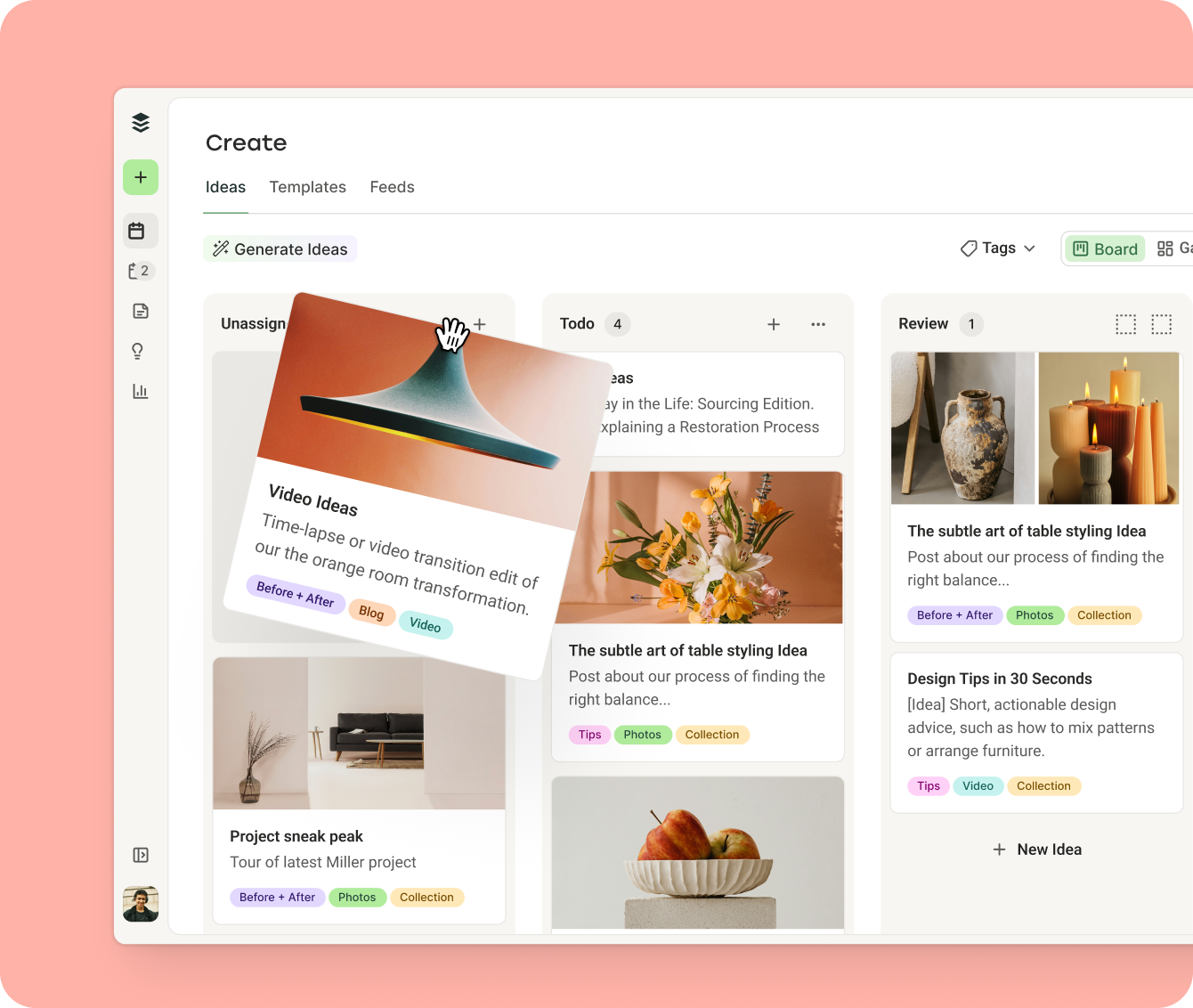
5. Brainstorm Content Ideas: Engage in a comprehensive brain dump to generate content ideas aligned with your strategy. Tools like Buffer’s Create Space offer versatile hubs for organizing these ideas, whether in a gallery view or a Kanban board. The goal here is quantity over immediate perfection; even half-baked ideas or simple reminders about product launches should be captured. AI assistants can also be leveraged to spark creativity and overcome content blocks.
6. Implement Organization Systems: Visual organization is critical for calendar legibility. Employ color-coding or tagging by content pillar, status (e.g., "draft," "in review," "published"), or content format (e.g., "video," "infographic," "blog link"). This not only makes the calendar easy to read at a glance but also helps identify content gaps or imbalances (e.g., too many promotional posts, insufficient video content). Buffer’s Tags feature, for instance, allows for this level of detailed categorization, with the added benefit of translating these tags into analytics for performance measurement.
7. Plan and Schedule Content: With ideas generated and organized, begin slotting them into your calendar. If using an integrated tool like Buffer, content from the idea hub can be seamlessly moved into the scheduling interface. Customize posts for each platform as needed, then schedule them for publication or add them to the queue. This is the stage where raw ideas transform into actionable, timed content.
8. Review and Optimize: A social media calendar is a dynamic document, not a static fixture. Regularly review your planned content, experimenting with different mixes of posts, timings, and frequencies. Adjustments can be made easily before publication. Vikki Tokarz, Head of Community at Scribe, emphasizes the importance of this flexibility, advising creators to balance "timely, viral content" with "bread and butter" evergreen material to cultivate a persistent and relatable social presence. Continuous review and adjustment based on performance metrics are essential for ongoing success.
The Enduring Value of Consistency
Regardless of the specific template or tool employed, the overarching principle that drives success across all social media platforms is consistency. From the intricate algorithms of TikTok and Instagram that reward regular posting, to the professional networks of LinkedIn that thrive on continuous value sharing, an active and predictable presence is the best route to audience growth and engagement. A meticulously planned and consistently executed social media content calendar is not merely an organizational aid; it is the strategic engine that empowers content creators and businesses to navigate the complexities of the digital world, ensuring their message consistently reaches and resonates with their intended audience, thereby paving the road to sustained social media success.
Social Media Content Calendar FAQs
For those embarking on their journey with social media content calendars, here are answers to common questions, drawn from extensive experience in digital content management.
Why is a social media content calendar necessary?
A social media content calendar is a foundational element of any robust digital strategy. It helps you:
- Maintain Consistency: Ensures a steady flow of content, crucial for algorithmic favor and audience retention.
- Enhance Efficiency: Streamlines content creation, allowing for batching and reducing last-minute stress.
- Align with Strategy: Guarantees every post contributes to broader marketing goals and brand messaging.
- Improve Collaboration: Provides a central hub for team members to coordinate and approve content.
- Facilitate Performance Tracking: Makes it easier to analyze what content performs best at which times.
- Prevent Content Gaps: Ensures you always have ideas and posts ready, even during busy periods.
What should a social media calendar include?
While calendars can be customized, most effective templates typically include:
- Date and Time of Publication: Precise scheduling information.
- Platform: Which social media channel the content will be posted on.
- Content Type: (e.g., image, video, story, link post, carousel).
- Copy/Caption: The text accompanying the post.
- Media Link/File: The image, video, or GIF to be used.
- Status: (e.g., draft, in review, approved, scheduled, published).
- Campaign/Content Pillar: Linking the post to broader strategic themes.
- Relevant Hashtags/Keywords: For discoverability.
- Call to Action (CTA): What you want the audience to do next.
Some advanced calendars might also include audience segments, budget allocation, and performance notes, but a simpler version focusing on the core elements is often sufficient to start.
How do I start building a content calendar?
The fastest way to begin is to:
- Pick a Format: Choose a tool that suits your style – a spreadsheet (Google Sheets), a flexible workspace (Notion), or an integrated scheduler (Buffer).
- Grab a Template: Utilize one of the many free templates available to provide immediate structure.
- Block Time: Dedicate 30 minutes to an hour to map out content for the next two weeks or month. Consistency in planning sessions (e.g., every Monday morning) is key.
Even planning just a few posts in advance can significantly impact your workflow and consistency.
Can I customize social media calendar templates?
Absolutely. Templates are designed as starting points, not rigid rules. You are encouraged to:
- Tweak Layouts: Adjust columns, rows, or visual organization.
- Add Color Coding: Implement a system for different content types, platforms, or statuses.
- Rename Sections: Adapt labels to your specific terminology.
- Delete Unnecessary Elements: Remove fields that don’t serve your strategy.
- Adjust Timings: Shift suggested posting times to align with your audience’s activity.
The goal is to make the calendar reflect your unique social strategy, goals, audience, and operational capacity.
What features are critical in a calendar template?
Look for flexibility and clarity above all else. A great template should be:
- Easy to Understand: Intuitive layout that doesn’t require a steep learning curve.
- Flexible: Adaptable to different platforms, content types, and strategic shifts.
- Comprehensive: Ability to capture all necessary information for a post.
- Collaborative (if applicable): Support for team input and approval workflows.
Bonus points are awarded for features like filtering by platform, tracking post status, and the ability to embed or link media files and notes directly within the calendar. An integrated publishing capability, as offered by tools like Buffer, is a significant efficiency booster.