 Ali Ikhwan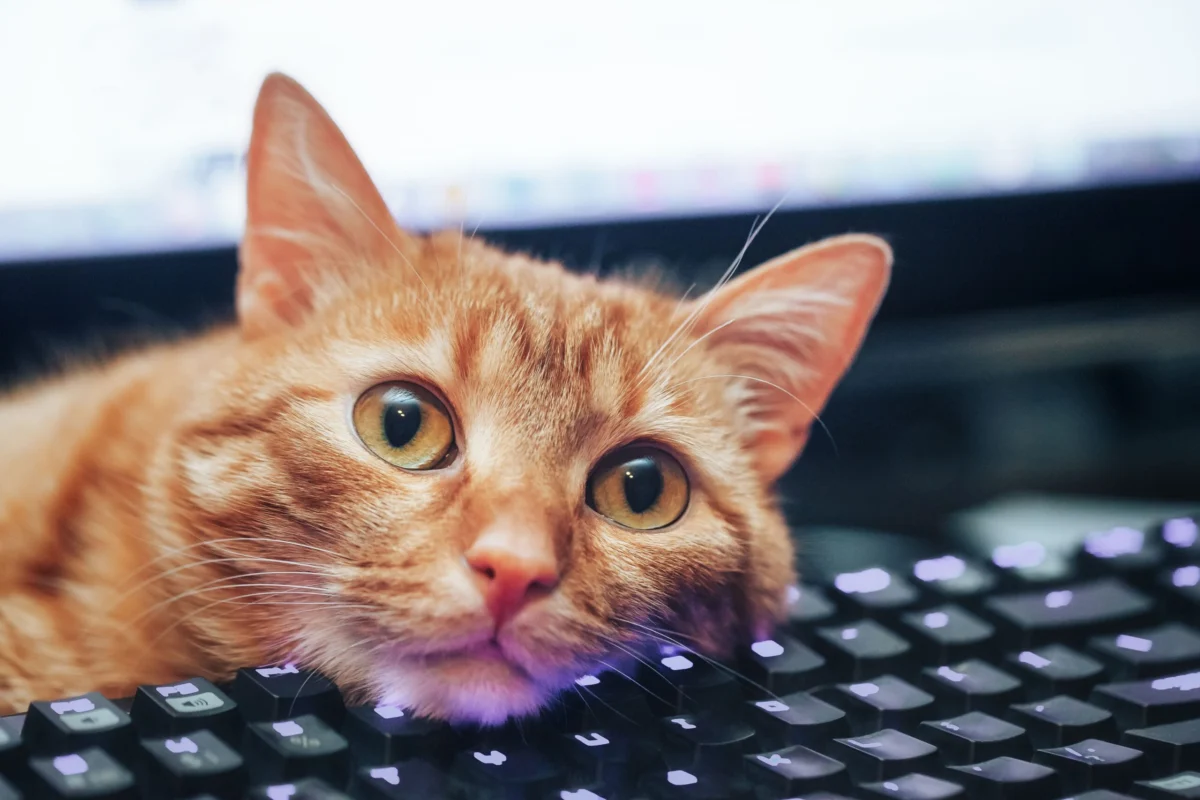
The intersection of domestic pet behavior and the modern remote work environment has led to an unexpected series of discoveries regarding the hidden complexities of modern operating systems. In a documented series of events involving a domestic cat named Mira, users of both macOS and Windows platforms have reported the accidental activation of obscure keyboard shortcuts and accessibility features. These incidents, while initially perceived as technical malfunctions or user errors, have provided a unique window into the sophisticated interface designs of Apple and Microsoft. By analyzing these "feline-initiated" commands, tech researchers and casual users alike are gaining a deeper understanding of window management, screen capture utilities, and essential accessibility protocols that often remain underutilized by the average consumer.
The Mechanics of Feline-Induced Input
The phenomenon of cats walking across laptop keyboards is well-documented in the era of telecommuting. Behavioral experts suggest that cats are drawn to laptops due to the warmth generated by the internal processors and the desire for proximity to their owners. From a technical standpoint, the physical structure of a cat’s paw allows for the simultaneous depression of multiple keys, including modifier keys such as Command, Option, Control, and the Windows key.
On modern "scissor-switch" or "butterfly" keyboards, the actuation force required to register a keystroke is typically between 55 and 80 grams. Given that the average adult domestic cat weighs between 3.6 and 4.5 kilograms, a single step can easily trigger complex multi-key combinations that a human user would rarely input intentionally. This accidental "fuzz testing" of the keyboard interface often reveals deep-level shortcuts designed for power users or those with specific accessibility requirements.
Chronology of Discovery: A Case Study in Interface Activation
The following timeline details a series of documented interactions between the feline subject, Mira, and various computing hardware, illustrating the progression from simple UI changes to complex system-level modifications.
Phase I: The Disappearing Workspace (Window Management)
During initial interactions with a MacBook, the subject triggered the Command-Option-H shortcut. In the macOS environment, this command is designated to "Hide Others," immediately suppressing all active windows except for the one currently in focus. This was followed by the activation of Mission Control via Control-Left/Right Arrow keys, which shifts the view between virtual desktops.
Shortly thereafter, a similar phenomenon was observed on a Windows PC. The subject utilized the Windows Key + , (Comma) combination, which activates the "Peek" feature, momentarily hiding all windows to show the desktop. Furthermore, the combination of Windows-Ctrl-Left/Right Arrow was used to switch between virtual desktops, a feature introduced in Windows 10 to enhance multi-tasking capabilities.
Phase II: Unintended Documentation (Screen Capture)
In a subsequent event, the subject successfully initiated the screen capture protocols on both platforms. On the macOS device, the Command-Shift-4 shortcut was activated, transforming the cursor into a crosshair for selective area recording. On the Windows device, the subject triggered Windows+Shift+S, the shortcut for the Snipping Tool (now integrated into the "Screen Sketch" experience in Windows 11). These incidents highlighted the parity between the two operating systems regarding quick-action documentation tools.
Phase III: UI Customization and Visibility
The third phase of discovery involved the manipulation of the macOS Dock. By pressing Command-Option-D, the subject toggled the "Automatically hide and show the Dock" setting. This specific shortcut is a legacy feature of the Mac operating system, designed to maximize screen real estate for creative professionals, yet it often remains unknown to the general user base until accidentally triggered.
Phase IV: Accessibility and System Locking
The final and most complex phase involved the activation of Windows Accessibility features. By remaining stationary on specific keys, the subject triggered Sticky Keys (via five consecutive presses of the Shift key) and FilterKeys (via holding the Right Shift key for several seconds). These events led to a temporary perceived "failure" of the keyboard, which was later identified as a specialized input mode for users with motor impairments.
Supporting Data: The Prevalence of Shortcut Underutilization
Data from user experience (UX) research suggests that while modern operating systems contain hundreds of keyboard shortcuts, the average user regularly employs fewer than ten. A 2023 survey of remote workers indicated that:
- Only 14% of users were aware of the "Hide Others" shortcut on macOS.
- Less than 22% of Windows users frequently utilized virtual desktops via keyboard commands.
- Accessibility features, such as Sticky Keys, are most commonly discovered by accident rather than through intentional system exploration.
The incidents involving Mira underscore a significant gap in user education. Tech support forums frequently see spikes in queries related to "disappearing windows" or "locked keyboards," many of which are traced back to accidental pet interactions. This highlights the robustness of the shortcuts—they work exactly as programmed—but also the fragility of the user experience when these features are activated without the user’s conscious intent.
Analysis of Accessibility Features: Sticky Keys and FilterKeys
The most significant discovery in this case study pertains to the Windows accessibility suite. These features are critical for Section 508 compliance, ensuring that federal agencies and private entities provide equal access to electronic and information technology for people with disabilities.
Sticky Keys
Introduced to the Windows environment in the mid-1990s, Sticky Keys allows users to press a modifier key (Shift, Ctrl, Alt, or the Windows logo key) and have it remain active until another key is pressed. This is essential for individuals who may have difficulty pressing two keys simultaneously. The "five-shift" trigger is a deliberate design choice to allow activation without navigating deep into the Control Panel or Settings menu.
FilterKeys
FilterKeys is a feature that instructs the keyboard to ignore brief or repeated keystrokes, or slow down the repeat rate. This is specifically designed for users with hand tremors. The trigger—holding down the Right Shift key for eight seconds (though reported as five in some anecdotal accounts)—is a safety mechanism. When Mira sat on the keyboard, she inadvertently demonstrated the efficacy of this "long-press" trigger, though it resulted in a "non-responsive" keyboard for the primary user.
Official Responses and Technical Implications
While Microsoft and Apple have not issued specific statements regarding "feline-initiated input," their design philosophies reflect an awareness of accidental activation. Modern versions of Windows now provide a pop-up notification and an audible tone when Sticky Keys is triggered, asking the user for confirmation. This "confirmation gate" is a direct response to years of feedback regarding accidental activation by pets, children, or stray objects on the keyboard.
Hardware manufacturers have also responded to this environment. The rise in "keyboard covers" and software such as "CatLock" or "PawSense" demonstrates a market-driven solution to the problem. PawSense, for instance, uses a sophisticated algorithm to monitor for "cat-like" typing patterns—characterized by high-pressure, simultaneous key clusters—and immediately locks the input while playing a sound to discourage the animal.
Broader Impact on UI/UX Design
The case of Mira the cat serves as a practical, albeit accidental, demonstration of "Edge Case Testing" in User Interface design. It forces a discussion on how operating systems should balance high-speed efficiency for power users with "idiot-proof" (or "pet-proof") stability for the general public.
The implications of these discoveries are two-fold:
- Increased Awareness: Users who experience these "accidents" often become more proficient in their OS once they learn the "why" behind the "what." Learning that a "broken" keyboard is actually an "accessible" keyboard fosters a greater appreciation for inclusive design.
- Design Evolution: The fact that a cat can easily trigger a system-wide "Hide All Windows" command suggests that certain shortcuts may be too accessible. UX designers are currently debating the use of "intent-based" triggers, which might require more deliberate or non-linear input to prevent accidental activation.
In conclusion, while the actions of a domestic pet may initially cause professional anxiety or technical confusion, they provide a valuable service in highlighting the hidden depths of personal computing. The shortcuts revealed by Mira are not bugs, but rather features—testaments to decades of software evolution aimed at making computers more powerful and more inclusive. As the home and the office continue to merge, the "feline-input" factor remains a unique, unpredictable element of modern digital life, turning every walk across a keyboard into a potential lesson in computer science.