
In the dynamic landscape of digital communication, a meticulously planned social media content calendar has transitioned from a beneficial organizational tool to an indispensable strategic asset for businesses, marketers, and content creators alike. As platforms evolve and audience engagement becomes increasingly nuanced, the ability to consistently deliver relevant and timely content is paramount for maintaining brand visibility and fostering community. This article delves into the critical role of social media content calendars, exploring a spectrum of available tools and methodologies, and providing a comprehensive framework for optimizing digital content strategy.
The digital realm has witnessed an unprecedented proliferation of social media platforms, each with its unique audience demographics, content formats, and algorithmic intricacies. From the visual dominance of Instagram and TikTok to the professional networking of LinkedIn and the real-time discourse of X (formerly Twitter), managing a cohesive and impactful presence across multiple channels presents significant challenges. Early approaches to social media often involved ad-hoc posting, driven by immediate inspiration or reactive trends. However, as organic reach declined and competition intensified, the need for a more structured, data-driven approach became evident. This shift catalyzed the widespread adoption of social media content calendars, which serve as central hubs for planning, executing, and analyzing content initiatives. By providing a clear overview of upcoming posts, target platforms, and strategic objectives, these calendars enable organizations to move beyond sporadic engagement towards sustained, purposeful communication.
At its core, a social media content calendar is a formalized schedule that outlines when and what content will be published across various social media channels. Its benefits extend far beyond mere organization, impacting several critical aspects of digital marketing:
- Enhanced Efficiency and Time Management: By planning content in advance, creators and teams can batch-create posts, reducing daily decision fatigue and freeing up time for other strategic tasks. This proactive approach minimizes the last-minute scramble for content ideas and assets.
- Consistency and Brand Voice: A calendar ensures a steady stream of content, which is crucial for maintaining audience engagement and algorithmic favorability. It also helps in upholding a consistent brand voice, messaging, and aesthetic across all platforms.
- Improved Content Quality: Pre-planning allows for thorough research, content refinement, and the integration of diverse media types, leading to higher-quality, more engaging posts.
- Strategic Alignment: Calendars facilitate the alignment of social media efforts with broader marketing campaigns, product launches, and business objectives, ensuring every post contributes to overarching goals.
- Performance Tracking and Optimization: With a structured plan, it becomes easier to track the performance of different content types, themes, and posting times. This data is invaluable for iterative improvement and optimizing future strategies.
- Team Collaboration: For larger teams, a content calendar acts as a central repository, enabling seamless collaboration, content approvals, and task delegation, ensuring everyone is aligned and accountable.
- Proactive Crisis Management: By planning ahead, teams can anticipate potential content gaps or leverage opportunities for timely, relevant responses to current events, while avoiding unintentional missteps.
The contrast with unplanned content is stark. Ad-hoc posting often leads to missed opportunities, inconsistent messaging, burnout, and ultimately, a diluted brand presence that struggles to cut through the digital noise.
The market offers a wide array of content calendar solutions, catering to diverse needs and operational scales. These can generally be categorized into simple, flexible, and integrated tools, each providing unique advantages.
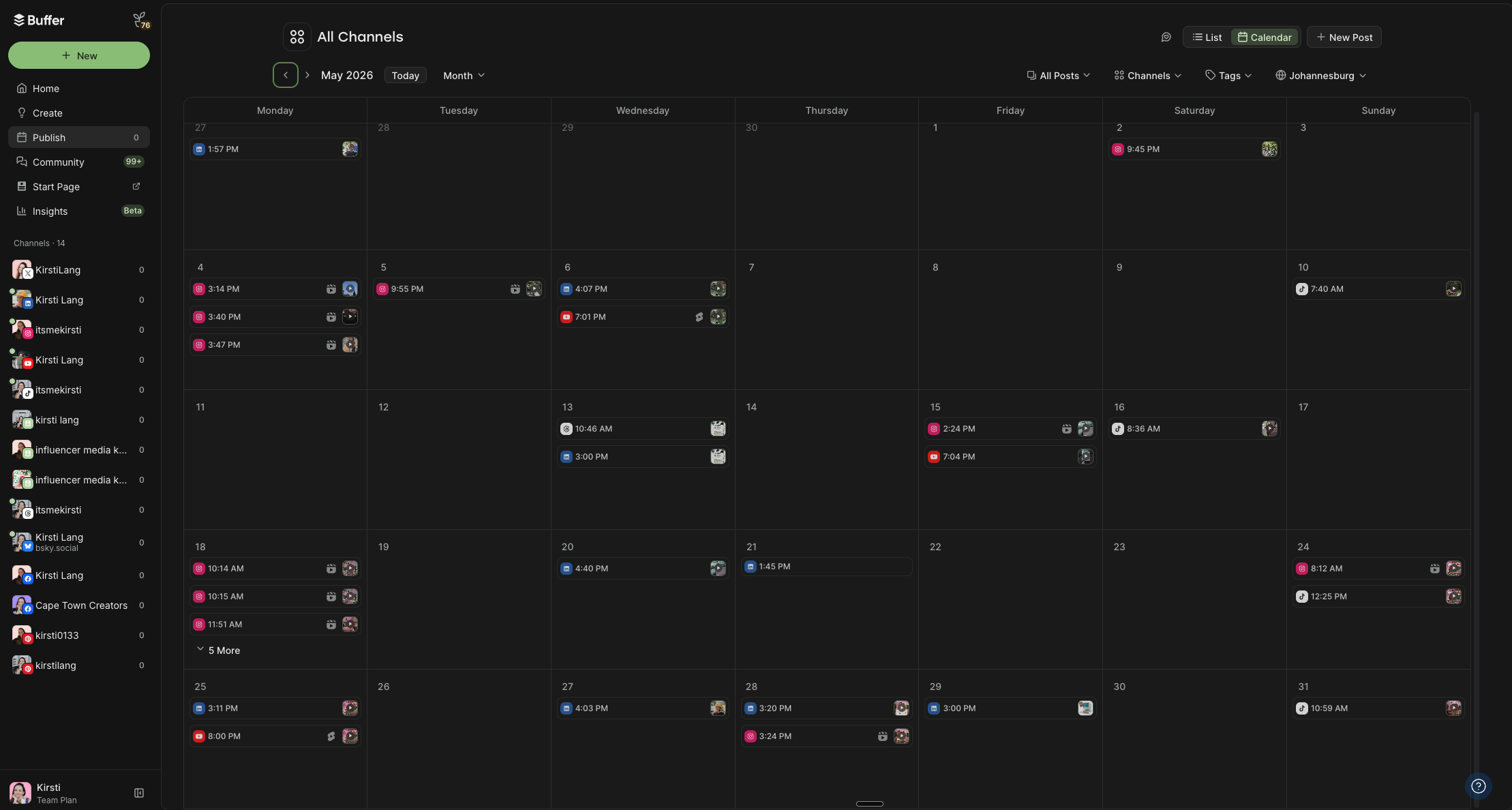
Foundational and Customizable Templates
For those seeking straightforward, low-fidelity solutions or visual customization, several accessible templates serve as excellent starting points:
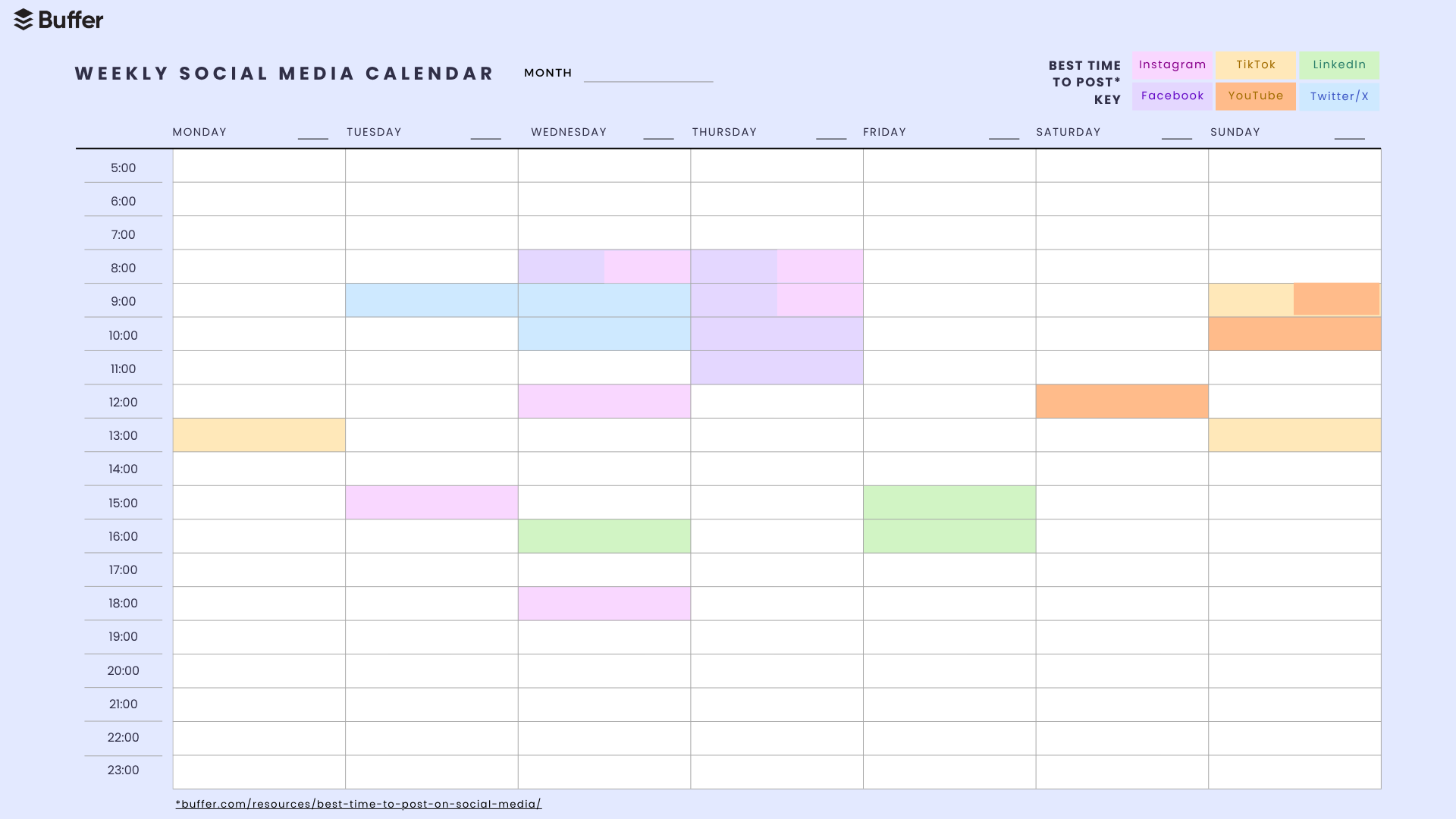
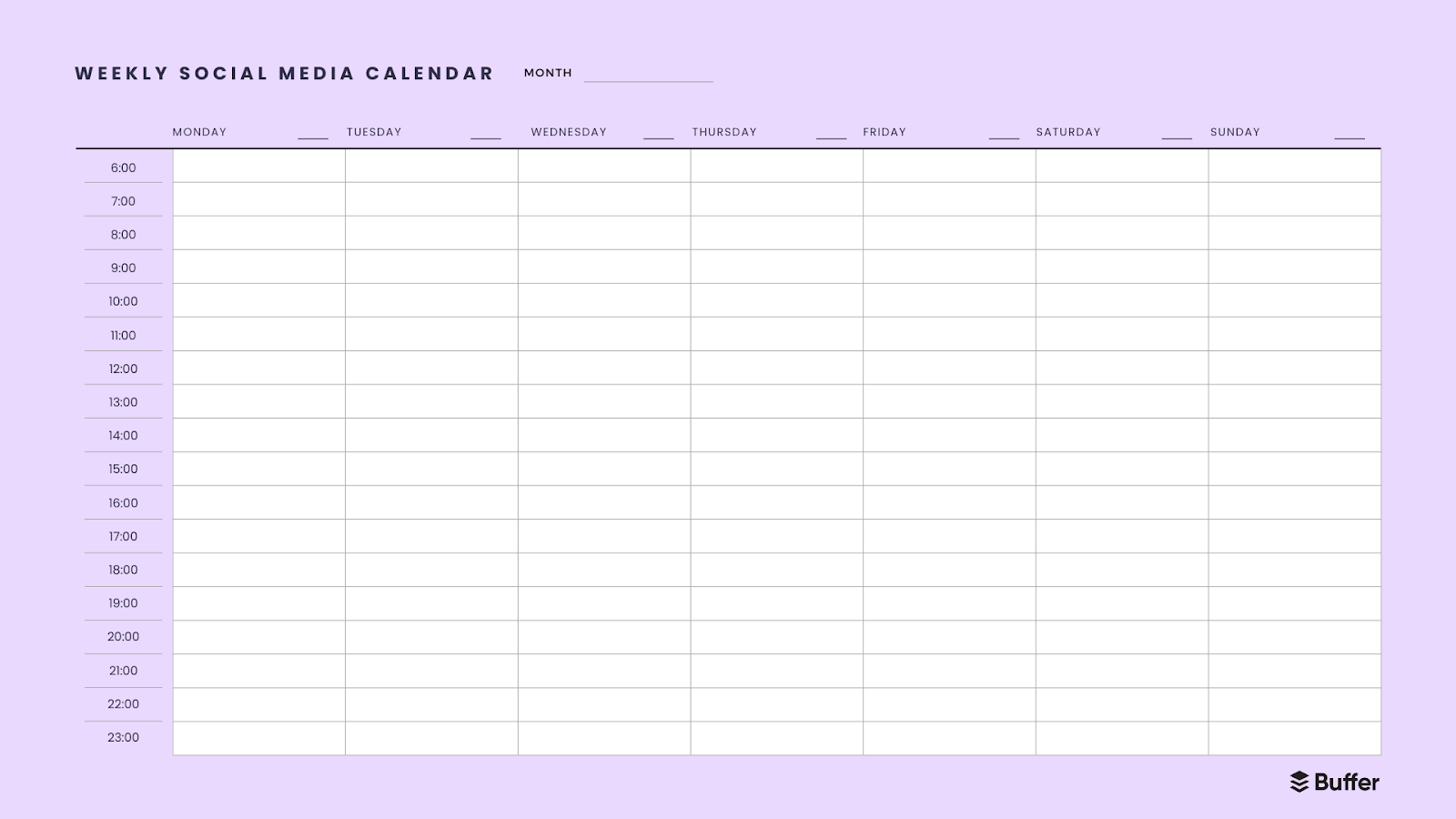
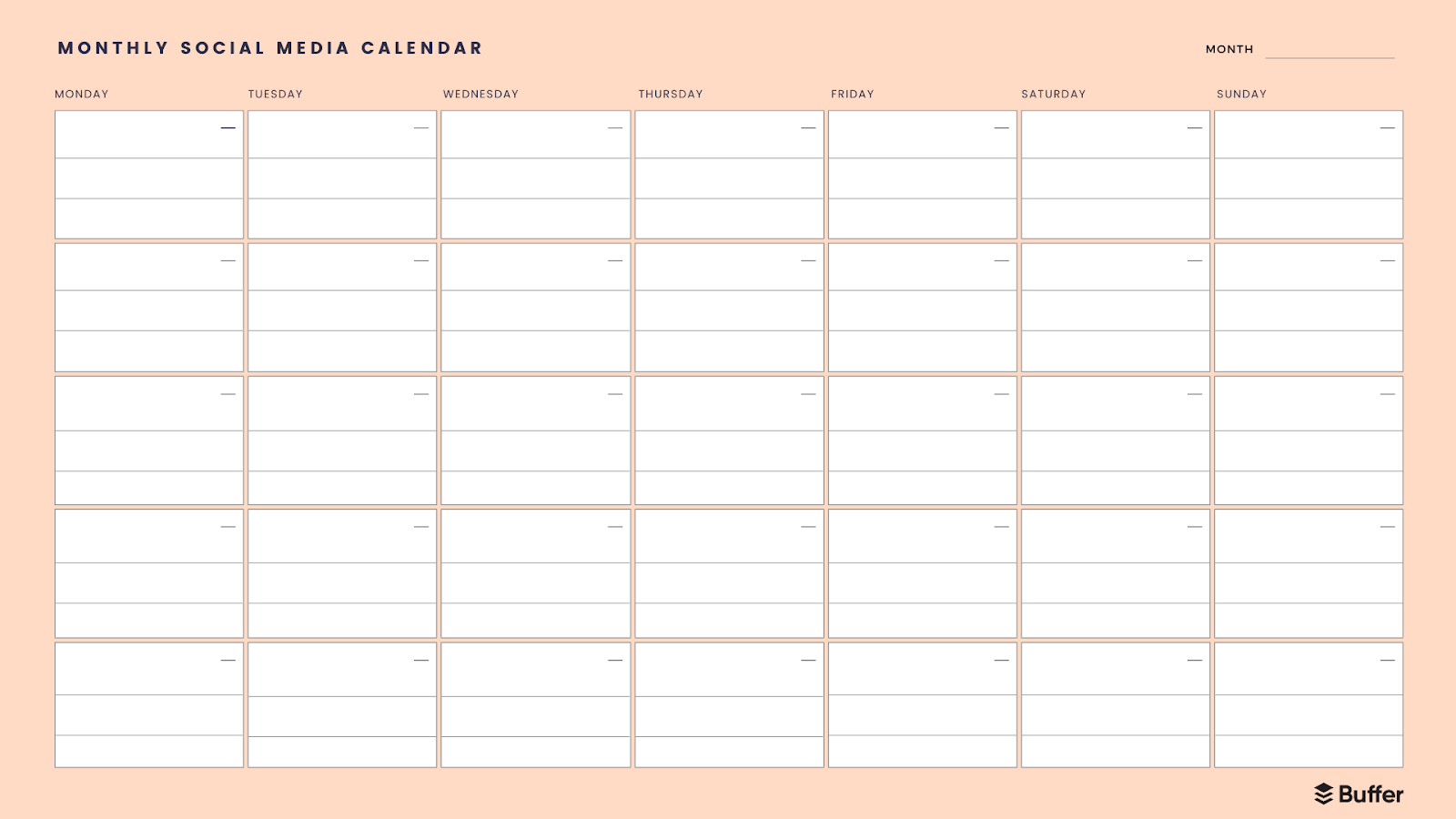
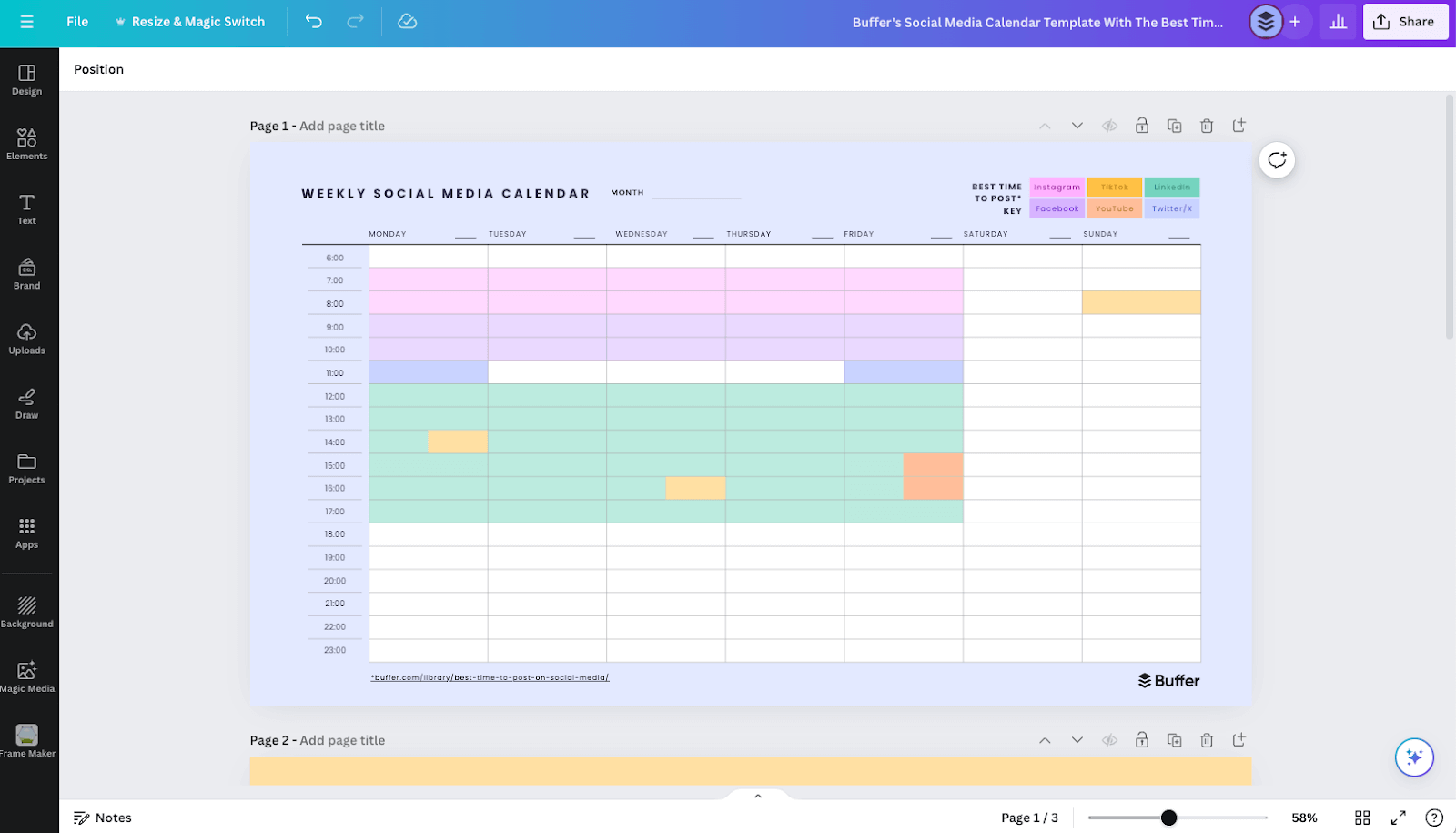
- PDF Calendars (Simple Weekly & Monthly): These basic, printable templates offer a clean slate for mapping out content by day and time. They are ideal for individuals or small teams prioritizing a quick, visual overview without the need for complex digital features. A specialized PDF calendar can also highlight "best times to post," based on aggregated data from millions of social media interactions, guiding users toward optimal engagement windows.
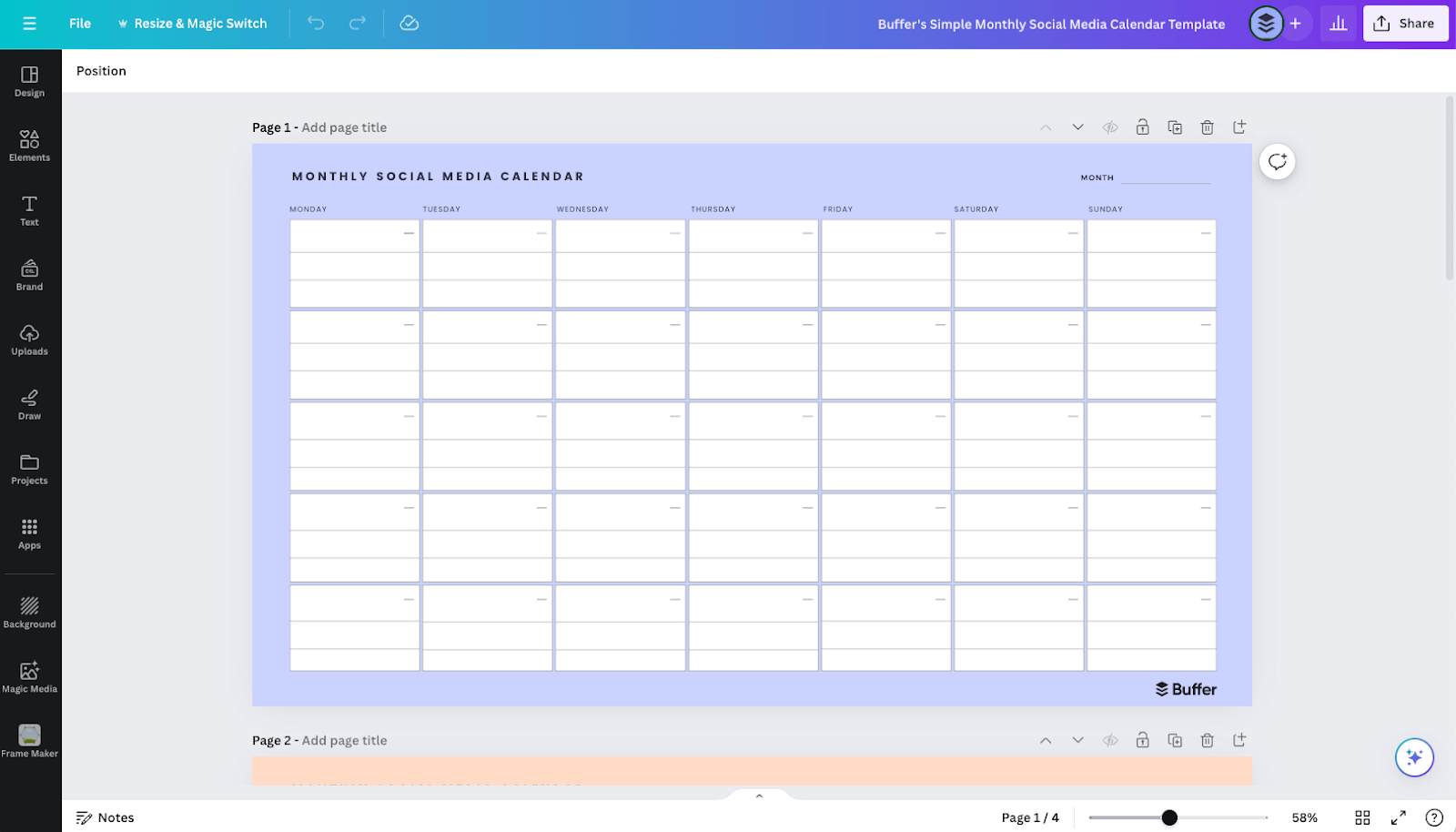
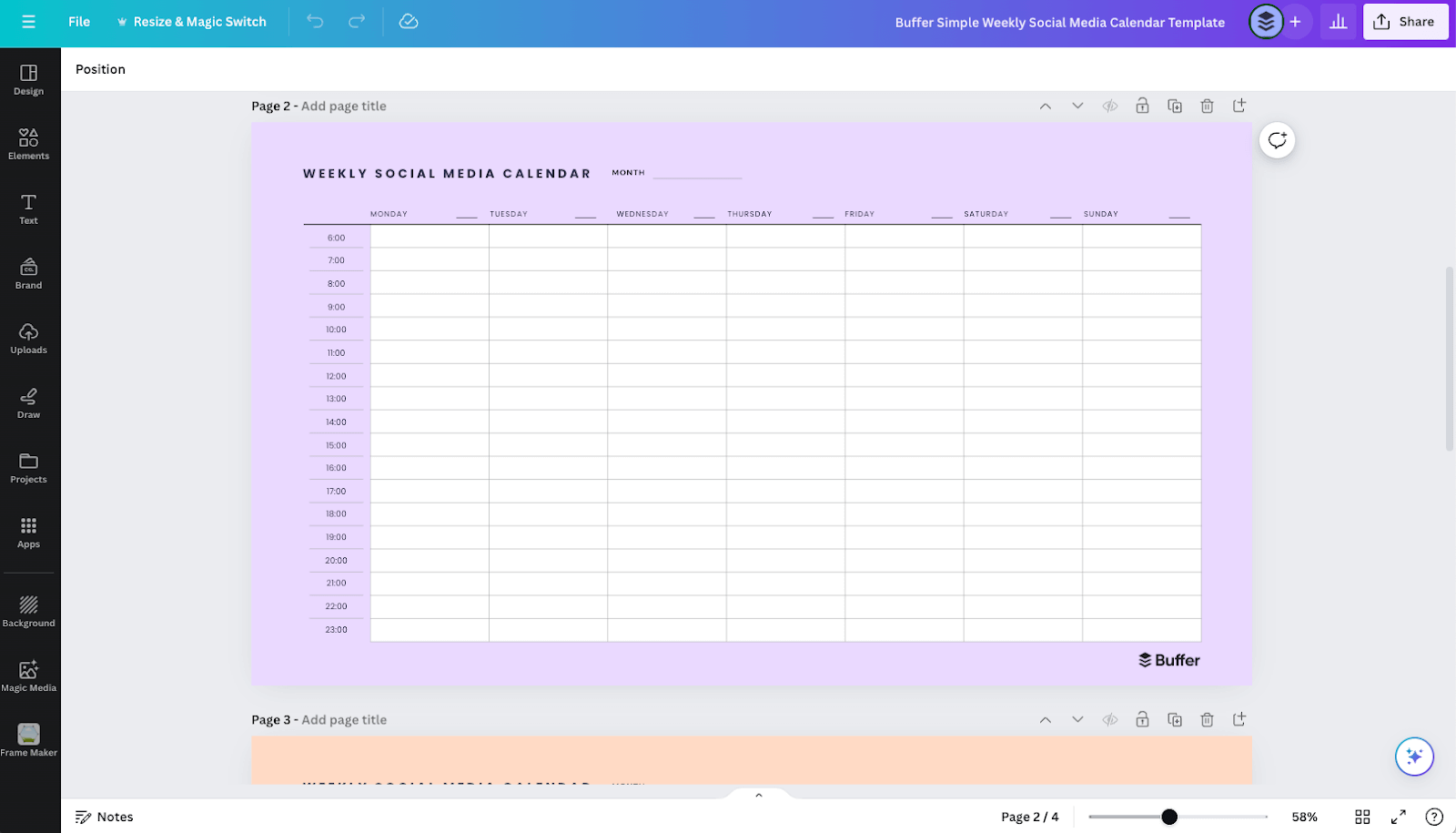
- Canva Calendars (Visual Customization): Leveraging Canva’s intuitive design interface, users can customize pre-designed calendar templates to align with their brand aesthetics. This option is perfect for those who prefer a visually engaging planning tool and want to integrate design elements directly into their content schedule.
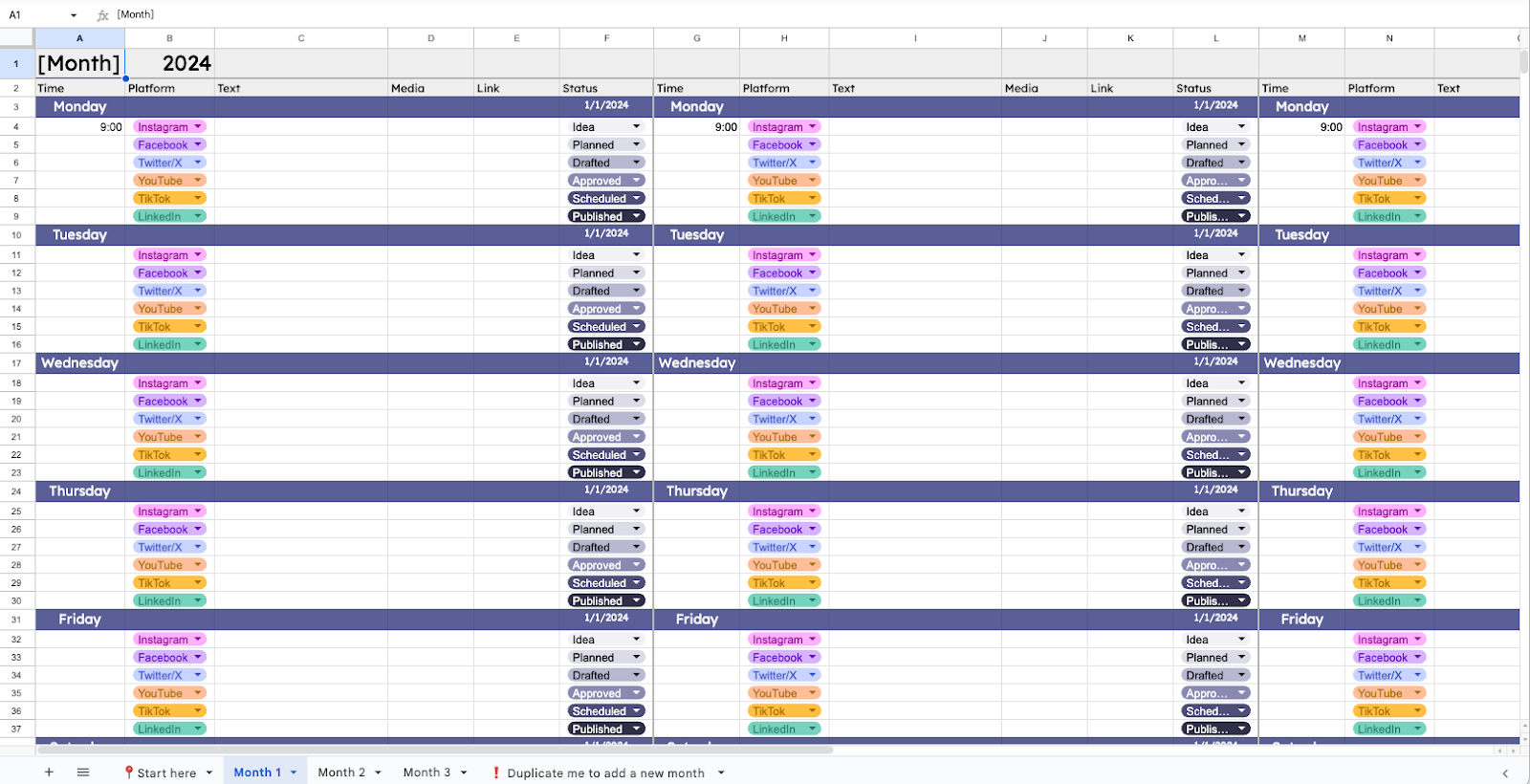
- Google Sheets Calendars (Flexible Spreadsheet Management): A highly adaptable and cloud-based solution, Google Sheets allows for extensive customization. Users can create columns for post dates, platforms, content types, captions, media links, and status updates. The addition of dropdown lists with custom color-coding enhances organization and visual clarity, making it a robust choice for data-oriented planners. Its ease of sharing also facilitates collaboration.
Advanced Workflows and Integrated Platforms
For more complex content strategies, project management tools and dedicated social media management platforms offer advanced functionalities:
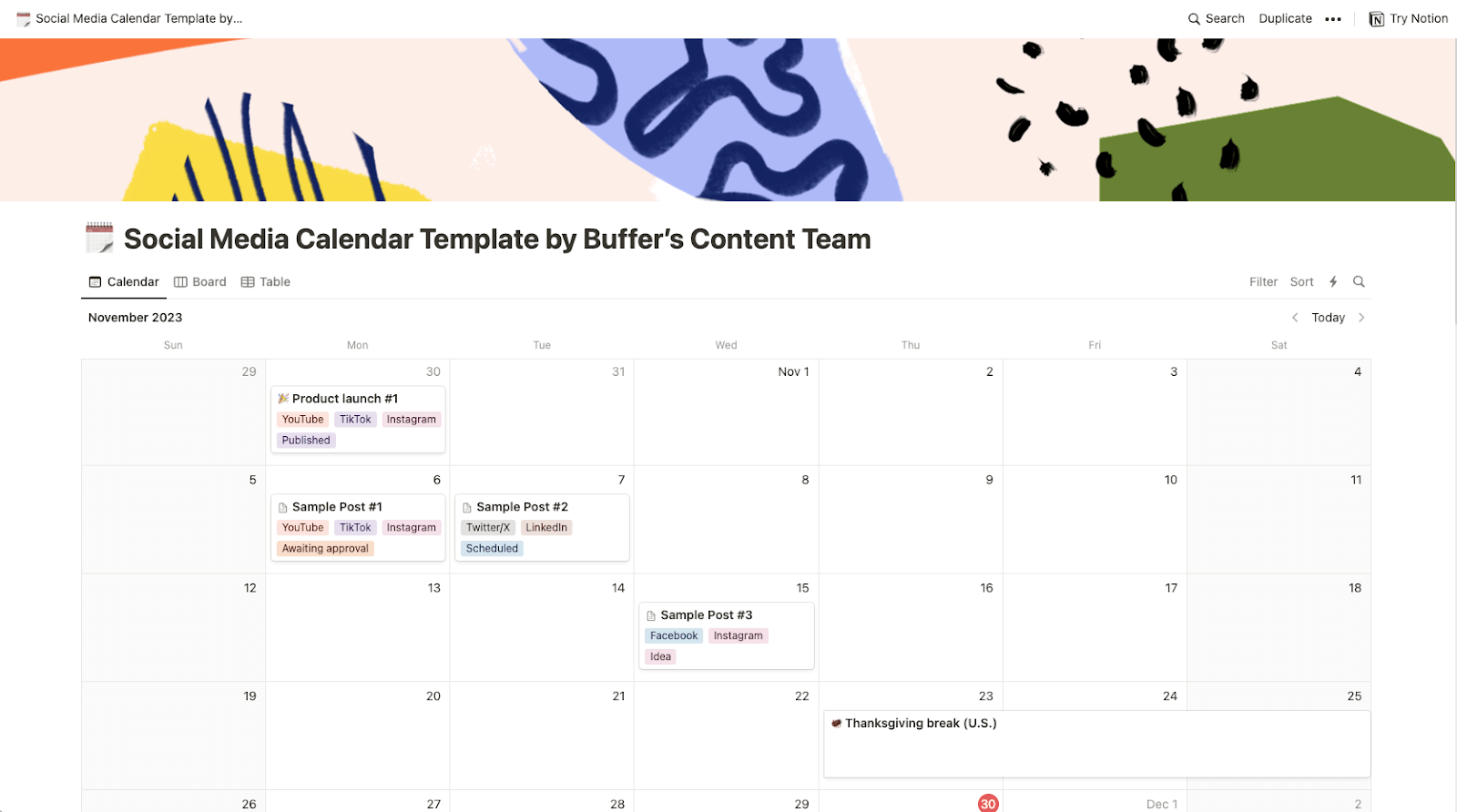
- Notion Workspaces (Comprehensive Content Hubs): Notion’s versatility allows users to build highly customized content calendars that function as comprehensive content hubs. Beyond scheduling, users can store full captions, media assets, content ideas, and track post statuses using Kanban boards, tables, or Gantt charts. This makes Notion an excellent choice for managing editorial calendars that span various content types, including blog posts, newsletters, and social media. An example includes Kiran Shahid’s Notion template, designed for personal brand building, which allows for systematic content development and repurposing across platforms like LinkedIn and Instagram.
- Specialized Approaches:
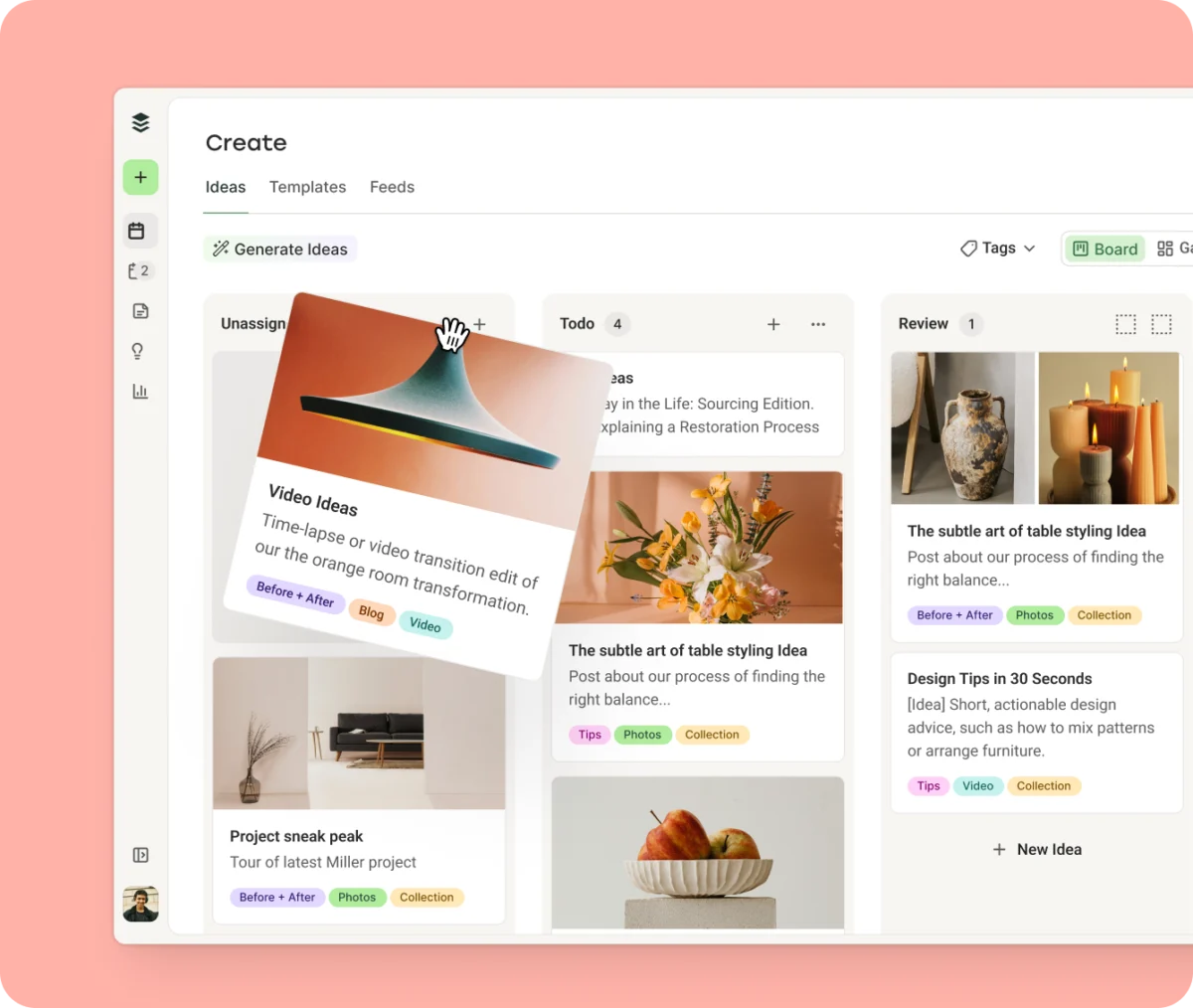
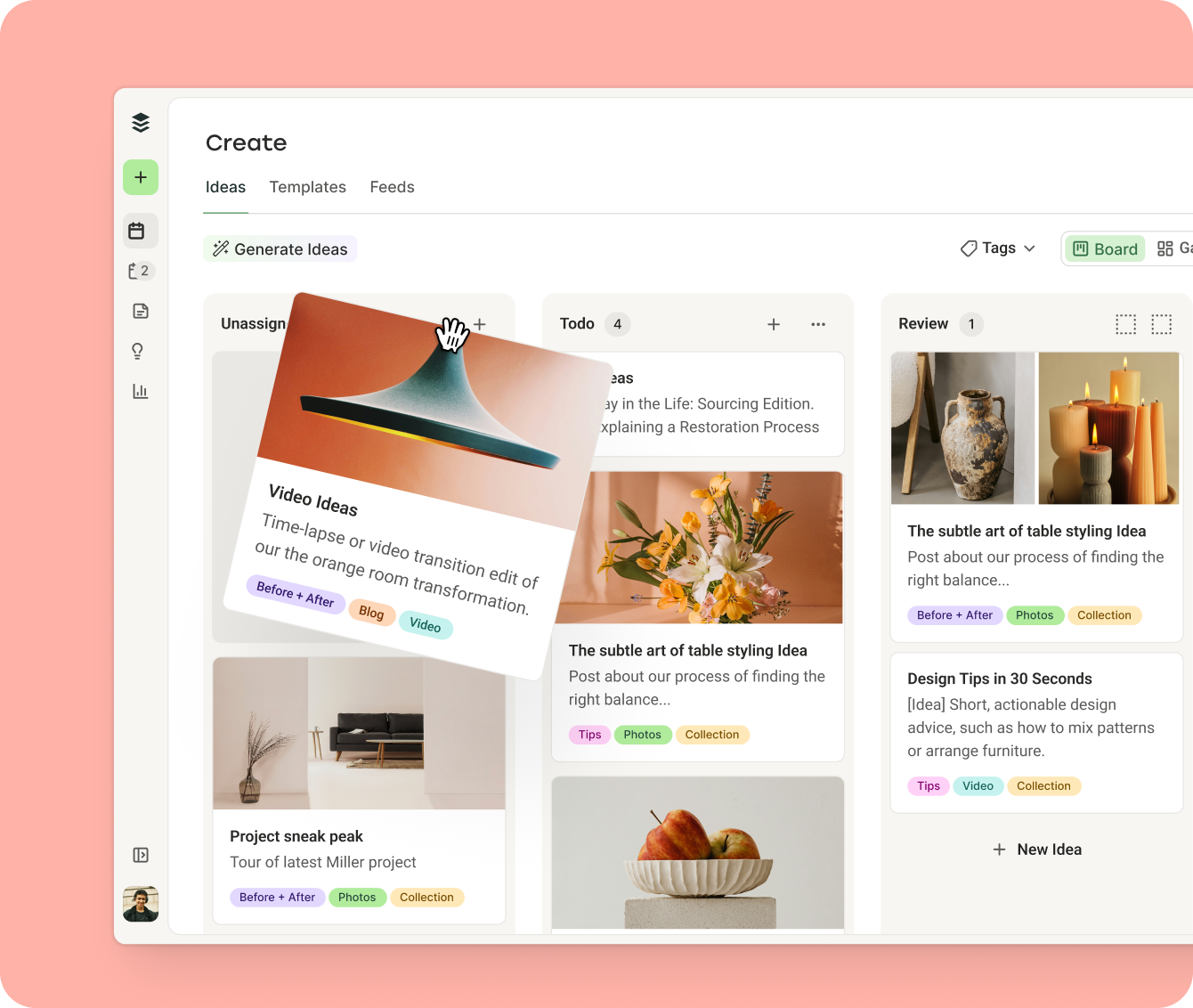
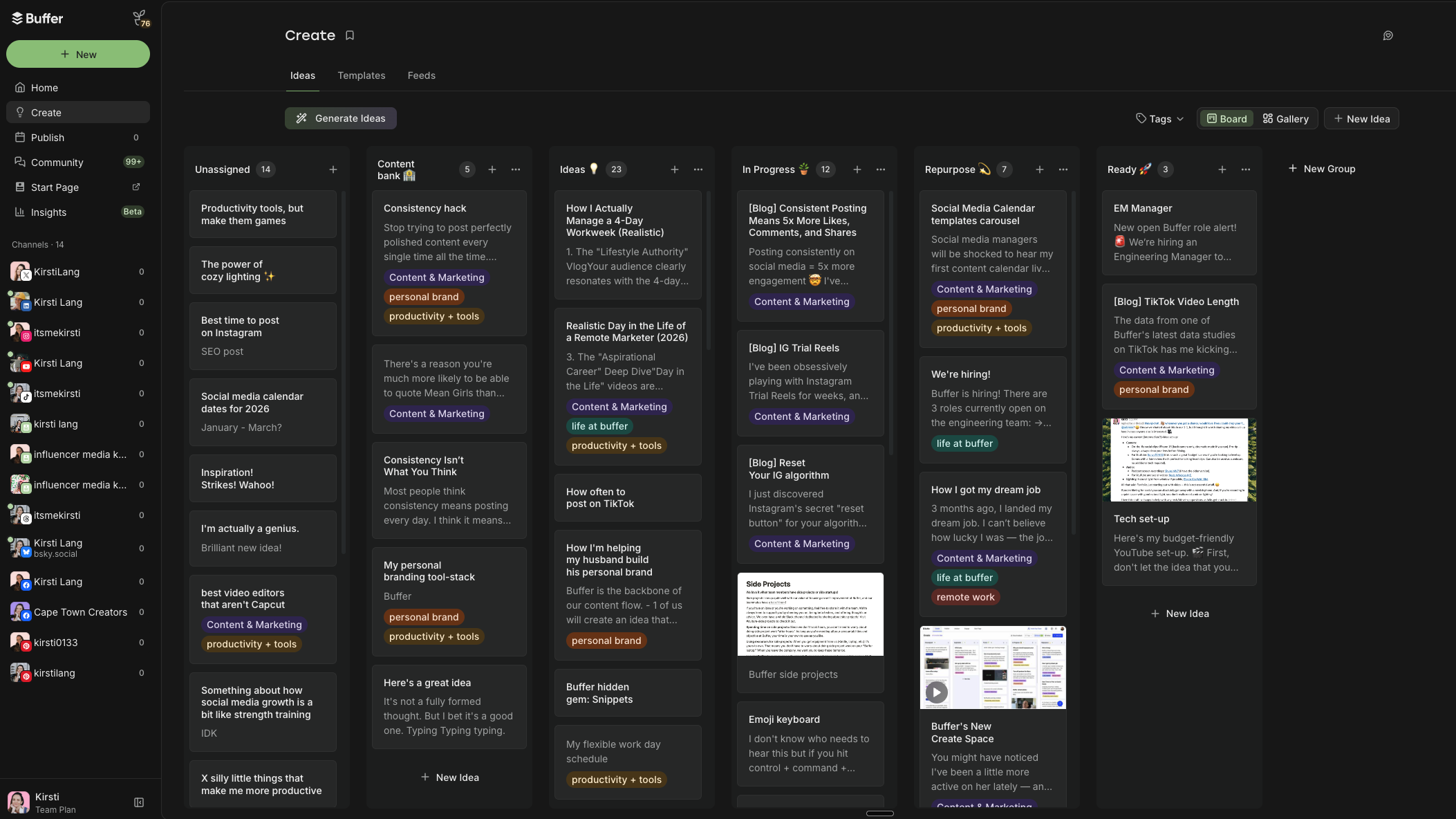
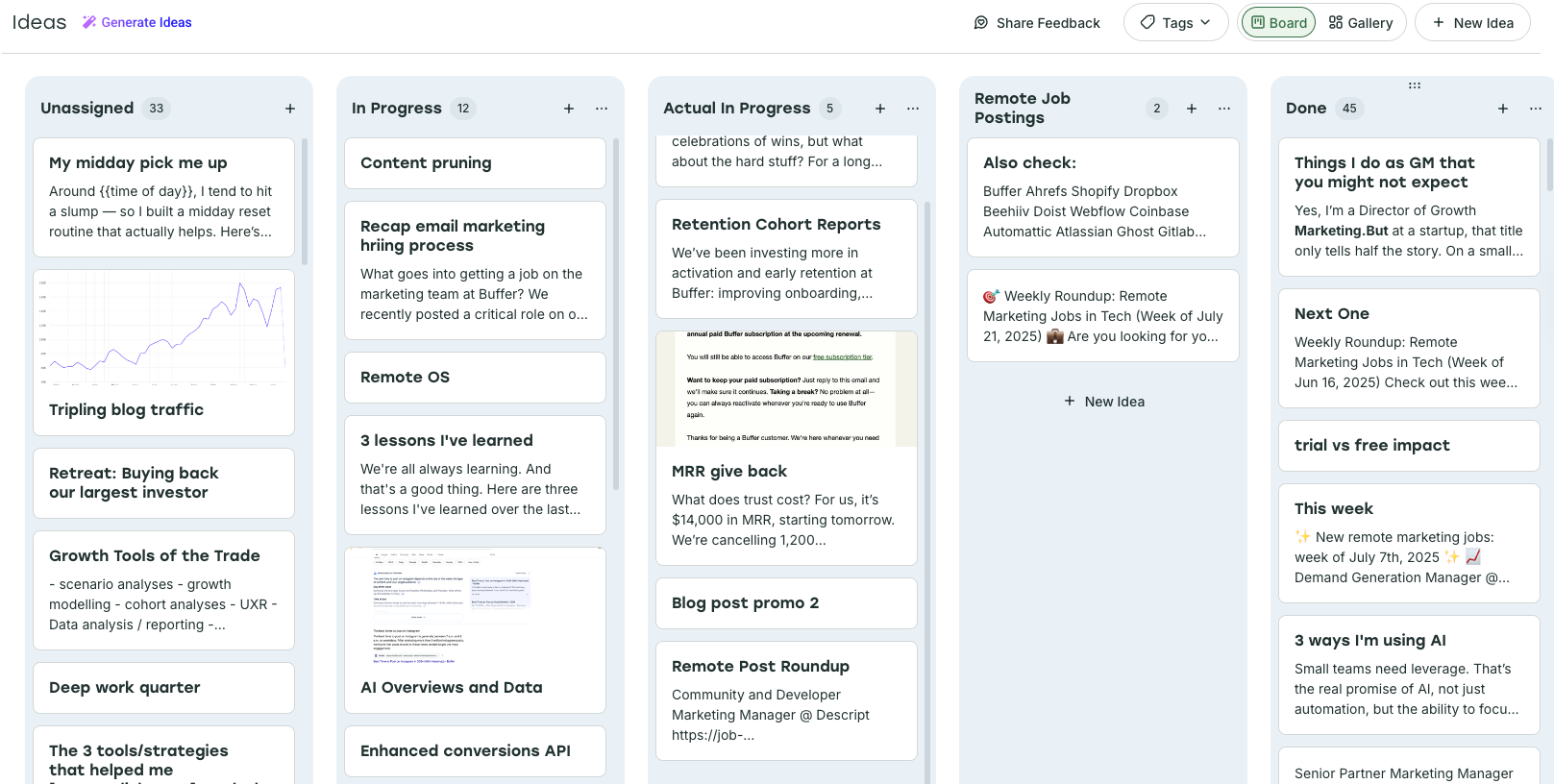
- Kanban Calendars (Content Pillar Organization): Integrating Kanban boards, such as those found within Buffer’s Create Space, allows users to visualize content workflow stages (e.g., "Idea," "In Progress," "Ready for Review," "Scheduled"). This method, exemplified by Buffer’s Director of Growth Marketing, Simon Heaton, uses color-coded tags to categorize content by strategic pillars, providing an immediate visual understanding of content distribution and alignment.
- AI-Assisted Calendars (Idea Generation & Scheduling): Innovative approaches, like Aiza Coronado’s email-based ChatGPT calendar, demonstrate the power of AI in streamlining content creation. By prompting AI tools to generate content ideas based on past conversations and specific audience parameters, users can receive daily inspiration directly in their inbox, significantly reducing brainstorming time and ensuring a fresh flow of concepts.
- Platform-Specific Consistency Calendars: For creators focusing on a single platform, like TikTok, a dedicated calendar within an integrated tool can ensure consistent posting frequency and optimal timing. By analyzing platform-specific data and individual performance metrics, users can pre-set posting slots that align with peak audience activity, thereby minimizing friction and maximizing reach.
Buffer stands out as a leading comprehensive platform that seamlessly integrates content planning with execution. More than just a calendar, Buffer offers a robust suite of tools designed to streamline the entire social media management workflow for individuals and teams.
Key Features and Capabilities of Buffer:
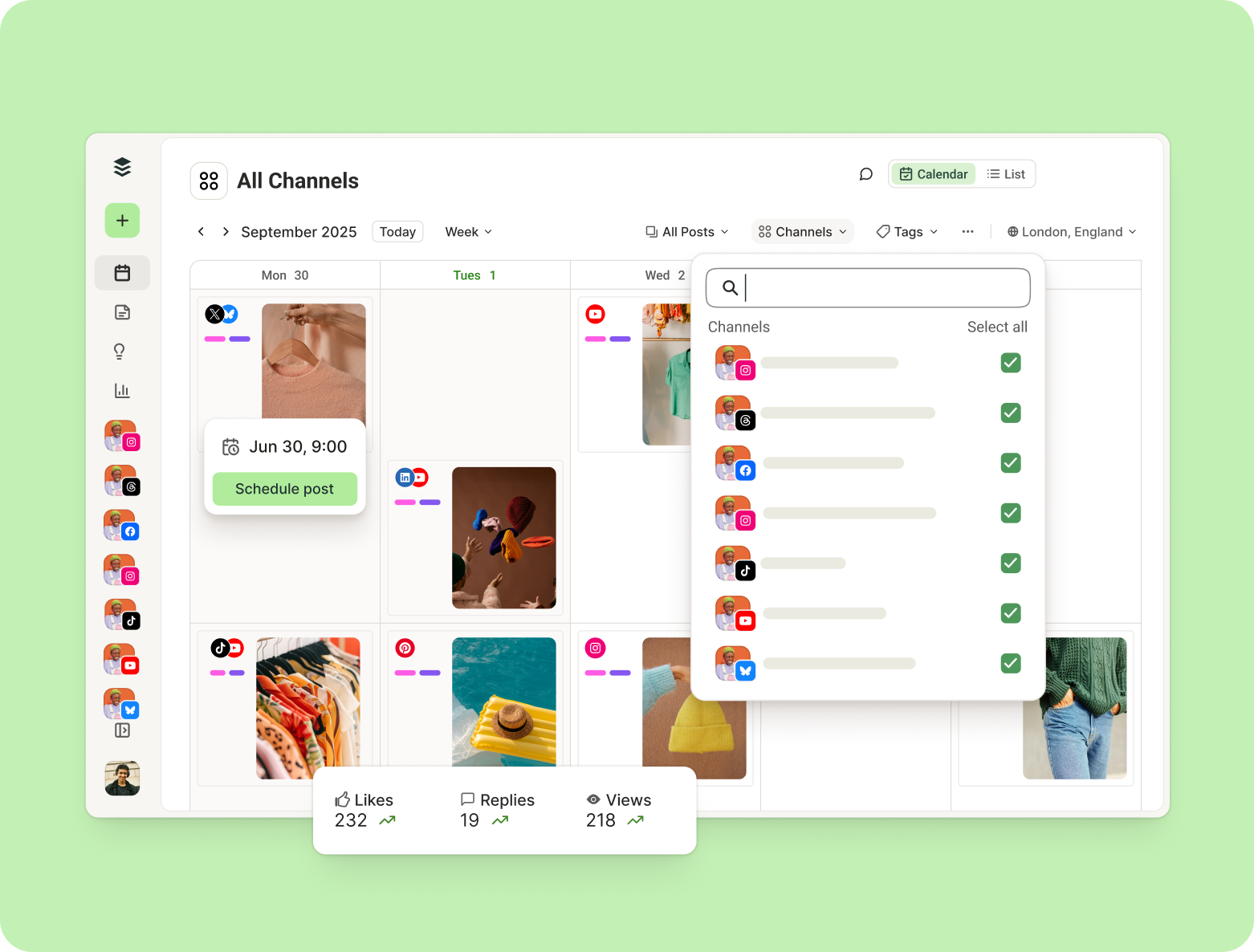
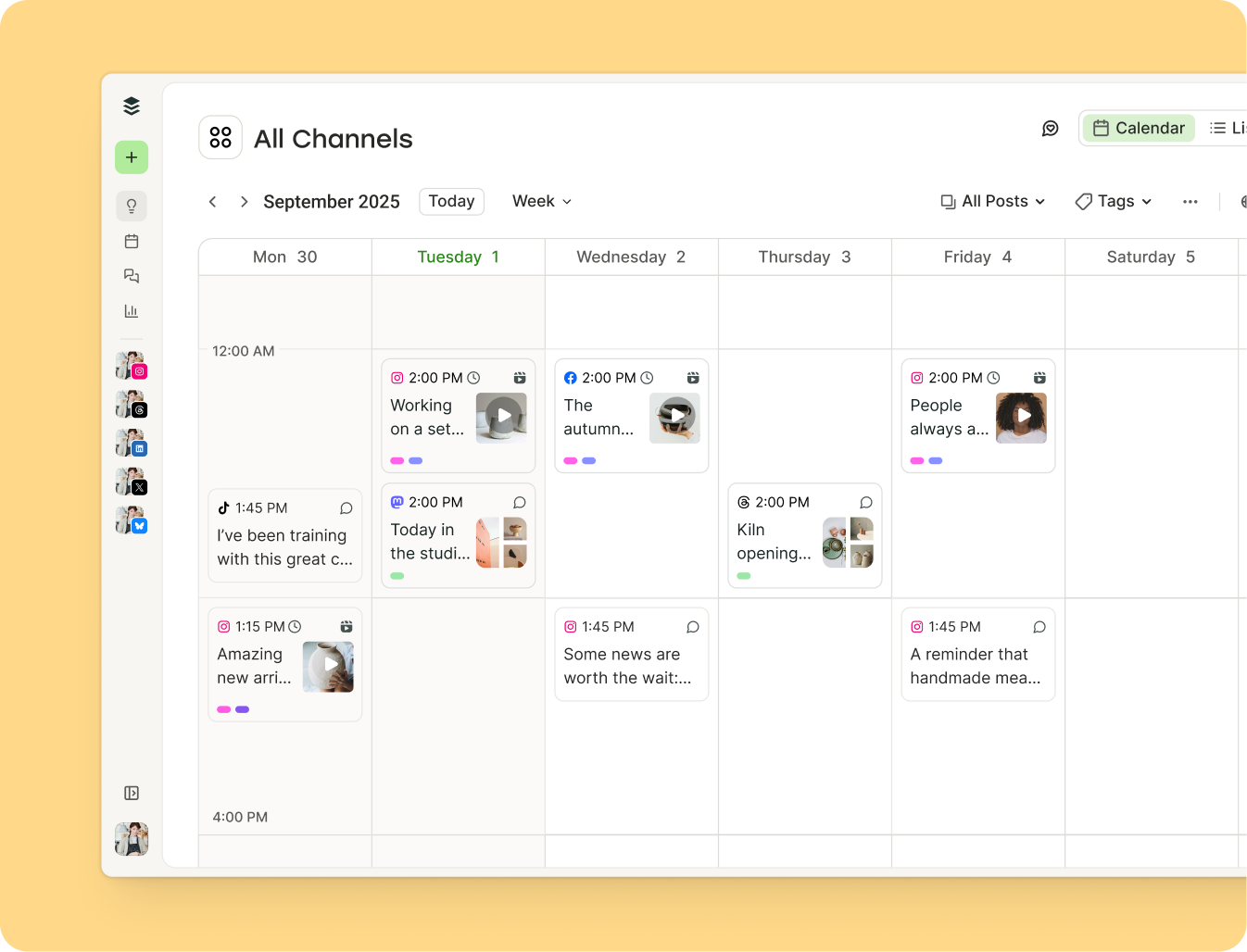
- Intuitive Calendar Views: Buffer provides both weekly and monthly calendar views, allowing users to visualize their content schedule at a glance. The drag-and-drop functionality enables easy adjustments to publish dates and times. These views can be filtered by platform, providing focused insights into specific channel performance.
- Automated Scheduling and Publishing: A core differentiator, Buffer enables automated scheduling of text, photo, and video posts across a wide array of major social platforms including Facebook, Instagram, TikTok, YouTube, LinkedIn, X (Twitter), Pinterest, Threads, Bluesky, Mastodon, and Google Business Profile. This eliminates the need for manual posting, saving significant time and ensuring timely delivery.
- Optimized Posting Times: Leveraging extensive data analysis from millions of social media posts, Buffer offers suggestions for the best times to post on each platform to maximize reach and engagement. Users can customize their default posting queues based on this data and their own performance analytics.
- Flexible Content Organization with Tags: The Tags feature allows for custom content categories and color-coding. Posts can be organized by status, content strategy pillars, target audience, marketing goals, or content type. This granular organization is not only visual but also integrates with analytics, allowing users to measure the performance of specific content categories.
- Create Space for Ideation and Workflow: Beyond the calendar, Buffer’s Create Space functions as a versatile hub for brainstorming and organizing content ideas. It supports Kanban boards for visualizing workflow stages, allowing teams to develop ideas from concept to scheduled post.
- Collaboration Features: For teams, Buffer includes essential collaboration tools such as approval workflows and smart permissions, ensuring content quality and brand consistency while streamlining team operations.
- Integrated Analytics (Insights): The Insights section provides at-a-glance metrics, allowing users to monitor post-performance, track engagement, and understand audience behavior. The ability to filter analytics by tags provides deep insights into the effectiveness of different content strategies.
- Multi-Account Management: Buffer simplifies the management of multiple social media accounts from a single dashboard, enabling efficient scheduling and content adaptation across various brand profiles.
The use of Buffer’s integrated features exemplifies strategic content management. Simon Heaton’s Kanban calendar in Buffer’s Create Space, with columns like "In Progress" and "Actual in Progress" alongside color-coded tags for content pillars (e.g., "Buffer Promo," "Growth @ Buffer"), illustrates a sophisticated system for tracking content development and ensuring strategic alignment. Similarly, the author’s personal TikTok consistency calendar demonstrates how predetermined time slots and data-driven insights within Buffer can eliminate friction and sustain a regular posting cadence, a critical factor for algorithmic success on platforms like TikTok.
The strategic development of a social media content calendar, whether leveraging a template or building from the ground up, follows a structured eight-step process designed to ensure effectiveness and sustainability.
1. Strategic Foundation: Define Your "Why" and "Who"
Before selecting any tool or template, articulate your overarching social media strategy. This involves:
- Goals: What do you aim to achieve (e.g., brand awareness, lead generation, community building, customer support)?
- Target Audience: Who are you trying to reach (demographics, interests, pain points)?
- Content Pillars: What key themes or topics will your content consistently cover, aligning with your brand identity and audience interests?
A clear, single-page social media strategy document, outlining these elements, serves as the bedrock for all subsequent content decisions.
2. Tool Selection: Match the Tool to Your Workflow
Choose a calendar tool that aligns with your preferred working style and the complexity of your needs. Options range from simple spreadsheets (Google Sheets, Excel) for detailed data entry, flexible workspaces (Notion) for comprehensive content hubs, to integrated scheduling platforms (Buffer) for end-to-end management. The most effective tool is one you will consistently use and find intuitive, allowing for scalability as your needs evolve.
3. Cadence and Consistency: Establish Your Posting Rhythm
Determine a realistic and sustainable posting frequency for each social media platform. Consistency is a universally acknowledged driver of success across algorithms. Three high-quality, consistent posts per week will invariably outperform seven erratic or rushed posts. Build your calendar around a rhythm you can realistically maintain over the long term.
4. Structural Layout: Map Your Publishing Slots
Create the basic skeleton of your calendar by mapping out specific days and times for publishing. Data from aggregated sources, such as Buffer’s analysis of millions of posts, can provide valuable insights into optimal posting times for general audiences. However, this should be a starting point, refined over time with your own audience’s engagement data. In platforms like Buffer, this translates to setting up a "Queue" of predetermined time slots for each channel, providing a consistent framework for content delivery.
5. Content Ideation and Development: Populate with Purpose
With your strategy and schedule in place, begin brainstorming and developing actual content. Tools like Buffer’s Create Space or AI assistants (e.g., ChatGPT) can be instrumental here. Focus on generating ideas that align with your content pillars and resonate with your target audience. Initially, even brief notes or half-baked concepts are sufficient; the goal is to populate the calendar, with refinement to follow.
6. Categorization and Organization: Enhance Clarity and Analysis
Implement organizational structures such as color-coding or tagging. This allows for quick visual identification of content types, strategic pillars, or campaign affiliations. For instance, Buffer’s Tags feature enables classification by content pillar, status (e.g., "Draft," "Approved"), or format (e.g., "Video," "Infographic"). This not only makes the calendar more legible but also provides a powerful mechanism for filtering analytics and measuring the performance of specific content categories.
7. Scheduling and Execution: From Plan to Publication
Once content ideas are developed and refined, slot them into your calendar’s publishing slots. For integrated platforms like Buffer, this involves drafting the post, tailoring it for each selected platform, and then scheduling it for automatic publication. The ability to queue posts or schedule them for specific times significantly streamlines the execution phase.
8. Performance Review and Iteration: Optimize Dynamically
A content calendar is not static. Regularly review the performance of your published content using analytics tools. Analyze engagement rates, reach, and conversions to understand what resonates with your audience. Use these insights to adjust your content strategy, refine posting times, experiment with new formats, and iterate on your content pillars. This continuous feedback loop is essential for dynamic optimization and sustained growth. As Vikki Tokarz, Head of Community at Scribe, notes, calendars are essential for anything beyond immediate content, allowing for a balance of timely, viral content and consistent evergreen material.
Across the constantly shifting sands of social media algorithms, one principle remains steadfast: consistency. Whether aiming to build a personal brand, foster a community, or drive sales, regular and predictable engagement is consistently rewarded by platforms and appreciated by audiences. A well-maintained social media content calendar is the most reliable mechanism for achieving this consistency. It transforms aspirational goals into actionable plans, providing the structure necessary to navigate the complexities of digital marketing with precision and purpose.
The adoption of a robust content calendar frees up valuable resources, minimizes strategic guesswork, and empowers creators and marketers to focus on what truly matters: delivering high-quality, engaging content that connects with their audience and achieves their objectives. In an era where digital presence is paramount, mastering the social media content calendar is not merely an administrative task, but a strategic imperative for sustained success.
Social Media Content Calendar FAQs
For those initiating or refining their social media content planning, the following guidance, informed by extensive industry experience, addresses common queries.
The Strategic Rationale for Social Media Content Calendars
A social media content calendar is a cornerstone of an effective digital strategy. It serves as a centralized blueprint that ensures organized, consistent, and strategic content deployment. Key benefits include:
- Proactive Planning: Moves content creation from reactive to proactive, reducing stress and improving quality.
- Strategic Alignment: Ensures every piece of content supports broader marketing and business objectives.
- Consistency: Maintains a regular posting schedule, which is vital for audience engagement and algorithmic visibility.
- Efficiency: Facilitates batch content creation and streamlined workflows, saving time and resources.
- Performance Monitoring: Provides a framework for tracking and analyzing content effectiveness, enabling data-driven optimization.
- Enhanced Collaboration: Acts as a shared resource for teams, improving communication and accountability.
A template streamlines this process by offering a pre-structured framework, eliminating the initial hurdle of organizing a blank slate. This is particularly advantageous for resource-constrained individuals or teams managing multiple platforms, as it allows immediate focus on content rather than format.
Key Components of an Effective Content Calendar
While calendars can vary in complexity, most effective versions include fundamental details:
- Date and Time of Publication: Precise scheduling information.
- Social Media Platform(s): Specifies where the content will be posted.
- Content Type: Identifies the format (e.g., image, video, link post, story).
- Caption/Text: The accompanying written message.
- Media Assets: Links to or placeholders for images, videos, or other visual elements.
- Status: Tracks the progress of the post (e.g., "Draft," "In Review," "Approved," "Scheduled," "Published").
Advanced calendars might also incorporate hashtags, calls to action (CTAs), campaign labels, target audience segments, and performance metrics, but beginning with a simpler structure and gradually adding complexity is often advisable.
Initiating a Social Media Calendar: Practical Steps
To establish your social media calendar, follow a methodical approach:
- Select Your Tool: Choose a platform that suits your workflow, whether it’s a spreadsheet (Google Sheets), a flexible workspace (Notion), or an integrated scheduler (Buffer).
- Define Your Strategy: Articulate your goals, target audience, and content pillars.
- Set Your Cadence: Determine a realistic posting frequency for each platform.
- Populate the Calendar: Begin by outlining your posting slots and then fill them with content ideas, captions, and relevant media.
- Block Dedicated Planning Time: Allocate a recurring slot each week or month for content planning and scheduling to maintain consistency.
Even a modest start, such as planning two to three posts in advance, can significantly enhance workflow and content quality.
Customizing Calendar Templates for Optimal Performance
Templates are designed as flexible starting points, not rigid mandates. Customization is crucial for maximizing their utility. Users should feel empowered to:
- Modify Layouts: Adjust columns, rows, or views to better suit their visual preferences or data tracking needs.
- Incorporate Branding: Add brand colors, logos, or specific terminology.
- Tailor Scheduling: Shift suggested posting times to align with their audience’s peak activity or their own content creation schedule.
- Add/Remove Fields: Include specific fields for metrics, campaign IDs, or approval stages, or remove those that are irrelevant.
The goal is to create a calendar that perfectly reflects your specific social media strategy, marketing objectives, audience behavior, and operational capacity.
Essential Features in a Content Calendar Template
An effective content calendar template should prioritize flexibility and clarity. Look for features that enable:
- Easy Customization: The ability to modify columns, add new fields, and change visual elements.
- Clear Overview: A layout that allows for a quick understanding of the content schedule across different platforms.
- Content Detail Integration: Space to include captions, links, media placeholders, and relevant notes directly within the calendar.
- Status Tracking: Mechanisms to indicate the progress of each post (e.g., draft, approved, scheduled).
- Platform Specificity: The capacity to differentiate content and scheduling for individual social media channels.
- Filtering and Sorting: Functionality to view content by platform, content type, status, or specific campaigns.
Templates offering these features empower users to manage complex content strategies efficiently, ensuring that every digital interaction is purposeful and impactful.